
Introduction
This manual provides essential instructions for the installation, operation, and maintenance of your Olivetti Easy Roll 80624 compatible ink roller. This ink roller is designed to provide clear and consistent printing for compatible Olivetti calculators and printing devices. Please read these instructions carefully before use to ensure optimal performance and longevity of the product.
Compatibility
The Olivetti Easy Roll 80624 ink roller is compatible with the following Olivetti models:
- Olivetti Logos 332
- Olivetti Logos 352
- Olivetti Logos 362
- Olivetti Logos 364
- Olivetti Logos 381
- Olivetti Summa 181
Ensure your device model is listed above for proper fit and function.
Setup and Installation
Follow these general steps to install the ink roller. Refer to your specific calculator's user manual for detailed instructions on opening the device and accessing the ink roller compartment.
- Power Off: Ensure your calculator or printing device is turned off and unplugged from any power source.
- Open Compartment: Carefully open the cover or compartment that houses the ink roller. This is typically located near the printing mechanism.
- Remove Old Roller: Gently remove the old, depleted ink roller. Note its orientation to assist with installing the new one. Dispose of the old roller responsibly.
- Unpack New Roller: Remove the new Olivetti Easy Roll 80624 ink roller from its packaging. Avoid touching the inked surface directly to prevent smudges.
- Insert New Roller: Align the new ink roller with the guides in the compartment and press it firmly into place until it clicks or sits securely. Ensure it is correctly seated and can rotate freely.
- Close Compartment: Close the cover or compartment securely.
- Test: Plug in and power on your device. Perform a test print to verify that the ink roller is functioning correctly and producing clear output.
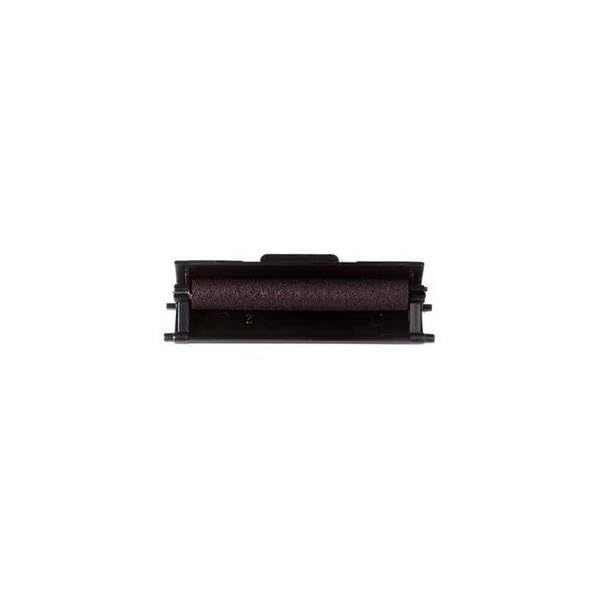
Image: The Olivetti Easy Roll 80624 compatible ink roller, shown in its packaging. This image illustrates the product as it appears when new, ready for installation into a compatible Olivetti calculator or printing device.
Operating Instructions
Once installed, the Olivetti Easy Roll 80624 ink roller operates automatically with your compatible Olivetti calculator or printing device. The roller provides the necessary ink to the printing mechanism, ensuring that numbers and symbols are clearly transferred onto paper.
- Normal Use: Simply use your calculator as intended. The ink roller will engage with the printing mechanism during operation.
- Print Quality: Monitor print quality regularly. A fading or inconsistent print indicates that the ink roller may need replacement.
Maintenance
Proper maintenance ensures the best performance and extends the life of your ink roller and printing device.
- Storage: Store new, unused ink rollers in their original sealed packaging in a cool, dry place away from direct sunlight and extreme temperatures.
- Handling: When replacing, handle the ink roller by its plastic casing to avoid contact with the inked surface.
- Cleaning: Do not attempt to clean or re-ink a depleted roller. Replace it with a new one.
- Device Cleaning: Periodically clean the interior of your calculator's printing mechanism according to its own user manual to prevent ink residue buildup, which can affect print quality.
Troubleshooting
If you encounter issues with printing, consider the following troubleshooting steps:
| Problem | Possible Cause | Solution |
|---|---|---|
| Faint or inconsistent printing | Ink roller is depleted or improperly installed. |
|
| Smudged or blurry prints | Excess ink, dirty printing mechanism, or incorrect paper type. |
|
| No printing at all | Ink roller not installed, completely depleted, or device malfunction. |
|
Specifications
- Product Name: Easy Roll Compatible Ink Roller
- Model Number: 80624
- Brand: Olivetti (Compatible)
- Color: Violet (Viola)
- Compatibility: Olivetti Logos 332, 352, 362, 364, 381, Summa 181
Warranty and Support
Specific warranty information for this compatible ink roller is not provided in the product details. For any issues or support inquiries, please contact the retailer or the manufacturer of the compatible ink roller. For support related to your Olivetti calculator, please refer to its original documentation or contact Olivetti customer service.