1. Overview
This manual provides essential information and instructions for the proper use and maintenance of your CASIO Edifice EQW-T640DB-1AJF watch. Please read this manual carefully to ensure correct operation and to fully utilize all features of your timepiece.
2. Product Features
- Chronograph Display: Features multiple sub-dials for stopwatch functionality.
- Water Resistance: Rated for 100 meters, suitable for swimming and snorkeling.
- Durable Construction: Stainless steel case and band with a deployment clasp.
- Luminous Hands and Markers: Enhanced visibility in low-light conditions.
- Date Display: Convenient date window on the dial.
3. Setup
3.1 Initial Time and Date Setting
- Pull the crown out to the second click. The second hand will move to the 12 o'clock position.
- Rotate the crown to set the hour and minute hands. Ensure the AM/PM setting is correct.
- Push the crown back in to the first click.
- Rotate the crown to set the date.
- Push the crown back to its normal position.
3.2 Adjusting the Band
The stainless steel band can be adjusted by adding or removing links. This procedure typically requires specialized tools and is best performed by a qualified jeweler or watch technician to prevent damage to the band or clasp.
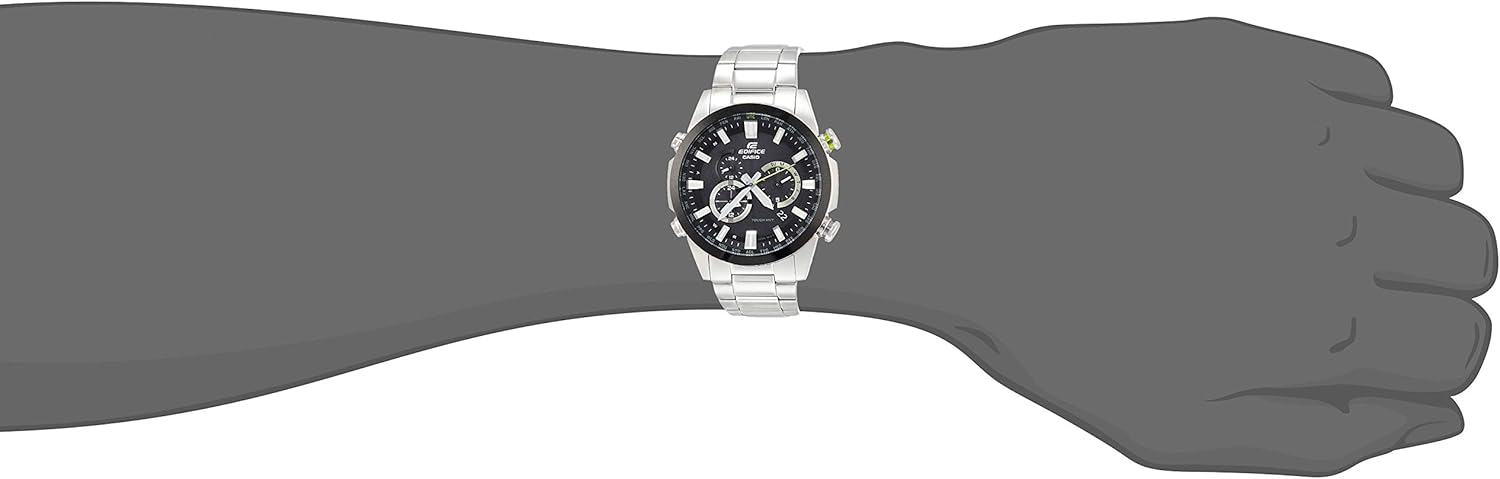
Image: Rear view of the watch, highlighting the deployment clasp and the back of the watch case.
4. Operating Instructions
4.1 Using the Chronograph
- Press the upper right button to start the stopwatch.
- Press the upper right button again to stop the stopwatch.
- Press the lower right button to reset the stopwatch to zero.
4.2 Backlight and Luminous Display
The watch features luminous hands and markers that glow in the dark after exposure to light. This provides visibility in low-light conditions. The watch does not feature an electronic backlight for the analog display, but the luminous material on the hands and hour markers will glow after being charged by light.

Image: Front view of the watch, showing the dial with luminous elements.
5. Maintenance
- Cleaning: Wipe the watch regularly with a soft, dry cloth. For water-resistant models, a damp cloth can be used, followed by drying.
- Water Resistance: Ensure the crown is pushed in completely before exposing the watch to water. Avoid operating buttons underwater.
- Temperature Extremes: Avoid exposing the watch to extreme temperatures, as this can affect accuracy and battery life.
- Chemicals: Keep the watch away from solvents, detergents, perfumes, and cosmetics, which can damage the case, band, or gaskets.
- Battery Replacement: When the battery runs low, have it replaced by an authorized service center to maintain water resistance.

Image: Side view of the watch, illustrating the crown and chronograph pushers.
6. Troubleshooting
- Watch Not Running: Check if the crown is fully pushed in. If not, set the time and push the crown back. If the watch still does not run, the battery may need replacement.
- Incorrect Time/Date: Follow the time and date setting instructions in Section 3.1.
- Water Inside Watch: If condensation or water appears inside the watch, immediately take it to an authorized service center.
- Chronograph Not Resetting to Zero: Refer to the specific module manual for chronograph hand position adjustment, or consult an authorized service center.
7. Specifications
| Model Number | EQW-T640DB-1AJF |
| Brand | Edifice |
| Display Type | Chronograph |
| Case Diameter | 44 Millimeters |
| Case Thickness | 11.7 Millimeters |
| Band Width | 22 Millimeters |
| Clasp Type | Deployment Clasp |
| Water Resistance Depth | 100 Meters |
| Item Weight | 154 Grams |
| Manufacturer | CASIO |
8. Warranty and Support
For warranty information, service, or support, please refer to the warranty card included with your product or visit the official CASIO website. Keep your purchase receipt as proof of purchase for warranty claims.