
1. Introduction
This manual provides essential information for the installation, operation, and maintenance of your Thermor Digital Room Thermostat KS 400104. This thermostat is designed for precise regulation of underfloor heating systems, offering a measurement precision of 1/10 of a degree. It features an automatic initial heating program for optimal slab or screed drying and an integrated wiring indicator for simplified installation. The device is compatible with pilot wire programmers for efficient and flexible heating management.
2. Safety Information
- Read all instructions carefully before installation and use.
- Installation must be performed by a qualified electrician and in accordance with local electrical codes.
- Disconnect power to the heating system at the main circuit breaker before performing any installation or maintenance.
- Do not expose the thermostat to water or extreme temperatures.
- Keep out of reach of children.
3. Package Contents
Verify that all components are present before beginning installation:
- Thermor Digital Room Thermostat (consisting of base and interface)
- Mounting Screws (2)
- User Manual
4. Setup and Installation
The thermostat is designed for easy installation and consists of two main parts: the base (a) and the interface (b). The interface can be clipped onto the base after the main installation work is complete, reducing the risk of damage or theft during construction.
- Prepare the Installation Site: Ensure the power supply to the installation area is disconnected at the main circuit breaker. Identify a standard 60 mm center-to-center flush-mounting box for installation.
- Mount the Base (a): Fix the thermostat base (a) onto the standard 60 mm center-to-center flush-mounting box using the two provided screws. Ensure it is securely fastened and level.
- Wiring: Connect the electrical wiring to the terminals on the base (a) according to the integrated wiring indicator. This thermostat uses a 6-order pilot wire system. Refer to your heating system's wiring diagram for specific connections.
- Attach the Interface (b): Once the wiring is complete and the base is securely mounted, simply clip the interface (b) onto the recessed part of the base. Ensure it clicks into place firmly.
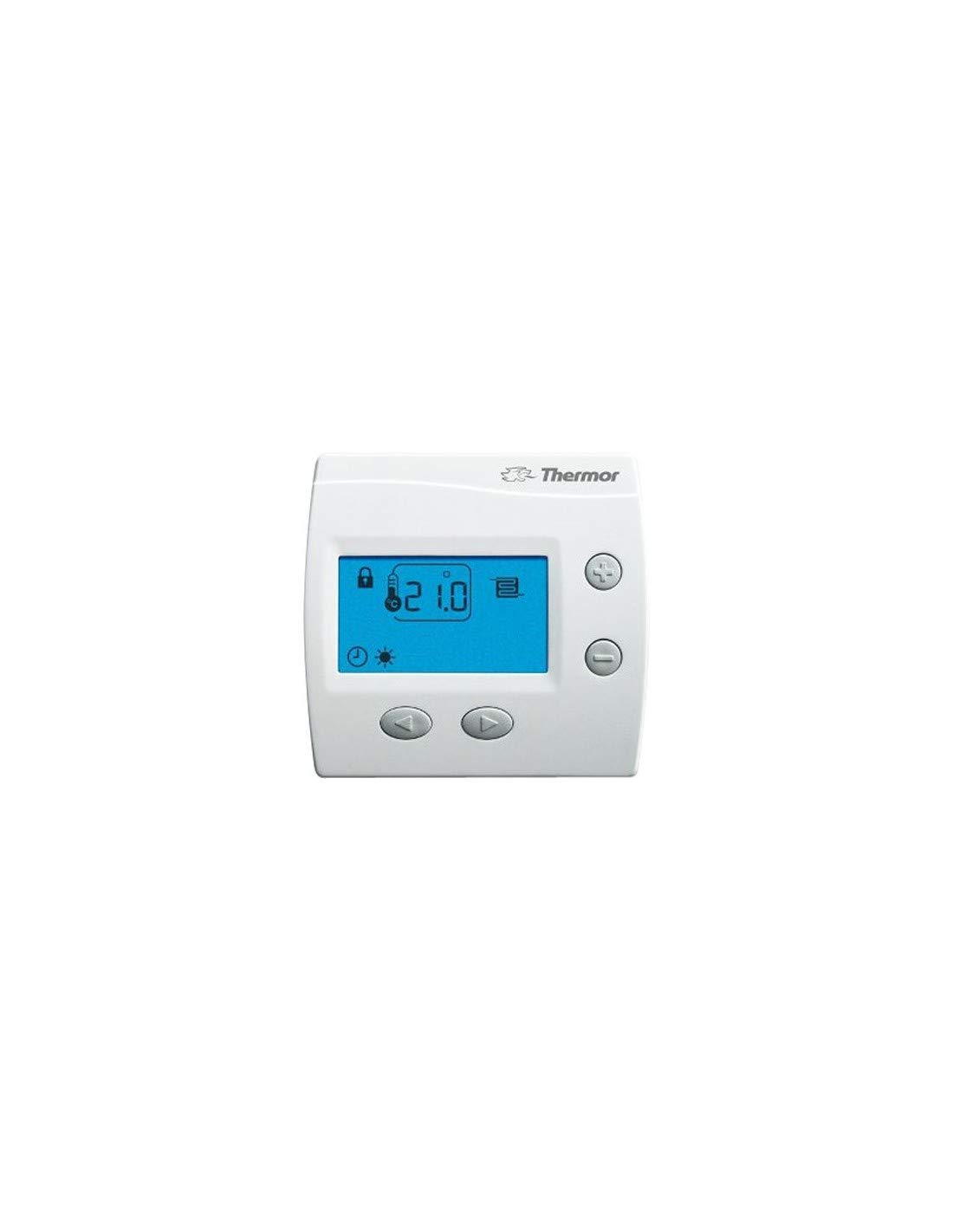
Image 1: Front view of the Thermor Digital Room Thermostat KS 400104. This image displays the digital screen and control buttons, which are used for setting temperature and programming the device. The sleek design is suitable for modern interiors.
5. Operating Instructions
The Thermor Digital Room Thermostat KS 400104 is designed for user-friendly operation.
- Power On: After installation, restore power to the heating system. The thermostat display should illuminate.
- Temperature Setting: Use the control buttons (typically up/down arrows) to adjust the desired room temperature. The thermostat will maintain this temperature with a precision of 1/10 of a degree.
- Automatic Initial Heating Program: For new underfloor heating installations, the thermostat includes an automatic initial heating program. This program is designed to optimize the drying process of the concrete slab or screed. Consult your heating system's documentation for details on activating and monitoring this program.
- Pilot Wire Compatibility: The thermostat is compatible with 6-order pilot wire systems, allowing it to integrate with various programmers and heating management systems for advanced scheduling and energy saving. Refer to your programmer's manual for integration instructions.
- Display: The LCD display shows the current room temperature and other relevant information.
6. Maintenance
- Cleaning: Clean the thermostat's exterior with a soft, dry cloth. Do not use abrasive cleaners or solvents.
- Battery Replacement: The thermostat is battery-powered. When the low battery indicator appears on the display, replace the batteries promptly to ensure continuous operation. Refer to the specific instructions for accessing the battery compartment.
- Regular Checks: Periodically check the thermostat for any signs of damage or loose connections.
7. Troubleshooting
- No Display/No Power: Check the main circuit breaker and ensure the thermostat batteries are correctly installed and charged.
- Incorrect Temperature Reading: Ensure the thermostat is not exposed to direct sunlight, drafts, or heat sources that could affect its sensor.
- Heating Not Responding: Verify that the thermostat is set to a temperature higher than the current room temperature. Check the pilot wire connections and ensure the heating system itself is operational.
- System Malfunction: If issues persist, consult a qualified technician.
8. Specifications
| Brand | Thermor |
| Item Model Number | 1636 |
| Part Number | 400104 |
| Controller Type | Push Button |
| Special Features | Temperature Display, Automatic Programming |
| Color | White |
| Specific Product Uses | Control panel for electric heating |
| Temperature Control Type | Programmable |
| Connectivity Technology | Wi-Fi, Pilot Wire |
| Included Components | 6-order Pilot Wire |
| Power Source | Battery Powered |
| Voltage | 230 Volts |
| Display Type | LCD |
| Control Method | Tactile |
| Mounting Type | Wall Mount |
| Backlight | Yes |
| Item Shape | Rectangular |
| Style | Digital |
9. Warranty and Support
For warranty information and technical support, please refer to the documentation provided with your purchase or contact Thermor customer service directly. Keep your proof of purchase for warranty claims.