Introduction
Thank you for choosing the HARISON QL-1000 Video Light. This professional-grade continuous output lighting system is designed for photography and videography, offering reliable illumination with a 1000W halogen lamp and versatile light modification options. This manual provides essential information for the safe and effective use, setup, operation, and maintenance of your QL-1000 Video Light.
Safety Instructions
- Always ensure the light is turned off and unplugged before performing any maintenance, lamp replacement, or moving the unit.
- The halogen lamp operates at high temperatures. Allow the unit to cool down completely before touching the lamp or reflector.
- Do not operate the light near flammable materials or in excessively humid environments.
- Use only the specified 1000W halogen lamp (GX-6.5 type).
- Ensure proper ventilation around the light during operation to prevent overheating.
- Keep out of reach of children.
- Local taxes (such as octroi etc), wherever applicable, would be charged extra.
Package Contents
Please check the package to ensure all items are present:
- HARISON QL-1000 Video Light Head (1 Pc)
- 1000W Halogen Lamp (GX-6.5 type) (1 Pc)

Image: The HARISON QL-1000 Video Light head shown alongside its included 1000W halogen lamp in its packaging.
Product Overview
The HARISON QL-1000 features an all-metal body for durability and a robust design for professional use.
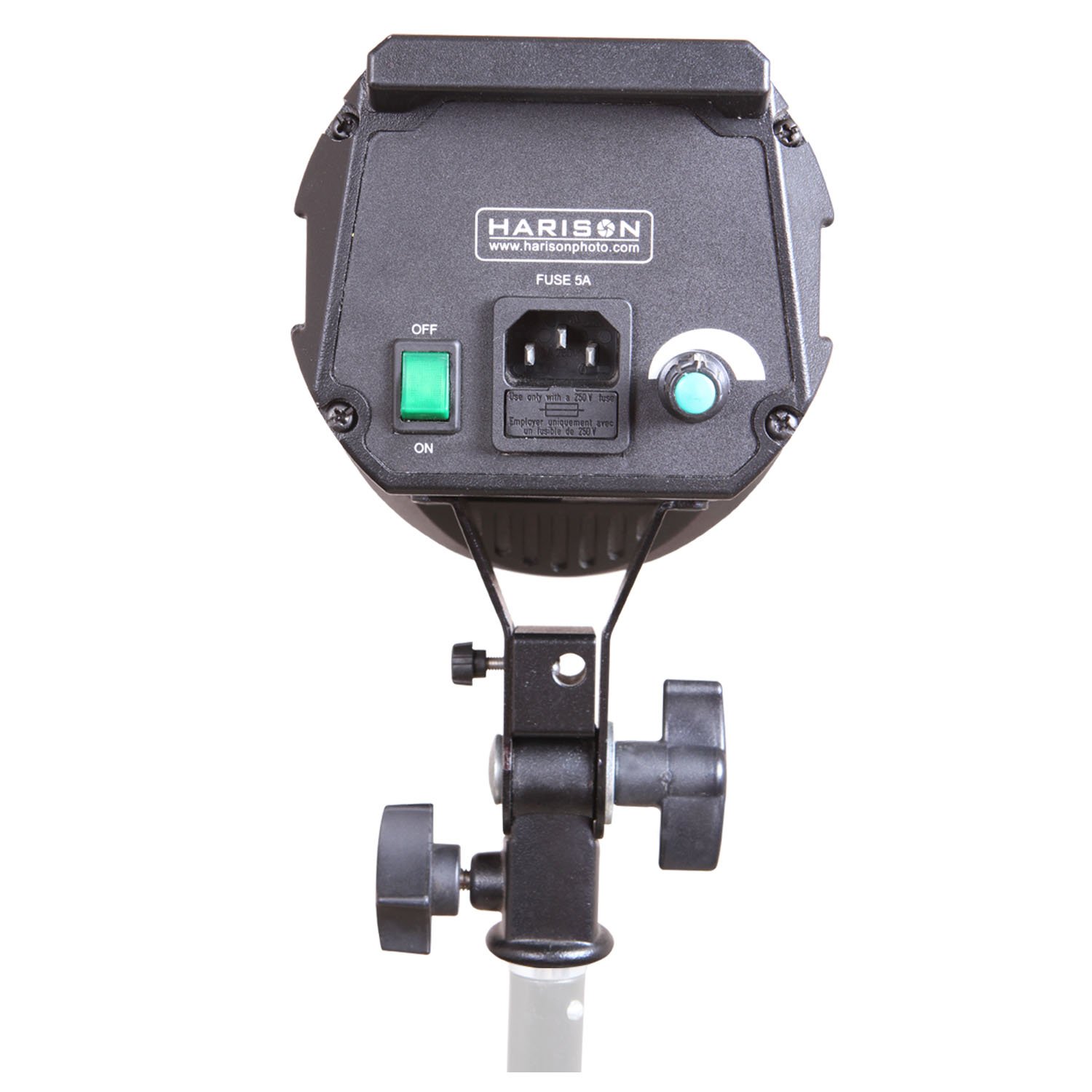
Image: Rear view of the QL-1000, highlighting the ON/OFF switch, power input socket, and the dimming control knob. A fuse compartment is also visible.

Image: Side profile of the QL-1000, illustrating its sturdy mounting bracket and adjustment knobs for angling the light.
Setup
1. Mounting the Light
- Attach the HARISON QL-1000 to a sturdy light stand using the integrated mounting bracket.
- Secure the light by tightening the adjustment knob on the bracket.
- Adjust the angle of the light head as needed using the tilt adjustment knob.
2. Installing the Halogen Lamp
- Ensure the light is unplugged and cool.
- Carefully insert the 1000W halogen lamp (GX-6.5 type) into the lamp socket. Avoid touching the glass part of the lamp with bare hands, as oils can reduce lamp life. Use a clean cloth or gloves if necessary.
- Ensure the lamp is fully seated in the socket.
3. Attaching Light Modifiers
The QL-1000 features an Elinchrom-compatible mount, allowing for a wide range of light modifiers such as softboxes, reflectors, and umbrellas.
- To attach a modifier, align its mounting ring with the light's mount.
- Twist or click the modifier into place until it is securely locked.
- For umbrellas, insert the umbrella shaft into the designated umbrella holder on the light head.
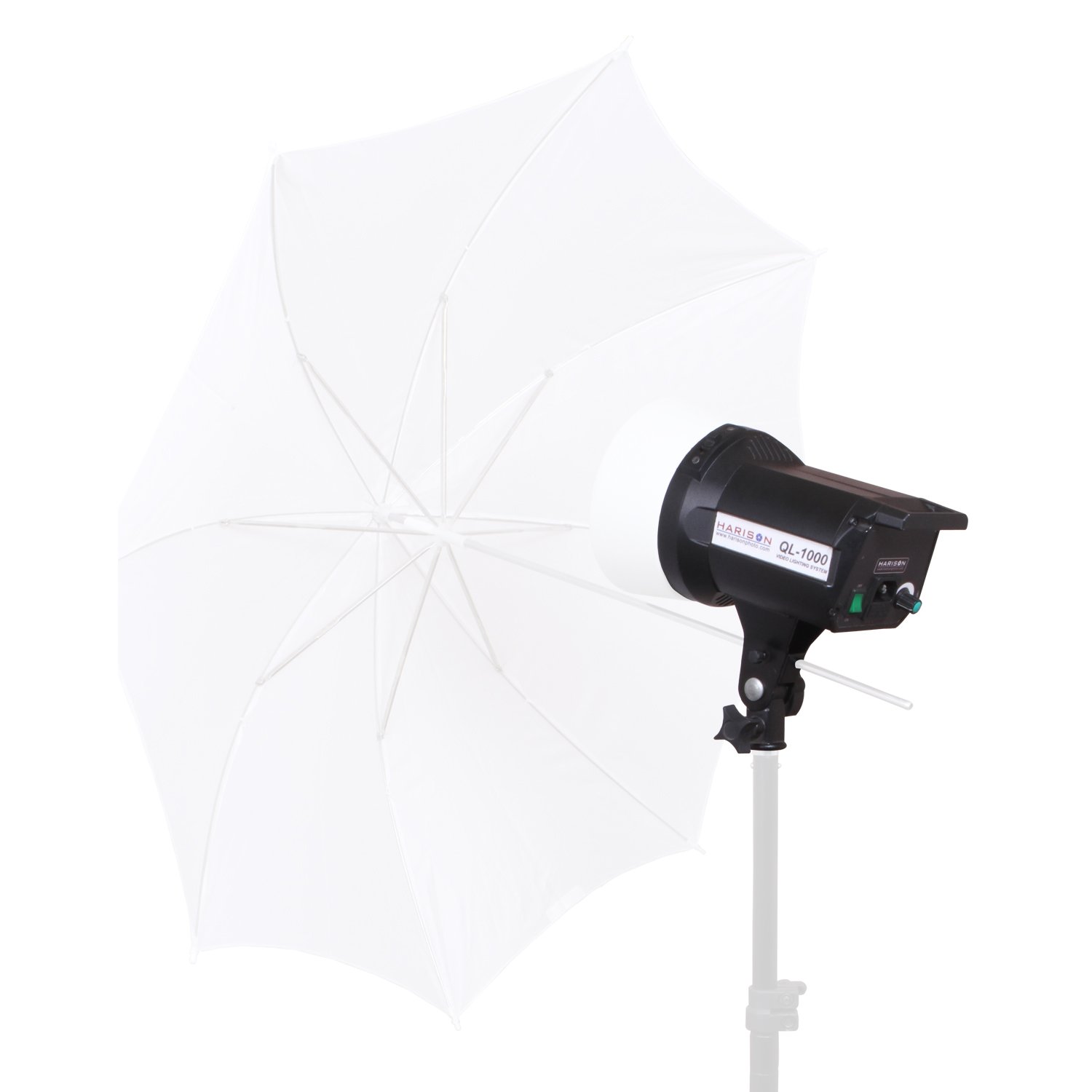
Image: The QL-1000 Video Light mounted on a stand with a white photographic umbrella attached, demonstrating its compatibility with light modifiers.
Operating Instructions
1. Powering On/Off
- Connect the power cord to the light's power input and then to a suitable power outlet.
- Flip the ON/OFF switch located on the rear panel to the 'ON' position to power on the light.
- Flip the switch to the 'OFF' position to power off the light.
2. Dimming Control
- The QL-1000 features a dimmable output from 0% to 100%.
- Rotate the dimmer knob on the rear panel clockwise to increase brightness and counter-clockwise to decrease brightness.
3. Usage Tips
- Always ensure the light is stable on its stand to prevent accidental tipping.
- Avoid frequent on/off cycles, especially at high power, to prolong lamp life.
- When using light modifiers, ensure they are securely attached and do not obstruct ventilation.
Maintenance
1. Lamp Replacement
- Turn off and unplug the light. Allow it to cool completely (at least 15-20 minutes).
- Carefully remove the old lamp from its socket.
- Install a new 1000W halogen lamp (GX-6.5 type) as described in the "Setup" section.
2. Cleaning
- Ensure the light is off, unplugged, and cool.
- Wipe the exterior of the light with a soft, dry cloth.
- Do not use liquid cleaners or solvents, as they may damage the finish or internal components.
- Periodically check the ventilation openings for dust accumulation and gently clean if necessary.
3. Storage
- When not in use, store the light in a cool, dry place, away from direct sunlight and excessive dust.
- It is recommended to use a protective cap or cover for the lamp and reflector area during storage.
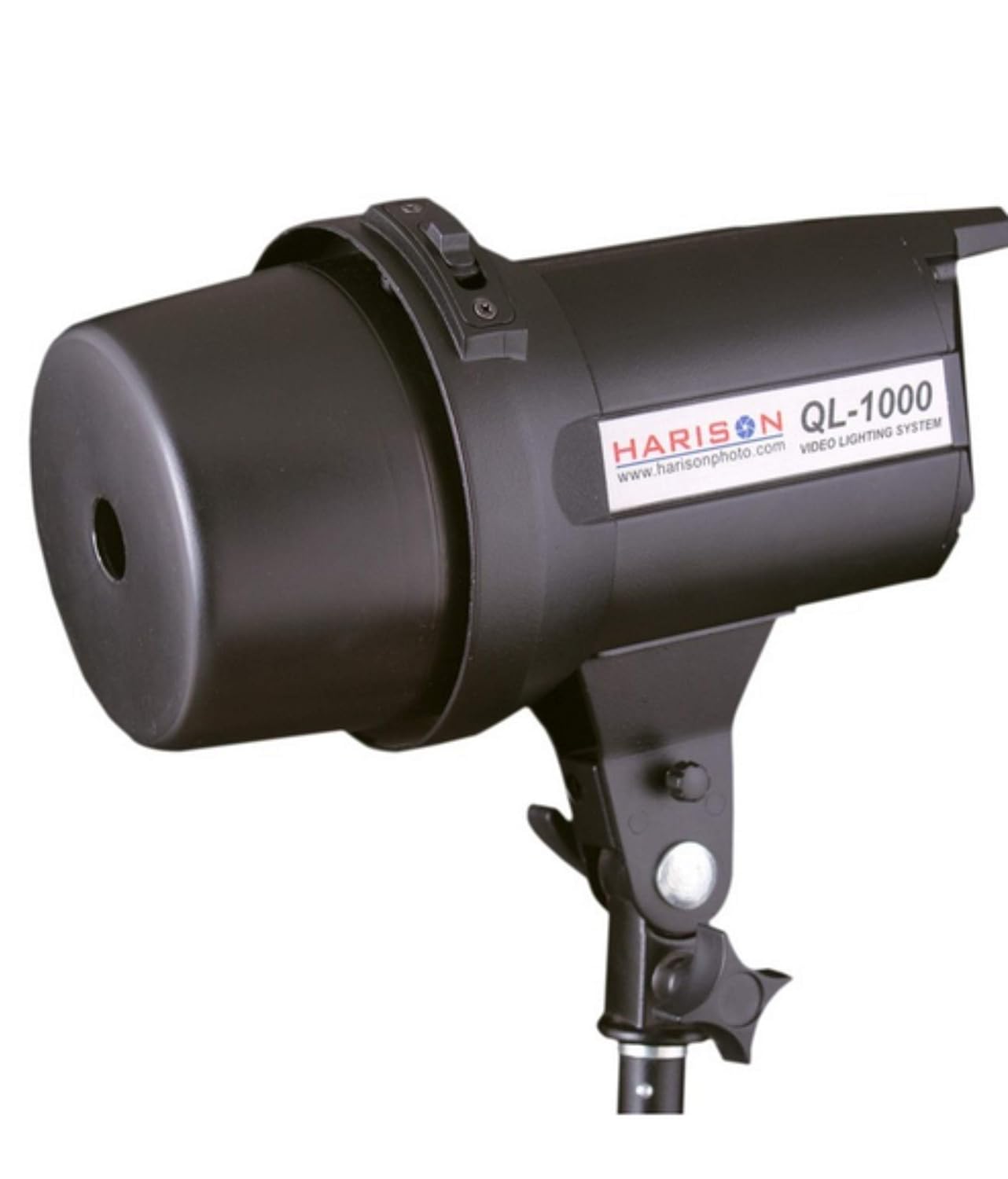
Image: The QL-1000 Video Light with its protective cap in place, ideal for safe storage and transport.
Troubleshooting
| Problem | Possible Cause | Solution |
|---|---|---|
| Light does not turn on. | No power supply. Lamp is burnt out. Fuse blown. | Check power cord connection and outlet. Replace lamp. Check and replace fuse (5A). |
| Light flickers or dims unexpectedly. | Loose lamp connection. Unstable power supply. Overheating. | Ensure lamp is securely seated. Connect to a stable power source. Ensure proper ventilation; allow to cool. |
| Dimmer not working. | Internal fault. | Contact customer support for assistance. |
Specifications
| Feature | Detail |
|---|---|
| Model Number | HAR-44 |
| Lamp Type | 1000W Halogen Lamp (GX-6.5 type) |
| Dimming | 0 - 100% |
| Mount Type | Elinchrom-compatible |
| Body Material | All-metal |
| Item Weight | 2 kg |
| Package Dimensions | 11.99 x 11.99 x 11.99 cm |
Warranty
The HARISON QL-1000 Video Light comes with a 1-Year Warranty from the date of purchase. This warranty covers manufacturing defects and faulty workmanship under normal use. Please retain your purchase receipt as proof of purchase for warranty claims. The warranty does not cover damage caused by misuse, accidents, unauthorized repairs, or consumable parts like the halogen lamp.
Customer Support
For any questions, technical assistance, or warranty claims, please contact HARISON customer support. Refer to your product packaging or the retailer's website for the most current contact information.
We are committed to providing you with the best possible experience with your HARISON QL-1000 Video Light.