Product Overview
This manual provides instructions for the Generic TriStar Vacuum Cleaner Power Nozzle Belt, designed for EXL, MG1, and MG2 models, specifically for new style A101 machines. This belt is a critical component for the power nozzle's brush roll operation, ensuring effective cleaning performance.
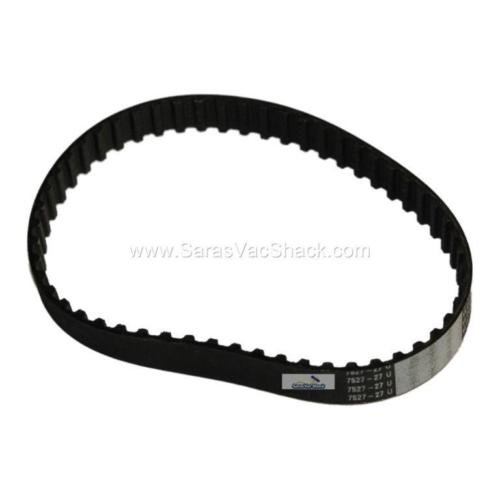
Image: Generic TriStar Vacuum Cleaner Power Nozzle Belt. This image displays the replacement belt, a black, ribbed drive belt designed for vacuum cleaner power nozzles.
Installation Instructions
Follow these steps carefully to install the replacement power nozzle belt:
- Safety First: Always unplug the vacuum cleaner from the power outlet before performing any maintenance or installation to prevent electrical shock.
- Access the Brush Roll: Turn the power nozzle over. Locate and remove the screws or clips that secure the bottom plate or brush roll cover. Carefully lift off the cover to expose the brush roll and motor shaft.
- Remove Old Belt: If an old belt is present, carefully remove it from the brush roll and the motor shaft. Observe its orientation for reference during new belt installation.
- Install New Belt: First, loop the new belt around the motor shaft. Then, stretch the belt around the brush roll. Ensure the belt is seated correctly within the grooves of both the motor shaft and the brush roll.
- Check Tension: Manually rotate the brush roll to ensure the belt is properly aligned and has appropriate tension. The belt should be snug but not overly tight, allowing the brush roll to spin freely without slipping.
- Reassemble: Replace the brush roll cover or bottom plate, ensuring all screws or clips are securely fastened. Do not overtighten.
- Test: Plug in the vacuum cleaner and test the power nozzle to confirm the brush roll is spinning correctly and smoothly.
Maintenance
Proper maintenance extends the life of your belt and ensures optimal vacuum performance:
- Regular Inspection: Periodically inspect the belt for signs of wear, such as cracking, stretching, fraying, or breakage. A worn belt can significantly reduce cleaning effectiveness.
- Cleaning: Keep the belt and the surrounding brush roll area free from accumulated hair, fibers, and other debris. Such build-up can cause premature wear, slippage, or damage to the belt.
- Replacement: Replace the belt immediately if any damage or excessive wear is observed. Operating the vacuum with a damaged belt can lead to further issues with the power nozzle.
Troubleshooting
Refer to the table below for common issues and their solutions related to the power nozzle belt:
| Issue | Possible Cause | Solution |
|---|---|---|
| Brush Roll Not Spinning | Belt is broken, stretched, or dislodged. | Unplug the vacuum. Inspect the belt. Replace if broken or excessively stretched. Realign if dislodged from the motor shaft or brush roll. |
| Reduced Suction/Cleaning Performance | Belt is slipping due to wear or debris accumulation. | Unplug the vacuum. Clean any debris from the belt and brush roll area. Replace the belt if it appears worn, glazed, or stretched. |
| Unusual Noise from Power Nozzle | Belt rubbing against housing or improper installation. | Unplug the vacuum. Check belt alignment and ensure it is not twisted or rubbing against any internal components. Reinstall the belt if necessary, ensuring proper seating. |
Specifications
Key specifications for the Generic TriStar Vacuum Cleaner Power Nozzle Belt:
- Brand: Generic
- Model Compatibility: TriStar EXL, MG1, MG2 (New style A101 machines)
- Material: Polyurethane (PU)
- Belt Style: Drive Belt
- Color: Black
- Item Model Number: GENERIC-320866
- Item Weight: Approximately 1.94 ounces
- Package Dimensions: Approximately 4.88 x 2.8 x 0.43 inches


