
ARIES 2055536
ARIES RidgeStep Running Boards Instruction Manual
Model: 2055536
1. Product Overview
The ARIES RidgeStep Running Boards (Model 2055536) are designed for trucks, offering a robust and secure stepping surface. Constructed from solid, all-steel, these running boards feature non-skid treads and a durable textured black powder coat finish. They are engineered for easy and secure installation using the ARIES VersaTrac mounting system, which allows for flexible positioning to fit various truck models.
These running boards are built to withstand harsh elements and heavy use, making them suitable for both commercial and off-road applications. Their design ensures long-lasting performance without cracking or fading, providing superior traction for safe entry and exit from your vehicle.
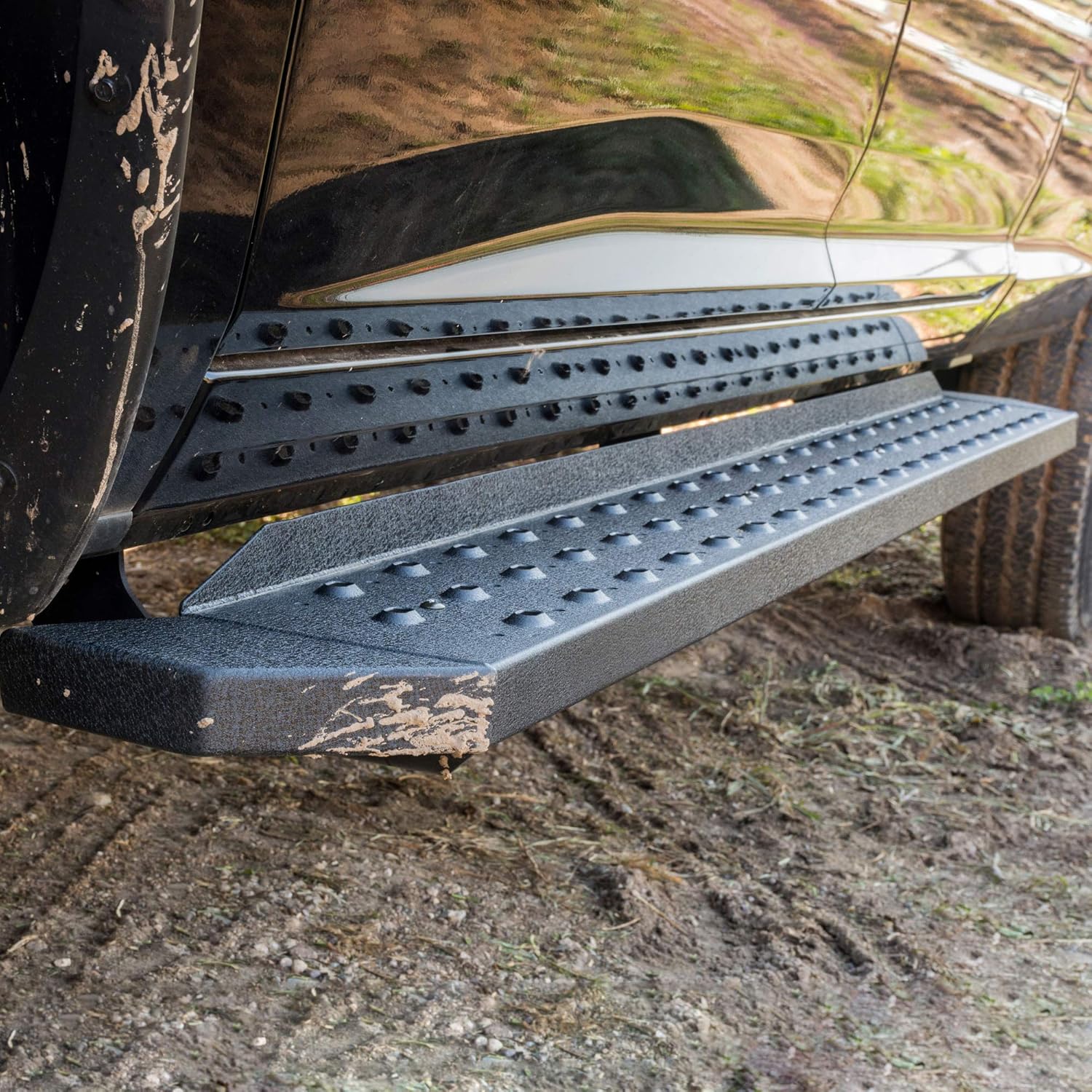
Image 1.1: ARIES RidgeStep Running Board installed on a truck. This image highlights the textured black finish and how the running board integrates with the vehicle's side.
2. Specifications
| Attribute | Detail |
|---|---|
| Brand | ARIES |
| Model Number | 2055536 |
| Model Name | RidgeStep Boards |
| Color | Black |
| Material | Steel |
| Exterior Finish | Textured Black Powder Coat |
| Dimensions (L x W x H) | 94.13 x 6.25 x 7.25 inches |
| Item Weight | 63 Pounds |
| Vehicle Service Type | Truck (Select Dodge, Ram 1500, 2500, 3500) |
| UPC | 812410033154 |

Image 2.1: Top view of two ARIES RidgeStep Running Boards.

Image 2.2: Approximate dimensions of the running board.
3. Parts List
The following components are included with your ARIES RidgeStep Running Boards:
- RidgeStep Boards (2)
- Vehicle-specific VersaTrac mounting brackets (quantity varies by application)
- Mounting Hardware (M8 hex bolts, lock washers, flat washers)
- Instruction Sheet (for vehicle-specific bracket installation)

Image 3.1: Features and benefits diagram, showing the components and their characteristics.
4. Safety Information
Always prioritize safety during installation and use. Read all instructions thoroughly before beginning. Wear appropriate personal protective equipment, including safety glasses and gloves. Ensure the vehicle is securely supported on a level surface before working underneath it. Do not exceed the recommended torque specifications for fasteners. If you are unsure about any step, consult a qualified professional.
Proposition 65 Warning: This product may contain chemicals known to the State of California to cause cancer and birth defects or other reproductive harm.
5. Installation Instructions
This section provides general installation steps for ARIES RidgeStep Running Boards. For detailed vehicle-specific bracket installation, refer to the instruction sheet included with your VersaTrac brackets.
Tools Needed:
- Torque Wrench
- Ratchet
- Extension
- Socket Set
Installation Steps:
Prepare the Running Board:
Lay the RidgeStep running board on a flat work surface. Insert one C-shaped mounting plate per bracket into the rail on the underside of the running board. Roughly align these plates with the intended bracket locations.
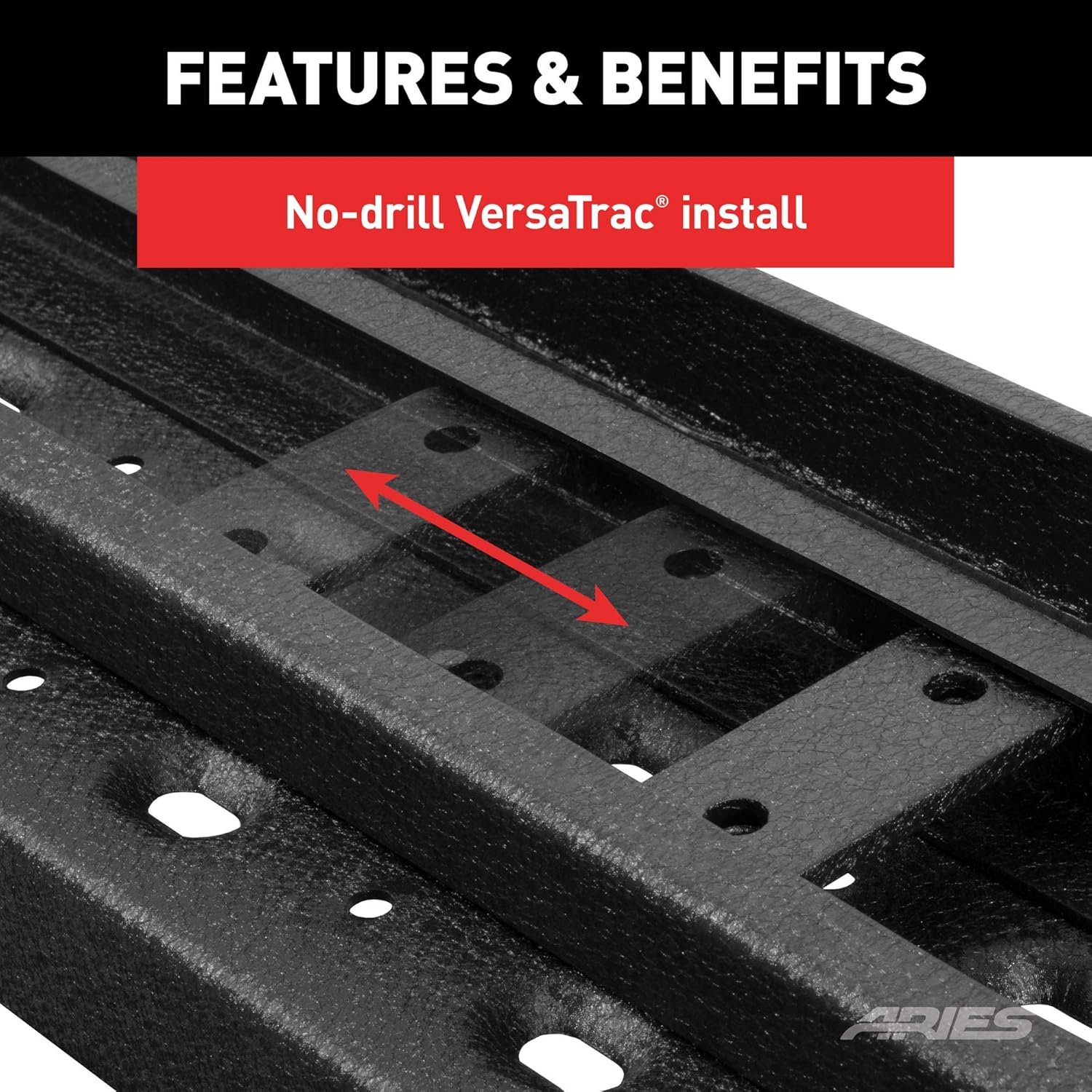
Image 5.1: Inserting the C-shaped mounting plate into the VersaTrac channel.
Attach to Vehicle Brackets:
Carefully set the RidgeStep running board into place on the pre-installed VersaTrac brackets on your vehicle. Slide the mounting plates along the track to align them precisely with the mounting holes on the vehicle brackets.
Secure Hardware (Snug, Not Tight):
Secure the running board in place using the M8 hex bolts, lock washers, and flat washers at each mounting location. Snug the hardware by hand or with a ratchet, but do not fully tighten at this stage. This allows for final adjustments.
Adjust Position:
With all hardware attached but not fully tightened, adjust the running board into your desired final position along the vehicle's side. Ensure it is level and aesthetically pleasing.
Final Torque:
Once satisfied with the position, torque all the hardware to the values listed in the supplied vehicle-specific instruction sheet. It is crucial to tighten the brackets to the vehicle first, followed by the running board connections.
Repeat for Other Side:
Repeat this entire installation process for the running board on the other side of the vehicle.

Image 5.2: High-strength all-steel construction of the running board.
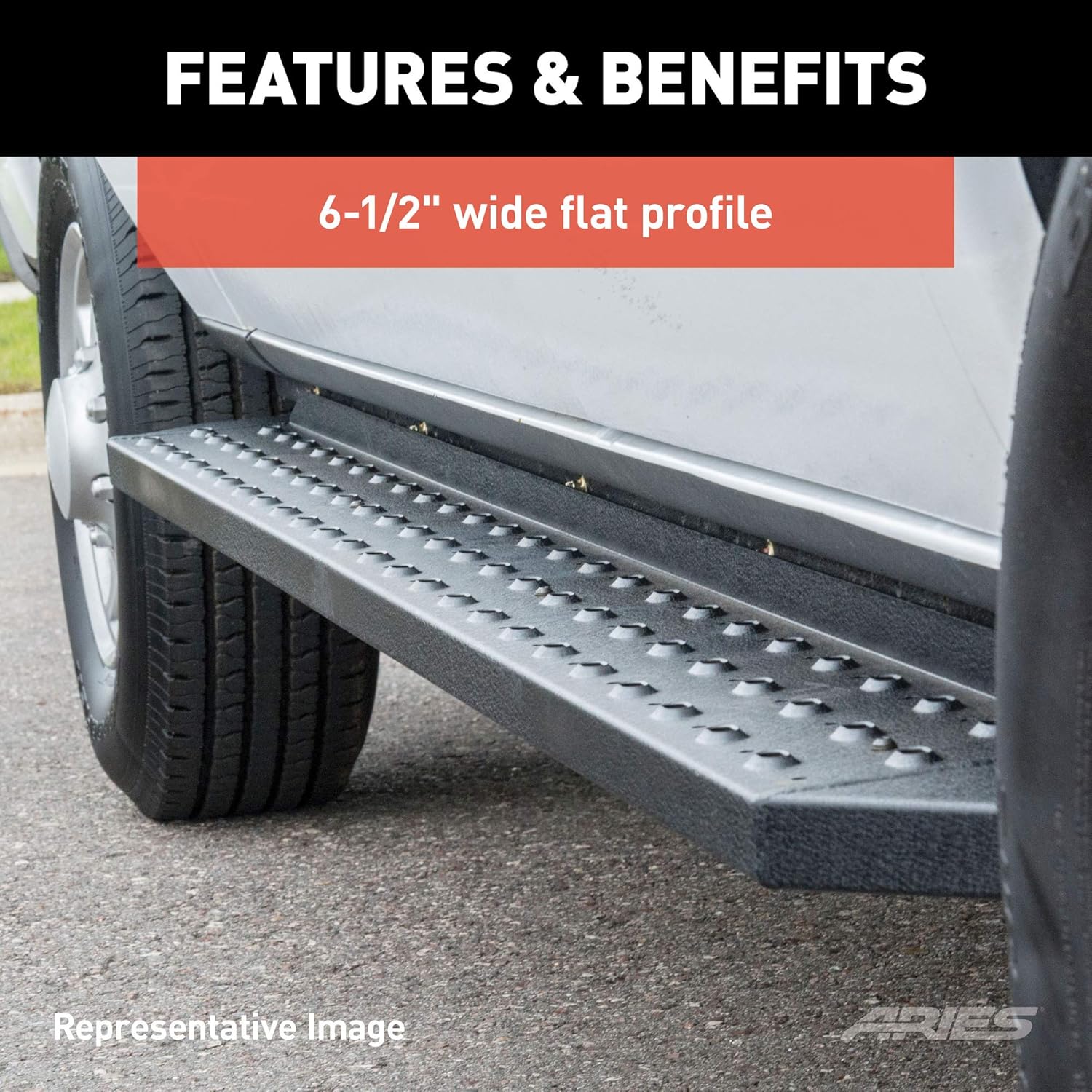
Image 5.3: The 6-1/2 inch wide flat profile provides ample stepping area.

Image 5.4: Detail of the non-skid, stamped steel treads.
6. Maintenance
To ensure the longevity and appearance of your ARIES RidgeStep Running Boards, follow these maintenance guidelines:
- Regular Cleaning: Clean the running boards regularly with mild soap and water. Avoid abrasive cleaners or harsh chemicals, as these can damage the textured powder coat finish.
- Inspect Fasteners: Periodically check all mounting hardware for tightness. Vibrations from driving can cause fasteners to loosen over time. Re-torque to specifications if necessary.
- Inspect for Damage: Routinely inspect the running boards for any signs of damage, such as dents, cracks, or excessive wear on the treads. Address any issues promptly to prevent further deterioration.
- Protect Finish: The textured black powder coat finish is designed for durability. However, prolonged exposure to extreme conditions or harsh chemicals can affect it. Consider applying a non-abrasive automotive protectant if desired.
7. Troubleshooting
This section addresses common issues you might encounter with your ARIES RidgeStep Running Boards.
Issue: Running board feels loose or wobbly.
Solution: This is typically caused by loose mounting hardware. Re-check all bolts and nuts connecting the running board to the vehicle brackets, and the mounting plates within the running board channel. Torque all fasteners to the specified values in your vehicle-specific instruction sheet. Ensure the C-shaped mounting plates are properly seated and aligned within the rail.
Issue: Difficulty aligning the running board during installation.
Solution: Ensure the C-shaped mounting plates are inserted correctly into the rail and can slide freely. Do not fully tighten any hardware until the running board is in its desired final position. This allows for minor adjustments. If alignment issues persist, double-check that you have the correct vehicle-specific brackets for your truck model and year.
Issue: Noise (rattling, squeaking) coming from the running boards.
Solution: Inspect all mounting points for proper tightness. Loose hardware is a common cause of noise. Also, check for any contact points between the running board and the vehicle's undercarriage or other components. Ensure there is adequate clearance. Applying a small amount of silicone grease to contact points (if not structural) can sometimes help reduce squeaking.
8. Warranty and Support
For information regarding product warranty, returns, or customer support, please refer to the documentation provided at the time of purchase or visit the official ARIES Automotive website. ARIES is committed to providing high-quality products and support.
Official Website: www.ariesautomotive.com
Customer Support: Refer to your purchase receipt or the ARIES Automotive website for contact information.
Ask a question about this manual
Ask about setup, troubleshooting, compatibility, parts, safety, or missing instructions. Manuals+ will review the question and use this page’s manual context to help answer it.