
1. Product Overview
The Gimars Gel Memory Foam Keyboard and Mouse Wrist Rest Set is designed to provide ergonomic support and comfort during extended computer use. This 3-piece set includes a keyboard wrist rest, a mouse wrist rest, and a coaster, all crafted with high-quality materials to enhance your typing and mousing experience.
Key Features:
- 1.2" Ultra-Thick Memory Foam: Provides soft, comfortable, and supportive cushioning with a slow rebound for optimal ergonomic height.
- Ergonomic Design: Elevates wrists to a natural position and features grooves that conform to your wrists, reducing pain and pressure.
- Durable 3-Layer Construction: Includes a non-slip rubber base, thick memory foam inner layer, and a soft, breathable spandex fabric top.
- Non-Slip Backing: The natural rubber base ensures the rests stay firmly in place on most desk surfaces. Additional anti-slip stickers are included for enhanced stability.
- Waterproof & Stain-Resistant: The spandex fabric surface is designed for easy cleaning and resistance to spills.
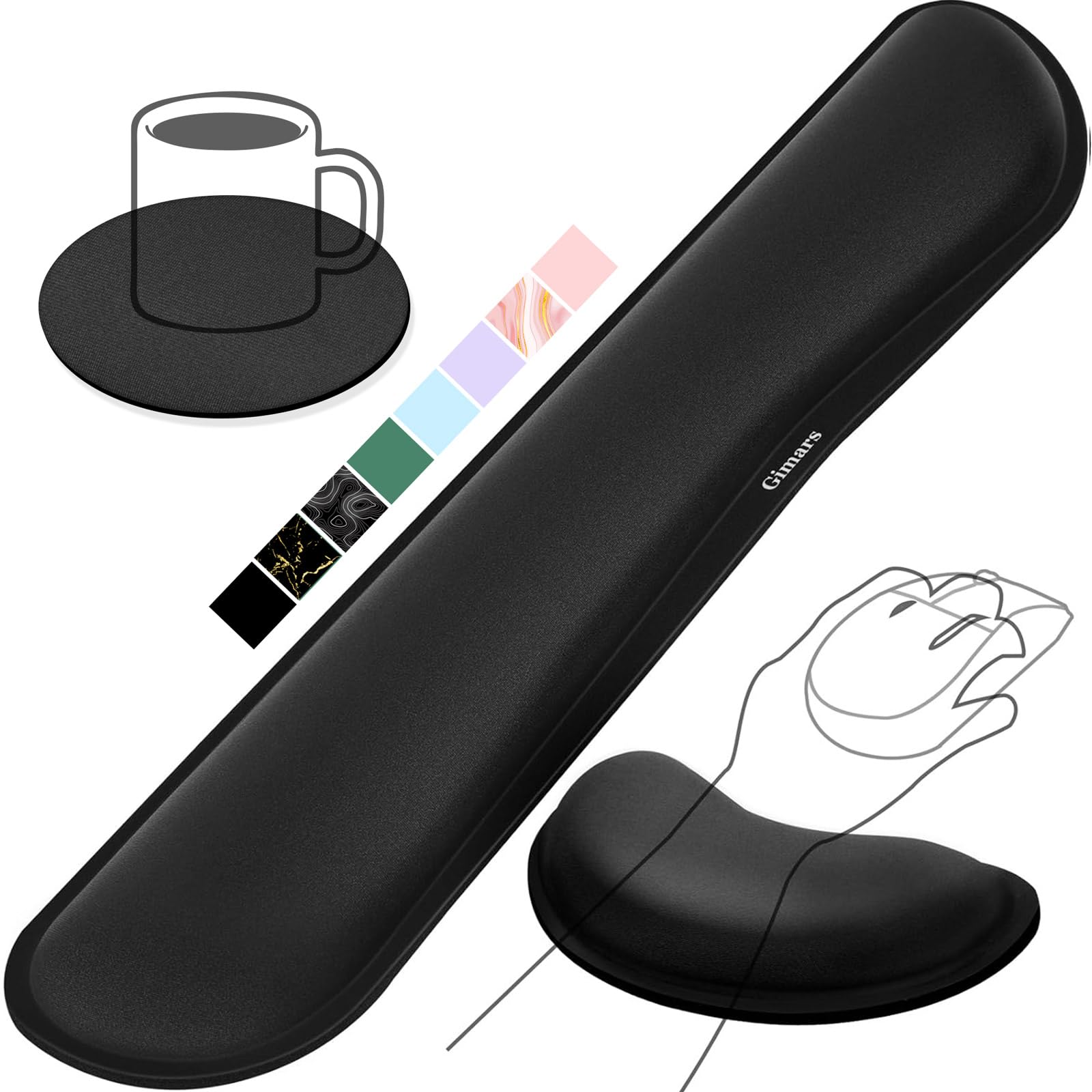
Figure 1: Gimars 3-piece black gel memory foam keyboard and mouse wrist rest set.
2. Setup and Installation
The Gimars wrist rest set requires no assembly. Simply place the components on your desk in the desired positions.
- Keyboard Wrist Rest Placement: Position the longer keyboard wrist rest directly in front of your keyboard. Ensure it is centered and provides support for both wrists while typing.
- Mouse Wrist Rest Placement: Place the smaller mouse wrist rest next to your mouse. Adjust its position so that your wrist is comfortably supported when operating the mouse.
- Coaster Placement: The included coaster can be placed anywhere on your desk for beverage support.
- Optional Anti-Slip Stickers: If you experience any movement, apply the provided anti-slip stickers to the bottom of the wrist rests for increased grip.

Figure 2: Dimensions of the keyboard wrist rest, mouse wrist rest, and coaster.

Figure 3: The anti-slip gel base ensures stability on your desk.
3. Operating Instructions
Proper use of the Gimars wrist rests helps maintain a neutral wrist position, reducing strain and discomfort.
- Typing Posture: When typing, rest your wrists gently on the keyboard wrist rest. Your wrists should be straight, not bent upwards or downwards. The memory foam will conform to your wrists, providing support without pressure.
- Mousing Posture: Position your mouse hand so that your wrist rests on the mouse wrist rest. This helps keep your wrist aligned with your forearm, preventing awkward angles during mouse movements.
- Relaxation: Periodically lift your hands from the rests and stretch your fingers and wrists to promote circulation and prevent stiffness.

Figure 4: Ergonomic design promotes proper wrist alignment.

Figure 5: Proper usage of the wrist rests for comfortable computing.
Video 1: Demonstration of the Gimars Keyboard and Mouse Hand Rest in use, highlighting its ergonomic benefits and comfort.
4. Maintenance
To ensure the longevity and hygiene of your Gimars wrist rest set, follow these simple maintenance guidelines:
- Cleaning: The top spandex fabric is waterproof and stain-resistant. For minor spills or dust, simply wipe the surface with a damp cloth. Allow it to air dry completely before reuse.
- Avoid Harsh Chemicals: Do not use abrasive cleaners, solvents, or harsh chemicals, as these may damage the fabric or memory foam.
- Storage: Store the wrist rests in a cool, dry place away from direct sunlight when not in use for extended periods.
- Avoid Punctures: Keep sharp objects away from the wrist rests to prevent punctures or tears to the fabric.

Figure 6: The waterproof and stain-resistant surface allows for easy cleaning.
5. Specifications
| Feature | Detail |
|---|---|
| Brand | Gimars |
| Model Number | FBA_GM-115 |
| UPC | 810177901402 |
| Material | Memory Foam (Fill), Spandex (Cover) |
| Color | Black |
| Keyboard Wrist Pad Dimensions | 17"L x 3.5"W x 1.2"H |
| Mouse Wrist Pad Dimensions | 6.3"L x 3.3"W x 1.2"H |
| Item Weight | 4.2 ounces |
| Special Features | Ergonomic, Non-Slip, Stain Resistant |
| Compatible Devices | Keyboard, Mouse |
6. Troubleshooting
If you encounter any issues with your Gimars wrist rest set, please refer to the following common solutions:
- Wrist Rests are Slipping:
- Ensure the desk surface is clean and dry.
- Apply the included anti-slip stickers to the bottom of the wrist rests for enhanced grip.
- Discomfort During Use:
- Adjust the position of the wrist rests to find the most comfortable and neutral wrist alignment.
- Ensure you are not pressing down too hard on the rests; they are designed for gentle support.
- Take short breaks to stretch your wrists and hands.
- Stains or Dirt on Fabric:
- Wipe the affected area with a damp cloth. For stubborn stains, a mild soap solution can be used, followed by wiping with a clean damp cloth and air drying.
7. Warranty and Support
Gimars provides an 18-month warranty for this product, covering manufacturing defects and material flaws under normal use. For warranty claims or technical support, please contact Gimars customer service through the retailer where the product was purchased.
Additionally, a 30-day refund/replacement policy is typically offered by retailers for returns. Please refer to your purchase receipt or the retailer's return policy for specific details.
For further assistance, you may visit the official Gimars Store: Gimars Store on Amazon.