1. Introduction
The BRODY Automatic Electronic Water Pump Pressure Controller is an advanced electronic unit designed to manage the start and stop functions of a water pump. It activates the pump when a tap or valve in the system is opened and maintains continuous operation as long as there is water demand, ensuring a constant flow rate and pressure. This controller is suitable for various plumbing installations, including garden irrigation, and sports facilities. It incorporates a special check valve to prevent water hammer and offers protection against water supply failure.
This unit supports both 110V (up to 3/4HP) and 220V (up to 1.5HP) pump systems.
2. Key Features
- Automatic pump control without the need for a pressure tank.
- Starts the pump with minimal pressure difference, preventing frequent on/off cycling.
- Automatically stops the pump when water usage ceases.
- Protects the electric pump from dry running (water supply failure) by stopping operation after 8 seconds.
- Integrated check valve to prevent water hammer.
- Compatible with 110V (up to 3/4HP) and 220V (up to 1.5HP) systems.
- Easy-to-read indicator lights for Power On, Pump On, Failure, and Restart.
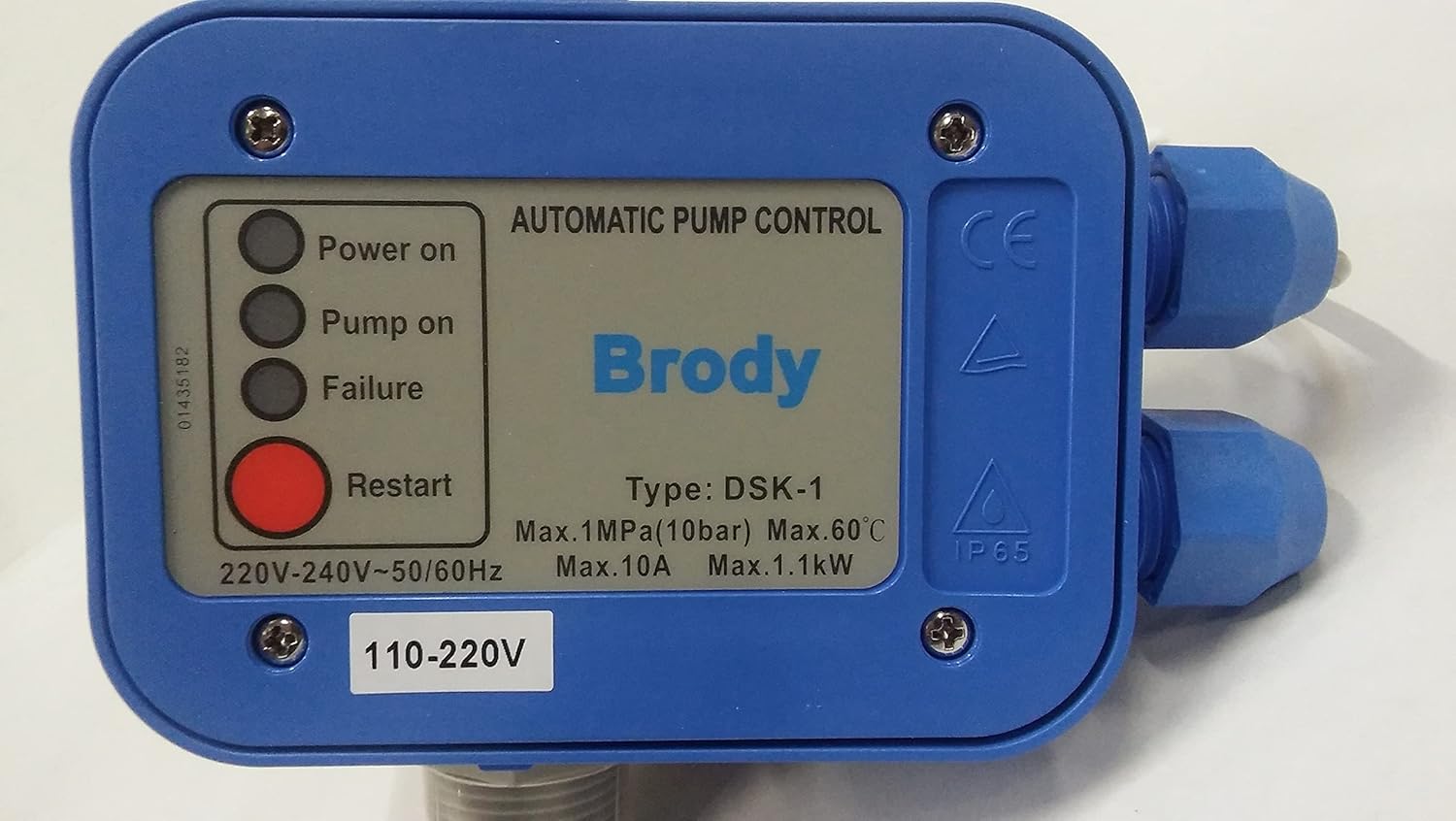
Figure 2.1: The BRODY Automatic Electronic Water Pump Pressure Controller eliminates the need for a traditional pressure tank in your water system.
3. Product Overview
Familiarize yourself with the components and indicators of your BRODY Automatic Electronic Water Pump Pressure Controller.

Figure 3.1: Front view of the BRODY Automatic Electronic Water Pump Pressure Controller.
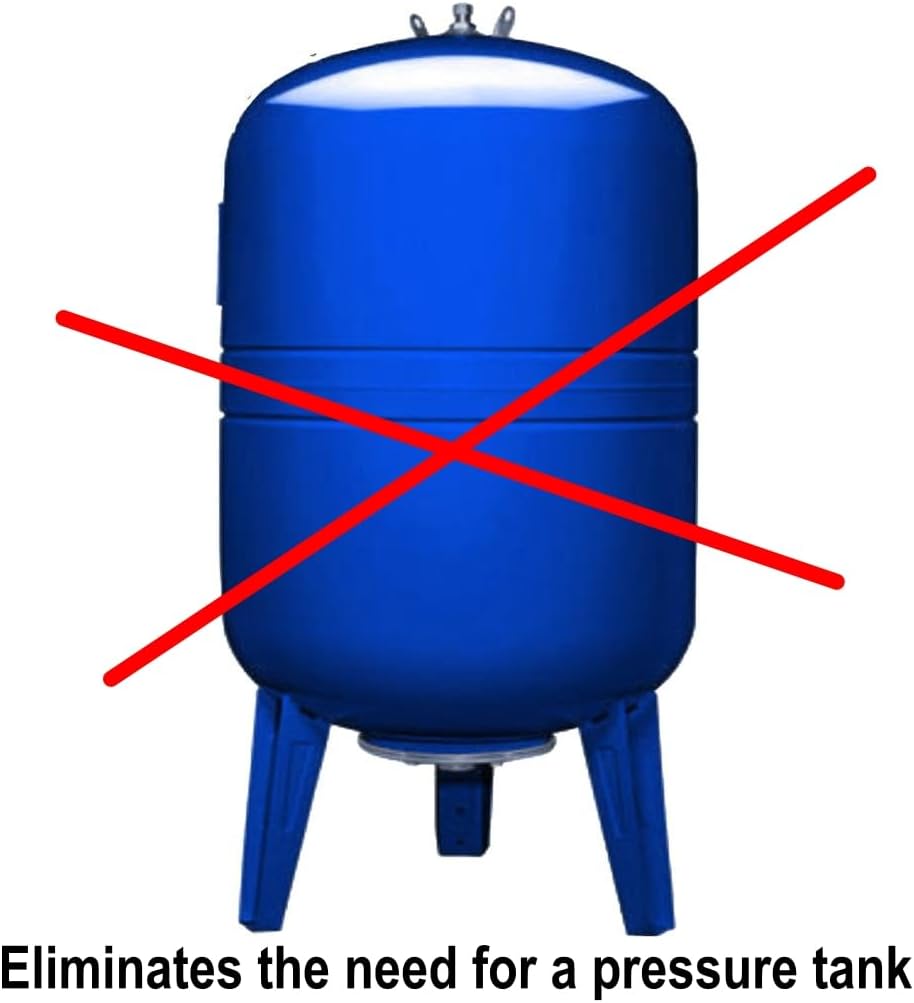
Figure 3.2: Detailed view of the control panel with indicator lights and the Restart button.
- Power On (Green LED): Indicates the unit is receiving power.
- Pump On (Yellow LED): Indicates the pump is currently running.
- Failure (Red LED): Indicates an error condition, such as dry running.
- Restart Button: Used to reset the unit after a failure or power interruption.
4. Setup and Installation
Proper installation is crucial for the optimal performance and longevity of your pump controller. Please follow these guidelines carefully.
- Mounting: Install the controller vertically with the water flow direction matching the arrows on the unit. Ensure it is securely mounted to a stable surface.
- Water Connections: Connect the inlet of the controller to the pump's discharge and the outlet to the water system. Use appropriate thread sealant for watertight connections. The unit features standard threaded connections.
- Electrical Connections:
- Ensure the power supply matches the voltage requirements of your pump and the controller (110V or 220V).
- Connect the pump's power cable to the controller's output terminals.
- Connect the controller's input power cable to a suitable power source.
- All electrical connections should be performed by a qualified electrician and comply with local electrical codes.
- Priming the Pump: Before initial operation, ensure your pump is properly primed according to the pump manufacturer's instructions. The controller requires water flow to operate correctly.

Figure 4.1: Example of the controller installed on a water pump.
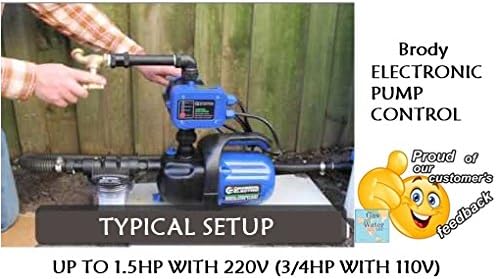
Figure 4.2: A typical installation setup for the BRODY Electronic Pump Control.
Video 4.1: This video demonstrates the BRODY Automatic Electronic Switch Control Water Pump Pressure Controller in operation, showing how it manages water flow and pressure.
5. Operating Instructions
Once installed and connected, operating the BRODY pump controller is straightforward.
- Power On: Connect the unit to the main power supply. The "Power On" (green) LED will illuminate.
- Initial Start-up: If the pump is properly primed and there is water in the system, open a tap. The pump will start, and the "Pump On" (yellow) LED will illuminate.
- Automatic Operation:
- When a tap is opened, the controller detects a drop in pressure and starts the pump.
- The pump will continue to run as long as water is being drawn from the system.
- When all taps are closed, the controller detects the cessation of water flow and stops the pump after a short delay.
- Restarting after Failure: If the "Failure" (red) LED illuminates (e.g., due to dry running), press the "Restart" button to reset the unit. Ensure the water supply is restored before restarting.
6. Maintenance
The BRODY pump controller is designed for minimal maintenance. However, periodic checks can ensure its continued reliable operation.
- Regular Inspection: Periodically check all connections (water and electrical) for leaks or loose wiring.
- Cleaning: Keep the exterior of the unit clean and free from dust and debris. Do not use harsh chemicals.
- Winterization: In regions subject to freezing temperatures, disconnect the unit and drain any water to prevent damage from freezing.
7. Troubleshooting
Refer to the table below for common issues and their potential solutions.
| Problem | Possible Cause | Solution |
|---|---|---|
| Pump does not start. | No power, "Failure" LED illuminated, pump not primed, clogged inlet. | Check power supply. Press "Restart" button. Prime the pump. Check and clear inlet for obstructions. |
| Pump runs continuously. | Leak in the system, faulty check valve, continuous low flow. | Inspect plumbing for leaks. Check the internal check valve. Ensure all taps are fully closed. |
| "Failure" LED illuminates frequently. | Lack of water supply (dry running), air in the system. | Verify consistent water supply to the pump. Ensure pump is properly primed and free of air. |
| Low water pressure. | Pump not operating at full capacity, partial obstruction, incorrect pump size. | Check pump performance. Inspect for partial blockages. Consult a professional if pump sizing is suspected. |
8. Specifications
| Specification | Detail |
|---|---|
| Model Number | A1 (DSK-1) |
| Brand | BRODY |
| Voltage | 110V - 220V (50/60Hz) |
| Max Power (110V) | Up to 3/4 HP |
| Max Power (220V) | Up to 1.5 HP (Max. 1.1kW) |
| Max Current | Max. 10A |
| Max Pressure | 1 MPa (10 bar) |
| Max Operating Temperature | 60°C |
| Material | Polypropylene (PP) |
| Product Dimensions | 5"L x 5"W x 5"H |
| Item Weight | 2.9 Pounds |
| Protection Rating | IP65 |
9. Warranty and Support
For warranty information or technical support, please contact BRODY customer service or refer to the product packaging for specific details. Protection plans are available for purchase separately.
- Protection Plans:
- 3-Year Protection Plan
- 4-Year Protection Plan
- Complete Protect (monthly plan)