
Hampton Bay 68130
Hampton Bay Universal 3-Speed Ceiling Fan Remote Control
Model: 68130
Brand: Hampton Bay
Product Overview
The Hampton Bay Universal 3-speed ceiling fan remote control (Model 68130) provides convenient functionality for your ceiling fan. This remote allows for control of fan speed and light functions, including On, Off, and dimming options. Designed for ease of use and installation, it is compatible with LED, CFL, and incandescent light bulbs. A notable feature is the walk-away time delay, which allows the light to remain on briefly as you exit the room before turning off. Its universal design ensures compatibility with most major ceiling fan brands, including Hampton Bay, Home Decorators Collection, and Hunter.

Figure 1: Front view of the Hampton Bay Universal 3-Speed Ceiling Fan Remote Control.
Setup and Installation
This remote control system includes both the handheld remote and a receiver unit that must be installed within your ceiling fan. Professional installation is recommended if you are not familiar with electrical wiring.
Before You Begin:
- Ensure power to the ceiling fan is turned off at the circuit breaker before beginning any installation.
- Verify all included components are present: remote control, remote receiver, and necessary hardware.
- Install 2 AAA batteries (not included) into the remote control unit.
Receiver Installation:
- Access the wiring compartment of your ceiling fan, typically located in the canopy above the motor housing.
- Disconnect existing wiring as per your fan's original instructions, noting connections.
- Connect the new remote receiver according to the wiring diagram provided with the product. Ensure all connections are secure.
- Carefully tuck the receiver and wiring into the canopy, ensuring no wires are pinched.
- Reassemble the fan canopy.
Pairing the Remote:
After installing the receiver and restoring power, follow the specific pairing instructions provided with your remote. This usually involves pressing a button on the remote within a short timeframe after power is restored to synchronize the units.

Figure 2: Angled view of the remote control, showing its compact design.
Operating Instructions
The remote control features intuitive buttons for easy operation of your ceiling fan and light.
Remote Button Functions:
- Power Button (⏻): Turns the fan and/or light On/Off.
- Fan Speed Button (☠): Cycles through 3 fan speeds (Low, Medium, High). Press repeatedly to adjust speed.
- Light Button (💡): Turns the light On/Off. Press and hold to dim or brighten the light (if dimmable bulbs are installed).
Special Features:
- Walk Away Time Delay: This feature allows the light to remain on for a short period after being turned off, providing illumination as you leave the room.
- Universal Compatibility: Works with most major ceiling fan brands and is compatible with LED, CFL, and incandescent light bulbs.
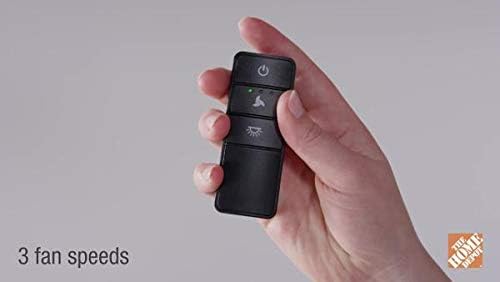
Figure 3: Remote in use, demonstrating control over a ceiling fan.
Maintenance
Battery Replacement:
The remote control requires 2 AAA batteries. If the remote's range decreases or buttons become unresponsive, it may be time to replace the batteries. Open the battery compartment on the back of the remote, remove old batteries, and insert new ones, ensuring correct polarity.
Cleaning:
Wipe the remote control with a soft, dry cloth. Do not use abrasive cleaners or immerse the remote in water.
Troubleshooting
Common Issues and Solutions:
- Remote not responding: Check battery levels and replace if necessary. Ensure the remote is within range of the fan's receiver.
- Fan or light not turning on/off: Verify power to the fan at the circuit breaker. Re-pair the remote with the receiver if connection is lost.
- Light not dimming: Ensure dimmable light bulbs are installed in the fan. Some LED or CFL bulbs may not be dimmable.
- Interference: If multiple remote-controlled fans are in close proximity, ensure each receiver and remote are set to unique frequency codes (refer to receiver installation for dip switch settings, if applicable).
Specifications
| Feature | Detail |
|---|---|
| Model Number | 68130 |
| Dimensions (Remote) | 0.71 x 1.42 x 3.54 inches |
| Weight (Remote) | 9.1 ounces |
| Power Source | 2 AAA Batteries (not included) |
| Fan Speeds | 3 (Low, Medium, High) |
| Light Compatibility | LED, CFL, Incandescent |
| Special Features | Walk Away Time Delay, Damp Rated (for indoor/outdoor use) |
| Included Components | Remote Control, Remote Receiver, Hardware |
Warranty and Support
For warranty information or technical support, please refer to the documentation included with your purchase or visit the official Hampton Bay website. Keep your proof of purchase for warranty claims.
Ask a question about this manual
Ask about setup, troubleshooting, compatibility, parts, safety, or missing instructions. Manuals+ will review the question and use this page’s manual context to help answer it.