
1. Introduction
Thank you for choosing the Tipmant RC Spider Infrared Remote Control Toy. This product is designed to simulate a realistic spider with movable legs and glowing eyes, providing an engaging experience. Please read this manual carefully to ensure proper setup and operation.
2. Package Contents
- 1 x RC Spider Toy
- 1 x Infrared Remote Controller
Note: Batteries are not included and must be purchased separately.
3. Setup
3.1 Battery Installation
- For the RC Spider: Locate the battery compartment on the underside of the spider. Open the compartment and insert 2 x AAA batteries (not included), ensuring correct polarity. Close the compartment securely.
- For the Remote Controller: Locate the battery compartment on the remote controller. Open the compartment and insert 2 x AAA batteries (not included), ensuring correct polarity. Close the compartment securely.

Image: Battery compartments for the RC spider and its remote control, indicating where to insert 2 AAA batteries for each device.
3.2 Powering On
Before playing, ensure both the spider and the remote controller are switched to the 'ON' position. The power switch for the spider is typically located near the battery compartment, and the remote control will have a dedicated power button or switch.
4. Operating Instructions
The Tipmant RC Spider is controlled using the infrared remote. Follow these steps to operate your spider:
- Forward Movement: Press the 'Forward' button on the remote control to make the spider crawl forward.
- Backward Rotation: Press the 'Back' button on the remote control. The spider will move backward and simultaneously rotate.

Image: A user operating the RC spider on a smooth, tiled surface using the remote control.
4.1 Usage Tips
- Always play on a level ground surface.
- Avoid playing on carpets, as excessive resistance can hinder movement.
- Avoid playing on overly smooth surfaces like glass, as low frictional resistance may affect crawling.
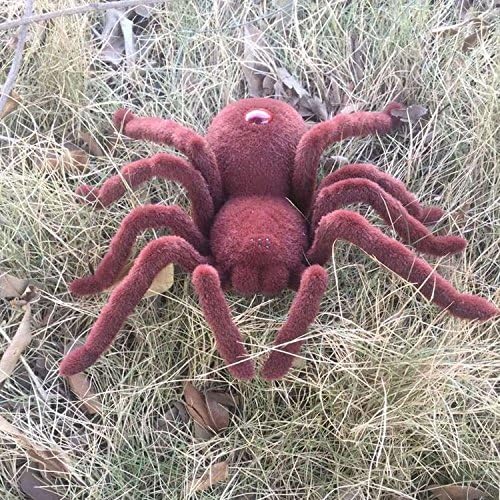
Image: The RC spider positioned on dry grass, demonstrating its appearance in an outdoor setting.
5. Specifications
| Feature | Detail |
|---|---|
| Product Dimensions | 6.3 x 1.97 x 6.69 inches |
| Item Weight | 3.88 ounces |
| Remote Control Distance | 20-26 feet |
| Spider Battery | 2 x AAA Battery (Not Included) |
| Controller Battery | 2 x AAA Battery (Not Included) |
| Recommended Age | 8 years and up |
| Model Number | 787 |
6. Troubleshooting
If you encounter issues with your RC Spider, please refer to the following common solutions:
- Spider not moving:
- Ensure both the spider and remote control have fresh batteries and are switched 'ON'.
- Verify that the playing surface is level and not too soft (like thick carpet) or too smooth (like glass).
- Check for any obstructions in the spider's movement mechanism.
- Limited range or erratic control:
- Replace batteries in both the spider and remote control.
- Ensure there are no strong infrared interference sources nearby.
- Maintain a clear line of sight between the remote and the spider.
- Physical damage (e.g., legs):
- Handle the spider with care to prevent damage to its legs or body.
- Avoid dropping the toy or subjecting it to excessive force.
7. Maintenance
- Cleaning: Use a soft, dry cloth to wipe the spider and remote control. Do not use water or cleaning solutions, as this may damage electronic components.
- Storage: When not in use, store the toy in a cool, dry place away from direct sunlight. Remove batteries if the toy will not be used for an extended period to prevent leakage.
8. Product Overview Video
Video: An official product video demonstrating the Tipmant RC Spider's movement and features, including its remote control operation.
9. Warranty and Support
For warranty information or technical support, please refer to the product packaging or contact Tipmant customer service through your retailer. Keep your purchase receipt for warranty claims.