
1. Introduction
Thank you for purchasing the Supersonic SC-1455IPX IPX7 Waterproof Bluetooth Floating Portable Speaker. This manual provides essential information for the safe and optimal use of your speaker. Please read it thoroughly before operation and retain it for future reference.
2. Safety Information
WARNING: This product contains chemicals known to the State of California to cause cancer and birth defects or other reproductive harm.
- Do not expose the speaker to extreme temperatures or direct sunlight for extended periods.
- Ensure all port covers are securely closed before exposing the speaker to water.
- Do not attempt to disassemble or modify the speaker. This will void the warranty.
- Use only the provided charging cable or a certified equivalent.
3. Package Contents
- Supersonic SC-1455IPX Bluetooth Speaker
- USB Charging Cable
- User Manual
4. Product Overview
Familiarize yourself with the various parts of your Supersonic SC-1455IPX speaker.

Figure 4.1: Front view of the speaker, highlighting the main speaker grilles and the Supersonic brand logo.

Figure 4.2: Top panel showing the rubberized control buttons, including power, play/pause, volume up/down, and track skip.

Figure 4.3: Side view of the speaker, illustrating the integrated carabiner clip for easy attachment and portability.

Figure 4.4: Bottom view of the speaker, featuring a robust, sealed cover designed to protect ports from water and dust.
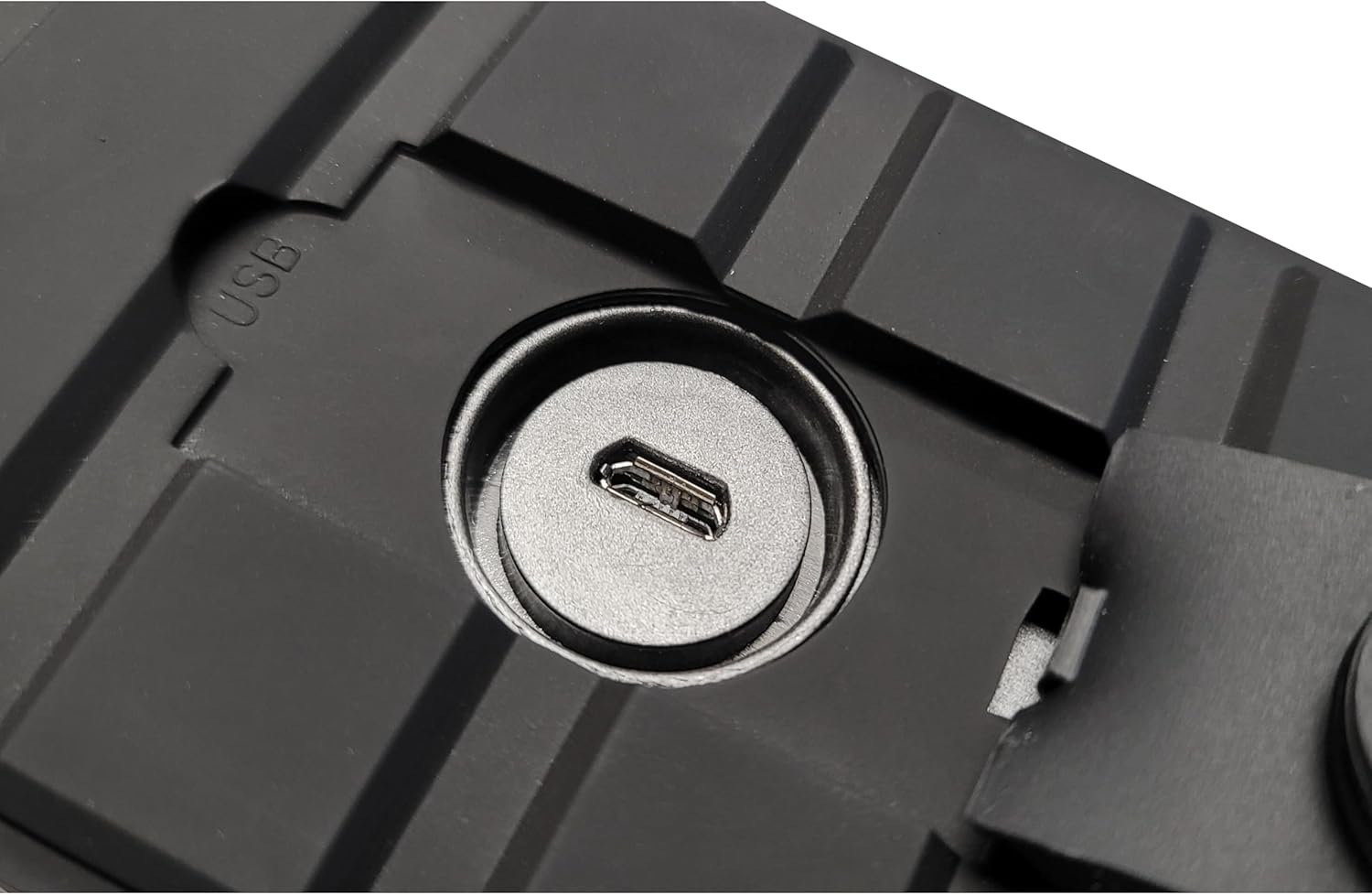
Figure 4.5: Detail of the USB charging port, located beneath a waterproof flap to maintain the speaker's IPX7 rating.
5. Setup
5.1 Initial Charging
- Locate the charging port, typically found under a sealed rubber flap on the side or bottom of the speaker.
- Connect the small end of the USB charging cable to the speaker's charging port.
- Connect the larger end of the USB cable to a USB power adapter (not included) or a computer's USB port.
- Allow the speaker to charge fully before first use. The charging indicator light will change color or turn off when charging is complete.
5.2 Powering On/Off
- To power on: Press and hold the Power button (usually marked with Ⓘ) for a few seconds until you hear an audible prompt or see an indicator light illuminate.
- To power off: Press and hold the Power button again for a few seconds until you hear an audible prompt or the indicator light turns off.
5.3 Bluetooth Pairing
- Ensure the speaker is powered on and in pairing mode. The Bluetooth indicator light will typically flash rapidly.
- On your Bluetooth-enabled device (smartphone, tablet, laptop), go to the Bluetooth settings menu.
- Search for available devices. You should see "SC-1455IPX" or a similar name appear in the list.
- Select the speaker from the list to initiate pairing.
- Once paired, the speaker will provide an audible confirmation, and the Bluetooth indicator light will stop flashing and remain solid.
- If prompted for a password, enter "0000".
6. Operating Instructions
6.1 Music Playback
- Play/Pause: Press the Play/Pause button (often marked with ▶‖) once to play or pause music.
- Volume Up/Down: Press the Volume Up (+) or Volume Down (-) buttons to adjust the volume.
- Next Track: Press and hold the Volume Up (+) button or a dedicated 'Next Track' button.
- Previous Track: Press and hold the Volume Down (-) button or a dedicated 'Previous Track' button.
6.2 Hands-Free Calling
The speaker features a built-in microphone for hands-free calling when connected to your smartphone.
- Answer Call: Press the Play/Pause button once when an incoming call is received.
- End Call: Press the Play/Pause button once during a call to hang up.
- Reject Call: Press and hold the Play/Pause button for a few seconds when an incoming call is received.
6.3 Waterproof and Floating Features
The SC-1455IPX speaker is IPX7 rated, meaning it can be immersed in water up to 1 meter (3 feet) for up to 30 minutes. It is also designed to float.
- Ensure the charging port cover is securely sealed before exposing the speaker to water.
- The speaker will float on water, making it suitable for use in pools, baths, or at the beach.
- After exposure to water, wipe the speaker dry with a soft cloth before charging or opening any port covers.
7. Charging
The speaker is equipped with a 1500mAh rechargeable battery. When the battery is low, the speaker may emit an audible warning or an indicator light may flash.
- Connect the speaker to a power source using the provided USB charging cable as described in Section 5.1.
- A full charge typically takes approximately 2-3 hours.
- Avoid charging the speaker in wet conditions.
8. Maintenance
- Cleaning: Use a soft, damp cloth to clean the speaker's exterior. Do not use harsh chemicals or abrasive cleaners.
- Storage: Store the speaker in a cool, dry place away from direct sunlight and extreme temperatures when not in use.
- Water Protection: Always ensure the charging port cover is firmly sealed to maintain its waterproof integrity.
9. Troubleshooting
| Problem | Possible Cause | Solution |
|---|---|---|
| Speaker does not power on | Low battery; Power button not pressed correctly | Charge the speaker fully; Press and hold the Power button for 3-5 seconds. |
| Cannot pair with Bluetooth device | Speaker not in pairing mode; Device's Bluetooth is off; Speaker too far from device | Ensure speaker is in pairing mode (flashing LED); Turn on Bluetooth on your device; Move speaker closer to device (within 10 meters). |
| No sound during playback | Volume too low; Device not connected; Audio source paused | Increase speaker and device volume; Re-pair the device; Check if music is playing on your device. |
| Poor sound quality | Speaker too far from device; Obstructions between speaker and device | Move speaker closer to device; Remove any obstacles that may interfere with the Bluetooth signal. |
| Speaker not charging | Faulty cable or adapter; Charging port obstructed | Try a different USB cable and power adapter; Ensure charging port is clean and free of debris. |
10. Specifications
| Model Name | SC-1455IPX |
| Brand | Supersonic |
| Material | Plastic |
| Speaker Type | Wireless |
| Special Feature | Portable, Waterproof, Floating |
| Recommended Uses | Music, Water-based activities |
| Compatible Devices | Smartphone, Tablet, MP3 Player, Desktop, Television, Projector, Laptop |
| Color | Black |
| Product Dimensions (LxWxH) | 4.41"D x 5.28"W x 11.14"H |
| Item Weight | 1.5 Pounds |
| Is Waterproof | True (IPX7) |
| Control Method | Touch |
| Wireless Communication Technology | Bluetooth |
| Speaker Size | 2 Inches |
| Power Source | Battery Powered |
| Woofer Diameter | 2 Inches |
| Tweeter Diameter | 0.75 Inches |
| Water Resistance Level | Waterproof (IPX7) |
| Number of Batteries | 1 Lithium Ion (included) |
| Battery Capacity | 1500 Milliamp Hours |
| Audio Driver Type | Dynamic Driver |
| Bluetooth Range | 10 Meters |
| Audio Latency | 150 Milliseconds |
| Speaker Maximum Output Power | 10 Watts |
| Connectivity Technology | Bluetooth |
| Audio Output Mode | Clear Sound and Heavy Bass |
| Mounting Type | Freestanding |
11. Warranty and Support
The Supersonic SC-1455IPX speaker comes with a 90-day limited warranty from the date of purchase. This warranty covers manufacturing defects under normal use. It does not cover damage caused by misuse, accidents, unauthorized modifications, or normal wear and tear.
For warranty claims or technical support, please refer to the contact information provided with your purchase documentation or visit the official Supersonic website.