Introduction
The Tanita TP300 thermal paper rolls are designed for use with integrated printers found in specific Tanita Body Composition Analyzer models. This manual provides essential information regarding the proper use, installation, and care of your thermal paper to ensure optimal performance and accurate printouts from your device.
Compatible Tanita Body Composition Analyzer Models:
- TBF-410GS
- TBF-215
- TBF-310GS
- TBF-300A
Setup and Installation
To install the Tanita TP300 thermal paper, follow the specific instructions provided in your Tanita Body Composition Analyzer's user manual for loading printer paper. Ensure the paper is oriented correctly for thermal printing.
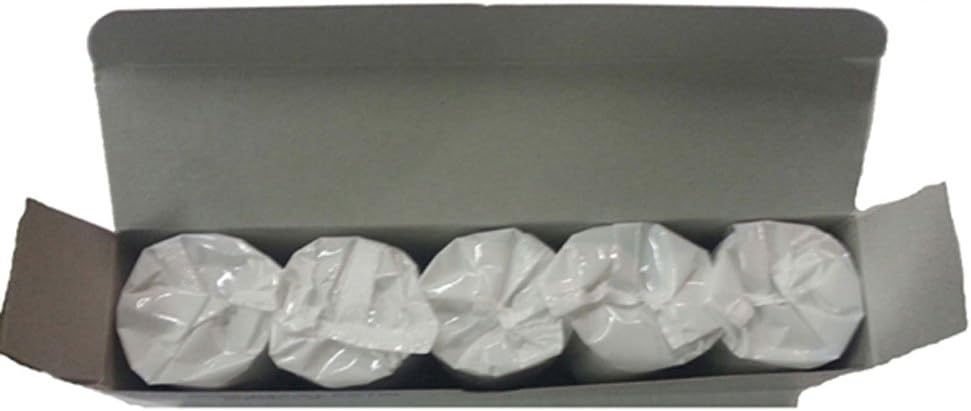
This image displays five individual rolls of Tanita TP300 thermal paper, each wrapped in clear plastic, neatly arranged inside an open cardboard box. These rolls are designed for use with compatible Tanita Body Composition Analyzers.
Each roll measures 2.44 inches in width and 300 inches in length, providing approximately 100 printouts. The paper is typically supplied in packs of 5 rolls.
Operating Instructions
Once properly installed, the thermal paper will automatically feed and print results from your Tanita Body Composition Analyzer. Ensure the printer cover is securely closed after loading the paper. The device will typically indicate when a printout is complete or if the paper needs to be replaced.
Maintenance
Proper storage and handling of thermal paper are crucial for maintaining its quality and ensuring clear printouts.
- Storage: Store thermal paper in a cool, dry place away from direct sunlight, high temperatures, and humidity. Exposure to these conditions can cause the paper to darken prematurely or fade.
- Handling: Avoid touching the thermal surface of the paper unnecessarily, as oils from skin can affect print quality over time. Keep rolls in their original packaging until ready for use.
Troubleshooting
If you encounter issues with printing, consider the following common troubleshooting steps:
- Blank or Faded Prints: Check if the paper roll is inserted with the correct side facing the thermal print head. Thermal paper has a specific side that reacts to heat. If the issue persists, the roll may be old or improperly stored.
- Paper Jams: Ensure the paper is loaded straight and not creased. Refer to your scale's manual for instructions on clearing paper jams and properly seating the paper roll.
- No Printout: Verify that the paper roll is not empty and that the printer mechanism is properly engaged. Consult your Tanita Body Composition Analyzer's manual for printer-specific diagnostics.
Specifications
- Model Number: TP300
- Paper Type: Thermal Paper
- Roll Dimensions: 2.44 inches (width) x 300 inches (length)
- Approximate Printouts per Roll: 100
- Packaging: Typically sold in packs of 5 rolls
- Product Dimensions (Pack): 9.6 x 2.75 x 2 inches
- Product Weight (Pack): 13.62 ounces
- Manufacturer: Tanita
Warranty Information
Specific warranty information for Tanita TP300 thermal paper is not provided in the product details. For inquiries regarding product defects or returns, please refer to the retailer's return policy or contact Tanita customer service directly.
Support
For further assistance or technical support related to your Tanita Body Composition Analyzer or its accessories, please consult the user manual provided with your scale or visit the official Tanita website for contact information.


