
1. Introduction
The VENTECH Metallic Bullet Security Camera VT-R868C is a versatile surveillance solution designed for both indoor and outdoor environments. This camera features a 1080P resolution sensor and supports four different video output formats: HD-CVI, HD-TVI, AHD, and traditional 960H Analog (CVBS). Equipped with 24 built-in IR LEDs, it provides clear day and night vision up to 65 feet. Its robust metallic housing ensures durability and waterproof performance, making it suitable for various installation scenarios.
2. Safety Information
- Power Supply: Use only the specified power adapter (AC/DC) for this camera. Incorrect voltage may damage the device or pose a fire hazard.
- Installation: Ensure the camera is securely mounted to prevent it from falling. Professional installation is recommended for outdoor or high-altitude placements.
- Water Resistance: While the camera is waterproof (IP67 rated), avoid submerging it in water or exposing it to high-pressure water jets.
- Operating Temperature: Do not operate the camera outside its specified temperature range to ensure optimal performance and longevity.
- Cleaning: Disconnect power before cleaning. Use a soft, dry cloth. Avoid harsh chemicals or abrasive cleaners.
3. Package Contents
Please check the package contents upon receipt. Typically, the package includes:
- VENTECH Metallic Bullet Security Camera VT-R868C
- Mounting Screws and Anchors
- User Manual (this document)
4. Product Overview
The VT-R868C camera is designed for reliable surveillance with its durable construction and advanced imaging capabilities.
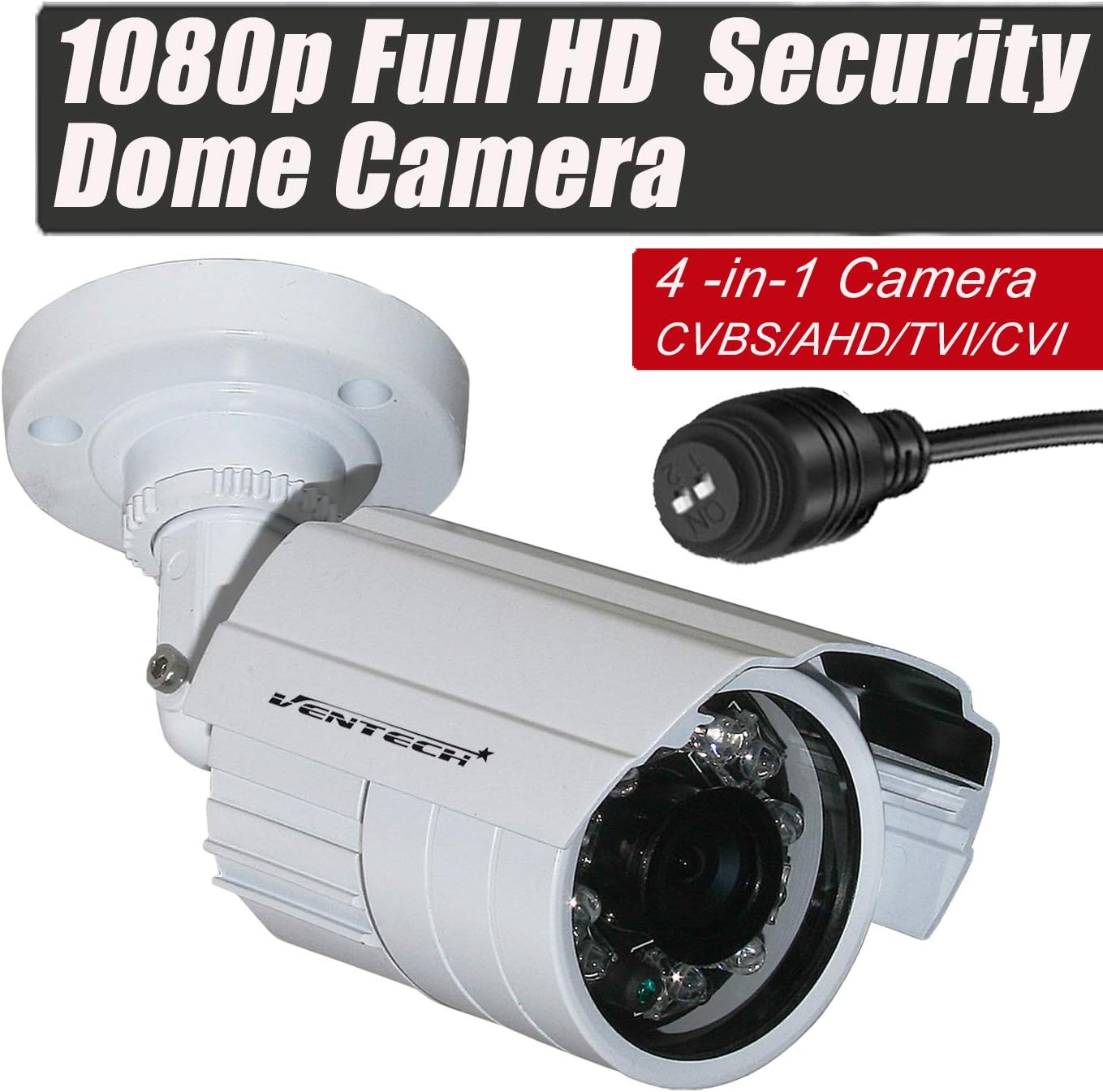
This image displays the VENTECH Metallic Bullet Security Camera, highlighting its robust metallic housing and the integrated cable for 4-in-1 video output (CVBS/AHD/TVI/CVI).
Key Features:
- 1080P Full HD Resolution: Provides clear and detailed video footage.
- Hybrid 4-in-1 Output: Compatible with HD-CVI, HD-TVI, AHD, and 960H Analog (CVBS) DVRs.
- Day/Night Vision: 24 IR LEDs enable night vision up to 65 feet.
- 3.6mm Wide Angle Lens: Offers a broad field of view.
- Waterproof (IP67): Suitable for outdoor use in various weather conditions.
- Metallic Housing: Ensures durability and protection.

This image visually compares the clarity and detail between 720p (1280x720) and 1080p (1920x1080) video resolutions, demonstrating the superior image quality of 1080p offered by this camera.
5. Setup
5.1 Physical Installation
- Choose a Location: Select an indoor or outdoor location that provides the desired viewing angle and is within reach of power and video cables. The camera is suitable for ceiling mount.
- Mount the Camera: Use the provided screws and anchors to securely mount the camera to a wall or ceiling. Adjust the camera's angle for optimal coverage.

This image provides the physical dimensions of the camera, showing a length of 14 cm, a width of 10 cm (including mount), and a camera body diameter of 6 cm. The total weight is 290 grams.
5.2 Wiring
Connect the camera to your DVR/NVR system and power supply:
- Power Connection: Connect the camera's power input to a compatible 12V DC power adapter (not included).
- Video Connection: Connect the camera's BNC video output to an input channel on your DVR/NVR using a coaxial cable.
5.3 Video Mode Selection (DIP Switch)
The camera supports four video output modes. You must select the correct mode to match your DVR/NVR system. The default mode is TVI. Use the DIP switch located on the camera's cable to change the output mode.
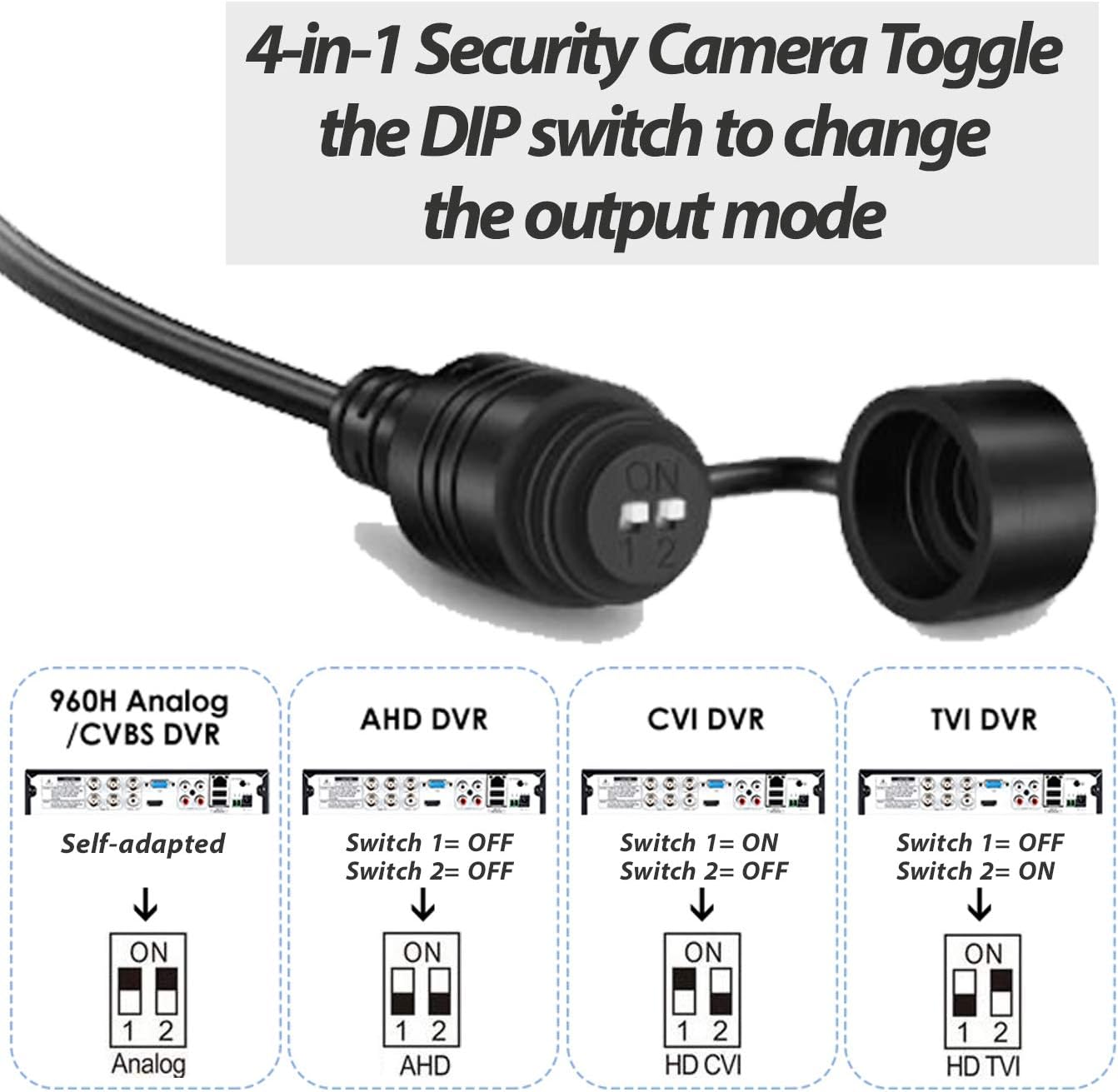
This diagram illustrates how to configure the camera's video output mode (960H Analog/CVBS, AHD, CVI, TVI) using the DIP switches located on the cable. The default mode is TVI.
Refer to the diagram above for the correct DIP switch settings for each mode:
- 960H Analog / CVBS DVR: Switch 1 = OFF, Switch 2 = OFF
- AHD DVR: Switch 1 = ON, Switch 2 = OFF
- CVI DVR: Switch 1 = OFF, Switch 2 = ON
- TVI DVR (Default): Switch 1 = ON, Switch 2 = ON
Note: Ensure the camera is powered off before changing the DIP switch settings.
6. Operating Instructions
6.1 Day and Night Vision
The camera automatically switches between day (color) and night (black and white infrared) modes based on ambient light conditions. The 24 IR LEDs activate in low light to provide clear images up to 65 feet.

This image demonstrates the camera's capability for 24/7 surveillance, showing a house under normal conditions and then with an overlay indicating night vision monitoring.
6.2 Backlight Compensation
The camera incorporates backlight compensation technology to improve image clarity in scenes where a bright light source is behind the subject, preventing the subject from appearing too dark.

This image compares two scenarios: one where backlight causes subjects to be underexposed (top) and another where backlight compensation technology improves visibility and clarity of subjects (bottom).
7. Maintenance
- Cleaning the Lens: Gently wipe the camera lens with a soft, lint-free cloth to remove dust or smudges. For stubborn dirt, use a lens cleaning solution designed for optical surfaces.
- Housing Cleaning: Clean the camera's metallic housing with a damp cloth. Avoid using abrasive materials or strong chemical cleaners that could damage the finish.
- Cable Inspection: Periodically check all cables for signs of wear, damage, or loose connections. Ensure waterproof seals are intact for outdoor installations.
- Environmental Considerations: While waterproof, extreme weather conditions (e.g., heavy snow, ice, direct lightning strikes) can still affect performance. Ensure proper shelter if possible.
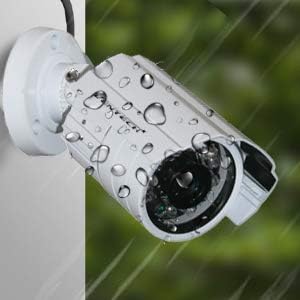
This image highlights the camera's waterproof design, suitable for outdoor installation and protection against various weather conditions.
8. Troubleshooting
- No Image on Monitor/DVR:
- Check power connection to the camera.
- Verify video cable connection between camera and DVR.
- Ensure the camera's video output mode (TVI/AHD/CVI/CVBS) matches your DVR's input settings using the DIP switch.
- Test with a different video input on the DVR or a different cable if possible.
- Poor Image Quality / Flickering:
- Check cable integrity; damaged cables can cause signal degradation.
- Ensure power supply is stable and sufficient.
- Clean the camera lens.
- Adjust camera position to avoid strong backlight or direct light sources if backlight compensation is insufficient.
- Night Vision Not Working:
- Ensure there are no obstructions blocking the IR LEDs.
- Check if the camera is receiving adequate power.
- Verify that the ambient light sensor is not covered.
9. Specifications
| Feature | Specification |
|---|---|
| Model Number | VT-R868C |
| Video Capture Resolution | 1080p |
| Photo Sensor Technology | CMOS |
| Video Output Modes | HD-CVI, HD-TVI, AHD, 960H Analog (CVBS) |
| Night Vision Range | Up to 65 feet (24 IR LEDs) |
| Lens | 3.6mm Wide Angle |
| Indoor/Outdoor Usage | Indoor, Outdoor |
| Water Resistance Level | Waterproof (IP67) |
| Material | Metal |
| Mounting Type | Ceiling Mount |
| Power Source | AC/DC (12V DC recommended) |
| Video Capture Format | NTSC |
| Item Weight | 12 ounces (approx. 340 grams) |
| Package Dimensions | 7.4 x 4.3 x 3.8 inches |
10. Warranty Information
VENTECH products are manufactured to high-quality standards. For specific warranty terms and conditions, please refer to the warranty card included with your purchase or contact VENTECH customer support. Keep your proof of purchase for warranty claims.
11. Customer Support
If you encounter any issues or have questions regarding your VENTECH Metallic Bullet Security Camera VT-R868C that are not covered in this manual, please contact VENTECH customer support for assistance. Contact information can typically be found on the product packaging or the official VENTECH website.