
uxcell a16053000ux0323
uxcell 100 Sets 90 Degree 6.3mm Stud Width Female Wire Terminal Connector with Jacket User Manual
Introduction
This manual provides essential information for the proper use and installation of the uxcell 100 Sets 90 Degree 6.3mm Stud Width Female Wire Terminal Connector with Jacket. Please read these instructions carefully before use to ensure safe and effective operation.
Product Overview
The uxcell Female Spade Connector is a fully insulated terminal designed for secure electrical connections. It is widely used in various applications including machinery, electric power systems, railway equipment, shipbuilding, aviation, home appliances, computers, and other automated systems.
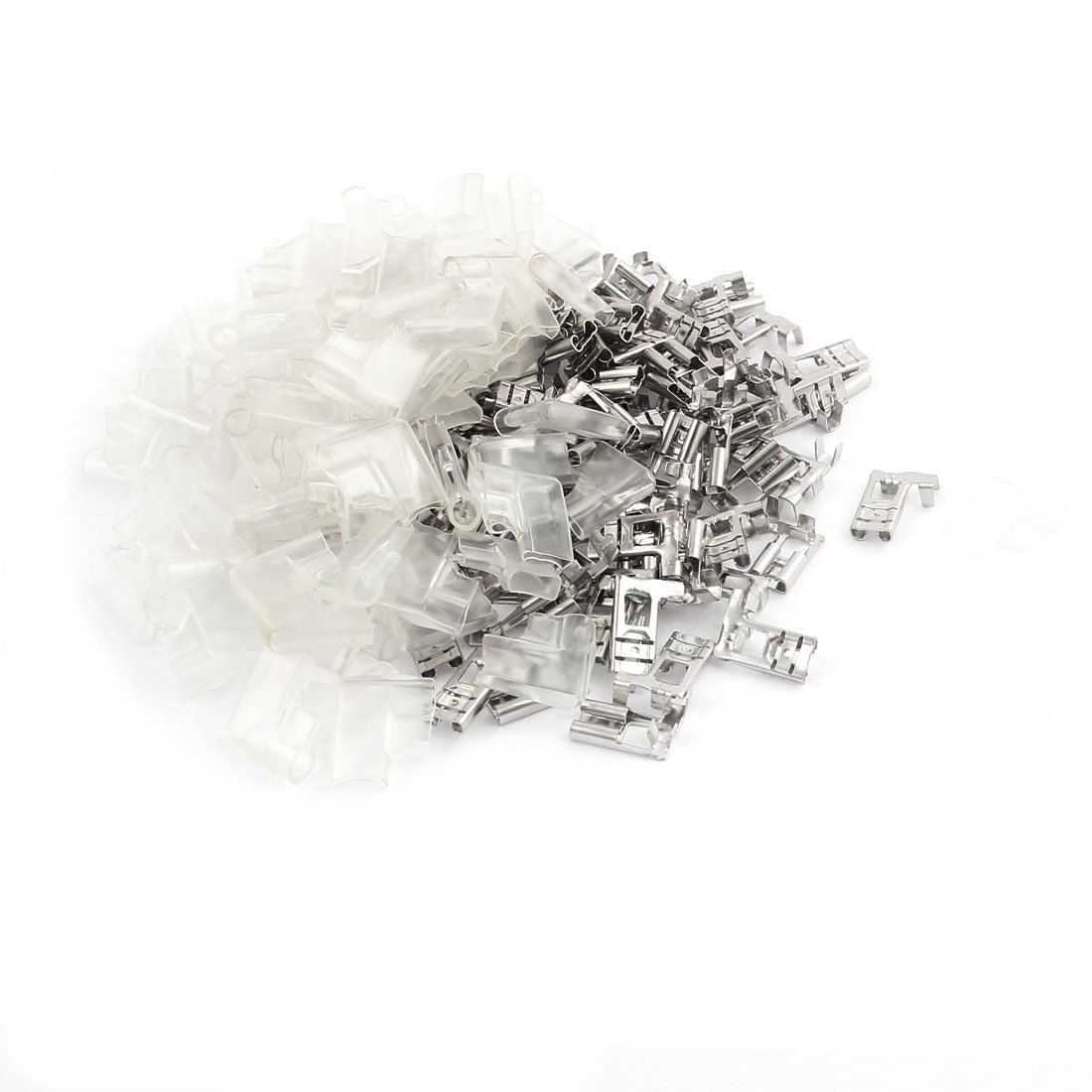
Image 1: uxcell 90 Degree Female Wire Terminal Connector with Jacket. This image displays the fully insulated female spade connector, highlighting its 90-degree design and protective jacket.
Key Features:
- Product Name: Push On Insulated Terminal; Design: Female Spade Connector
- Total Size: 16 x 12 x 6mm (L*W*T)
- Color: Silver Tone
- Material: Metal, Nylon
- Weight: 127g (for 100 pieces)
- Package Content: 100 (+/-2%) pcs x Push On Insulated Terminal & Jacket
Specifications
| Specification | Detail |
|---|---|
| Color | Silver |
| Connector Type | Spade |
| Contact Material | Metal |
| Insulation Material | Nylon |
| Terminal Type | Spade Terminal |
| Brand Name | uxcell |
| Model | a16053000ux0323 |
| Manufacturer | uxcell |
| UPC | 602451875529 |
| Unit Count | 100.0 Count |
| Temperature Rating | 257 degrees Fahrenheit |
Setup and Installation
These female spade connectors are designed for crimping onto the end of a wire to create a secure electrical connection with a male spade terminal. Follow these general steps for proper installation:
- Prepare the Wire: Strip approximately 6-8mm (0.24-0.31 inches) of insulation from the end of the wire using a wire stripper. Ensure the wire strands are not damaged.
- Insert Wire: Insert the stripped end of the wire into the metal barrel of the female spade connector. Ensure all wire strands are inside the barrel.
- Crimp the Connector: Use a suitable crimping tool to firmly crimp the metal barrel onto the wire. A proper crimp should be tight and secure, preventing the wire from pulling out.
- Inspect the Crimp: Visually inspect the crimp for tightness. Gently tug on the wire to confirm it is securely fastened.
- Connect to Male Terminal: Once crimped, the female spade connector can be pushed onto a compatible male spade terminal. The insulation jacket provides protection against accidental contact.
Important: Always ensure power is disconnected before working with electrical connections. Use appropriate safety gear, such as insulated tools and safety glasses.
Operating Instructions
The uxcell female spade terminal connectors are passive components designed to facilitate electrical connections. Once properly installed onto a wire and connected to a male spade terminal, they function by providing a conductive path. There are no active operating steps required beyond ensuring a secure and correct connection.
- Ensure the connection is firm to prevent intermittent electrical contact.
- Verify that the connection is free from corrosion or debris for optimal conductivity.
- The insulation jacket should fully cover the metal parts of the connection to prevent short circuits.
Maintenance
These terminals require minimal maintenance. Regular inspection can help ensure long-term reliability:
- Visual Inspection: Periodically check connections for any signs of corrosion, loose wires, or damaged insulation.
- Cleaning: If necessary, gently clean any accumulated dust or debris from the connections using a dry, non-abrasive cloth. Do not use liquid cleaners on live electrical components.
- Re-crimping/Replacement: If a connection appears loose or damaged, re-crimp the terminal if possible, or replace it with a new one to ensure electrical integrity and safety.
Troubleshooting
If you encounter issues with your electrical connections using these terminals, consider the following troubleshooting steps:
- No Electrical Continuity:
- Check if the wire is properly stripped and crimped into the terminal.
- Ensure the female terminal is fully seated onto the male terminal.
- Inspect for corrosion on either terminal that might impede conductivity.
- Loose Connection:
- Verify the crimp on the wire is secure. If not, re-crimp or replace the terminal.
- Ensure the male terminal is of the correct size (6.3mm stud width) for a snug fit.
- Overheating:
- Overheating can indicate a poor connection or an undersized wire/terminal for the current load. Ensure the wire gauge is appropriate for the application.
- Check for loose connections or corrosion, which can increase resistance and generate heat.
Warranty and Support
For information regarding warranty coverage or technical support for your uxcell products, please refer to the official uxcell website or contact their customer service directly. Keep your purchase receipt as proof of purchase.
Official Website: Visit the uxcell Store on Amazon