
1. Introduction
The Neopack Svelte Sleeve is designed to provide protection and portability for your 13.3-inch laptop or MacBook. This versatile sleeve features a sleek design, durable construction, and multiple carrying options, making it suitable for various uses. It is crafted from high-quality nylon material and includes thoughtful design elements for enhanced user experience.
Key features include:
- Smooth, plush fabric for a premium feel.
- Secure main compartment with fleece lining for laptop protection.
- Easy access front zipper pocket for accessories.
- Convertible design with a hand bag handle and a removable, padded shoulder strap.
- Compatibility with all 13.3-inch laptops and MacBooks.
2. Setup and Initial Use
This section guides you through preparing your Neopack Svelte Sleeve for use.
2.1. Inserting Your Laptop
Open the main zipper compartment. Gently slide your 13.3-inch laptop or MacBook into the fleece-lined interior. Ensure the laptop is fully seated within the compartment for maximum protection.

Image 2.1: Laptop securely placed in the main compartment with fleece lining.
2.2. Utilizing the Front Pocket
The front zippered pocket is designed for quick access to smaller items. Open the front zipper and place accessories such as chargers, cables, mice, or pens. Close the zipper securely after use.

Image 2.2: Front compartment for storing everyday essentials.
2.3. Attaching the Shoulder Strap
For shoulder carrying, locate the two D-rings on the sides of the sleeve. Attach the clips of the adjustable shoulder strap to these D-rings. Adjust the strap length for comfortable carrying. The hand bag handles can be retracted into their pockets when using the shoulder strap.
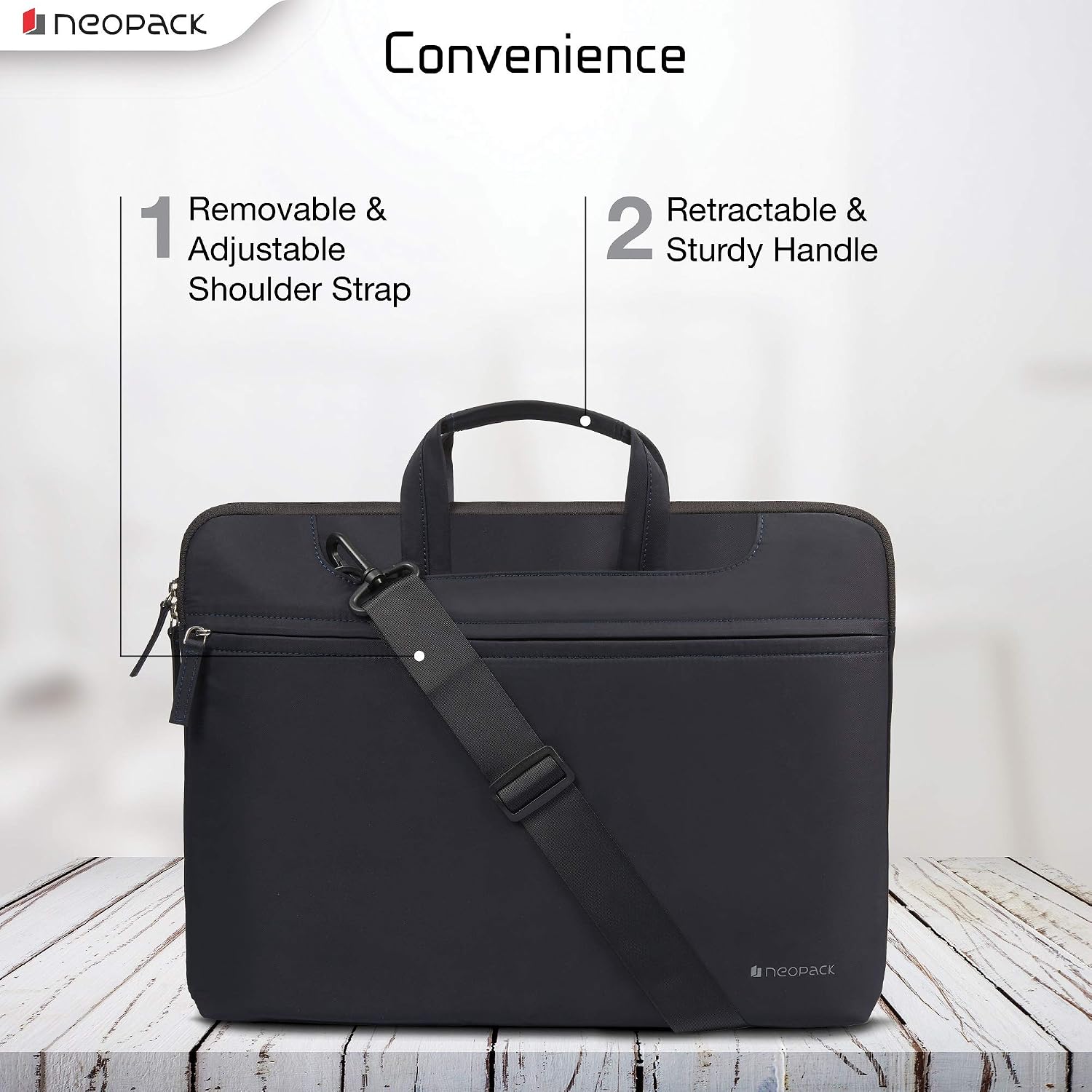
Image 2.3: Sleeve with the removable and adjustable shoulder strap attached.
3. Operating Instructions
The Neopack Svelte Sleeve offers flexible carrying options to suit your needs.
3.1. Carrying as a Hand Bag
Extend the top handles from their hidden pockets. Use these handles to carry the sleeve like a traditional hand bag. This option is ideal for office use or when you prefer a compact carry.
3.2. Carrying with Shoulder Strap
With the shoulder strap attached (as described in Section 2.3), carry the sleeve over your shoulder or across your body. This provides hands-free convenience, suitable for travel or longer commutes.
3.3. Using as a Sleeve/Slipcase
To use the product purely as a protective sleeve, retract both the hand bag handles and detach the shoulder strap. The sleeve can then be placed inside a larger bag or carried independently for minimal bulk.
4. Maintenance and Care
Proper care will extend the life and appearance of your Neopack Svelte Sleeve.
4.1. Cleaning Instructions
The sleeve is made of durable nylon material. For general cleaning, wipe the exterior with a damp cloth and mild soap. Avoid harsh chemicals or abrasive cleaners. Allow the sleeve to air dry completely before reuse.
4.2. Water Resistance
The sleeve offers water resistance, providing protection against light splashes or rain. It is not fully waterproof; avoid submerging the sleeve in water or exposing it to heavy rainfall for extended periods.
4.3. Zipper Care
Ensure zippers are free from debris before opening or closing. If a zipper becomes stiff, a small amount of zipper lubricant or wax can be applied carefully.

Image 4.1: Details of the sleeve's premium textured fabric, smooth zipper, and inner fur lining.
5. Troubleshooting
This section addresses common issues you might encounter with your laptop sleeve.
5.1. Laptop Does Not Fit
- Issue: Your laptop is larger than 13.3 inches.
- Solution: This sleeve is specifically designed for 13.3-inch devices. Verify your laptop's dimensions.
5.2. Zipper Sticking
- Issue: The main or front pocket zipper is difficult to open or close.
- Solution: Check for any fabric or debris caught in the zipper teeth. Carefully remove any obstructions. If the zipper is still stiff, apply a small amount of zipper lubricant or a graphite pencil lead to the teeth.
5.3. Shoulder Strap Discomfort or Damage
- Issue: The shoulder strap feels uncomfortable or shows signs of wear.
- Solution: Adjust the strap length to ensure the sleeve rests comfortably. Avoid overloading the sleeve, as excessive weight can strain the strap and attachment points. If the strap is damaged, contact customer support for assistance.
6. Specifications
| Brand | Neopack |
| Model Number | 4BL13 |
| Colour | Blue |
| Compatible Devices | 13.3-inch Laptops & Macbooks (e.g., Dell, HP, Apple Macbook, Sony, Samsung, Lenovo, IBM, Asus, Toshiba, Compaq, Acer) |
| Form Factor | Sleeve |
| Shell Type | Soft |
| Enclosure Material | Nylon |
| Water Resistance Level | Water Resistant |
| Item Dimensions (L x W x H) | 33 x 2.5 x 25.4 Centimeters |
| Item Weight | 250 Grams |
| Box Contents | 1 Svelte sleeve bag |
7. Warranty and Support
Neopack offers comprehensive support for your product.
7.1. Warranty Information
This Neopack Svelte Sleeve comes with a 12-month warranty from the date of purchase. Please retain your proof of purchase for warranty claims. The warranty covers manufacturing defects.
Neopack also offers Doorstep Replacement Assistance for eligible warranty claims.
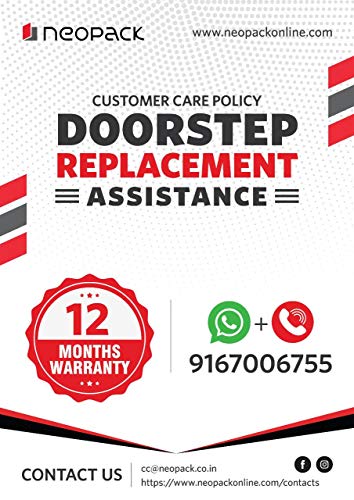
Image 7.1: Neopack Customer Care Policy and Warranty details.
7.2. Customer Support
For any queries, support, or warranty claims, please contact Neopack customer service:
- Phone/WhatsApp: +91 9167006755
- Email: cc@neopack.co.in
- Website: www.neopackonline.com/contacts
- Manufacturer: Hitech Enterprises, 306 Option Primo, MIDC, Andheri (E), Mumbai - 400093