
Syntus ST150
Syntus ST150 Essential Oil Diffuser User Manual
Ultrasonic Aromatherapy Diffuser with Adjustable Mist Mode and Waterless Auto Shut-Off
1. Important Safety Information
Please read all safety instructions carefully before using this product. Failure to follow these instructions may result in fire, electric shock, injury, or damage to the product.
- Always use essential oils as directed. Avoid direct skin contact with undiluted oils.
- Use the diffuser in a well-ventilated area, especially when sleeping.
- Do not use near water or immerse the unit in water.
- Keep out of reach of children and pets.
- Unplug the device when not in use, when adding water or oils, or during cleaning.
- Always follow the directions provided with the device and any essential oils you use.
- Ensure the power cord is not damaged and is properly connected to a standard wall outlet.
- Do not exceed the maximum water line indicated inside the tank.
2. Product Overview
The Syntus ST150 Essential Oil Diffuser is a compact and quiet ultrasonic aromatherapy device designed for home and office use. It features a 150ml water capacity, adjustable mist modes, and an automatic shut-off function for safety.
Key Features:
- Soundless Design: Operates quietly at 25dB, with no beeping sounds when pressing buttons.
- Waterless Auto Shutoff: Automatically turns off when the water level is low, preventing damage and ensuring safety.
- Compact with Large Capacity: 150ml water capacity suitable for small to medium rooms without occupying excessive space.
- Optional Misting Modes: Choose between continuous and intermittent mist modes.
- LED Lighting: Features an LED light source with various color options to enhance ambiance.
- BPA Free Material: Constructed from safe, high-quality PP material.
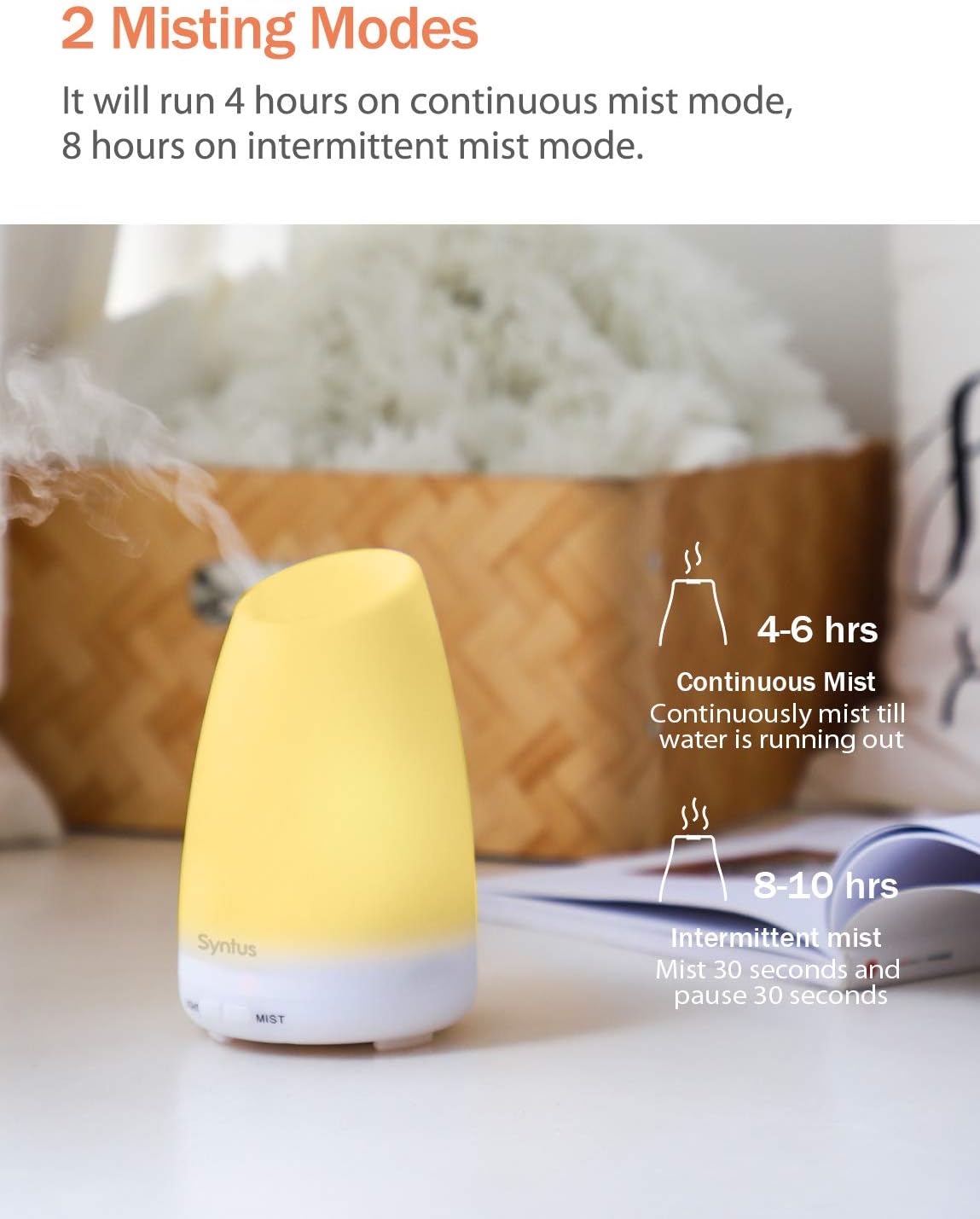
Figure 2.1: The Syntus ST150 diffuser's compact size, measuring approximately 6.42 inches in height and 3.94 inches in width, shown next to a smartphone for scale.

Figure 2.2: The diffuser in operation, demonstrating its soundless design, suitable for quiet environments like an office or bedroom.

Figure 2.3: The diffuser's construction from BPA-free PP material, making it safe for use around babies and pregnant women.
3. Setup
Follow these steps to set up your Syntus ST150 Essential Oil Diffuser:
- Place the Diffuser: Position the diffuser on a flat, stable surface away from direct sunlight, heat sources, and electronic devices.
- Remove the Cap: Gently twist and lift the top cover of the diffuser.
- Add Water: Using a measuring cup (not included), fill the water tank with clean tap water up to the maximum water line. Do not overfill.
- Add Essential Oil: Add a few drops of your preferred essential oil directly into the water tank. The amount of oil depends on your preference and the size of the room. (Essential oil is not included).
- Replace the Cap: Securely place the top cover back onto the diffuser. Ensure it is properly aligned and closed.
- Connect Power: Plug the DQS121V-240050-U Power Adaptor into the diffuser's power input, then plug the adaptor into a standard wall outlet (AC 100-240V 50/60HZ).

Figure 3.1: The Syntus ST150 diffuser with its top cover removed, illustrating the water tank and the location for adding water and essential oils.
4. Operating Instructions
Once set up, operate your diffuser using the following instructions:
Mist Control:
- Continuous Mist Mode: Press the "Mist" button once. The LED indicator will light up in red, and the diffuser will operate continuously for approximately 4-6 hours until the water runs out.
- Intermittent Mist Mode: Press the "Mist" button a second time. The LED indicator will turn green, and the diffuser will operate in intermittent mode (30 seconds on, 30 seconds off) for approximately 8-10 hours.
- Turn Off Mist: Long press the "Mist" button to turn off the mist function.
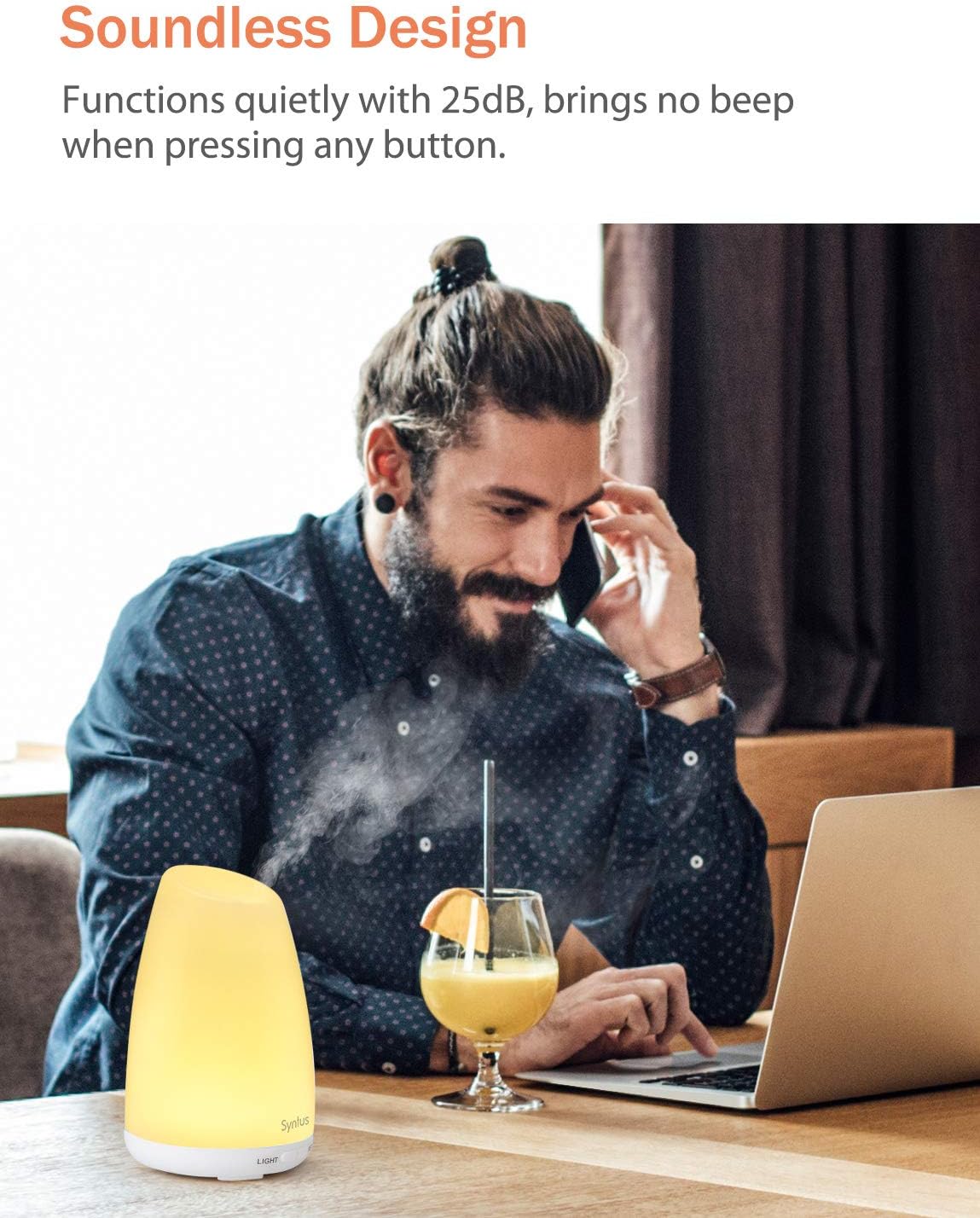
Figure 4.1: Visual representation of the two mist modes: continuous mist (4-6 hours) and intermittent mist (8-10 hours, 30 seconds on/off cycle).
Light Control:
- Turn On/Cycle Lights: Press the "Light" button once to turn on the LED light. Subsequent presses will cycle through various colors or set it to a single color.
- Turn Off Lights: Long press the "Light" button to turn off the LED light. The light can be operated independently of the mist function.
Video 4.1: A demonstration of the Syntus ST150 diffuser's LED light cycling through various colors, creating a calming ambiance. This video shows the light function in action, independent of mist.

Figure 4.2: The diffuser's auto shut-off function, which activates when water runs out, ensuring safe operation, especially during sleep. The image also illustrates the maximum water line indicator.
5. Maintenance
Regular cleaning helps maintain the diffuser's performance and extends its lifespan. Always unplug the diffuser before cleaning.
- Empty Water: Pour out any remaining water from the tank, ensuring to avoid the air outlet side.
- Wipe Clean: Use a soft, damp cloth to wipe the inside of the water tank and the exterior of the diffuser.
- Clean Ultrasonic Plate: Gently wipe the ultrasonic vibration plate (located at the bottom of the water tank) with a cotton swab dipped in white vinegar to remove any mineral buildup. Rinse with clean water.
- Dry Thoroughly: Allow all parts to air dry completely before reassembling or storing the diffuser.
- Frequency: Clean the diffuser after every 5-6 uses or every 3-5 days, especially when changing essential oils.
6. Troubleshooting
If you encounter issues with your Syntus ST150 diffuser, refer to the following common problems and solutions:
| Problem | Possible Cause | Solution |
|---|---|---|
| No mist or weak mist |
|
|
| Diffuser not turning on |
|
|
| Unusual noise |
|
|
7. Specifications
| Feature | Detail |
|---|---|
| Model Number | ST150 |
| Water Tank Capacity | 150 ml |
| Input Power | AC 100-240V 50/60HZ |
| Output Power | DC 24V, 0.5A |
| Wattage | 10 watts |
| Ultrasonic Frequency | 2.4 MHz |
| Misting Modes | Continuous / Intermittent (30s on/30s off) |
| Run Time (Continuous) | Approx. 4-6 hours |
| Run Time (Intermittent) | Approx. 8-10 hours |
| Automatic Shut-Off | Yes (Waterless) |
| Light Source | LED |
| Material | Upper parts PP + lower base ABS (BPA Free) |
| Coverage Area | Small to Medium Room |
| Package Dimensions | 6.42 x 4.49 x 4.41 inches |
| Item Weight | 11.68 ounces |
8. Warranty and Support
The Syntus ST150 Essential Oil Diffuser comes with a 12-month warranty from the date of purchase.
If you experience any issues with your product or require a replacement or refund, please contact Syntus customer service directly. We aim to provide hassle-free and friendly service within 24 hours. Please have your purchase details ready when contacting support.
For further assistance, you may visit the official Syntus store on Amazon: Syntus Store
Ask a question about this manual
Ask about setup, troubleshooting, compatibility, parts, safety, or missing instructions. Manuals+ will review the question and use this page’s manual context to help answer it.