
Introduction
The SureFeed Microchip Pet Feeder MPF001 is designed to provide controlled access to food for your pet, ensuring that only authorized pets can eat from the feeder. This system is ideal for multi-pet households, pets on special diets, or those requiring monitored food intake. The feeder operates by reading your pet's implanted microchip or an RFID collar tag (sold separately), opening the lid only for the registered animal.
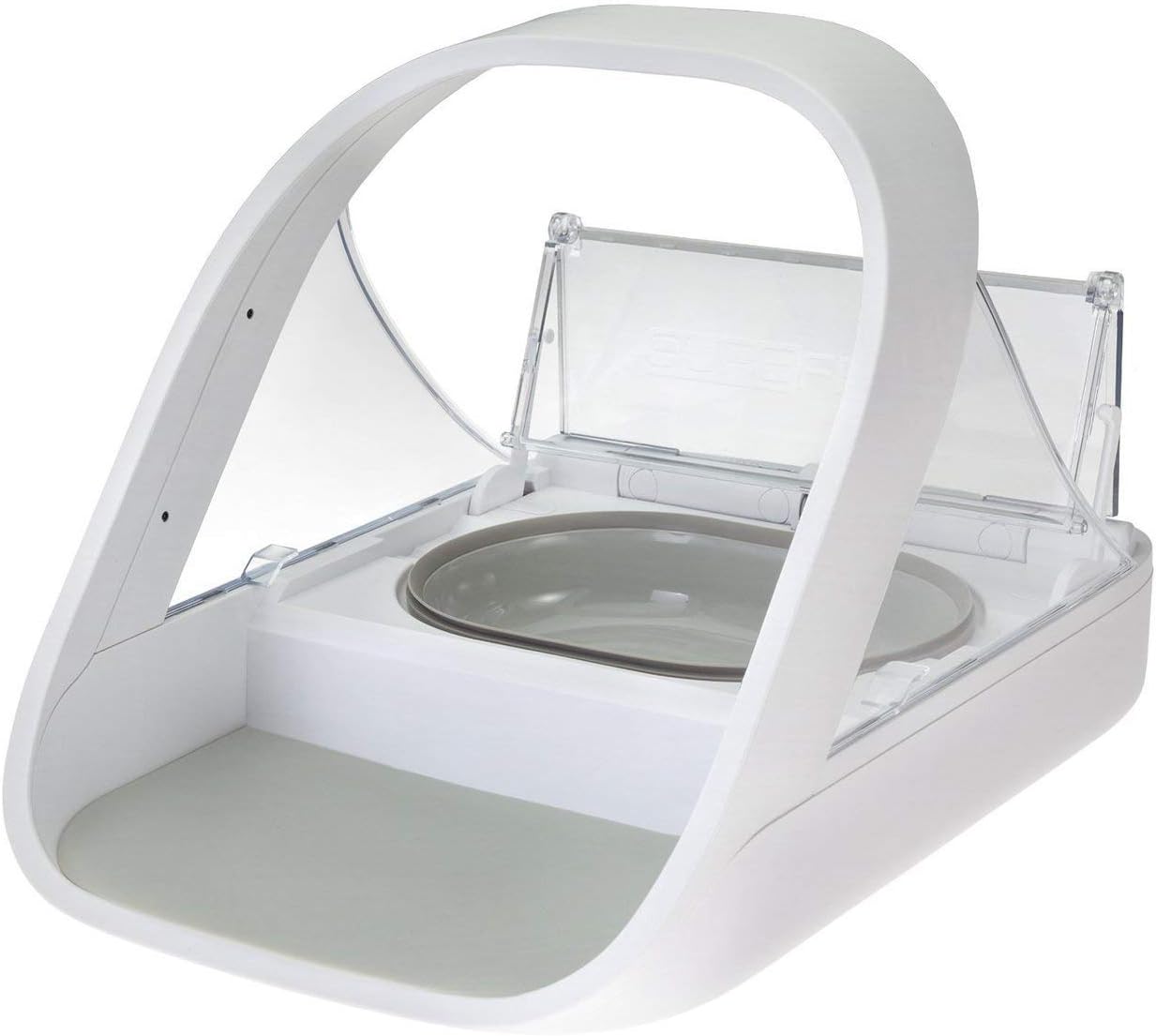
Image: The SureFeed Microchip Pet Feeder with its lid open, showcasing the food bowl. This feeder uses microchip technology to ensure only designated pets can access their food.
Safety Information
- Read all instructions before operating the feeder.
- Keep the feeder away from water and moisture.
- Do not immerse the feeder in water.
- Use only the specified battery type and ensure correct polarity.
- Keep out of reach of young children.
- This product is intended for pet use only.
Package Contents
Please check that all items are present in your package:
- SureFeed Microchip Pet Feeder base unit
- 1 x Grey Single Bowl
- 1 x Grey Split Bowl (for wet and dry food)
- 1 x Grey Mat
- Instruction Manual
Setup
- Battery Installation:
Locate the battery compartment on the underside of the feeder. Insert 4 x C-cell batteries (not included), ensuring correct polarity. Close the compartment securely.
- Bowl and Mat Placement:
Place the grey mat into the recess at the front of the feeder. Insert your preferred food bowl (single or split) into the main compartment.

Image: Front view of the SureFeed Microchip Pet Feeder with the food bowl inserted, ready for use.
- Registering Your Pet's Microchip/RFID Tag:
Press the 'Add Pet' button (usually located on the underside or rear of the feeder) until the indicator light flashes. Present your pet's microchip (by encouraging them to eat from the feeder) or hold the RFID collar tag near the sensor. The light will turn solid green when registration is successful. Repeat for additional pets if desired, ensuring each pet has its own registered microchip or tag.

Image: Side view of the SureFeed Microchip Pet Feeder, illustrating its compact design and the location of potential sensor areas for microchip registration.
- Training Your Pet:
Initially, you may need to train your pet to use the feeder. Start by placing food in the open bowl without the lid closing. Gradually introduce the lid, allowing your pet to become comfortable with the movement. Refer to the detailed training guide in the full manual for advanced tips.
Operating Instructions
- Filling the Feeder:
Lift the lid manually or wait for a registered pet to approach. Fill the bowl with your pet's wet or dry food. Do not overfill.
- Automatic Operation:
When a registered pet approaches the feeder, the lid will automatically open. Once the pet moves away, the lid will close after a short delay to keep food fresh and prevent other pets from accessing it.

Image: A cat approaching the SureFeed Microchip Pet Feeder, demonstrating the feeder's readiness to open for a registered pet.
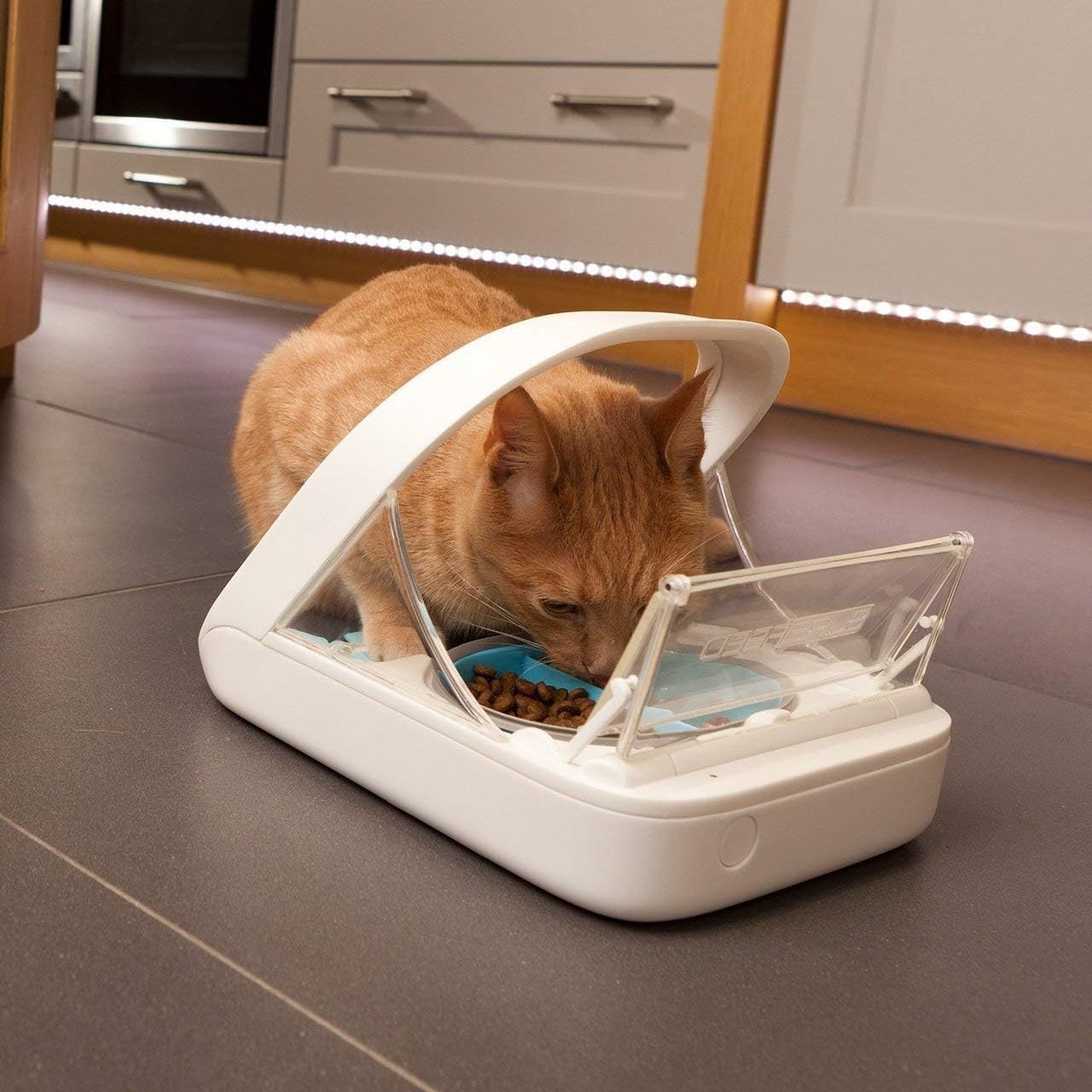
Image: A cat actively eating from the SureFeed Microchip Pet Feeder, with the lid fully open for access.
- Manual Override:
The lid can be manually opened and held open for cleaning or initial training purposes. Consult the full manual for specific instructions on engaging the training mode or manual open feature.
Maintenance
- Cleaning: The bowls and mat are dishwasher safe. The main feeder unit should be wiped clean with a damp cloth. Do not submerge the main unit in water.
- Battery Replacement: When the battery indicator light flashes red, it's time to replace the batteries. Replace all 4 C-cell batteries simultaneously for optimal performance.
- Sensor Cleaning: Periodically wipe the microchip sensor area to ensure clear readings.
Troubleshooting
| Problem | Possible Cause | Solution |
|---|---|---|
| Lid not opening for pet | Pet not registered; low batteries; microchip not detected. | Ensure pet is registered. Replace batteries. Ensure pet's microchip is correctly positioned over the sensor. |
| Lid not closing | Obstruction; sensor dirty; pet still near sensor. | Check for food or debris obstructing the lid. Clean sensors. Ensure pet has moved away from the feeder. |
| Battery indicator flashing red | Low battery power. | Replace all 4 C-cell batteries. |
Specifications
- Model: MPF001
- Brand: SureFeed
- Dimensions (LxWxH): 14 x 10.5 x 10.5 inches
- Item Weight: 2.9 Pounds
- Material: Plastic
- Power: 4 x C-cell batteries (not included)
- Target Species: Dog, Cat
- Care Instructions: Hand Wash Only (main unit), Dishwasher Safe (bowls/mat)
Warranty Information
SureFeed products are covered by a limited warranty against defects in materials and workmanship. For specific warranty terms and conditions, please refer to the warranty card included with your product or visit the official SureFeed website. Keep your proof of purchase for warranty claims.
Support
For further assistance, troubleshooting, or to purchase accessories, please visit the official SureFeed support website or contact customer service:
- Website: www.surepetcare.com/en-us/support (Example link, actual link may vary)
- Customer Service: Refer to your product packaging or the SureFeed website for regional contact details.