
Kwikset Kevo 2nd Gen Smart Keyless Entry Electronic Deadbolt Door Lock Instruction Manual
Model: 99250-202
Brand: Kwikset
Introduction
The Kwikset Kevo 2nd Generation Smart Keyless Entry Electronic Deadbolt offers a convenient touch-to-open experience, allowing you to unlock your door with a simple touch while your smartphone remains in your pocket or purse. This manual provides essential information for installation, setup, operation, and maintenance of your Kevo 2nd Gen lock.
The Kevo 2nd Gen features an updated design, enhanced security with SmartKey Security, and improved connectivity. It supports in-home locking and unlocking via your smart device within Bluetooth range and can integrate with smart home systems like Amazon Alexa (with Kevo Plus hub, sold separately).
What's Included
Verify that all components are present before beginning installation:
- Electronic Deadbolt Exterior Assembly
- Electronic Deadbolt Interior Assembly
- Latch
- Strike Plate
- Mounting Hardware
- AA Batteries (4)
- Keys (2)
- SmartKey Learn Tool
- Installation Instructions (refer to the Kevo app for detailed, interactive instructions)
- SmartKey Instructions

Image: Kevo 2nd Gen Smart Lock components.
Installation
Installation of the Kevo 2nd Gen lock typically requires only a screwdriver. For detailed, step-by-step instructions, it is recommended to use the Kevo mobile application, which provides interactive guidance.
Important Considerations:
- Measure your door's backset, cross bore, and thickness to ensure compatibility and proper fit.
- Ensure the door frame is prepared for the strike plate.
- Proper cable connection between the interior and exterior deadbolt is crucial for functionality.
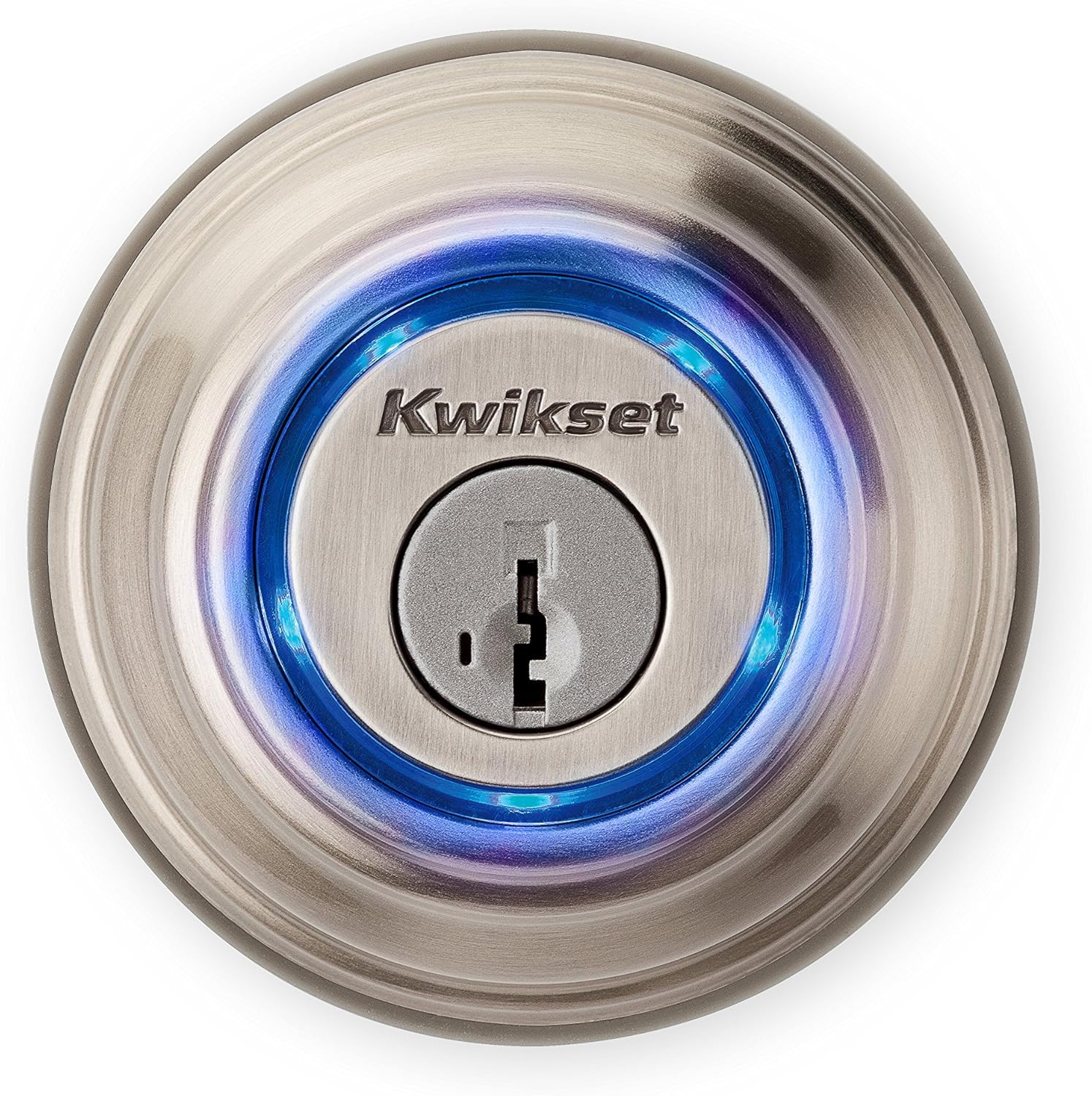
Image: Kevo 2nd Gen Exterior Deadbolt.

Image: Kevo 2nd Gen Interior Deadbolt.
Video: Kevo 2nd Generation Unboxing and initial overview.
Setup and Configuration
After physical installation, configure your Kevo lock using the Kevo mobile application.
Kevo Mobile App
Download the Kevo app from your device's app store. The app guides you through pairing your smartphone with the lock and managing access.
- Pairing: Follow in-app instructions to pair your smartphone with the Kevo lock via Bluetooth.
- eKeys: Send and manage eKeys to grant access to family and guests. Kevo 2nd Gen offers free eKeys.
- Notifications: Receive notifications and monitor lock history through the app.

Image: Kevo Mobile App Interface.
Kevo Plus Hub (Sold Separately)
For remote lock access, monitoring, and integration with Amazon Alexa voice commands, the Kevo Plus hub is required. This hub connects to your home network and extends Kevo's capabilities beyond Bluetooth range.
Operating Instructions
Touch-to-Open Functionality
With your paired smartphone or Kevo Fob (sold separately) in range, simply touch the exterior side of the deadbolt. The lock will detect your authorized device and unlock. To lock, touch the exterior side of the deadbolt again.

Image: Hand activating Kevo Touch-to-Open.
Manual Operation
The Kevo 2nd Gen can also be locked or unlocked using the physical key from the exterior or the turn piece from the interior.
In-Home Locking & Unlocking
Within Bluetooth range of the lock, you can use the Kevo app on your smart device to lock or unlock the deadbolt.
Alexa Voice Commands
If you have the Kevo Plus hub (sold separately), you can enable Alexa voice commands. This allows you to lock/unlock (PIN required for unlocking) and check the lock status using voice commands.

Image: Children using Kevo Smart Lock.
SmartKey Security
The Kevo 2nd Gen features Kwikset's patented SmartKey Security. This technology allows you to re-key your lock yourself in seconds, providing flexibility and enhanced security against advanced break-in techniques.
Benefits of SmartKey Security:
- Easily re-key your lock if you move or lose a key.
- Consolidate multiple Kwikset locks to a single key.

Image: Kwikset SmartKey Security Diagram.
Compatibility
The Kevo 2nd Gen lock is designed to work with a range of smart devices and home automation systems.
Mobile Device Compatibility
- Apple iOS: iPhone 4s or higher, iPad 3rd Gen or higher, iPad Mini or higher, iPod Touch 5th Gen or higher. Apple Watch supports notifications only.
- Android: Select Android 5.0 (Lollipop) or higher devices, including Pixel, Pixel XL, Nexus 5X, 6, 6P, 9, HTC One M9, Samsung Galaxy S5, S5 Active, S6, S6 Active, S6 Edge, S7 Active, S7 Edge, Note 4, Note 4 Edge, Note 5, and Android Wear Devices. Razer Phone 1 is also compatible.
Always ensure your device has the most up-to-date operating system for optimal performance.

Image: Kevo 2nd Gen Apple iOS Device Compatibility.

Image: Kevo 2nd Gen Android Device Compatibility.
Smart Home Integration
Kevo 2nd Gen offers compatibility with:
- Amazon Alexa (requires Kevo Plus hub)
- Ring Doorbell
- Skybell
- Nest Learning Thermostat
- Select Honeywell Thermostats
- Android Wear
- IFTTT
Note: Kevo is not compatible with Apple HomeKit.
Troubleshooting
If you encounter issues with your Kevo 2nd Gen lock, consider the following common solutions:
- Bluetooth Connection: Ensure Bluetooth is enabled on your smartphone and that your phone is paired with your lock.
- Cable Connection: Verify the cable connection between the interior and exterior deadbolt assemblies is secure.
- Battery Level: Check the battery status. Low batteries can affect performance. The lock will indicate low battery with a blinking red LED.
- System Reset: To perform a system reset, press and hold the reset button on the back panel of the interior assembly for 10 seconds until the lock beeps and the light ring flashes red. This will clear all pairings and settings.
- Door Handing: If the lock indicates a solid red light, the door handing process may not have worked properly during installation. Refer to the installation guide for re-calibrating door handing.

Image: Kevo 2nd Gen Exposed Interior with DIP Switches.

Image: Kevo 2nd Gen Status LED Colors.
Specifications
| Feature | Detail |
|---|---|
| Brand | Kwikset |
| Model Name | Kevo 2nd Gen Bluetooth Touch-to-Open Smart Lock |
| Model Number | 99250-202 |
| Color | Satin Nickel |
| Material | Metal |
| Lock Type | Keyed One Side |
| Special Feature | Keyless |
| Connectivity Protocol | Bluetooth |
| Controller Type | Amazon Alexa, Android, iOS |
| Control Method | Voice |
| Power Source | 4 AA Batteries (included) |
| Item Weight | 3.5 Pounds |
| Installation Method | Easily installs in minutes with just a screwdriver |

Image: Kevo 2nd Gen Size Comparison.
Maintenance
To ensure optimal performance and longevity of your Kevo 2nd Gen lock, follow these maintenance guidelines:
- Battery Replacement: Replace all four AA batteries when the lock indicates a low battery warning (blinking red LED). Use high-quality alkaline batteries.
- Cleaning: Clean the lock's exterior with a soft, damp cloth. Avoid abrasive cleaners or solvents that could damage the finish.
- Firmware Updates: Regularly check the Kevo app for available firmware updates for your lock. Updates can improve performance, add features, and enhance security.
Warranty and Support
The Kwikset Kevo 2nd Gen Smart Lock is backed by Kwikset's manufacturer warranty. For specific warranty details, product support, or to contact customer service, please refer to the official Kwikset website or the documentation included with your product.
It is recommended to register your product upon purchase to facilitate warranty claims and receive important product updates.