
Introduction
Welcome to your Astro Tools 72SL Slim Light. This manual provides instructions for the safe and efficient use, maintenance, and troubleshooting of your device. Please read this manual thoroughly before operating the light.
The Astro Tools 72SL is an advanced rechargeable LED slim light designed for various applications, featuring a powerful COB LED main light, a focused top flashlight, and a robust magnetic base for versatile positioning.
Product Overview and Key Features
The Astro Tools 72SL Slim Light incorporates several features for enhanced utility and durability:
- Adjustable COB LED Main Light: Provides 60 to 720 lumens of illumination.
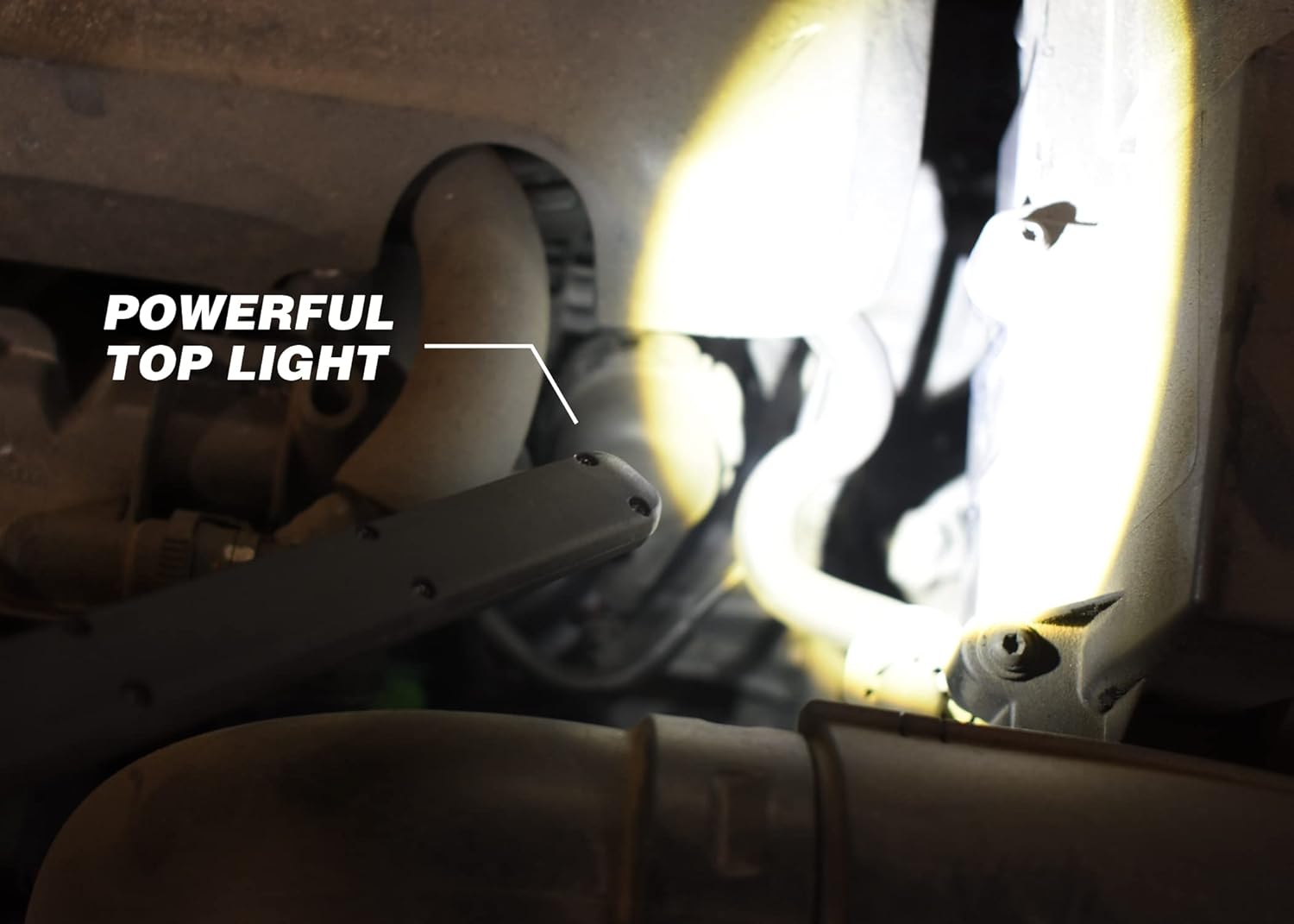
- Top Flashlight: A dedicated 120-lumen flashlight for focused lighting.
- High-Capacity Battery: Equipped with a 3,350mAh Lithium-Ion battery.
- USB-C Quick Charging: Features Quick-Charge 2.0 for rapid recharging.
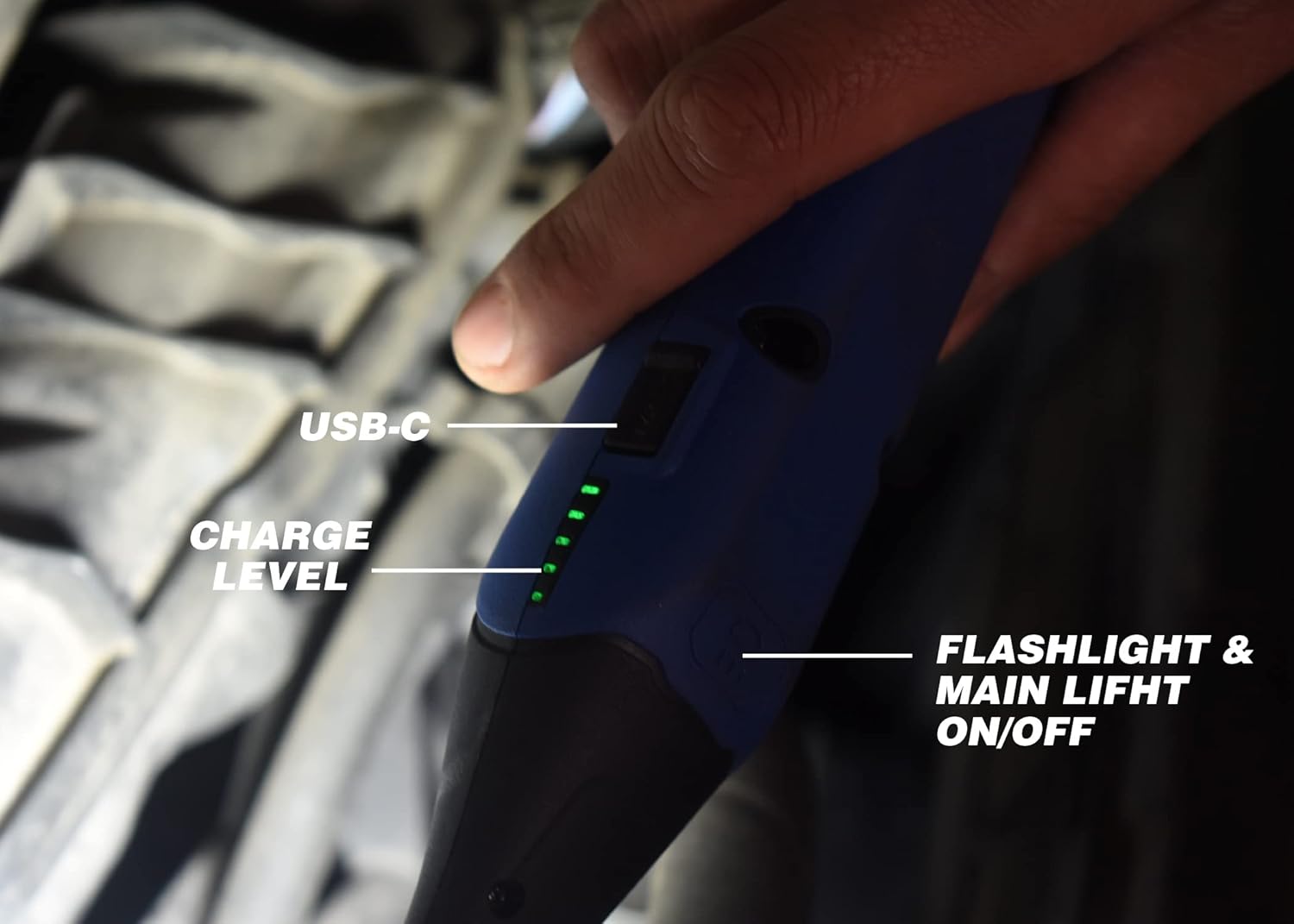
- Battery Level Indicators: Green LEDs on the side display current charge status.
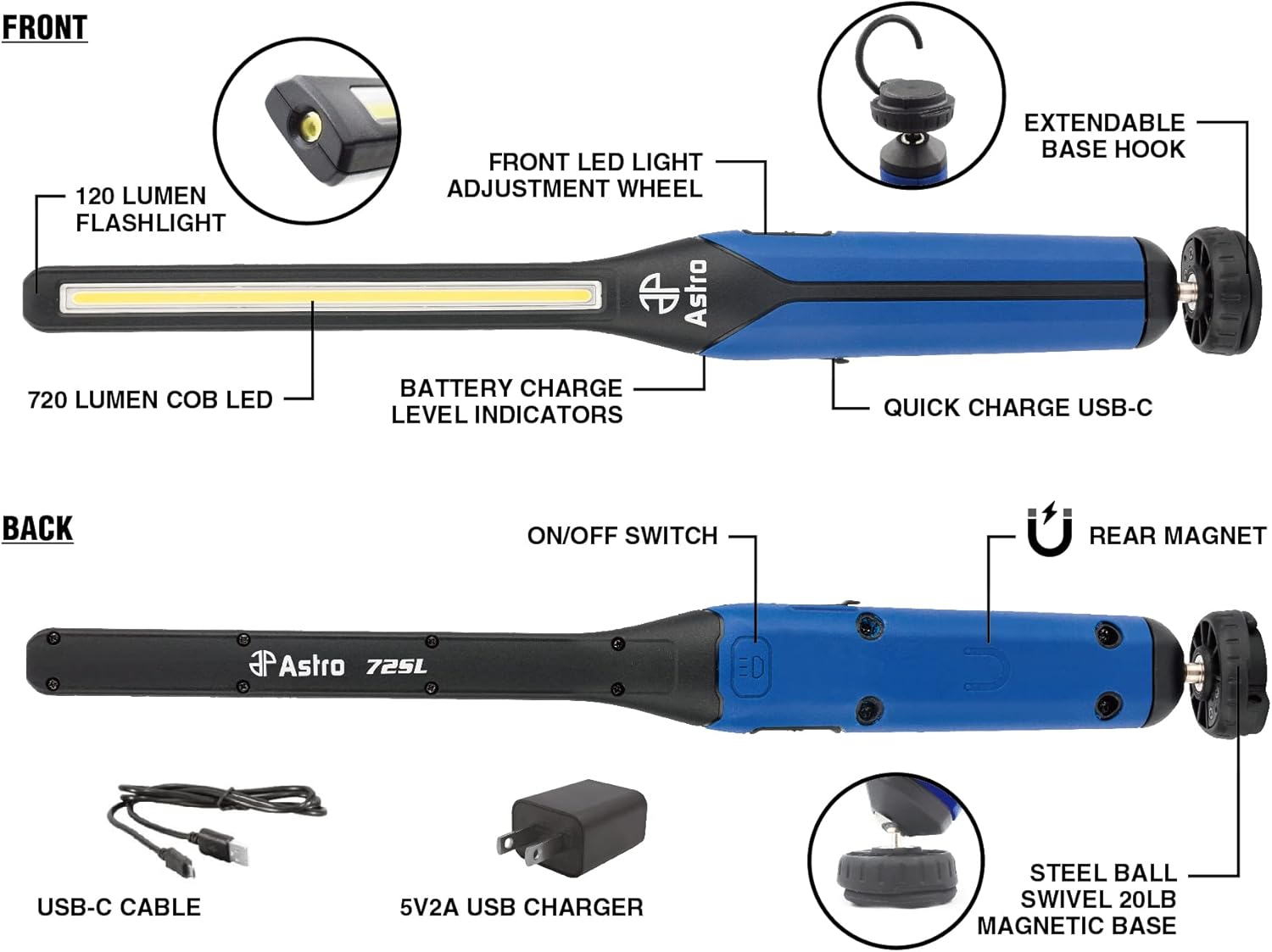
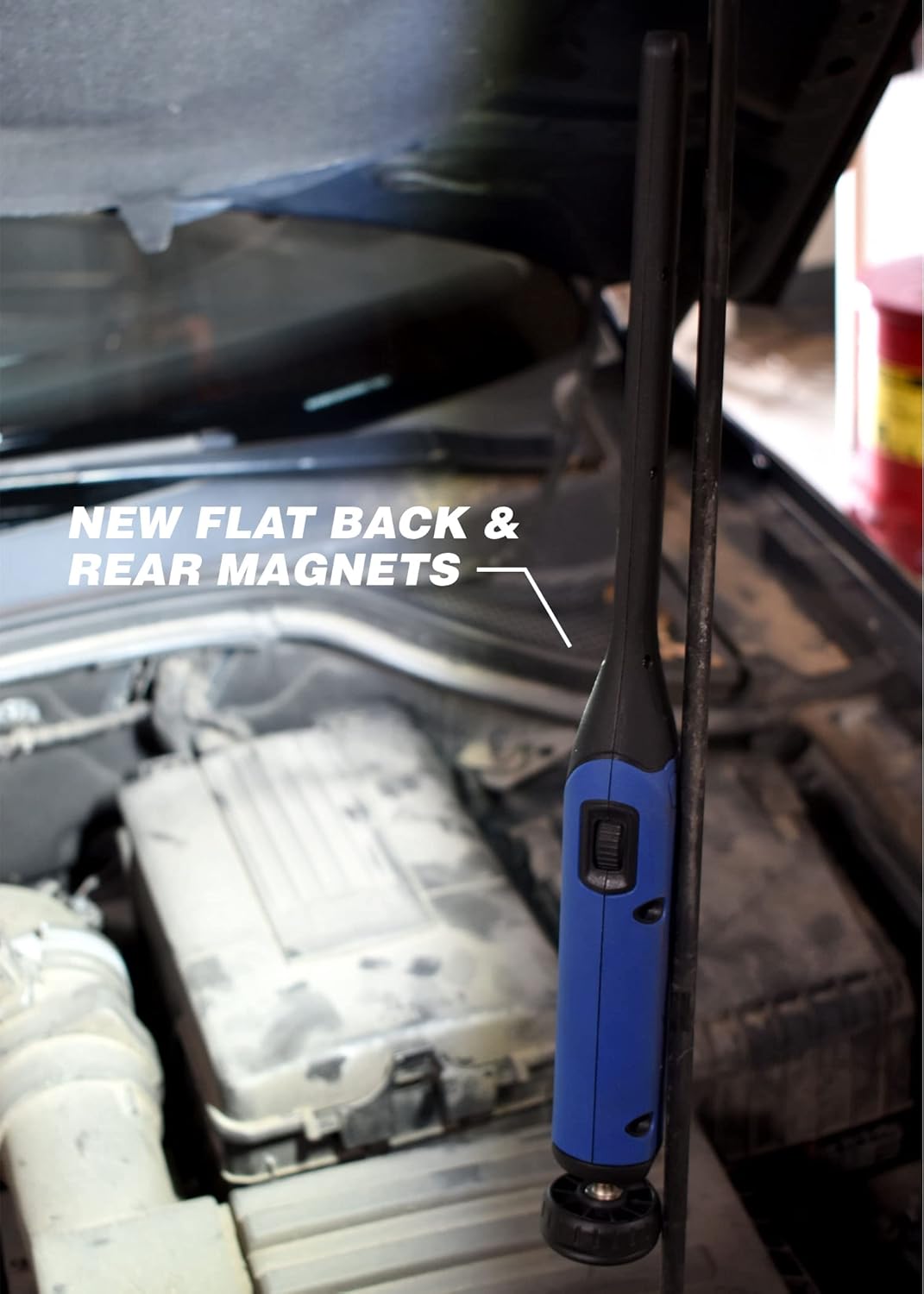
- Dual Magnetic Base: Includes a steel ball swivel base with a 20lb magnet and additional rear magnets on a flattened body for versatile mounting.
- Ratcheting Extendable Hook: For hanging the light in various positions.
- Durable Construction: Designed for demanding environments.

Initial Setup
- Unpacking: Carefully remove the Astro Tools 72SL Slim Light and its accessories from the packaging. Verify all components are present: the light unit, USB-C charging cable, and 5V2A USB wall adapter.
- Initial Charge: Before first use, fully charge the device. Connect the USB-C cable to the light's charging port and the other end to the provided USB wall adapter. Plug the adapter into a standard electrical outlet. The green LED indicators on the side of the light will illuminate to show charging progress. A full charge typically takes approximately 2.5 hours.
- Familiarization: Review the product diagram to identify the main COB LED, top flashlight, on/off switch, dimmer wheel, charging port, and magnetic base.
Operating Instructions
Power On/Off
The on/off switch for both light sources is located on the rear of the light.
- Press the switch once to activate the main COB LED light.
- Press the switch a second time to activate the top flashlight.
- Press the switch a third time to turn off both lights.
Adjusting Brightness (Main COB LED)
The main COB LED light's brightness can be adjusted from 60 to 720 lumens using the recessed thumb wheel located on the side of the light. Rotate the wheel to increase or decrease the light intensity.
Mounting Options
The 72SL offers multiple mounting solutions for hands-free operation:
- Magnetic Base: The steel ball swivel base features a powerful 20lb magnet, allowing the light to be securely attached to most metallic surfaces. The swivel design enables precise light positioning.
- Rear Magnets: The flattened rear body of the light includes additional magnets for stable mounting against flat metal surfaces.
- Extendable Hook: An integrated ratcheting extendable hook provides an option to hang the light from various fixtures or objects.
Charging Instructions
The Astro Tools 72SL is equipped with a 3,350mAh Lithium-Ion battery and supports USB-C Quick-Charge 2.0.
- Connect Charger: Insert the USB-C cable into the charging port on the light. Connect the other end of the cable to the provided 5V2A USB wall adapter, then plug the adapter into a power outlet.
- Charging Indicators: Green LED lights on the side of the light's body will illuminate to indicate the current charge level during use and charging. These LEDs will show progress until the battery is fully charged.
- Charging Time: A complete charge from empty typically takes approximately 2.5 hours.
- Run Time: The light provides approximately 3.5 hours of run time on high brightness (720 lumens) and up to 8 hours at 50% brightness.
Care and Maintenance
- Cleaning: Wipe the light with a soft, damp cloth. Do not use abrasive cleaners or solvents, as they may damage the surface.
- Storage: Store the light in a cool, dry place away from direct sunlight and extreme temperatures.
- Battery Care: To prolong battery life, avoid fully discharging the battery frequently. Recharge the light regularly, even if not in constant use. Do not attempt to replace the internal battery.
- Inspection: Periodically inspect the light for any signs of damage, especially to the charging port and magnetic base.
Troubleshooting
| Problem | Possible Cause | Solution |
|---|---|---|
| Light does not turn on | Battery is discharged | Charge the light fully using the provided USB-C cable and adapter. |
| Light does not turn on | On/off switch malfunction | Ensure the switch is pressed firmly. If the issue persists after charging, contact customer support. |
| Light does not charge | USB-C cable or adapter is faulty | Try using a different compatible USB-C cable and adapter. Ensure connections are secure. |
| Light does not charge | Charging port is damaged | Discontinue use and contact customer support. |
| Main light brightness cannot be adjusted | Dimmer wheel malfunction | Ensure the thumb wheel is free from obstruction. If unresponsive, contact customer support. |
Product Specifications
| Feature | Detail |
|---|---|
| Model Number | 72SL |
| Light Output (Main) | 60-720 Lumens (COB LED) |
| Light Output (Top) | 120 Lumens (Flashlight) |
| Battery Type | 3,350mAh Lithium-Ion |
| Charging Port | USB-C |
| Charging Time | Approximately 2.5 hours |
| Run Time (High) | Approximately 3.5 hours |
| Run Time (50%) | Approximately 8 hours |
| Dimensions | 1.57 x 1.75 x 15.12 inches |
| Item Weight | 14.1 ounces |
| Material | Alloy Steel |
| Special Features | Rechargeable, Magnetic Base (20lb), Extendable Hook, Battery Level Indicators |
Warranty and Customer Support
For warranty information or technical assistance, please contact Astro Pneumatic Tool customer support. Refer to the product packaging or the official Astro Pneumatic Tool website for the most current contact details.
Keep your purchase receipt as proof of purchase for any warranty claims.


