
Introduction
This manual provides instructions for the OMAX 10X-20X-30X-60X Cordless Stereo Binocular Microscope with Dual LED Lights and USB Camera. This instrument is designed for detailed observation of various specimens, offering multiple magnification levels and flexible power options for both indoor and outdoor use. The integrated USB digital imaging system allows for capturing images, streaming live video, and performing advanced analysis on compatible Windows operating systems.
The microscope features 10X, 20X, 30X, and 60X magnification, dual LED illumination from both top and bottom, a working distance of 57mm, and a maximum field of view of 10mm. The digital camera provides 640x480 pixel resolution at 30 frames per second, with software capabilities for stitching, extended depth of focus (EDF), video recording, and measurement functions.
Setup
1. Unpacking and Inspection
Carefully remove all components from the packaging. Inspect for any damage that may have occurred during shipping. Retain all packaging materials for future transport or storage.
2. Power Supply Connection
The microscope can be powered in two ways:
- AC Power: Connect the provided 120V AC power adapter to the microscope's power input and a standard electrical outlet.
- Battery Power: For cordless operation, insert three (3) AA batteries into the battery compartment located on the underside of the base. Ensure correct polarity.
3. Eyepiece Installation
Insert the wide field WF10X and WF20X eyepieces into the binocular tubes. The eyepieces are locked in place to prevent accidental removal.
4. USB Camera Setup
Connect the USB digital camera to the designated port on the microscope and then to your computer using the provided USB cable. Install the included software on a Windows operating system for full functionality, including image capture, live video streaming, and advanced editing features.
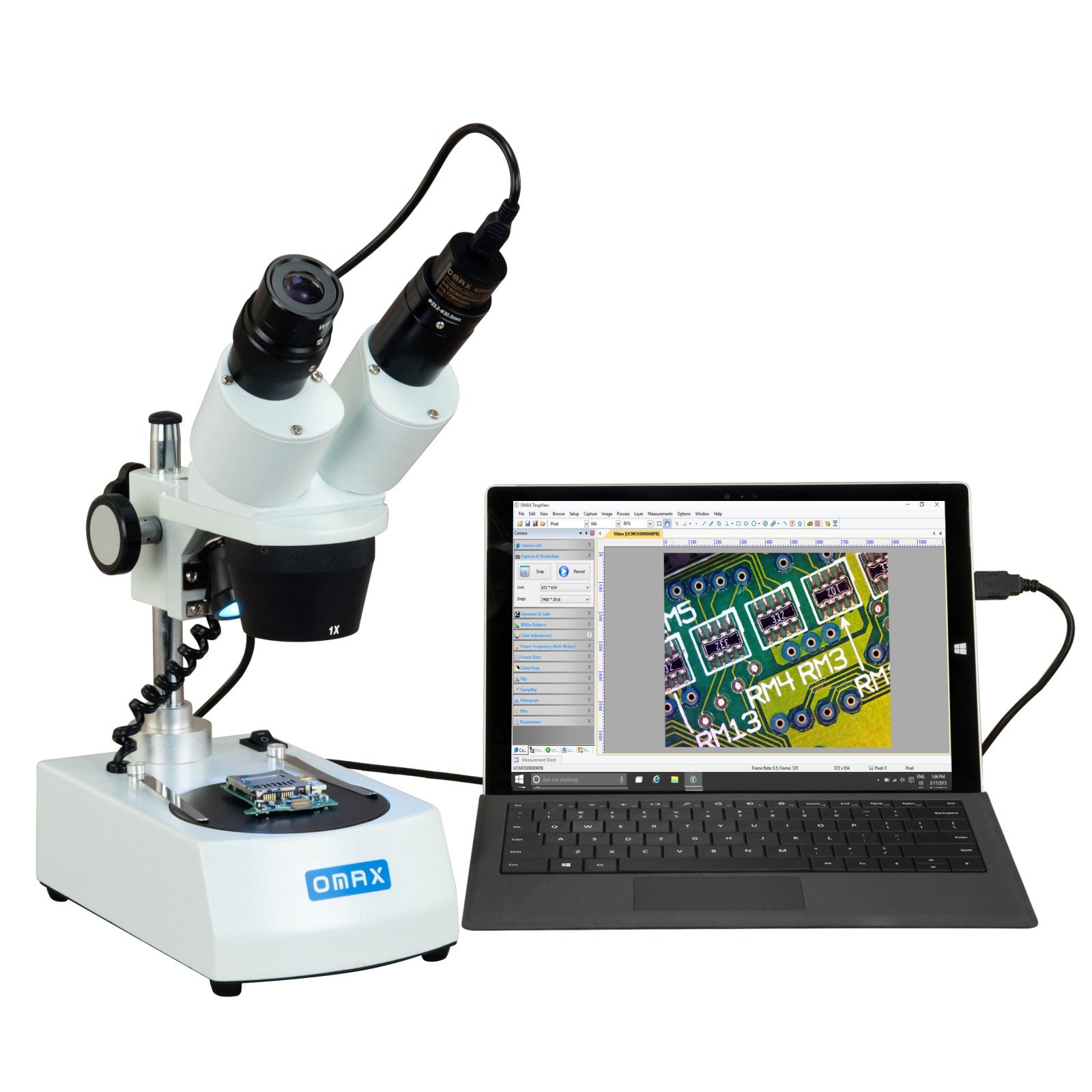
Figure 1: OMAX Stereo Binocular Microscope with USB Camera. This image shows the complete microscope assembly, including the binocular head, objective turret, stage, and base with illumination controls.
Operating Instructions
1. Placing a Specimen
Place your specimen on the stage plate. You can use either the frosted glass stage plate or the white/black plastic stage plate, depending on the desired contrast for your specimen. Secure the specimen using the stage clips if necessary.
2. Adjusting Magnification
Rotate the objective turret to select the desired objective (1X or 3X). Combined with the WF10X and WF20X eyepieces, this provides total magnifications of 10X, 20X, 30X, and 60X.
3. Illumination Control
The microscope features dual LED illuminators: incident (upper) and transmitted (lower). Use the illumination mode switch to select between upper light only, lower light only, or both. The switch positions are typically labeled [upper], [off], and [lower].

Figure 2: Microscope base showing the lower LED illumination, stage plate, and stage clips. The illumination switch is visible on the right side of the base.
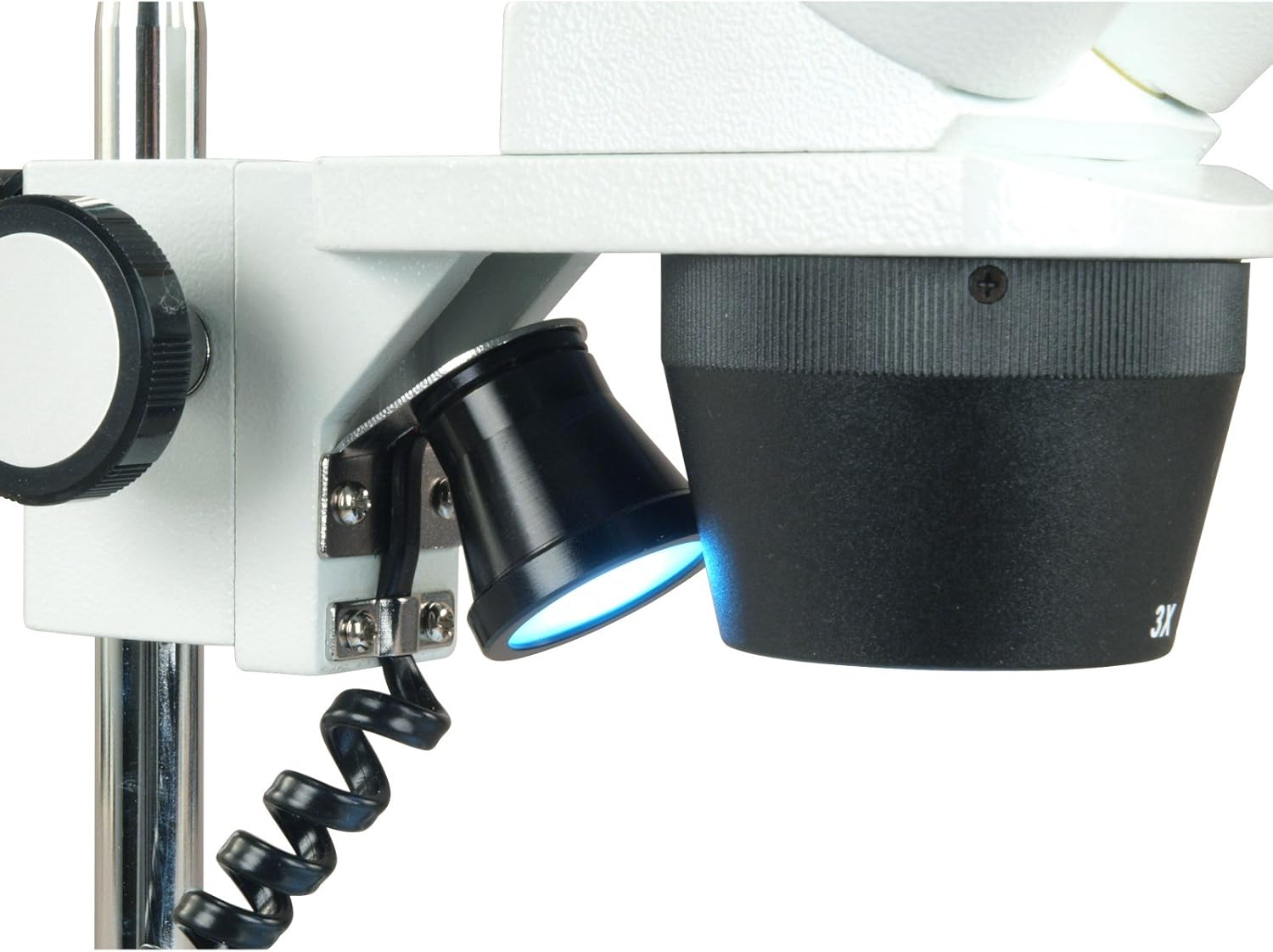
Figure 3: Close-up view of the microscope showing the adjustable upper LED illumination source, positioned to illuminate the specimen from above.
4. Focusing
Use the coarse focus knob to bring the specimen into approximate focus. Fine-tune the focus using the same knob. The focus knob tension is adjustable to suit user preference.
5. Eyepiece Adjustments
- Interpupillary Distance: Adjust the distance between the two eyepiece tubes to match the distance between your eyes for comfortable viewing. The range is 55-75mm.
- Diopter Adjustment: If one eye has a different focus requirement than the other, use the left ocular-tube diopter adjustment ring to compensate. Adjust until both eyes see a sharp image.
6. Using the USB Camera and Software
Once the USB camera is connected and software installed, launch the application on your computer. You can:
- View live video streams of your specimen.
- Capture still images.
- Record videos.
- Utilize advanced features such as image stitching, Extended Depth of Focus (EDF), and measurement tools.
- Add notes, shapes, and watermarks to your images.
Maintenance
1. Cleaning
- Optical Components: Use a soft lens brush or compressed air to remove dust from lenses. For smudges, use a lens cleaning solution and a specialized lens cleaning cloth. Avoid touching optical surfaces with bare hands.
- Body: Wipe the microscope body with a soft, damp cloth. Do not use harsh chemicals or abrasive cleaners.
2. Battery Replacement
If using battery power, replace the three AA batteries when the illumination becomes dim or stops working. Ensure the microscope is turned off before replacing batteries.
3. Storage
When not in use, cover the microscope with a dust cover to protect it from dust and debris. Store in a cool, dry place away from direct sunlight and extreme temperatures.
Troubleshooting
- No Illumination:
- Check if the power adapter is securely connected or if batteries are correctly inserted and charged.
- Ensure the illumination switch is in the correct position ([upper], [lower], or both).
- No Image or Blurry Image:
- Adjust the focus knob.
- Ensure the specimen is correctly placed on the stage.
- Verify the objective is properly rotated into position.
- Adjust interpupillary distance and diopter settings for comfortable viewing.
- USB Camera Not Detected/Working:
- Ensure the USB cable is securely connected to both the camera and the computer.
- Verify that the camera software is correctly installed and updated on your Windows operating system.
- Try connecting to a different USB port on your computer.
Specifications
| Total Magnification | 10X, 20X, 30X, 60X |
| Eyepieces | Wide field WF10X and WF20X |
| Rotational Objectives | 1X, 3X |
| Head | 45 degrees inclined binocular with locked-in eyepieces |
| Working Distance | 57mm (2-1/4 inch) |
| Field of View | 6.7mm/20mm |
| Left Ocular-tube Diopter Adjustment | +/-5dp |
| Interpupillary Distance | 55-75mm (2-3/16 inch ~ 2-15/16 inch) |
| Illuminator | Dual LED cold illuminator (incident/upper and transmitted/lower) |
| Illumination Mode Switch | [upper], [off], [lower] |
| Focus Knob Tension | Adjustable |
| Stage Plates | Frosted glass (95mm diameter), White/black plastic (95mm diameter) |
| Head Vertical Moving Range | 70mm (2-3/4 inch) along the pillar |
| Power Supply | 120V AC adapter (US and Canada), 3 AA batteries |
| Digital Camera | True color 640x480 pixels (0.3MP), 30fps at 640x480, Windows compatible software (capturing still images, stitching, EDF, video recording, measurement functions), USB cable included |
| Dimensions (L x W x H) | 19cm x 11.5cm x 36cm (7-1/2 inch x 4-1/2 inch x 14-1/4 inch) |
Warranty
This OMAX microscope comes with a 5-year warranty against manufacturing defects. Please retain your proof of purchase for warranty claims. The warranty covers defects in materials and workmanship under normal use. It does not cover damage caused by misuse, accidents, unauthorized modifications, or improper maintenance.
Support
For technical assistance, troubleshooting beyond this manual, or warranty inquiries, please contact OMAX customer support. Refer to the product packaging or the official OMAX website for the most current contact information.