
Introduction
Thank you for choosing the Philips Avance Collection Juicer HR1922. This appliance is designed to extract fresh juice from fruits and vegetables efficiently. Please read this instruction manual carefully before using the appliance and save it for future reference. Proper use and maintenance will ensure optimal performance and longevity of your juicer.
Important Safety Information
- Always ensure the appliance is assembled correctly before use.
- Do not immerse the motor unit in water or any other liquid.
- Keep hands and utensils out of the feeding tube during operation to prevent injury.
- Unplug the appliance from the power outlet before cleaning or disassembling.
- Do not operate the appliance if any part is damaged. Contact customer support for assistance.
- This appliance is for household use only.
Product Overview
The Philips Avance Collection Juicer HR1922 features a powerful motor, a wide feeding tube, and innovative pulp control technology. Below is an image of the assembled juicer.

Front view of the Philips Avance Collection Juicer HR1922, showcasing its sleek design and control dial.
Setup
- Unpack: Carefully remove all components from the packaging.
- Assemble: Place the pulp container onto the motor unit. Then, attach the juicer bowl, followed by the filter and lid. Secure the clamping arms on both sides until they click into place.
- Position: Place the juice jug under the spout.
- Connect: Plug the power cord into a grounded electrical outlet.

The Philips Avance Collection Juicer HR1922 on a kitchen counter, accompanied by two glasses of freshly prepared green juice, highlighting its output.
Operating Instructions
The Philips Avance Collection Juicer HR1922 is designed for ease of use with features like a wide feeding tube and adjustable pulp control.
- Prepare Ingredients: Wash fruits and vegetables thoroughly. The XXL feeding tube allows you to insert whole fruits like apples without pre-cutting. For leafy greens, roll them tightly before inserting.

A user demonstrating the wide feeding tube of the Philips Avance Collection Juicer HR1922 by easily inserting a whole apple, reducing preparation time.

A user adding leafy greens into the juicer, illustrating its capability to process various types of produce.
- Select Speed: Turn the control dial to the desired speed setting. Speed 1 is suitable for softer fruits and vegetables, while Speed 2 is for harder produce.
- Juice: Gently push the ingredients into the feeding tube using the pusher. Do not apply excessive force.
- Pulp Control: The juicer features innovative technology to allow you to choose your preferred juice texture, from clear to thicker juice with up to 50% more fiber. Adjust the integrated pulp control to achieve your desired consistency.
- Drip Stop: To prevent drips between juicing sessions or when removing the juice jug, activate the integrated drip stop feature.
- Quick Rinse Function: To quickly clean the juicer between different types of juice or after a juicing session, simply pour water through the feeding tube while the appliance is running.
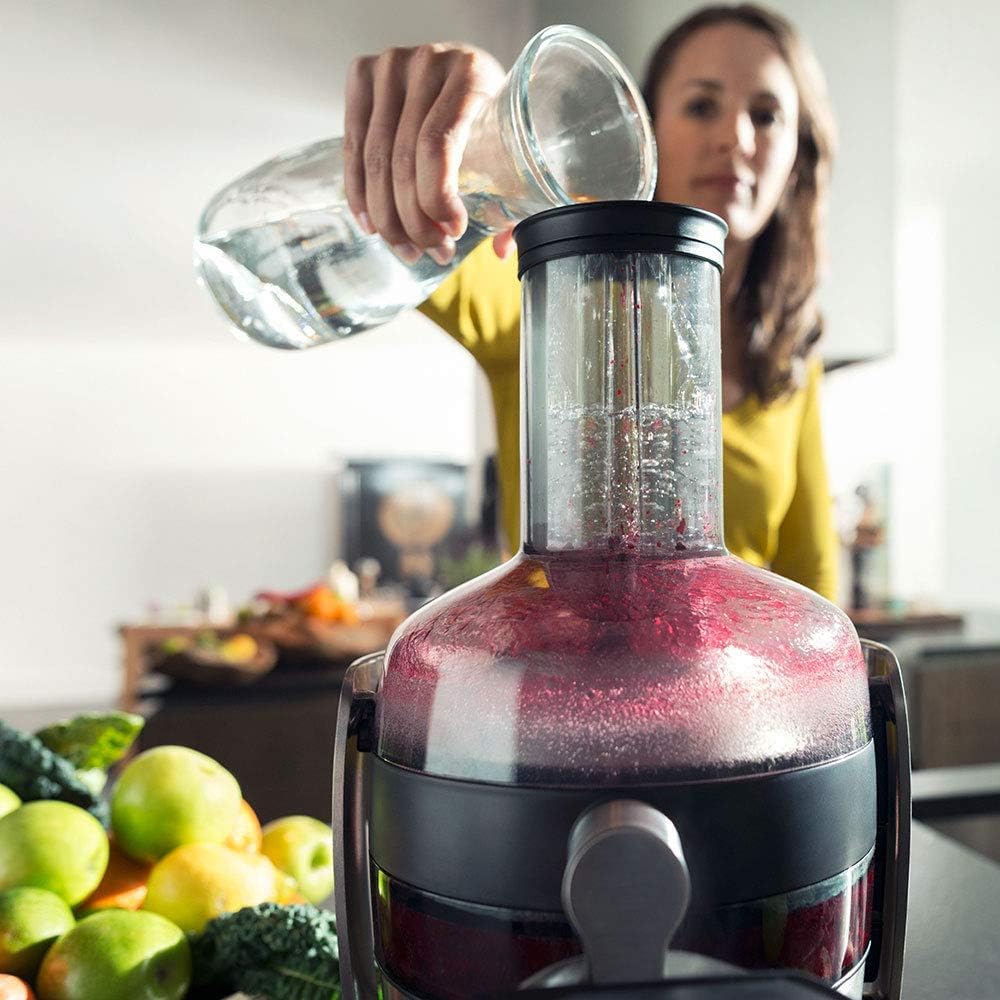
A user pouring water into the juicer's feeding tube, demonstrating the quick rinse function for easy cleaning between uses.
Maintenance and Cleaning
Regular cleaning ensures hygiene and extends the life of your juicer. The Quick Clean technology makes cleaning effortless.
- Disassemble: Unplug the appliance. Remove the pusher, lid, filter, juicer bowl, and pulp container.
- Rinse: Rinse all removable parts under running water immediately after use. The Quick Clean sieve is designed for easy rinsing.
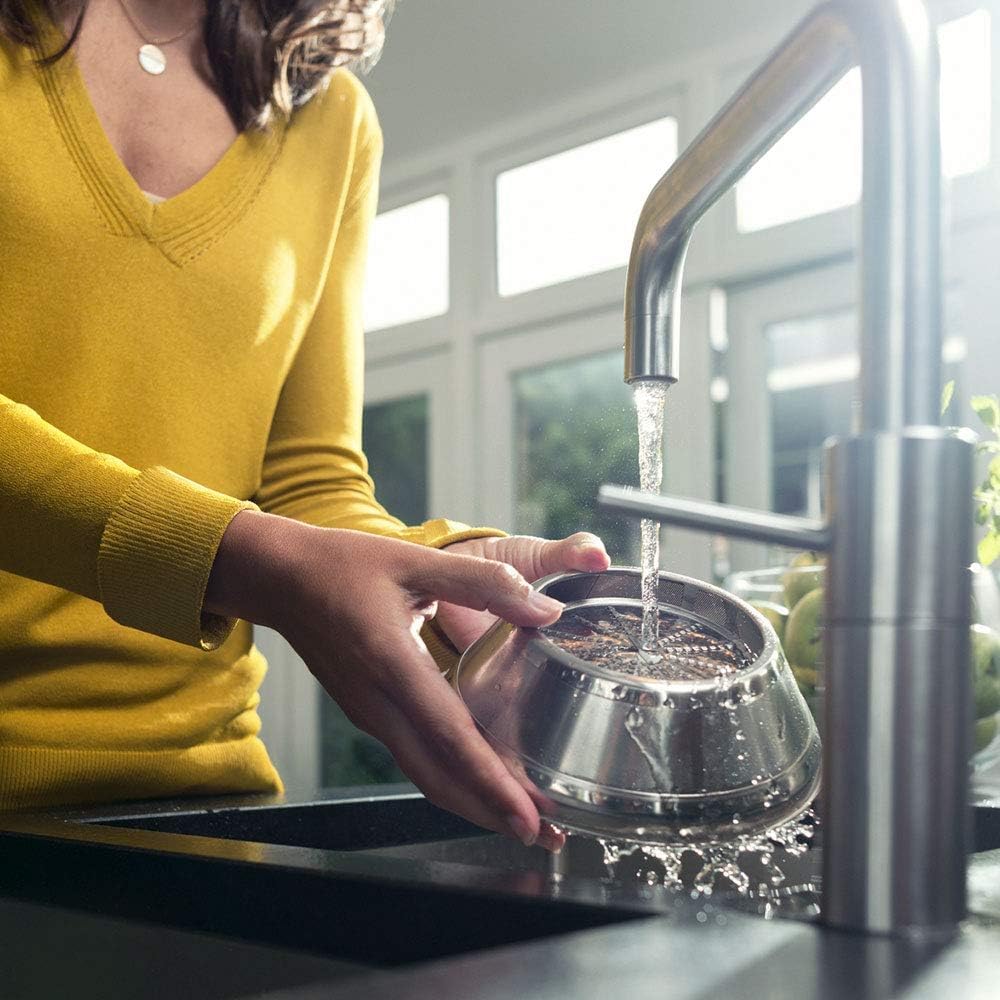
A user cleaning the juicer's filter under running water, showcasing the ease of cleaning the removable components.
- Clean Pulp Container: Empty the pulp container. The pulp should be relatively dry, indicating efficient extraction.

The pulp collection container of the Philips Avance Collection Juicer HR1922, showing the dry pulp, indicating efficient juice extraction.
- Wipe Motor Unit: Wipe the motor unit with a damp cloth. Do not immerse it in water.
- Dishwasher Safe: All removable parts are dishwasher safe, making cleaning even more convenient.
- Storage: Ensure all parts are completely dry before reassembling and storing the juicer.
Troubleshooting
| Problem | Possible Cause | Solution |
|---|---|---|
| Appliance does not start. | Not properly assembled or plugged in. | Ensure all parts are correctly assembled and the power cord is securely plugged into a working outlet. |
| Juicer stops during operation. | Overload protection activated or too much pulp. | Unplug, clear any blockages, and let the motor cool down for 15 minutes before restarting. Empty the pulp container if full. |
| Pulp is wet. | Filter is clogged or incorrect speed setting. | Clean the filter thoroughly. Use a higher speed setting for harder fruits and vegetables. |
| Excessive vibration or noise. | Improper assembly or damaged filter. | Check that all parts are securely assembled. Inspect the filter for any damage; replace if necessary. |
Specifications
| Feature | Detail |
|---|---|
| Brand | PHILIPS |
| Model Number | HR1922/21 |
| Color | Grey |
| Product Dimensions | 29.6 x 25 x 43.2 cm |
| Item Weight | 4.54 Kilograms |
| Capacity | 1 Liters (Juice Jug) |
| Power / Wattage | 1200 watts |
| Voltage | 240V |
| Material | Plastic |
| Number of Speeds | 2 |
| Special Features | Auto Cleaning, Pulp Control, Quiet Motor, Whole Fruit Processing |
Warranty and Support
This Philips appliance comes with a standard manufacturer's warranty. Please refer to the warranty card included in your product packaging for specific terms and conditions, including the warranty period and coverage details.
For technical support, service, or to purchase replacement parts, please visit the official Philips website or contact Philips customer service in your region. Keep your purchase receipt as proof of purchase for warranty claims.
Online Support: www.philips.com/support