Rowin Digital Slow Hand Guitar Pedal Instruction Manual
Model: LEF-326
1. Introduction
The Rowin Digital Slow Hand Guitar Pedal (Model LEF-326) is designed to create a unique volume swell effect, mimicking the sound of a violin or a controlled volume knob manipulation. This compact and durable pedal offers true bypass functionality and two distinct modes for versatile sound shaping.

Figure 1: Front view of the Rowin Digital Slow Hand Guitar Pedal.
2. Key Features
- Slow Gear Effect: Emulates the controlled volume knob effect, creating violin-like sound swells by cutting off the sound head.
- Two Modes: Features Normal mode for real-time parameter adjustment and Fixed mode for storing personalized settings.
- Solid Construction: Built with durable zinc alloy for longevity and reliability.
- True Bypass: Ensures transparent tone when the effect is disengaged, preserving your guitar's natural sound.
- Mini Size: Compact design saves space on your pedalboard.
- LED Indicator: Clearly shows the working state of the pedal.
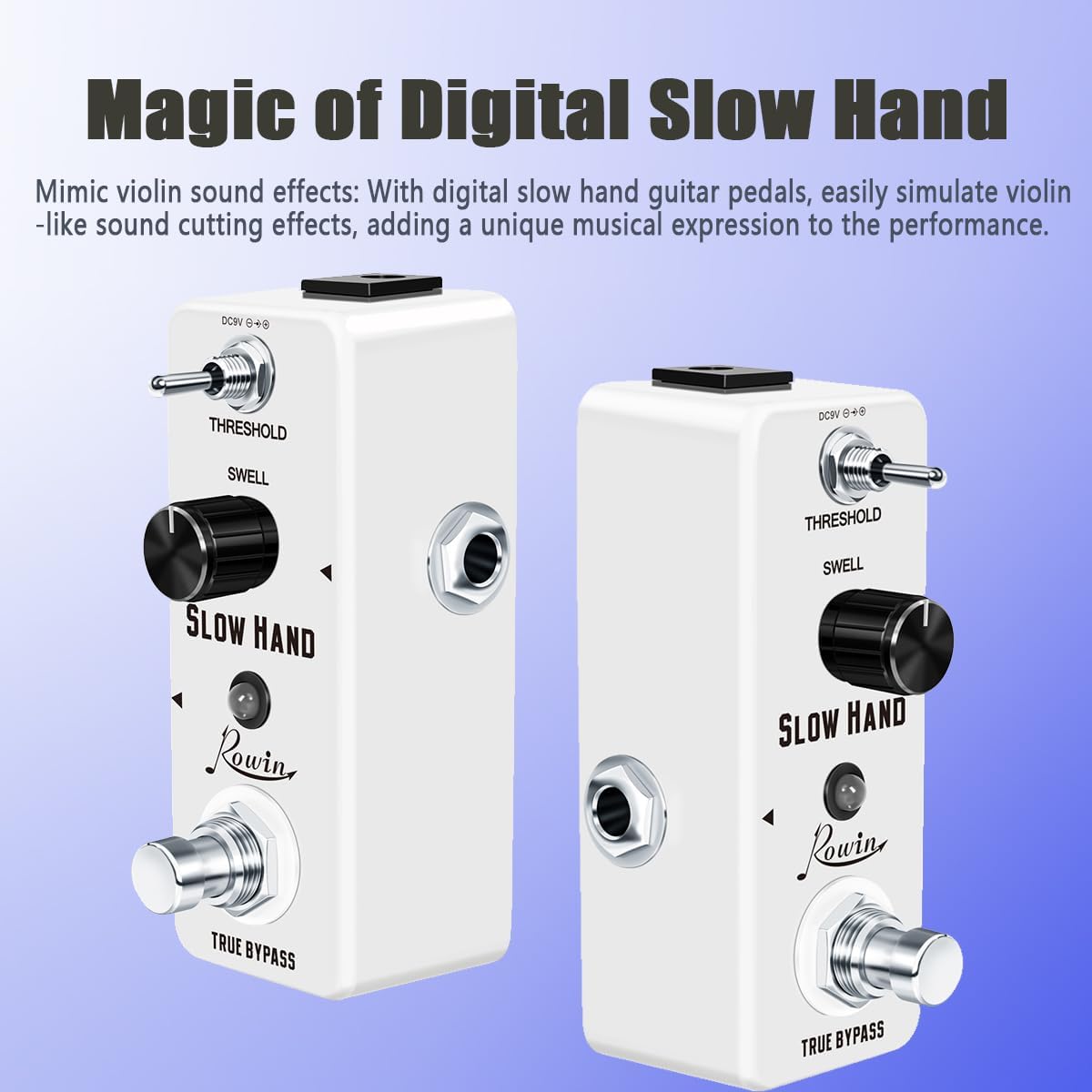
Figure 2: The "Magic of Digital Slow Hand" effect, mimicking violin sounds.
3. Setup
3.1 Power Supply
The Rowin Slow Hand pedal requires a DC 9V power supply with a central negative polarity. Ensure your power supply meets these specifications to prevent damage to the unit.
NOTICE: DC 9V Power supply is not included with the pedal.
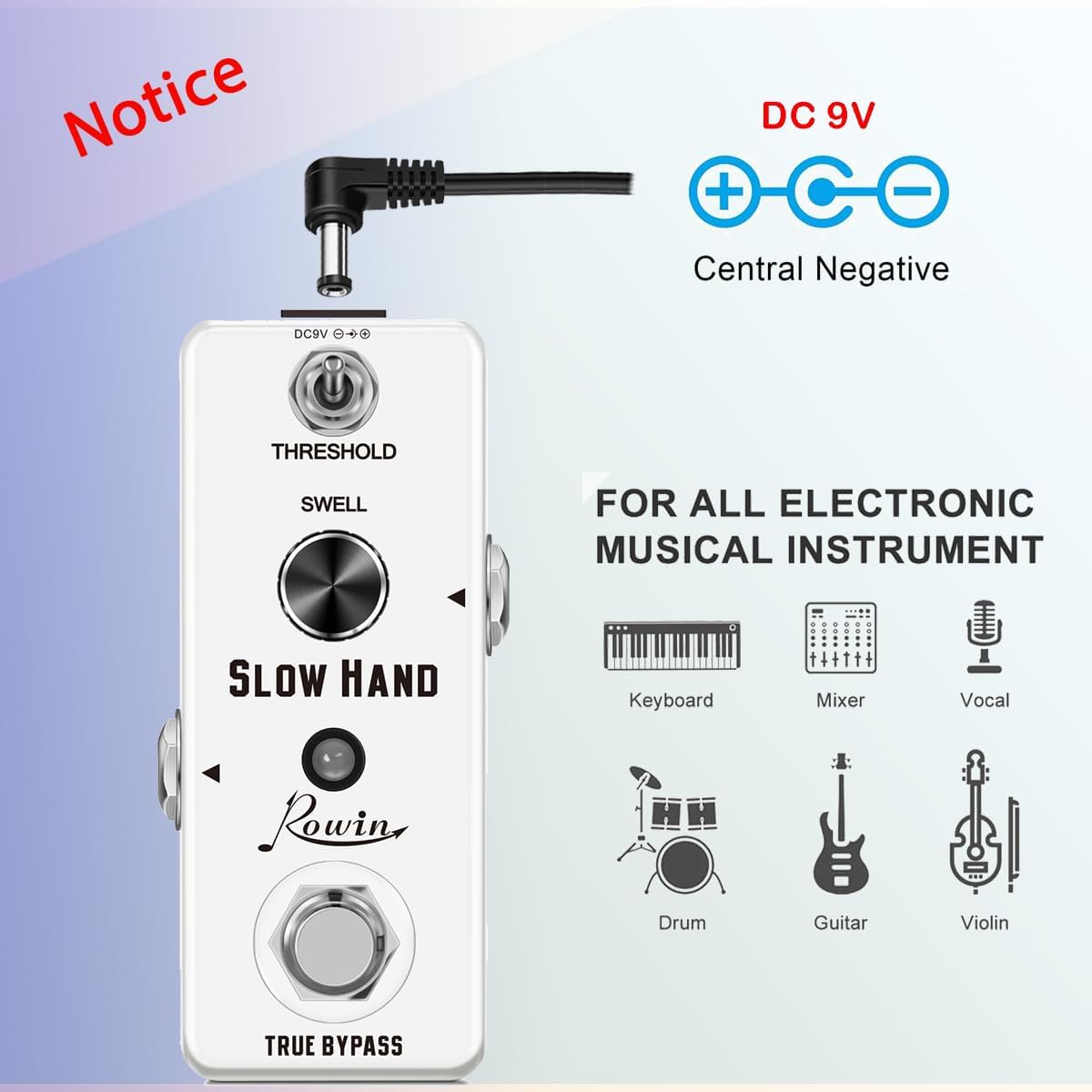
Figure 3: Power supply requirements for the pedal.
3.2 Connecting the Pedal
Connect your guitar to the input jack (right side of the pedal) and your amplifier or other effects pedals to the output jack (left side of the pedal). Use standard 1/4-inch instrument cables.
- Input Jack: Connect your instrument here.
- Output Jack: Connect to your amplifier or the next pedal in your signal chain.
4. Operating the Pedal
The Rowin Slow Hand pedal features intuitive controls for shaping your sound.

Figure 4: Intuitive control interface of the pedal.
4.1 Controls
- THRESHOLD Knob: Adjusts the sensitivity of the volume swell effect. A higher threshold requires a stronger input signal to trigger the swell.
- SWELL Knob: Controls the attack time of the volume swell. Turning it clockwise increases the time it takes for the sound to reach full volume, creating a slower swell effect.
- TRUE BYPASS Footswitch: Engages or disengages the effect. When disengaged, the signal passes through the pedal without alteration. The LED indicator illuminates when the effect is active.
4.2 Modes
- Normal Mode: Allows for real-time adjustment of sound parameters using the THRESHOLD and SWELL knobs.
- Fixed Mode: Enables the storage of a set of preferred parameters, providing consistent performance. Refer to the included owner's manual for specific instructions on saving settings in Fixed Mode.
5. Maintenance
- Keep the pedal clean by wiping it with a soft, dry cloth.
- Avoid exposing the pedal to extreme temperatures, humidity, or direct sunlight.
- Do not attempt to disassemble or modify the pedal, as this will void the warranty.
- When not in use for extended periods, disconnect the power supply.
6. Troubleshooting
| Problem | Possible Cause | Solution |
|---|
| No sound when pedal is engaged. | Incorrect power supply, faulty cables, pedal not receiving power. | Ensure DC 9V power supply is connected and functional. Check all cable connections. Verify the LED indicator is on when engaged. |
| Unwanted noise or hum. | Interference from other electronics, ground loop, faulty power supply. | Use a high-quality, isolated power supply. Try moving the pedal away from other electronic devices. Check cables for damage. |
| Effect is not noticeable or too subtle. | THRESHOLD or SWELL knobs set too low. | Adjust the THRESHOLD and SWELL knobs to higher settings. Experiment with different knob positions to find the desired effect. |
7. Specifications
- Model: LEF-326
- Brand: Rowin
- Color: Slow Hand
- Signal Format: Analog
- Power Source: Electric
- Voltage: 9 Volts DC
- Amperage: 100 Milliamps
- Item Weight: 7.4 ounces
- Product Dimensions: 3.74 x 1.77 x 1.89 inches
- Bypass: True Bypass

Figure 5: Compact dimensions and weight of the pedal.
8. Warranty and Support
For warranty information and technical support, please refer to the official Rowin website or contact the retailer where you purchased the product. Keep your proof of purchase for any warranty claims.
For additional resources and product information, visit the Rowin Brand Store on Amazon.