
1. Introduction
Thank you for choosing the EastPoint Sports Double Shot Basketball Game. This manual provides essential information for the safe assembly, operation, maintenance, and troubleshooting of your new game. Please read these instructions thoroughly before assembly and retain them for future reference.
This indoor basketball game offers engaging play for 1, 2, or 4 players, featuring an automatic LED scoring system and sound effects for an immersive experience.
2. Safety Information
CAUTION: ELECTRICALLY OPERATED PRODUCT.
This product is not recommended for children under 8 years of age. As with all electric products, precautions should be observed during handling and use to prevent electric shock. The scoring system operates with an AC adapter (Input: 120V AC 60Hz 9W, Output: 7.5V DC 300mA).
- Always ensure the power adapter is disconnected from the wall outlet before cleaning or performing maintenance.
- Do not expose the electronic components to water or excessive moisture.
- Keep small parts away from young children during assembly to prevent choking hazards.
- Ensure all connections are secure before use.
- Use only the provided power adapter or a manufacturer-approved replacement.

This image displays the full game setup, including the backboard with graphics, dual hoops, ball return ramp, and the metal frame. A prominent warning label for the electrically operated scoring system is visible at the top, along with feature callouts for the heavy-duty rims, strong metal frame, and included accessories. Recommended room dimensions are also shown.
3. Package Contents
Verify that all components are present before beginning assembly. If any parts are missing or damaged, please contact EastPoint Sports customer support.
- 1 x Metal Basketball Frame and Backboard Assembly
- 1 x Netting Barrier
- 4 x Basketballs
- 1 x Inflating Pump
- 1 x AC Power Adapter (for scoring system)
- Assembly Hardware (screws, bolts, etc.)
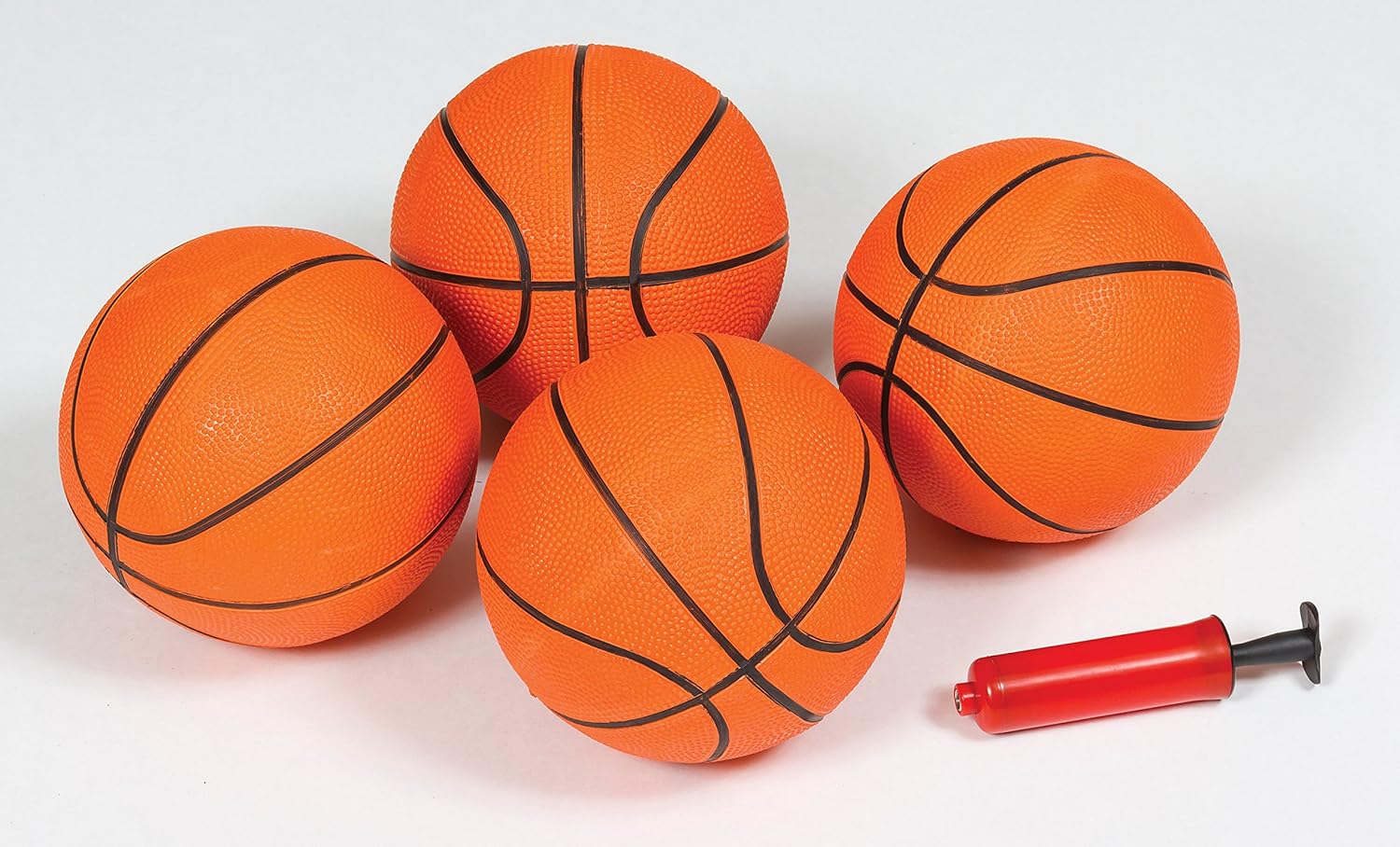
This image shows the four orange mini basketballs with black seams and a small red and black hand pump, which are included with the game for immediate play.
4. Setup and Assembly
Assembly is required for this product. It is recommended to have two adults for easier and safer assembly. Follow the detailed instructions provided in the separate assembly guide included in your package. Ensure you have adequate space for assembly and operation.
4.1 Recommended Room Dimensions
For optimal play and safety, ensure your play area meets the following minimum dimensions:
- Length: 12 feet (3.66 meters)
- Width: 6 feet 10 inches (2.08 meters)
- Height: 8 feet (2.44 meters)

This diagram illustrates the recommended minimum space required for the game, showing a length of 12 feet, a width of 6 feet 10 inches, and a height of 8 feet.
4.2 Frame Construction
The game features a strong 1.5-inch thick metal frame designed for stability during gameplay. Ensure all frame components are securely fastened according to the assembly instructions.
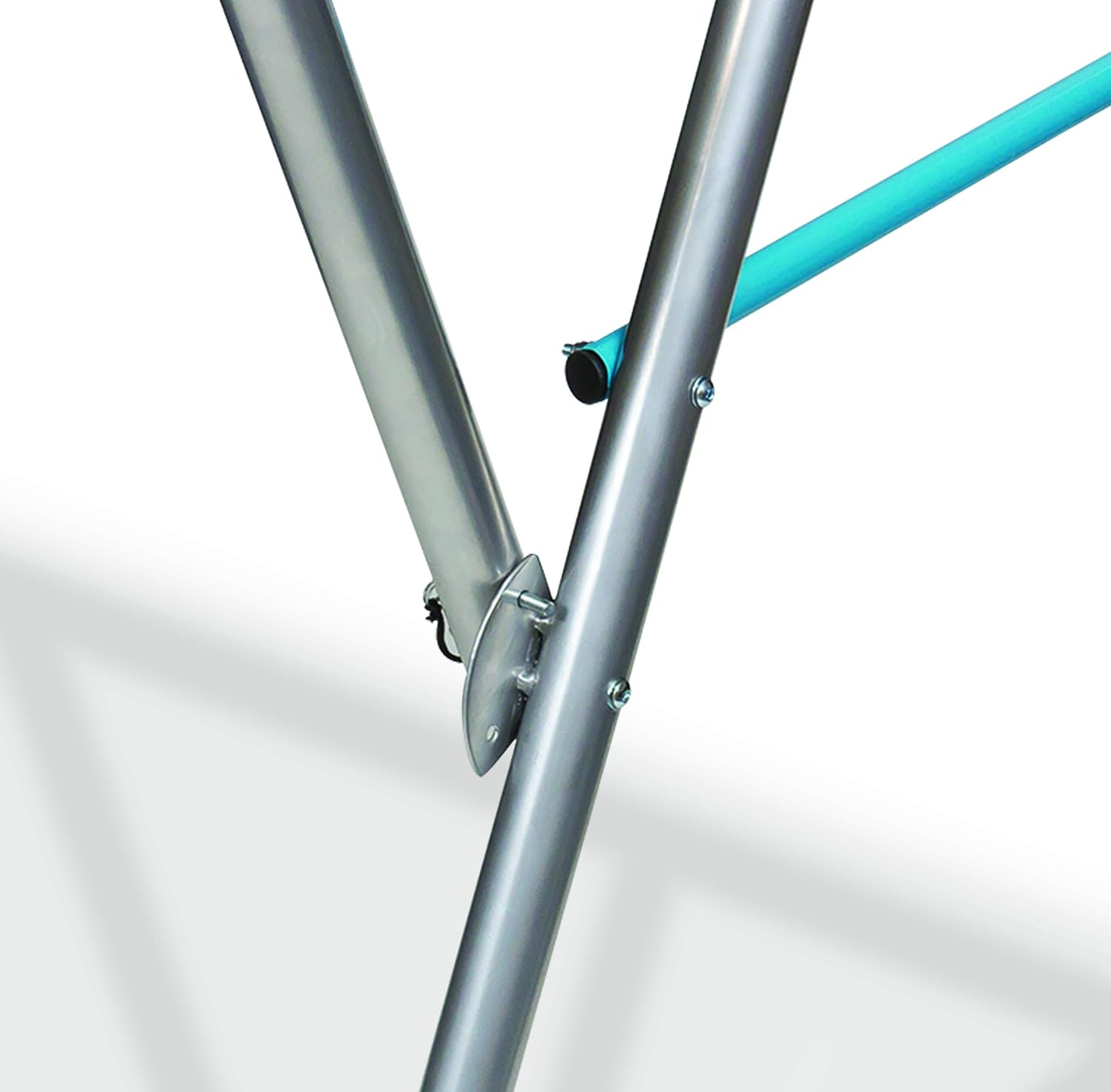
This close-up image shows a connection point of the metal frame, highlighting the secure fastening with screws, which contributes to the game's overall stability.
5. Operating Instructions
Once assembled and powered on, the game is ready for use. The automatic LED scoring and sound system will activate.
5.1 Powering On and Off
Connect the AC power adapter to the scoring unit and then plug it into a standard wall outlet. The scoring system will power on automatically. To power off, simply unplug the adapter from the wall outlet.
5.2 Game Modes
The EastPoint Sports Double Shot Basketball Game includes 8 different game modes. Refer to the specific instructions on the control panel or the detailed assembly guide for how to select and navigate between these modes. Each mode offers a unique challenge and scoring system.
5.3 Scoring System
The game features an automatic LED scoring system that tracks points for both 'Home' and 'Visitor' players, along with a game timer. Scores and time are displayed on easy-to-read red LED digits.
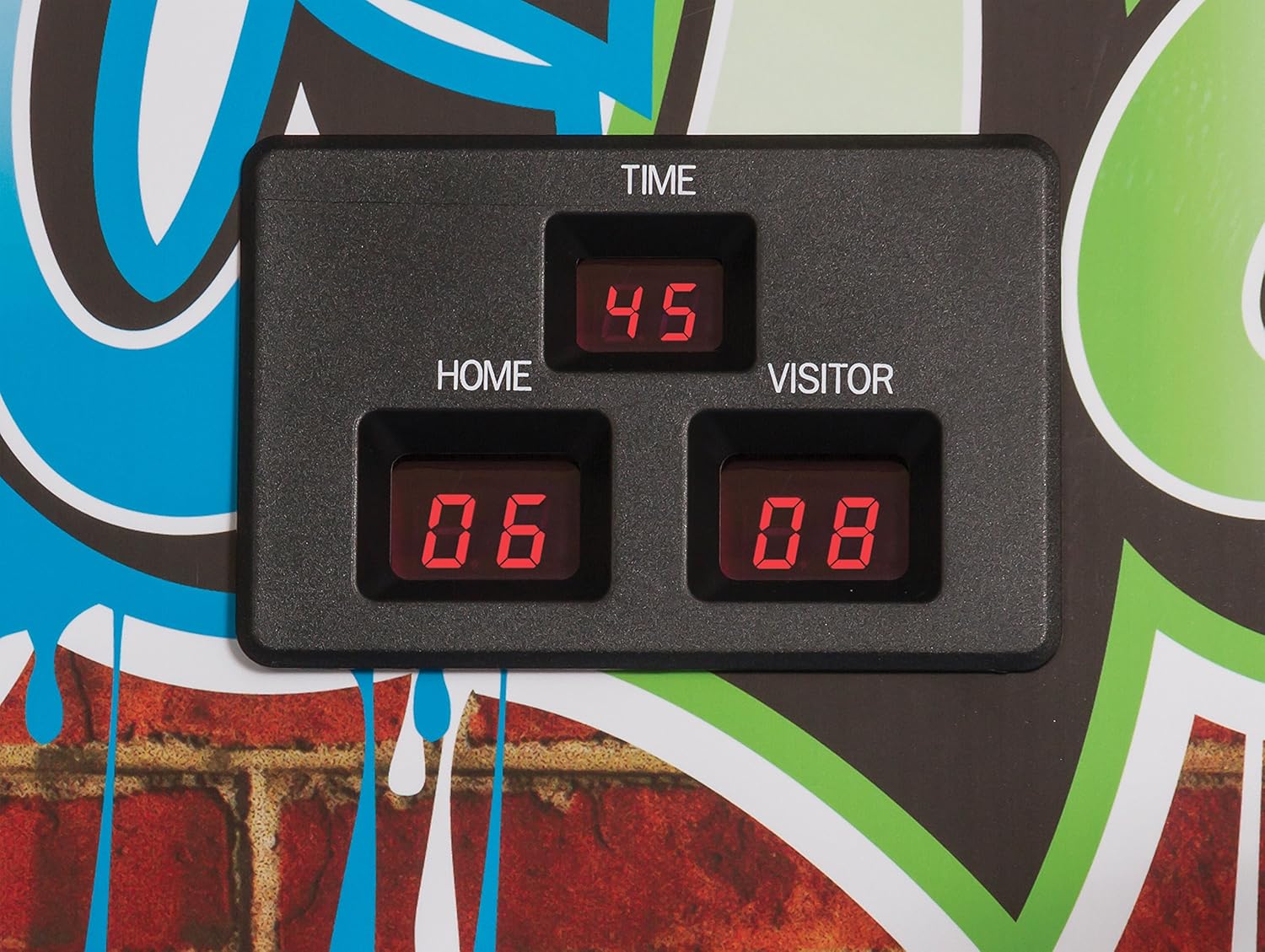
This image provides a close-up of the electronic scoreboard, clearly showing the digital readouts for game time, home score, and visitor score, all illuminated in red LED.

This image shows the two basketball hoops with white nets, mounted on the backboard. The LED scoreboard is centrally located above the hoops, displaying game information.
6. Maintenance
Regular maintenance ensures the longevity and optimal performance of your game.
- Cleaning: Wipe down the frame, backboard, and ball return ramp with a damp cloth. Avoid abrasive cleaners or solvents that could damage the surfaces or electronic components.
- Netting: Periodically check the netting barrier and hoop nets for tears or damage. Replace if necessary.
- Frame Connections: Occasionally inspect all screws and bolts to ensure they remain tight. Retighten as needed.
- Basketballs: Use the included pump to maintain proper inflation of the basketballs.
7. Troubleshooting
If you encounter issues with your EastPoint Sports Double Shot Basketball Game, refer to the following common solutions:
| Problem | Possible Cause | Solution |
|---|---|---|
| Scoring system does not power on. | Power adapter not connected or faulty. | Ensure the AC adapter is securely plugged into the scoring unit and a working wall outlet. Test the outlet with another device. |
| Scores are not registering correctly. | Sensors are obstructed or faulty. | Check for any debris or objects blocking the scoring sensors located near the hoops. Ensure basketballs are properly inflated. |
| Sound is not working or is distorted. | Speaker issue or volume setting. | Check the control panel for volume settings. Ensure no obstructions are covering the speaker. |
| Game language changed unexpectedly. | Accidental button press or software glitch. | Refer to the detailed assembly guide for instructions on how to change the language setting on the control panel. If issues persist, contact customer support. |
| Frame feels unstable. | Loose connections. | Inspect all frame joints and tighten any loose screws or bolts. Ensure the game is on a flat, level surface. |
8. Specifications
- Model Number: 1-1-27496-DS
- Assembled Dimensions (L x W x H): 82 inches x 51.5 inches x 90 inches (208 cm x 131 cm x 229 cm)
- Assembled Weight: Approximately 51.8 lbs (23.5 kg)
- Material: Metal frame, plastic backboard, nylon netting
- Power Input (Scoring System): 120V AC 60Hz 9W
- Power Output (Scoring System): 7.5V DC 300mA
- Number of Players: 1, 2, or 4
- Game Modes: 8
- Indoor/Outdoor Use: Indoor only
- Assembly Required: Yes
- UPC: 815419014117
9. Storage
The EastPoint Sports Double Shot Basketball Game is designed for compact storage when not in use. The ball return ramp folds up, reducing the overall footprint of the unit.
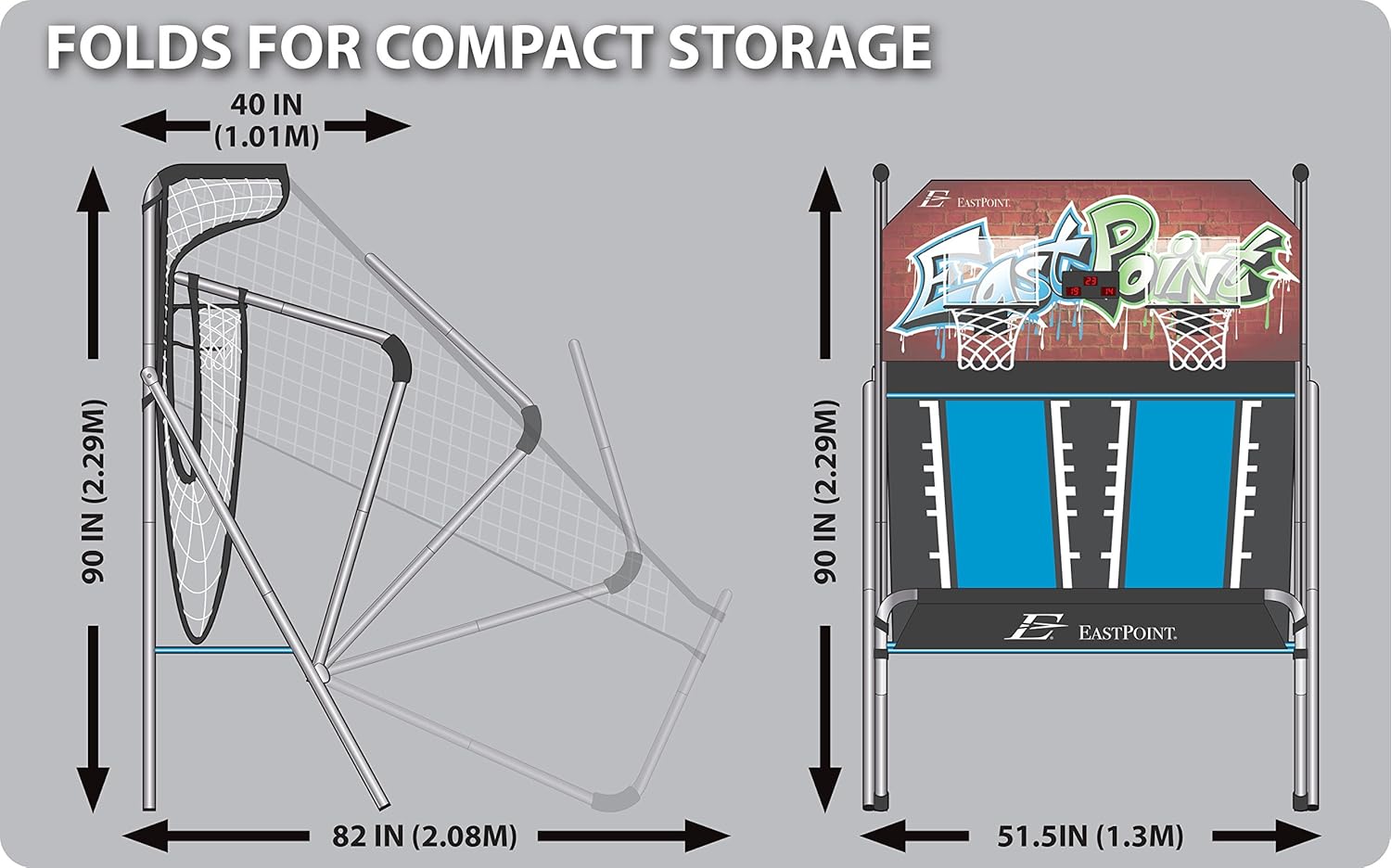
This diagram illustrates how the game folds to a more compact size, reducing its depth from 82 inches (2.08 meters) to 40 inches (1.01 meters) for easier storage.
To fold the game for storage, follow the specific instructions in your assembly guide. Ensure all components are securely latched or stored to prevent accidental unfolding or damage.
10. Warranty and Support
EastPoint Sports products are manufactured to high-quality standards. For warranty information, product support, or to order replacement parts, please refer to the warranty card included with your purchase or visit the official EastPoint Sports website. Please have your model number (1-1-27496-DS) and proof of purchase available when contacting support.