
1. Safety Instructions
Please read these safety instructions carefully before using the appliance for the first time. Keep this manual for future reference.
- This appliance is intended solely for domestic use and household environments.
- It is suitable for mixing, kneading, and beating food.
- The appliance must not be used to process other substances or objects.
- Use the appliance only indoors at room temperature and up to 2000 m above sea level.
- Always ensure the appliance is unplugged before assembly, disassembly, or cleaning.
- Keep hands, hair, clothing, and utensils away from moving parts during operation.
- Never operate the appliance with a damaged cord or plug.
- Do not immerse the motor unit in water or other liquids.
- Children should be supervised to ensure they do not play with the appliance.
2. Product Overview
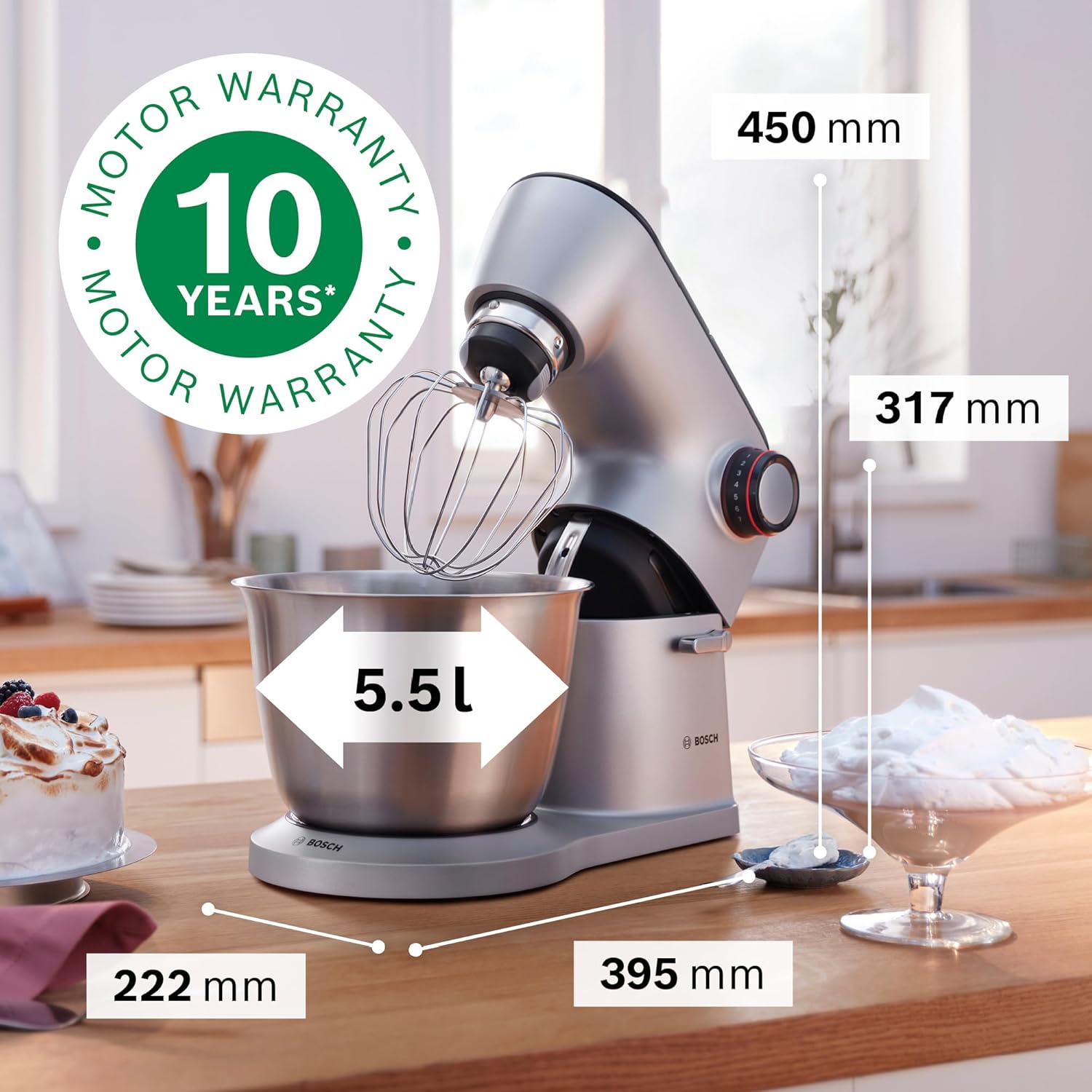
The Bosch OptiMUM MUM9D33S11 is a versatile food processor designed for various kitchen tasks, featuring a powerful motor and a range of professional accessories.
Key Features
- Powerful 1300 Watt motor (some models may feature 1600W) for excellent dough results and efficient processing.
- Smart Dough Sensor for consistent performance.
- Elegant and durable metal housing with premium quality details for long-lasting use.
- 3D Planetary Mixing system for optimal blending of all ingredients.
- Extra-large 5.5 L brushed stainless steel bowl, suitable for up to 3.5 kg of cake batter.
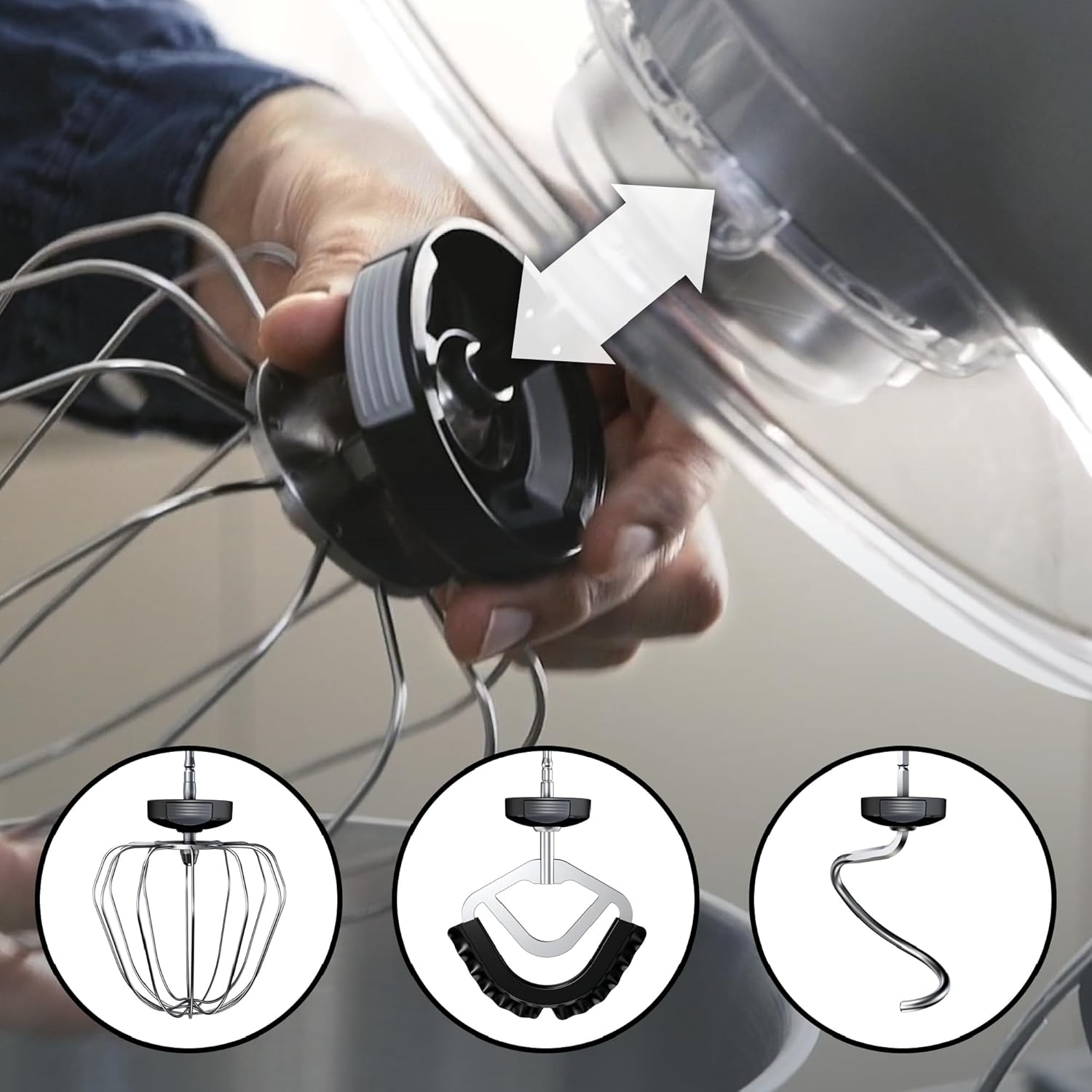
- Wide range of professional accessories, easily installed with color coding.
- 7 speed settings for precise control.
Components

Dimensions
3. Setup
Unpacking
- Carefully remove all components from the packaging.
- Remove any protective films or transport materials.
- Clean all parts that will come into contact with food before first use (refer to Section 5: Maintenance and Cleaning).
Attaching the Bowl
- Place the stainless steel mixing bowl onto the base of the appliance.
- Rotate the bowl slightly until it locks securely into place.
- Ensure the bowl is stable before proceeding.
Attaching Accessories

- Ensure the appliance is unplugged.
- Lift the multi-function arm by pressing the release button.
- Select the desired accessory (whisk, stirring paddle, or kneading hook).
- Align the accessory with the drive shaft in the multi-function arm. The accessories are designed for easy attachment.
- Push the accessory upwards until it clicks into place.
- Lower the multi-function arm until it locks.
4. Operating Instructions
Powering On/Off
- Plug the appliance into a suitable power outlet.
- To start, turn the speed selector dial to the desired speed.
- To stop, turn the speed selector dial to the '0' position.
Speed Control
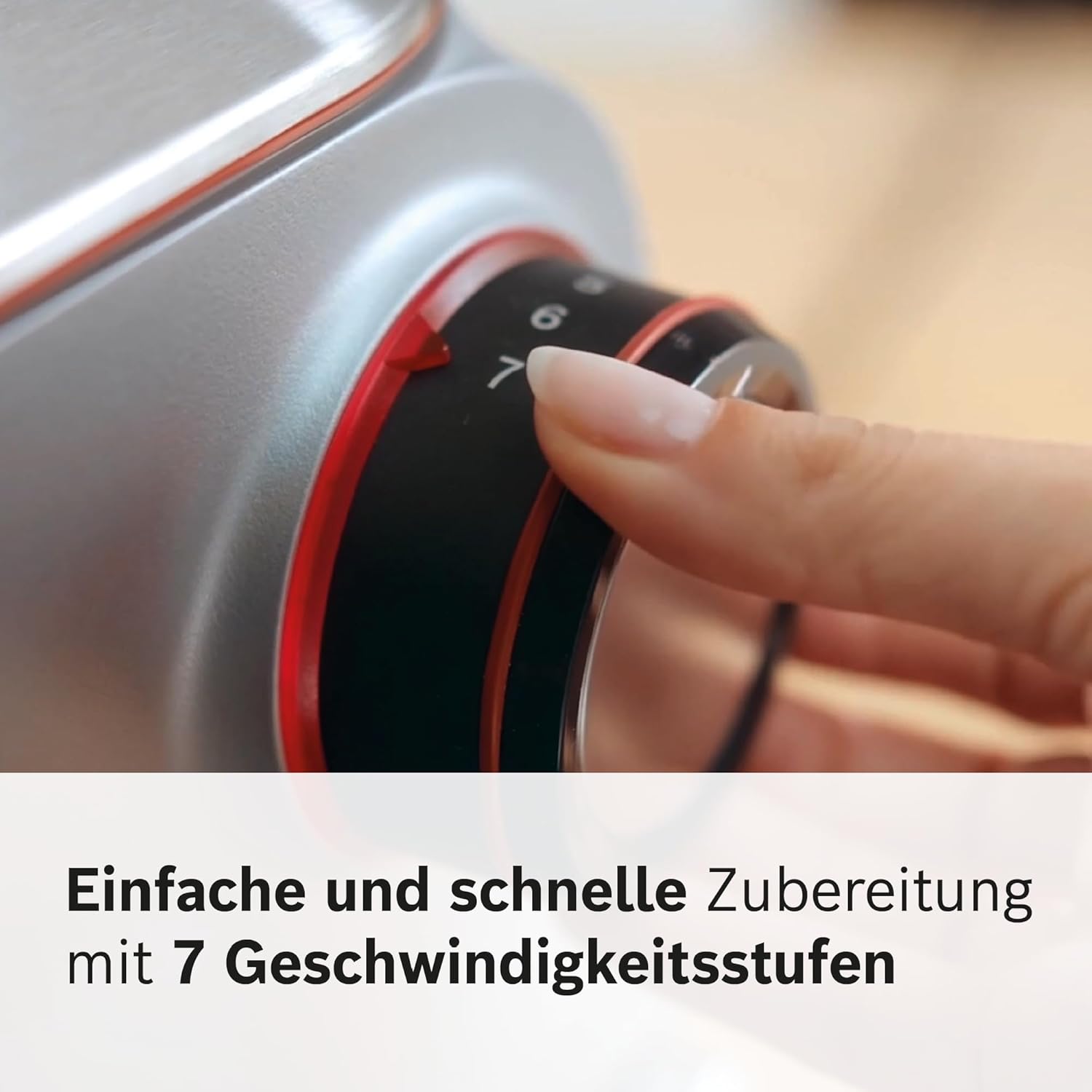
The Bosch OptiMUM offers 7 speed settings, allowing precise control for various tasks. Start with lower speeds for initial mixing and gradually increase as needed.
Mixing Functions
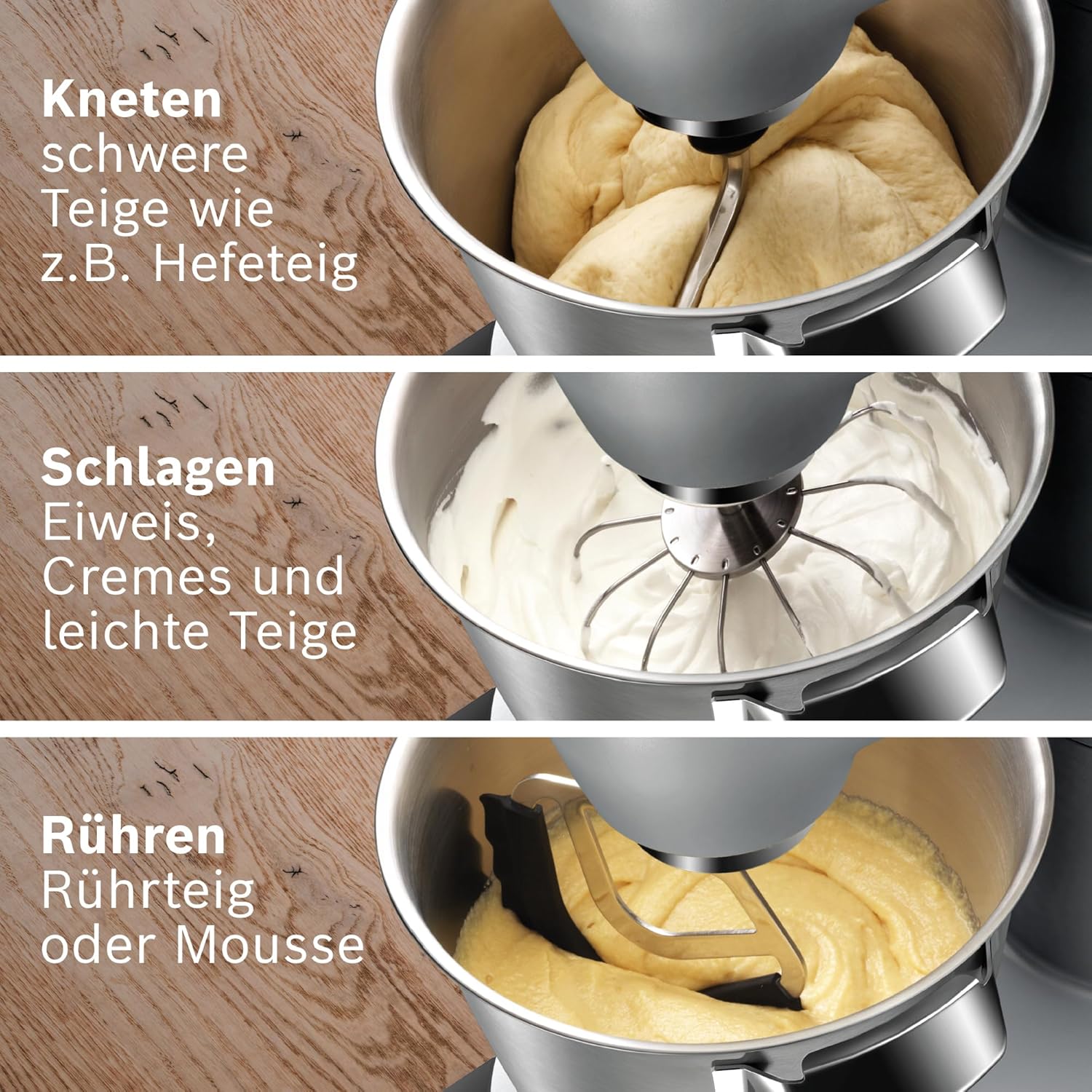
- Kneading: Use the kneading hook for heavy doughs such as yeast dough or bread dough.
- Beating: Use the whisk for whipping egg whites, cream, or preparing light batters.
- Stirring: Use the stirring paddle for mixing cake batters, cookie doughs, or mousses.
Using the Continuous Shredder/Slicer

- Attach the continuous shredder to the designated port (refer to color coding).
- Insert the desired slicing or grating disc into the shredder housing.
- Secure the lid.
- Place a bowl under the output chute to collect processed food.
- Turn on the appliance to a suitable speed.
- Feed ingredients through the chute using the food pusher.

5. Maintenance and Cleaning
General Cleaning
- Always unplug the appliance before cleaning.
- Wipe the motor unit with a damp cloth. Do not immerse it in water.
- Clean the accessories and bowl immediately after use to prevent food residue from drying.
Dishwasher-Safe Parts

- The stainless steel mixing bowl is dishwasher-safe.
- The whisk, stirring paddle, and kneading hook are dishwasher-safe.
- The splash guard and components of the continuous shredder (excluding the drive unit) are dishwasher-safe.
- Always refer to the individual accessory's instructions for specific cleaning guidelines.

6. Troubleshooting
If you encounter issues with your Bosch OptiMUM food processor, refer to the table below for common problems and solutions.
| Problem | Possible Cause | Solution |
|---|---|---|
| Appliance does not start | Not plugged in; power switch off; arm not locked; accessory not correctly attached. | Check power connection; ensure speed dial is not at '0'; ensure multi-function arm is fully lowered and locked; re-attach accessory correctly. |
| Motor sounds strained | Overloaded with ingredients; too heavy dough for current speed. | Reduce quantity of ingredients; increase speed setting; ensure ingredients are at room temperature if applicable. |
| Ingredients not mixing evenly | Incorrect accessory used; insufficient mixing time; ingredients stuck to sides. | Ensure correct accessory for the task; increase mixing time; scrape down sides of the bowl with a spatula. |
| Shredder/Slicer not working efficiently | Disc incorrectly inserted; chute overloaded; ingredients too large. | Check disc placement; do not overload chute; cut ingredients into smaller pieces if necessary. |
If the problem persists after attempting these solutions, please contact Bosch customer support.
7. Technical Specifications
| Specification | Value |
|---|---|
| Brand | Bosch |
| Model Number | MUM9D33S11 |
| Color | Silver/Black |
| Product Dimensions (L x W x H) | 31.7 x 22.2 x 39.5 cm |
| Weight | 10.1 Kilograms |
| Bowl Capacity | 5.5 Litres |
| Power | 1300 Watts |
| Voltage | 240 Volts |
| Material | Metal |
| Number of Speeds | 7 |
| Special Features | Dishwasher-safe parts, Stainless steel mixing bowl |
8. Warranty and Support
Bosch stands by the quality of its products. The OptiMUM food processor comes with a 10-year motor warranty, ensuring long-term reliability and performance.
For technical support, spare parts, or warranty claims, please contact Bosch customer service. You can typically find contact information on the official Bosch website for your region or on the product packaging.
Please have your model number (MUM9D33S11) and proof of purchase ready when contacting support.