
BOSS Audio Systems 820BRGB
BOSS Audio Systems 820BRGB Car Stereo Instruction Manual
Model: 820BRGB | Brand: BOSS Audio Systems
Introduction
This manual provides detailed instructions for the installation, operation, and maintenance of your BOSS Audio Systems 820BRGB Car Stereo. Please read this manual thoroughly before using your new stereo to ensure proper functionality and safety.

Figure 1: Front view of the BOSS Audio Systems 820BRGB Car Stereo, showcasing its multi-color illumination capability.
Setup
What's in the Box
- Mounting brackets
- Wiring harness
- Remote control
- User Manual

Figure 2: Included components with the 820BRGB Car Stereo.
Pre-Installation Checklist
Before beginning installation, ensure you have the necessary components and information:
- Determine the correct receiver size for your vehicle (single DIN or double DIN).
- Acquire a compatible dash kit for your car model.
- Gather any additional accessories such as a wiring harness, speaker harness, steering wheel control interface, or antenna adapter.
- Contact BOSS customer support for further assistance if needed.

Figure 3: Important steps to consider before installing your car stereo.
Installation Procedure
Professional installation of this product is strongly encouraged to ensure proper and safe functionality. Refer to the wiring diagram for correct connections.
Video 1: An overview of the BOSS Audio Systems 820BRGB Multimedia Car Stereo, highlighting its features and connectivity options.
Operating Instructions
Key Features
- Bluetooth: Answer/make calls hands-free with the built-in microphone and car speakers. Stream music and apps wirelessly.
- Inputs: USB port for playback and charging, Auxiliary input for MP3 players/devices.
- Outputs: Front/rear and subwoofer pre-amp outputs for connecting speakers.
- Multi-Color Illumination: Customize the display with over 16 million color combinations.

Figure 4: The stereo's multi-color illumination feature.
Bluetooth Connectivity
To pair your device, ensure Bluetooth is enabled on your phone and the stereo is in "PAIRING" mode. Select "BOSS 820BRGB" from your device's Bluetooth list. Once connected, you can control music playback and volume from your phone or the stereo's controls.

Figure 5: Wireless streaming and hands-free Bluetooth functionality.
Audio Playback
- USB: Insert a USB drive into the front USB port to play compatible audio files.
- Auxiliary Input: Connect an external audio device using a 3.5mm auxiliary cable to the front AUX input.
- AM/FM Radio: Use the BAND/AMS button to switch between AM and FM bands. Use the seek buttons to find stations.
Sound Settings
Press the main rotary knob to access various sound settings:
- Bass/Treble: Adjust low and high frequencies.
- Balance: Adjust audio output between left and right speakers.
- Fade: Adjust audio output between front and rear speakers.
- Loudness: Boost low and high frequencies at low volume levels.
- EQ (Equalizer) Presets: Select from predefined sound modes (e.g., Flat, Rock, Pop, Classic, Jazz).
Maintenance
To ensure the longevity and optimal performance of your BOSS Audio Systems 820BRGB Car Stereo, follow these general maintenance guidelines:
- Cleaning: Use a soft, dry cloth to wipe the front panel and display. Avoid abrasive cleaners or solvents.
- Connections: Periodically check all wiring connections to ensure they are secure and free from corrosion.
- Software Updates: Check the BOSS Audio Systems website for any available firmware updates for your model.
Troubleshooting
If you experience issues with your stereo, refer to the following common troubleshooting steps:
- No Power: Check the vehicle's fuse box and the stereo's wiring connections. Ensure the yellow wire is connected to the battery for constant power.
- No Sound: Verify speaker connections and ensure the volume is not muted or set too low. Check fade and balance settings.
- Bluetooth Pairing Issues: Ensure Bluetooth is enabled on your device and the stereo is in pairing mode. Try forgetting the device on your phone and re-pairing.
- Poor Radio Reception: Check the antenna connection. Ensure the antenna is fully extended if it's a manual type.
Specifications
| Product Dimensions | 7 x 5.8 x 4.5 inches (17.78 x 14.73 x 11.43 cm) |
| Item Weight | 1.39 pounds (0.63 kg) |
| Item Model Number | 820BRGB |
| Max Power Output | 60 watts x 4 channels |
| Connectivity Technology | Bluetooth |
| Controller Type | Push Button |
| Special Feature | Built-In Bluetooth, No CD/DVD Player |
| Compatible Devices | Amplifier, Smartphone, Speaker |
| Connector Type | RCA, USB 1.0 |
| Audio Output Mode | Stereo |
| Color | Black |

Figure 6: Dimensions for a true Double-DIN fit.
Warranty & Support
BOSS Audio Systems provides a powerful 3-year Platinum Online Dealer Warranty for this product, provided the purchase is made through Amazon.com. For warranty claims or technical support, please contact BOSS Audio Systems directly.
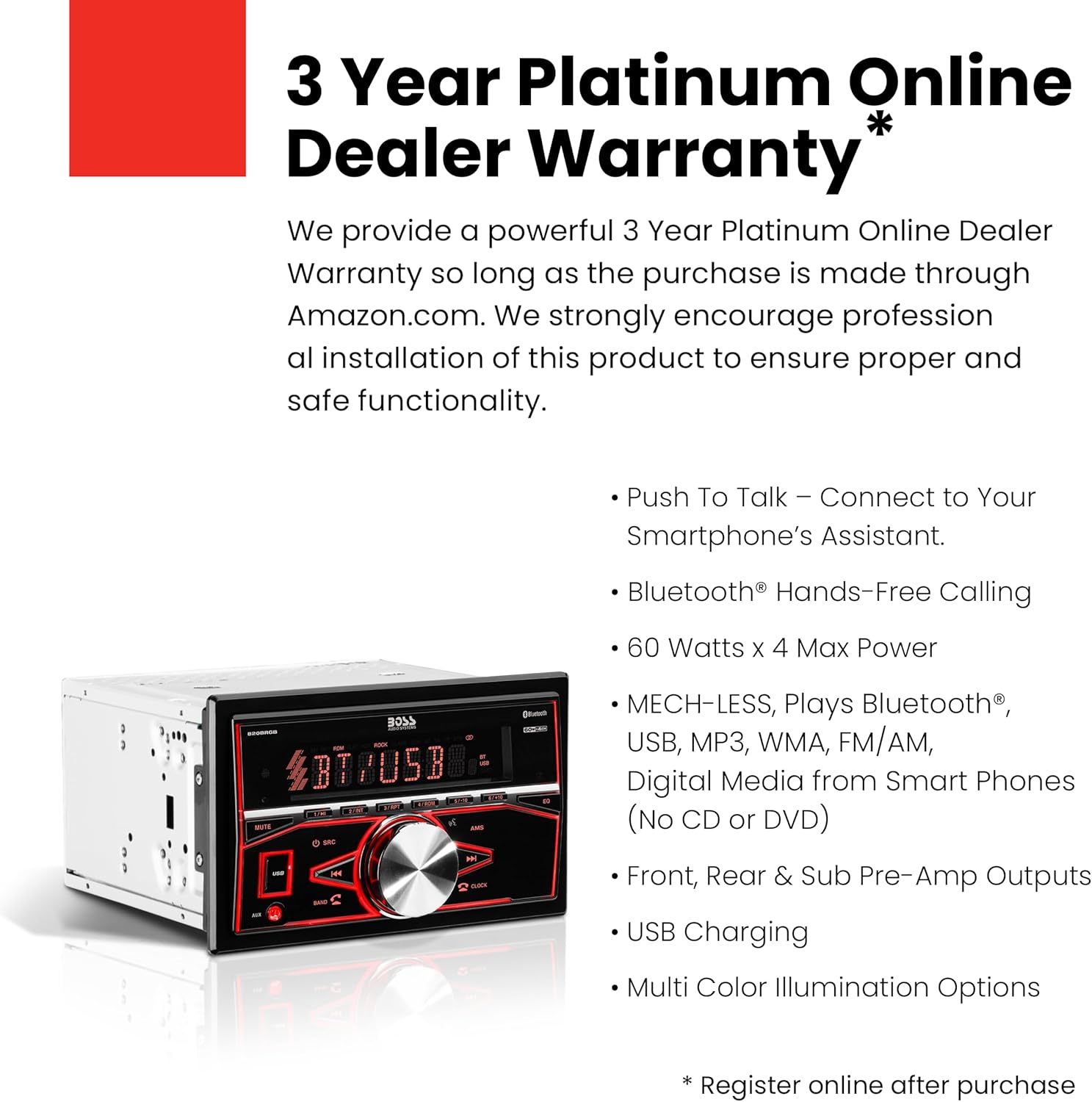
Figure 7: Warranty information and key features summary.
Ask a question about this manual
Ask about setup, troubleshooting, compatibility, parts, safety, or missing instructions. Manuals+ will review the question and use this page’s manual context to help answer it.