
Introduction
This manual provides essential information for the setup, operation, and maintenance of your iRobot Roomba 805 Robotic Vacuum Cleaner. Please read this guide thoroughly to ensure optimal performance and longevity of your device.
About Your Roomba 805
The Roomba 805 is designed to keep your floors clean by automatically vacuuming on a schedule. It features a patented 3-Stage Cleaning System engineered to loosen, lift, and suction debris from various floor types. Its intelligent navigation system adapts to your home environment.
Key Features
- iAdapt Navigation: Utilizes a full suite of sensors to navigate and adapt to your home.
- AeroForce 3-Stage Cleaning System: Delivers enhanced cleaning performance.
- Tangle-Free Extractors: Designed to prevent hair and debris clogs.
- AeroForce High-Efficiency Filter: Captures up to 99% of allergens, pollen, and particles as small as 10 microns.
- Scheduling: Conveniently schedule cleaning up to 7 times per week.
- Automatic Docking: The robot automatically returns to its Home Base to recharge.
- Drop-Off Detection: Avoids stairs and other drop-offs.
- Automatic Floor Type Adjustment: Adapts to various floor types including carpet, tile, hardwood, and laminate.
- Dual Mode Virtual Wall Barriers: Manages where your robot cleans.
- Lithium Ion Battery: Provides extended battery cycle lifetime.
- Low Profile Design: 3.6-inch height allows cleaning under furniture and beds.
Important Safety Information
Before using your Roomba, please review the following safety precautions:
- Read all instructions before operating the robot.
- The robot is not a toy. Supervise children and pets when the robot is operating.
- Do not operate the robot in areas with exposed electrical outlets or standing water.
- Ensure the power cord for the Home Base is not damaged.
- Do not handle the robot or Home Base with wet hands.
- Remove loose items such as clothing, loose papers, blinds, or curtains from the floor before operation to prevent entanglement.
- Do not use the robot to pick up large debris, broken glass, or anything that is burning or smoking.
- Store the robot and Home Base indoors.
Getting Started
Package Contents
Verify that your package contains the following items:
- iRobot Roomba 805 Robot Vacuum
- Home Base Charging Station
- Power Cord
- 2 Dual Mode Virtual Wall Barriers (batteries included)
- Extra AeroForce High-Efficiency Filter
Charging Your Roomba
Before first use, fully charge your Roomba for at least 3 hours. Place the robot on the Home Base, ensuring the charging contacts align. The battery indicator will pulse amber during charging and turn solid green when fully charged.
Positioning the Home Base
Place the Home Base on a hard, level surface against a wall. Ensure there is at least 1.5 feet (0.5 meters) of clear space on each side of the Home Base and 4 feet (1.2 meters) in front of it. Keep the Home Base away from stairs or drop-offs.
Setting Up Virtual Wall Barriers
Virtual Wall Barriers create an invisible barrier that Roomba will not cross. Use them to confine Roomba to a specific room or to block off areas you don't want it to enter.
- Install the included batteries into each Virtual Wall Barrier.
- Place the Virtual Wall Barrier on the floor at the entrance of the area you want to block.
- Select the desired mode:
- Virtual Wall Mode: Creates a linear barrier up to 10 feet (3 meters).
- Halo Mode: Creates a circular protective zone around the barrier, useful for protecting pet bowls or delicate items.
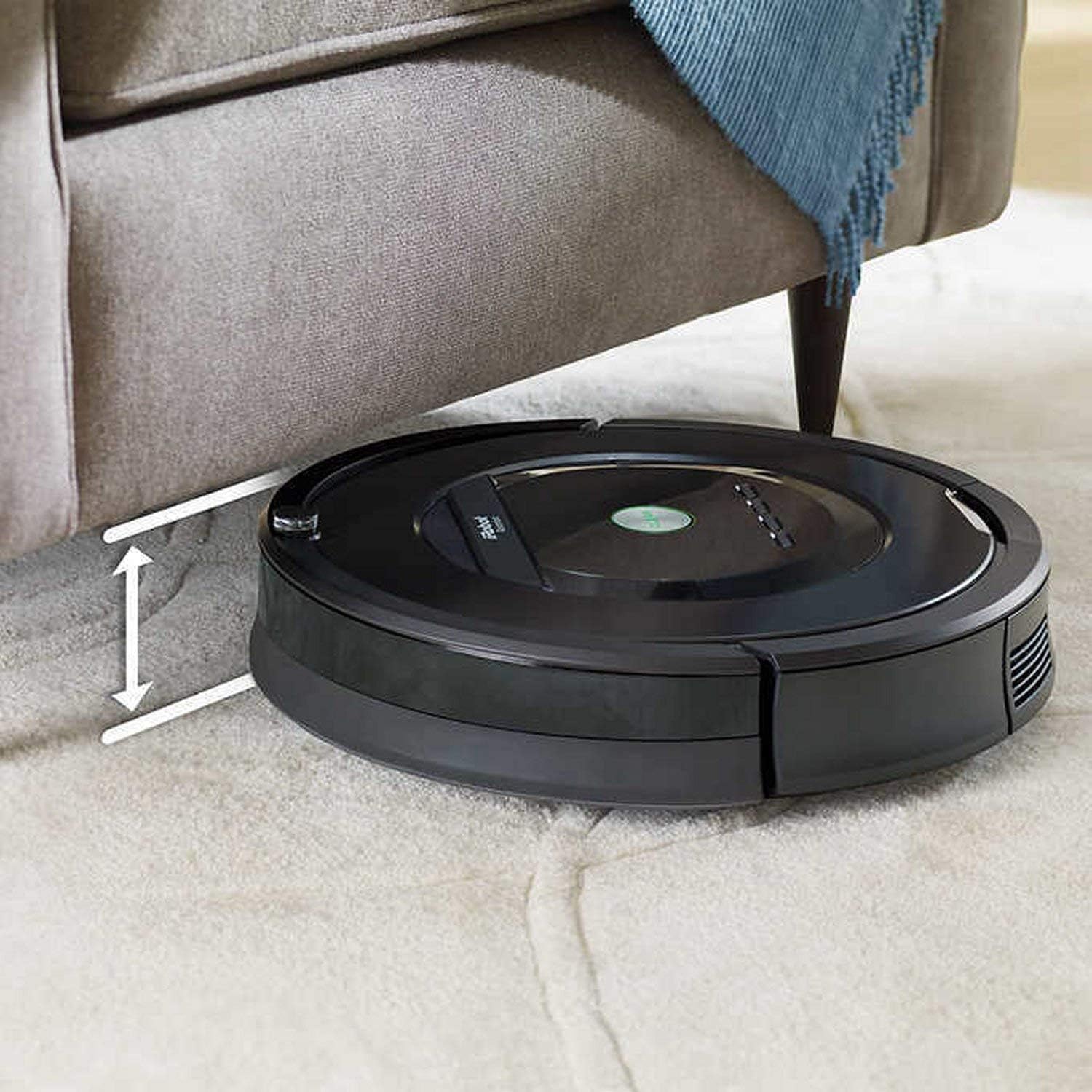
Image: The Roomba 805 operating near pet bowls, with a Virtual Wall Barrier creating a protective zone to prevent the robot from disturbing them.
Operating Your Roomba
Starting a Cleaning Cycle
To start a cleaning cycle, simply press the CLEAN button on the top of your Roomba. The robot will begin cleaning and automatically return to its Home Base when finished or when its battery is low.
Scheduling Cleaning
You can schedule your Roomba to clean automatically at specific times and days of the week. Refer to the detailed scheduling instructions in the full user manual or the iRobot HOME App for precise steps.
Understanding Roomba's Navigation
The Roomba 805 uses iAdapt Navigation technology to move around your home. It employs various sensors to detect obstacles, identify dirtier areas, and avoid hazards like stairs.
- Dirt Detect Technology: Sensors recognize concentrated areas of dirt and prompt the robot to clean those spots more thoroughly.
- Low Profile Cleaning: The robot's design allows it to clean under most furniture.

Image: The Roomba 805 demonstrating its low-profile design by cleaning effectively under a dining table.
- Drop-Off Avoidance: Integrated sensors prevent the robot from falling down stairs or other ledges.

Image: The Roomba 805 detecting a drop-off, such as stairs, and adjusting its path to avoid falling.
- Edge-Sweeping Brush: A specially designed brush sweeps debris away from edges and corners.

Image: The Roomba 805 utilizing its edge-sweeping brush to clean along the perimeter of a room or doorway.
- Auto-Adjust Cleaning Head: The cleaning head automatically adjusts its height to maintain close contact with different floor surfaces, ensuring effective cleaning on both carpets and hard floors.
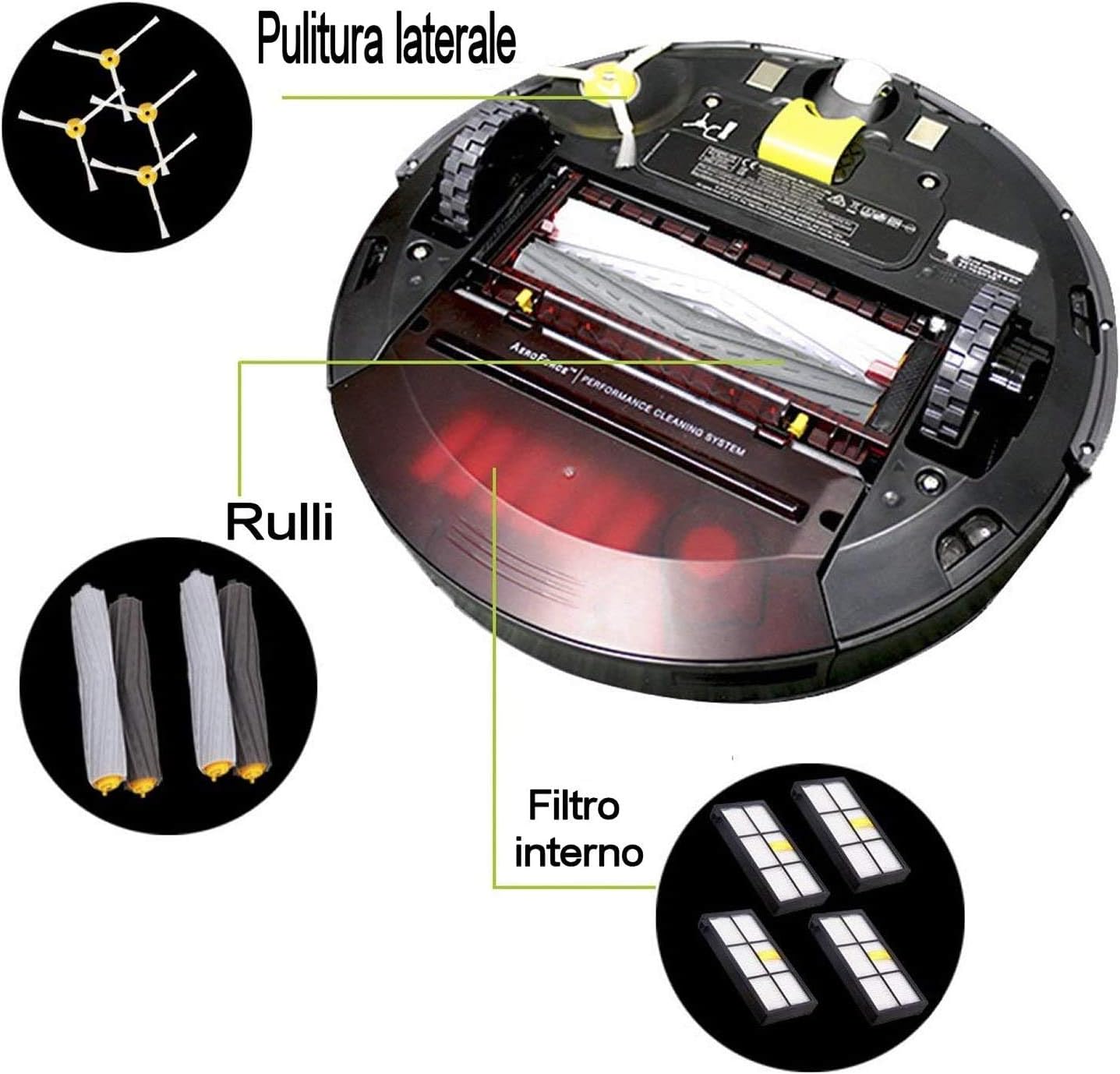
Image: The Roomba 805 demonstrating its ability to automatically adjust its cleaning head height when transitioning from a hard floor to a carpeted area.
Maintenance
Regular maintenance is crucial for your Roomba's performance. Perform these tasks regularly to keep your robot operating efficiently.

Image: An exploded view diagram of the Roomba 805, highlighting key components such as the side brush, main cleaning rollers, and the internal filter, which require regular cleaning.
Emptying the Dust Bin
Empty the dust bin after each cleaning cycle or when the 'Bin Full' indicator illuminates. Press the bin release button, slide out the bin, and empty its contents into a trash receptacle.
Cleaning the Brushes
The Dual Multi-Surface Brushes and Edge-Sweeping Brush should be cleaned weekly (more often if you have pets).
- Multi-Surface Brushes: Pinch the yellow tabs to lift the brush frame and remove the brushes. Remove any hair or debris wrapped around the brushes or their caps.
- Edge-Sweeping Brush: Use a coin or small screwdriver to remove the screw holding the brush. Pull off the brush and remove any hair or debris.
Cleaning the Filter
The AeroForce High-Efficiency Filter should be cleaned weekly and replaced every 2-3 months. Tap the filter against a trash can to remove debris. Do not wash the filter.
Cleaning Sensors and Charging Contacts
Wipe the robot's sensors and charging contacts with a clean, dry cloth monthly. This includes the cliff sensors on the bottom, the wall-following sensor, and the charging contacts on both the robot and the Home Base.
Troubleshooting
If your Roomba encounters an issue, consult this section for common solutions.
- Roomba is not charging: Ensure the Home Base is plugged in and the charging contacts on both the robot and Home Base are clean. Try repositioning the robot on the Home Base.
- Roomba gets stuck frequently: Clear the cleaning area of loose cables, small rugs, or other obstacles. Check if the drive wheels are free of debris.
- Poor cleaning performance: Empty the dust bin, clean the brushes, and replace the filter if necessary. Ensure the sensors are clean.
- Roomba makes unusual noises: Check the brushes and wheels for any entangled hair or debris.
- Roomba does not return to Home Base: Ensure the Home Base is placed in an open area and its power cord is securely plugged in.
For more detailed troubleshooting, refer to the iRobot HOME App or the official iRobot support website.
Specifications
| Brand | iRobot Roomba |
| Model Name | 805 |
| Surface Recommendation | Carpets, Hardwood, Tile, Laminate |
| Special Feature | Scheduling |
| Color | Black |
| Controller Type | Remote Control, App |
| Filter Type | Disk (AeroForce High-Efficiency) |
| Battery Type | Lithium Ion |
| Voltage | 120 Volts |
| Power Source | Battery Powered |
| Item Weight | 8.4 Pounds |
| Form Factor | Robotic |
| Indoor/Outdoor Usage | Indoor |
| Included Components | Brush, Home Base, Virtual Wall Barriers, Filter |
| UPC | 885155010629 |
Warranty and Customer Support
Warranty Information
The iRobot Roomba 805 comes with a 1-year manufacturer's warranty. Please retain your proof of purchase for warranty claims.
Customer Support
For technical assistance, replacement parts, or further inquiries, please visit the official iRobot support website or contact their customer service department. Contact information can typically be found on the iRobot website or in your product packaging.


