
1. Introduction
This manual provides detailed instructions for the installation, operation, and maintenance of the Mobilistics DRL-7 Universal Daytime Running Lights Control Module. This module is designed to automatically activate your vehicle's low beam headlights as Daytime Running Lights (DRLs) when the ignition is on, enhancing visibility and safety.
2. Product Overview
The Mobilistics DRL-7 is a compact control unit that manages the activation and deactivation of your vehicle's DRLs. It includes all necessary wiring and connectors for a standard installation.
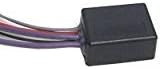
Image 1: Mobilistics DRL-7 Universal Control Module. This image shows the compact black control module with its attached wiring harness.

Image 2: Mobilistics DRL-7 Control Module with Wiring and Connectors. The image displays the control module, its multi-colored wiring harness, and various electrical connectors (spade, ring, and quick-splice) included for installation.
3. Installation Instructions
Important: Installation requires basic knowledge of automotive electrical systems. If you are unsure, consult a qualified technician. Disconnect the vehicle's battery before beginning installation.

Image 3: Mobilistics DRL-7 Wiring Diagram. This diagram illustrates the connections for the DRL control module, showing wires for constant power, ground, switched power, parking lights, emergency brake, and low beams.
Wiring Connections:
- Purple Wire (with inline fuse): Connect this wire to a constant 12-volt positive (+) power source, typically directly to the battery positive terminal or a constant power fuse in the fuse box.
- Black Wire: Connect this wire to a reliable chassis ground (-).
- Red Wire: Connect this wire to a switched 12-volt positive (+) power source that is active only when the vehicle's ignition is ON. This can often be found near the radio or ignition switch wiring.
- Green Wire: Connect this wire to the positive (+) wire for your vehicle's parking lights. This connection allows the DRLs to deactivate when parking lights or headlights are turned on.
- Gray Wire: Connect this wire to the emergency brake switch wire that provides a negative (-) trigger when the emergency brake is engaged. Alternatively, this can be connected to a manual switch to disable DRLs.
- Purple Wire (without fuse): Connect this wire to the positive (+) activation wire for your vehicle's low beam headlights. This is the wire that supplies power to the low beam bulbs.
Special Note for Negative Switched Low Beams:
Some vehicles use a negative (-) ground to switch the low beams. In such cases, connect the Purple fused wire to a good ground source, and connect the other Purple wire (without fuse) to the negative activation wire going to the low beams.
Mounting the Module:
Secure the control module in a dry location away from excessive heat or moisture. While the module is robust, it is not fully weatherproof. Consider adding electrical tape and silicone sealant around the casing if mounting in an exposed area under the hood.
4. Operating Instructions
Once properly installed, the Mobilistics DRL-7 module operates automatically:
- Activation: When the vehicle's ignition is turned ON, the DRL-7 module will activate the low beam headlights as DRLs after approximately 20 seconds.
- Deactivation by Parking Lights/Headlights: If the vehicle's parking lights or headlights are switched ON, the DRLs will automatically deactivate. When the parking lights/headlights are switched OFF, the DRLs will reactivate.
- Deactivation by Emergency Brake: If the gray wire is connected to the emergency brake trigger, engaging the emergency brake will deactivate the DRLs. Releasing the emergency brake will reactivate them.
- Deactivation by Ignition OFF: Turning the vehicle's ignition to the OFF position will deactivate the DRLs.
5. Maintenance
The Mobilistics DRL-7 module is designed for minimal maintenance. Periodically inspect all wiring connections to ensure they remain secure and free from corrosion. If the module is installed in an area exposed to the elements, regularly check for moisture ingress and consider reinforcing its weather protection with electrical tape or silicone sealant.
6. Troubleshooting
- DRLs do not activate:
- Verify that the Purple (fused) wire has a constant 12V supply.
- Ensure the Black wire has a solid ground connection.
- Confirm the Red wire receives 12V when the ignition is ON.
- Check the connection of the Purple wire (unfused) to the low beam positive.
- DRLs do not deactivate:
- Check the Green wire connection to the parking light positive. Ensure it receives power when parking lights are on.
- If using the emergency brake trigger, verify the Gray wire connection and that the emergency brake switch is functioning correctly.
- Intermittent operation:
- Inspect all connections for looseness or corrosion.
- Ensure the module is securely mounted and not subject to excessive vibration.
If issues persist after checking all connections and power sources, contact Mobilistics customer support for further assistance.
7. Specifications
| Brand | Mobilistics |
| Model Number | DRL-7 |
| Item Weight | 3 ounces |
| Product Dimensions | 8 x 6 x 2 inches |
| Manufacturer | Mobilistics |
| UPC | 643548002978 |
| Date First Available | July 14, 2016 |
8. Warranty and Support
Warranty information for the Mobilistics DRL-7 Universal Daytime Running Lights Control Module is typically provided with your purchase documentation. Please refer to the packaging or contact your retailer for specific warranty terms and conditions.
For technical support or further inquiries, please contact Mobilistics customer service directly. Contact details can usually be found on the product packaging or the manufacturer's official website.