
Introduction
This manual provides essential information for the safe and efficient operation of your Arielli LED4018HD 40-inch Android Smart TV. Please read this manual thoroughly before using the television and retain it for future reference.
The Arielli LED4018HD is a 40-inch (101.6 cm) LED Backlight LCD TV featuring Android Smart TV capabilities, an ultra-slim design, and HD Ready resolution (1366x768). It includes a USB Media Player supporting various formats, multiple input options, and DVB-T2/DVB-C tuners.
Safety Information
Always follow basic safety precautions when using this television to reduce the risk of fire, electric shock, and injury.
- Do not expose the TV to rain or moisture.
- Do not open the TV casing; refer all servicing to qualified personnel.
- Ensure proper ventilation around the TV.
- Use only the power cord supplied with the TV.
- Keep the TV away from direct sunlight and heat sources.
- Unplug the TV during lightning storms or when unused for long periods.
What's in the Box
Carefully unpack the box and ensure all items are present:
- Arielli LED4018HD 40-inch TV Unit
- TV Stand Components
- Remote Control
- Power Cord
- User Manual (this document)
- Screws for Stand Assembly
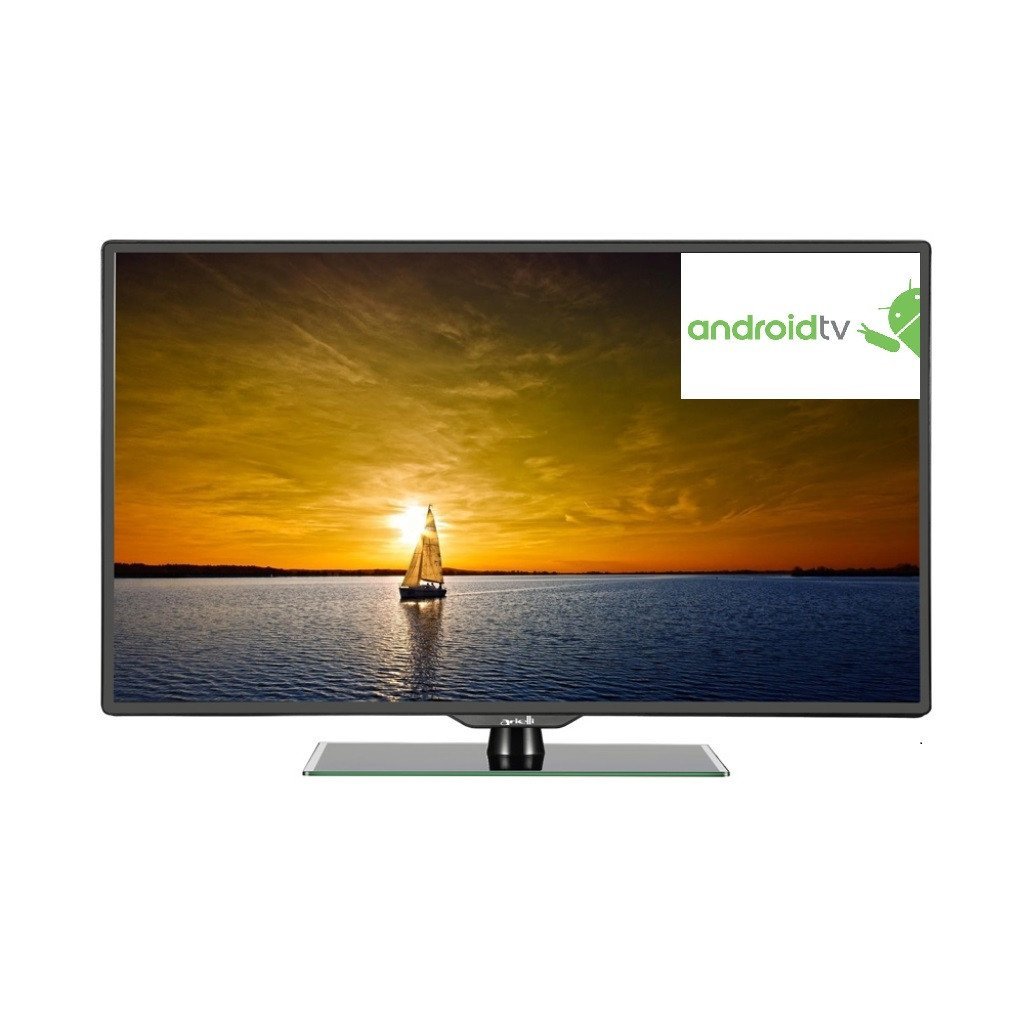
Image: The Arielli LED4018HD 40-inch Android Smart TV, showing the screen, bezel, and included stand. A remote control is also visible.
Setup
1. Attaching the Stand
- Place the TV screen-down on a soft, flat surface to prevent damage.
- Align the stand components with the mounting holes on the bottom of the TV.
- Secure the stand using the provided screws. Ensure the stand is firmly attached.
Illustration: Diagram showing the TV back panel and stand attachment points.
2. Wall Mounting (Optional)
The Arielli LED4018HD is VESA compatible. For wall mounting, use a VESA-compliant wall mount kit (sold separately) that matches the TV's VESA pattern. Follow the instructions provided with your wall mount kit.
Illustration: Diagram showing VESA mounting holes on the TV back.
3. Connecting Power
- Connect the power cord to the TV's power input.
- Plug the other end of the power cord into a suitable wall outlet.
4. Connecting External Devices
The TV offers various input ports for connecting external devices:
- HDMI (x2): For high-definition devices like Blu-ray players, game consoles, or set-top boxes.
- VGA Input: For connecting a computer.
- PC Audio Input: For audio from a computer connected via VGA.
- SCART Input: For older devices like DVD players or VCRs.
- CI Input: For Conditional Access Modules (CAM) used with digital TV services.
- CVBS and Audio R/L Input: For composite video and stereo audio from older devices.
- USB: For connecting USB storage devices for media playback.
Illustration: Close-up view of the TV's input/output ports.
5. First-Time Setup
Upon first power-on, the TV will guide you through the initial setup process for the Android Smart TV operating system. This typically includes:
- Language selection.
- Network connection (Wi-Fi or Ethernet).
- Google account sign-in (optional, for full Android features).
- Channel scanning (DVB-T2/DVB-C).
- Time zone and date settings.
Operating
1. Remote Control Overview
Familiarize yourself with the functions of the remote control. Key buttons typically include:
- Power: Turns the TV on/off.
- Source: Selects input source (HDMI, VGA, etc.).
- Volume +/-: Adjusts volume.
- Channel +/-: Changes TV channels.
- Navigation (Arrow keys, OK): Navigates menus and confirms selections.
- Home: Accesses the Android Smart TV home screen.
- Menu: Opens TV settings menu.
- Back/Exit: Returns to the previous screen or exits a menu.
Illustration: Layout of the remote control with button descriptions.
2. Smart TV Features (Android OS)
Your Arielli LED4018HD runs on the Android operating system, providing access to a wide range of smart features:
- App Store: Download and install various applications (e.g., streaming services, games) from the integrated app store.
- Web Browser: Browse the internet directly on your TV.
- Connectivity: Connect to your home network via Wi-Fi or Ethernet for online content.
3. Media Playback (USB)
Insert a USB storage device into the TV's USB port to play back various media files. The built-in USB Media Player supports formats such as:
- Video: .mkv, .ts, .mpeg4, divx, xvid, H.264
- Audio: .mp3
- Image: .jpeg
Navigate to the Media Player application from the home screen or select the USB input source to access your files.
4. Digital TV Tuner (DVB-T2, DVB-C)
The TV includes integrated DVB-T2 (terrestrial digital) and DVB-C (cable digital) tuners. Connect a suitable antenna or cable signal to the TV's antenna input. Perform a channel scan through the TV's settings menu to find available digital channels.
Maintenance
1. Cleaning the Screen
- Always unplug the TV before cleaning.
- Use a soft, lint-free cloth (e.g., microfiber) to gently wipe the screen.
- For stubborn marks, lightly dampen the cloth with water or a specialized screen cleaner. Never spray cleaner directly onto the screen.
- Avoid using abrasive cleaners, alcohol, or benzene.
2. General Care
- Keep the TV in a well-ventilated area.
- Do not block ventilation openings.
- Avoid placing heavy objects on the TV.
- Protect the TV from extreme temperatures and humidity.
Troubleshooting
If you encounter issues with your TV, refer to the following common problems and solutions:
| Problem | Possible Cause / Solution |
|---|---|
| No power |
|
| No picture, but sound is present |
|
| No sound, but picture is present |
|
| Remote control not working |
|
| Smart TV features not working / No internet connection |
|
Specifications
| Feature | Detail |
|---|---|
| Model Number | LED4018HD |
| Screen Size | 40 inches (101.6 cm) |
| Display Technology | LED Backlight LCD |
| Resolution | HD Ready 1366x768 (720p) |
| Operating System | Android |
| Connectivity Technology | HDMI (x2), USB, VGA |
| Additional Inputs | PC Audio Input, SCART Input, CI Input, CVBS and Audio R/L Input |
| Tuner Type | DVB-T2, DVB-C |
| USB Media Player Support | .mkv, .ts, .mpeg4, divx, xvid, H.264, mp3, jpeg |
| Mounting Type | Table Mount, VESA Compatible |
| Wattage | 24 watts |
| Manufacturer | Arielli |
| Model Year | 2018 |
Warranty and Support
Your Arielli LED4018HD television comes with a 36-month warranty, covering manufacturing defects from the date of purchase. Please retain your proof of purchase for warranty claims.
For technical support, troubleshooting assistance beyond this manual, or warranty service, please contact Arielli customer support. Refer to the contact information provided with your purchase documentation or visit the official Arielli website for the most up-to-date support details.
Note: Warranty terms and conditions may vary by region. Please consult your local dealer or Arielli's official website for specific details applicable to your location.