
Cooper-Atkins DTT361-01
Cooper-Atkins DTT361-01 Digital Meat Thermometer
Model: DTT361-01
Introduction
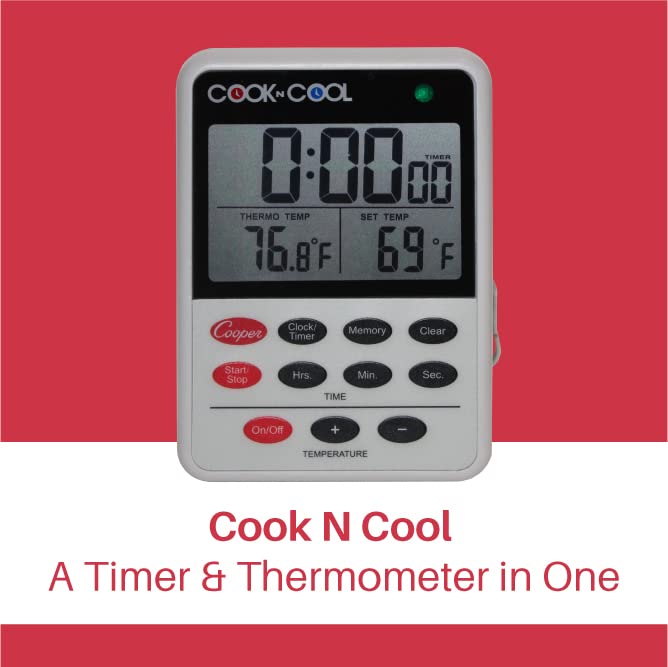
The Cooper-Atkins DTT361-01 Digital Meat Thermometer, also known as Cook N Cool, is designed for precise temperature monitoring in both cooking and cooling processes. It assists in maintaining HACCP compliance by allowing users to view internal cooking temperatures and track the cooling rate of foods. This device features audible and visual alarms, a countdown timer, and continuous temperature display, making it a versatile tool for various culinary applications.
Product Overview
The DTT361-01 combines a wide-range digital thermometer with an alarm and timer function. Its robust design includes a heat-resistant probe and a durable housing suitable for demanding kitchen environments.
- Digital Meat Thermometer: Features a wide temperature range with audible and visual alarms, a countdown timer, and timer set memory. Provides continuous display of food temperatures during cooking.
- Food Cooling Thermometer: Designed to track the cooling rate of foods to ensure proper cool down temperatures. Operates within a wide range of -25 to 392 degrees Fahrenheit (-31 to 200 degrees Celsius).
- Low and High Temperature Alarms: A high alarm activates when food reaches a preset upper limit, while a low alarm is ideal for monitoring the cooling process. The 80-decibel volume is audible in noisy environments, complemented by a visual indicator.
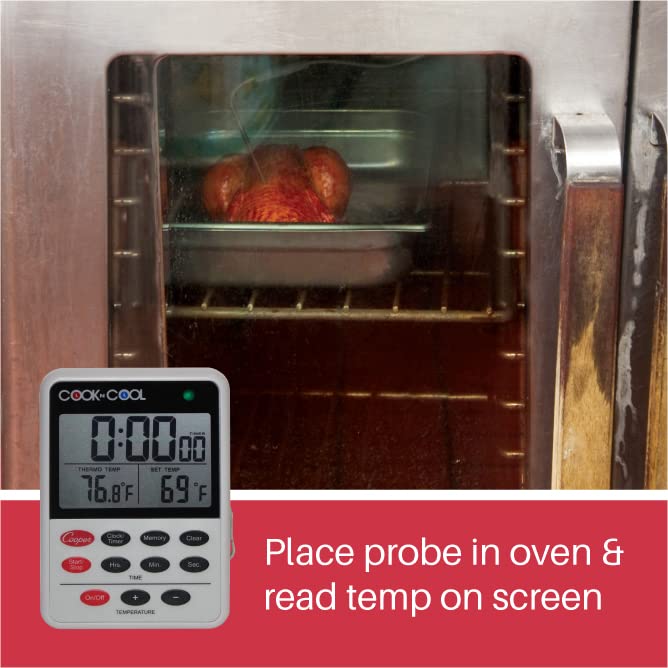
- HACCP Compliance: Facilitates compliance by allowing users to monitor internal cooking temperatures without opening oven doors and to track food cooling rates effectively.

Setup
- Battery Installation: The thermometer requires three (3) AAA batteries. Locate the battery compartment on the back of the unit. Open the compartment, insert the batteries according to the polarity indicators, and close the compartment securely.
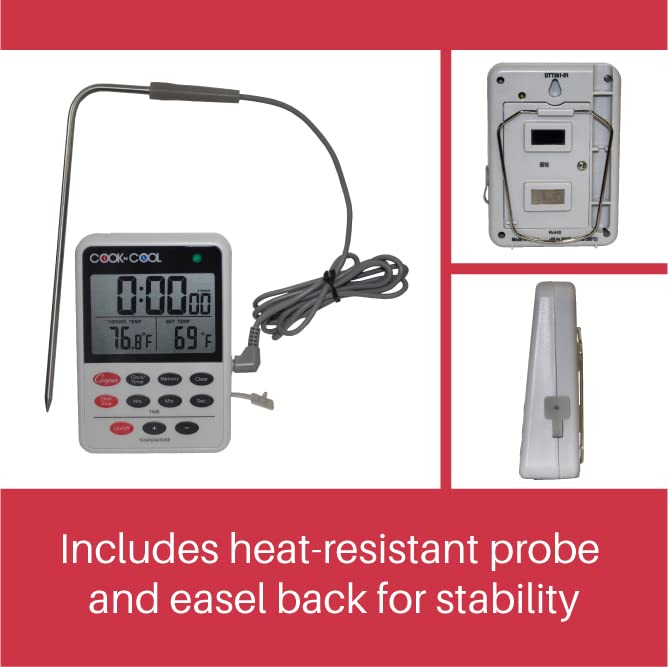
- Probe Connection: Insert the probe's jack firmly into the designated port on the side of the main unit. Ensure a secure connection for accurate readings.
- Placement: The unit features a durable magnet on its back for attachment to metal surfaces (e.g., oven door, refrigerator). It also includes a wire hanger and an easel back for stable countertop placement or hanging.
Operating Instructions
- Power On/Off: Press the 'On/Off' button to activate the unit. Note that the display is designed to remain continuously on, even when the alarm function is disabled.
- Setting Temperature Alarms:
- Press the 'SET TEMP' button to enter temperature setting mode.
- Use the '+' and '-' buttons to adjust the desired high or low temperature alarm threshold.
- Confirm the setting by pressing the 'SET TEMP' button again or waiting a few seconds for it to auto-confirm.
- The high alarm will sound when the measured temperature reaches or exceeds the set high limit. The low alarm will sound when the measured temperature drops to or below the set low limit, which is useful for cooling processes.
- Using the Timer:
- Press the 'Clock/Timer' button to switch to timer mode.
- Use the 'Hrs.', 'Min.', and 'Sec.' buttons to set the desired countdown time.
- Press 'Start/Stop' to begin or pause the countdown.
- Press 'Clear' to reset the timer.
- The timer also has a memory function to recall previous settings.
- Reading the Display: The large LCD display shows the current 'THERMO TEMP' (measured temperature) and the 'SET TEMP' (target temperature for alarms). The timer display is located at the top.
Maintenance and Care
- Cleaning: The main unit should be wiped clean with a damp cloth. The probe is oven safe and can be cleaned with warm, soapy water. Do not immerse the main unit in water.
- Battery Replacement: Replace batteries when the display dims or the unit functions erratically. Refer to the 'Setup' section for battery installation instructions.
- Probe Care: Handle the probe and its cable with care to prevent damage. Avoid sharp bends or kinks in the cable.
Troubleshooting
- Inaccurate Temperature Readings: Ensure the probe is fully inserted into the food and not touching bones or the bottom of the cooking vessel. Check for any visible damage to the probe or cable. Replace batteries if they are low.
- Short Battery Life: The unit's display is designed to be continuously on. To conserve battery life when not in active use, some users may choose to remove the batteries or insert a small plastic tab (if available from packaging) into the battery compartment to break the circuit.
- Alarm Not Functioning as Expected (Cooling): Verify that the low temperature alarm is correctly set. The alarm is designed to sound when the temperature drops to or below the set low limit. Ensure the volume is adequate (80 decibels) and the visual indicator is visible.
- Unit Not Stable: Utilize the integrated magnet for attachment to metal surfaces or deploy the easel back for stable countertop use. The wire hanger can be used for hanging.
Specifications
| Product Dimensions | 2.99 x 1.34 x 4.13 inches; 3.21 ounces |
| Item Model Number | DTT361-01 |
| Batteries | 3 AAA batteries required |
| Manufacturer | Cooper Atkins |
| Special Feature | Alarm |
| Included Components | Probe, durable magnet, and wire hanger |
| Outer Material | Acrylonitrile Butadiene Styrene (ABS Plastic Housing) |
| Display Type | Digital LCD (2.25" x 1.5") |
| Product Care Instructions | Oven Safe, Wipe Clean |
| Power Source | Battery Powered |
| Temperature Range | -25 to 392 degrees F (-31 to 200 degrees C) |
| Temperature Accuracy | +/- 2 degrees F (+/- 1 degree C) from -4 to 302 degrees F (-20 to 150 degrees C) |
| Waterproof Rating | IP44 |
Warranty and Support
Cooper-Atkins products are manufactured to high standards and typically come with a manufacturer's warranty covering defects in materials and workmanship. For specific warranty details, technical support, or service inquiries, please refer to the official Cooper-Atkins website or contact their customer service directly. Keep your purchase receipt for warranty claims.
Related Documents - DTT361-01
 |
Cooper-Atkins Multi-Function Thermometer Firmware Update Instructions Step-by-step instructions for updating the firmware on the Cooper-Atkins Multi-Function Thermometer (MFT) using the Blue2 Reader app. Includes details on downloading the app, connecting the MFT, and verifying the update. |
 |
HACCP Manager Quick Start Guide Quick start guide for the Cooper-Atkins HACCP Manager handheld instrument, detailing software installation, program launch, data synchronization, uploading, power management, and charging instructions. |
 |
Cooper-Atkins 20200 Multi-Function Thermometer Instructions Instructions for the Cooper-Atkins 20200 Multi-Function Thermometer, detailing its features, operation, and specifications, including Bluetooth connectivity and temperature measurement capabilities. |
 |
Cooper-Atkins AquaTuff™ 351, 352, 353 Digital Thermocouple Thermometer User Manual & Warranty Comprehensive user guide and warranty information for Cooper-Atkins AquaTuff™ series digital thermocouple thermometers (models 351, 352, 353). Covers operation, features like Intelligent Temperature Stabilization™ (ITS), memory functions, battery replacement, specifications, and troubleshooting. |
 |
Cooper-Atkins DFP450W Digital Pocket Test Thermometer Cooper-Atkins DFP450W is a digital pocket test thermometer designed to measure dishwasher final rinse temperatures. It features a wide temperature range, high accuracy, maximum temperature memory, and auto shut-off. The device is NSF certified and ideal for foodservice environments, offering a safe alternative to mercury thermometers. |
 |
Cooper-Atkins Product Catalog: Temperature & Humidity Measurement, Timers, and Monitoring Solutions Explore the comprehensive Cooper-Atkins Product Catalog, featuring advanced temperature and humidity thermometers, reliable timers, and innovative monitoring solutions. Discover products for foodservice, healthcare, and industrial applications, including TempTrak, NotifEye, and HACCP Manager systems. |