
Introduction
This manual provides essential instructions for the safe and efficient use of your Telefunken KH9000TW Bluetooth Stereo Headphones. Please read this manual thoroughly before using the device and retain it for future reference. The KH9000TW Bluetooth stereo headphones feature a simple design and useful functions, such as hands-free mode. The transport case has a built-in charging function, allowing you to conveniently charge the headphones. The transmission range is up to 10 meters, depending on environmental factors and connected Bluetooth devices.
Package Contents
Carefully unpack the box and ensure all items are present and in good condition. If any items are missing or damaged, please contact your retailer.
- Telefunken KH9000TW Bluetooth Stereo Headphones (Left and Right earbuds)
- Charging/Transport Case
- Micro USB Charging Cable
- Multiple sizes of Ear Tips
- User Manual (this document)

Image: Micro USB charging cable included in the package.

Image: Four ear tips, likely in different sizes, for a comfortable fit.
Product Overview
The Telefunken KH9000TW consists of two wireless earbuds and a portable charging case. Familiarize yourself with the components before use.
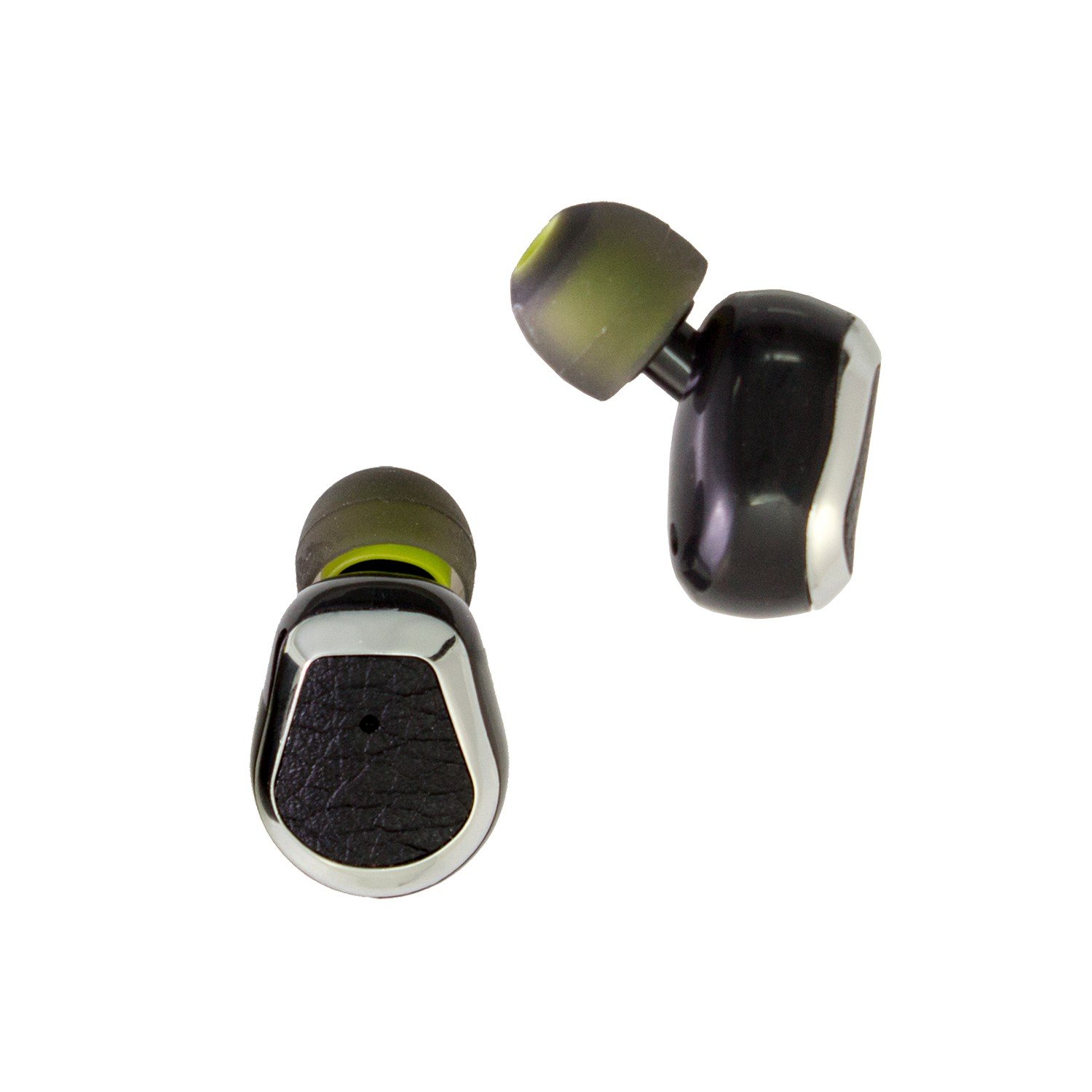
Image: The Telefunken KH9000TW earbuds placed inside their charging case, which is connected to a Micro USB charging cable. Indicator lights are visible on the earbuds and case.

Image: The empty Telefunken KH9000TW charging case with its clear lid open, showing the charging contacts for the earbuds and the 'OFF/ON' switch.
Charging Case
- Charging Ports: For charging the earbuds.
- Micro USB Port: For charging the case itself.
- Power Switch (OFF/ON): Controls the charging function of the case.
- LED Indicators: Show charging status.
Earbuds
- Multi-function Button: For power, play/pause, answering calls.
- Microphone: For hands-free calls.
- LED Indicator: Shows power and pairing status.
- Charging Contacts: Connect with the charging case.
Setup
1. Charging the Device
Before first use, fully charge both the earbuds and the charging case.
- Charging the Case: Connect the Micro USB cable to the charging case's Micro USB port and the other end to a USB power adapter (not included) or a computer's USB port. The case's LED indicator will show charging status.
- Charging the Earbuds: Place the earbuds into their respective slots in the charging case. Ensure the 'ON' switch on the case is activated. The earbuds' LED indicators will light up to show they are charging. Once fully charged, the indicators may change color or turn off.
Note: Always ensure the charging case has sufficient power to charge the earbuds when on the go.
2. Bluetooth Pairing
To connect your headphones to a Bluetooth-enabled device (e.g., smartphone, tablet):
- Power On Earbuds: Take the earbuds out of the charging case. They should automatically power on and enter pairing mode. The LED indicators on the earbuds will flash, typically blue and red, indicating they are ready to pair.
- Activate Bluetooth: On your device, go to the Bluetooth settings and ensure Bluetooth is enabled.
- Search for Devices: Your device will scan for available Bluetooth devices. Look for "KH9000TW" or a similar name in the list.
- Connect: Select "KH9000TW" to connect. Once successfully paired, the earbud LED indicators will stop flashing and may turn off or flash slowly blue. You will usually hear an audible confirmation.
Note: Once paired, the headphones will usually reconnect automatically to the last paired device when powered on and within range.
Operating Instructions
Power On/Off
- Power On: Take the earbuds out of the charging case. They will automatically power on. Alternatively, press and hold the multi-function button on each earbud for approximately 3 seconds until you hear a power-on prompt.
- Power Off: Place the earbuds back into the charging case. They will automatically power off and begin charging. Alternatively, press and hold the multi-function button on each earbud for approximately 5 seconds until you hear a power-off prompt.
Music Playback
- Play/Pause: Press the multi-function button on either earbud once.
- Next Track: Double-press the multi-function button on the right earbud.
- Previous Track: Double-press the multi-function button on the left earbud.
Phone Calls (Hands-Free Mode)
- Answer Call: Press the multi-function button on either earbud once when an incoming call rings.
- End Call: Press the multi-function button on either earbud once during a call.
- Reject Call: Press and hold the multi-function button on either earbud for approximately 2 seconds when an incoming call rings.
Maintenance
Proper maintenance ensures the longevity of your headphones.
- Cleaning: Use a soft, dry cloth to clean the earbuds and charging case. Do not use abrasive cleaners or solvents.
- Storage: When not in use, store the headphones in their charging case to protect them from dust and damage. Store in a cool, dry place.
- Avoid Water: These headphones are not waterproof. Avoid exposure to water, moisture, or extreme temperatures.
- Charging Contacts: Periodically check and gently clean the charging contacts on both the earbuds and the case to ensure proper connection.
Troubleshooting
If you encounter issues, try the following solutions:
| Problem | Possible Solution |
|---|---|
| Headphones do not power on. | Ensure the earbuds are charged. Place them in the charging case and verify the case has power. |
| Cannot pair with device. | Ensure Bluetooth is enabled on your device. Make sure the earbuds are in pairing mode (flashing LEDs). Try turning Bluetooth off and on again on your device. Move closer to your device. |
| Only one earbud works. | Ensure both earbuds are charged. Try placing both earbuds back into the charging case, then taking them out again to re-establish their connection. |
| Poor sound quality or disconnections. | Ensure the earbuds are fully charged. Reduce the distance between the earbuds and your device. Avoid obstacles between the earbuds and your device. |
| Charging case not charging. | Check the Micro USB cable and power adapter. Ensure the cable is securely connected. |
Specifications
Technical details for the Telefunken KH9000TW Bluetooth Stereo Headphones:
- Model Number: KH9000TW
- Brand: TELEFUNKEN
- Color: Black
- Headphone Design Type: In-Ear
- Impedance: 16 Ohms
- Connectivity Technology: Bluetooth
- Wireless Communication Technology: Bluetooth
- Headphone Socket: USB (for charging case)
- Cable Features: Wireless
- Age Range Description: Adult
- Transmission Range: Up to 10 meters (approx. 33 feet)
Safety Information
Please observe the following safety precautions:
- Do not disassemble, repair, or modify the device.
- Keep the device away from extreme temperatures, direct sunlight, and moisture.
- Avoid listening at high volume levels for extended periods to prevent hearing damage.
- Do not use the headphones in situations where inability to hear ambient sounds could be dangerous (e.g., driving, cycling, walking in traffic).
- Keep out of reach of children and pets.
- Dispose of the device and its battery responsibly according to local regulations.
Warranty and Support
For warranty information or technical support, please refer to the documentation provided at the time of purchase or contact your retailer. Keep your proof of purchase for warranty claims.