
Philips GC4929/86
Philips PerfectCare Azur Steam Iron - GC4929/86 User Manual
Brand: Philips | Model: GC4929/86
1. Introduction
This user manual provides essential information for the safe and effective operation, maintenance, and troubleshooting of your Philips PerfectCare Azur Steam Iron, model GC4929/86. Please read this manual thoroughly before first use and retain it for future reference.
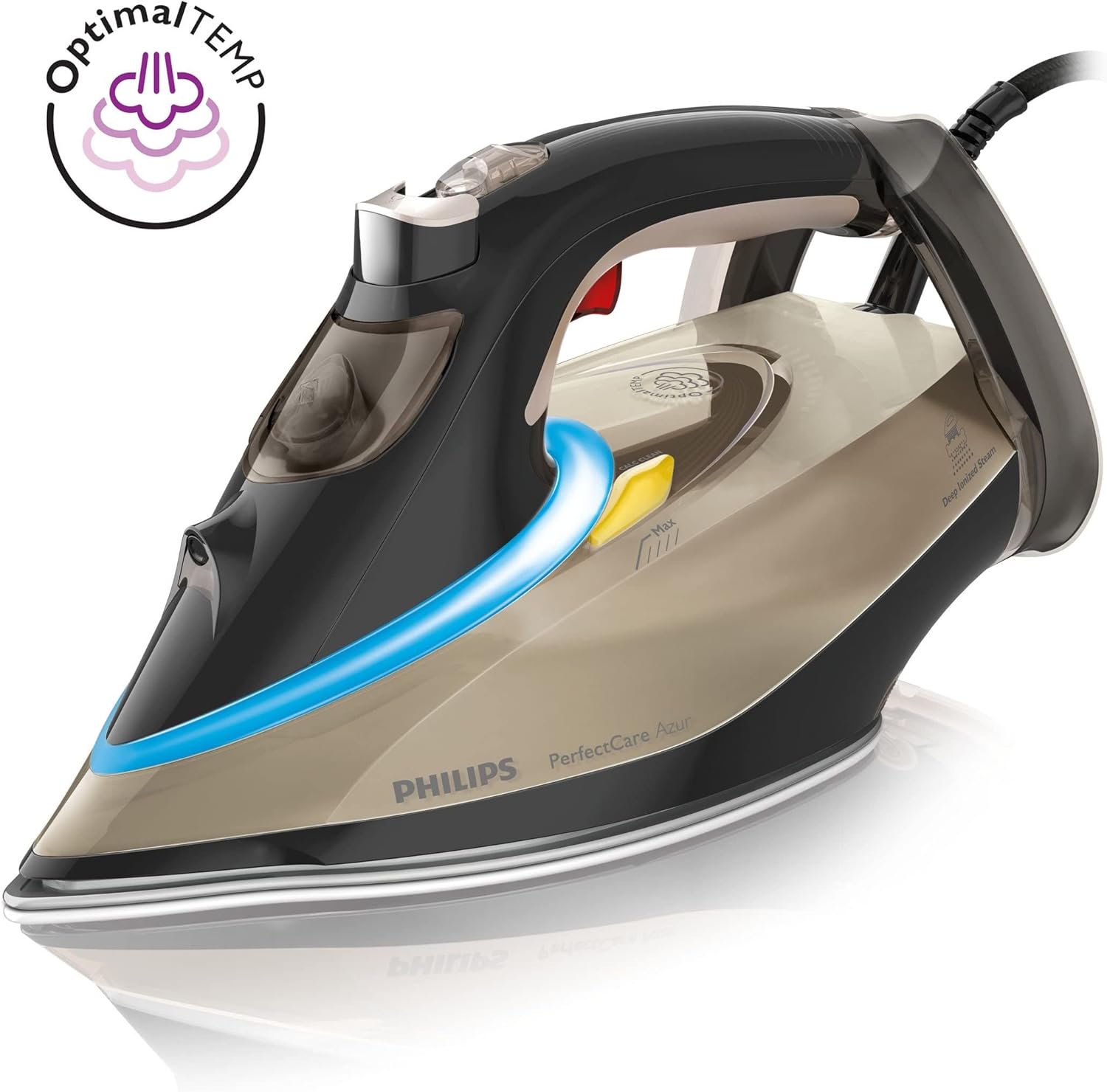
The Philips PerfectCare Azur steam iron is designed to provide efficient ironing results with its advanced features, including OptimalTEMP technology, which eliminates the need for temperature adjustments across different fabric types.
2. Important Safety Information
Always follow basic safety precautions when using electrical appliances to reduce the risk of fire, electric shock, and personal injury.
- Read all instructions before using the iron.
- Do not leave the iron unattended while it is connected to the mains or while it is on an ironing board.
- Always place the iron on a stable, level, heat-resistant surface, preferably on the heel rest.
- Keep the iron and its cord out of reach of children.
- Do not immerse the iron in water or any other liquid.
- Do not operate the iron with a damaged cord or plug, or if the iron has been dropped or damaged.
- Use the iron only for its intended household use.
- Unplug the iron from the electrical outlet when filling with water, emptying, or when not in use.
- The soleplate can become extremely hot. Avoid direct contact with the hot soleplate.
3. Product Features
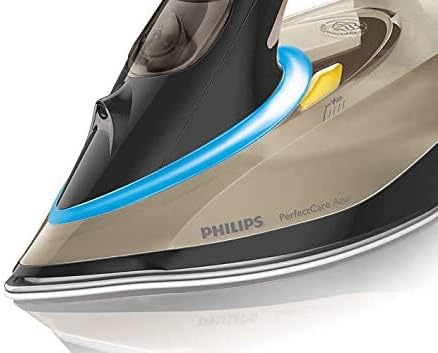
The Philips PerfectCare Azur Steam Iron GC4929/86 incorporates several features designed for optimal ironing performance and user convenience.
- OptimalTEMP Technology: Allows ironing of all ironable fabrics from denim to silk without temperature adjustment.
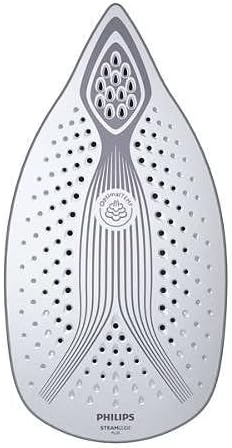
- SteamGlide Plus Soleplate: Provides excellent gliding and scratch resistance.
- Powerful Steam Output: Delivers continuous steam for effective crease removal and a steam boost for stubborn wrinkles.
- Drip Stop System: Prevents water leakage and stains on garments.
- Calc-Clean Function: Integrated descaling system for long-lasting steam performance.
- Automatic Shut-off: Enhances safety by turning off the iron if left unattended.


4. Setup
4.1 Unpacking
- Carefully remove the iron from its packaging.
- Remove any stickers or protective film from the soleplate.
- Inspect the iron for any signs of damage. Do not use if damaged.
4.2 First Use Preparation
Before using the iron for the first time, it is recommended to:
- Fill the water tank (see 4.3).
- Heat the iron to its maximum setting (if applicable, though OptimalTEMP irons adjust automatically).
- Iron an old piece of fabric for a few minutes to remove any manufacturing residues.
- Activate the steam boost function a few times to clear any initial blockages.
4.3 Filling the Water Tank
- Ensure the iron is unplugged from the mains.
- Open the water filling inlet cover.
- Hold the iron in a slightly tilted position and fill the water tank with tap water up to the 'MAX' indication. Do not overfill.
- Close the water filling inlet cover securely.
5. Operating Instructions
5.1 Powering On and Heating
- Place the iron on its heel rest on a stable, heat-resistant surface.
- Plug the power cord into a grounded wall socket.
- The iron's indicator light will illuminate, indicating it is heating up. The light will turn off when the iron has reached the optimal temperature for ironing.
5.2 Ironing with OptimalTEMP Technology
The Philips PerfectCare Azur iron features OptimalTEMP technology, which means you do not need to adjust the temperature setting for different fabrics. You can iron all ironable fabrics, from delicate silk to tough denim, without the risk of burning and without sorting your laundry.
5.3 Steam Functions
- Continuous Steam: The iron automatically produces continuous steam when it is hot enough and moved horizontally.
- Steam Boost: For stubborn creases, press the steam boost button (usually located under the handle) to release an extra burst of steam.
- Vertical Steaming: Hold the iron vertically and press the steam boost button to remove creases from hanging garments, curtains, or drapes. Ensure the garment is taut.
5.4 Dry Ironing
To iron without steam, ensure the water tank is empty or simply do not activate the steam functions. The OptimalTEMP technology will still ensure safe ironing for all fabrics.
5.5 Automatic Shut-off
For safety and energy saving, the iron will automatically switch off if it is left stationary for a period:
- On its soleplate: after 30 seconds.
- On its heel rest or side: after 8 minutes.
To restart the iron, simply pick it up. The indicator light will flash and then turn off when the iron is ready to use again.
6. Maintenance
6.1 Cleaning the Soleplate
To maintain optimal gliding and prevent damage, clean the soleplate regularly.
- Ensure the iron is unplugged and completely cool.
- Wipe the soleplate with a damp cloth and a non-abrasive cleaner.
- Do not use abrasive scouring pads, vinegar, or harsh chemicals, as these can damage the soleplate coating.
6.2 Calc-Clean Function
The iron has a built-in Calc-Clean function to remove scale particles from the steam chamber. Perform this function regularly, especially if you live in a hard water area.
- Fill the water tank to the MAX level.
- Plug in the iron and let it heat up until the indicator light goes out.
- Unplug the iron.
- Hold the iron over a sink, press and hold the Calc-Clean button (if present, or follow specific model instructions for descaling). Shake the iron gently back and forth. Hot water and steam will come out of the soleplate, carrying scale particles.
- Continue until the water tank is empty.
- Plug in the iron again and let it heat up to dry the soleplate.
6.3 Storage
- Unplug the iron and allow it to cool down completely.
- Empty any remaining water from the tank.
- Wrap the power cord neatly around the heel rest or use the cord clip if provided.
- Store the iron upright on its heel rest in a dry, safe place.
7. Troubleshooting
If you encounter issues with your iron, consult the following table for common problems and solutions.
| Problem | Possible Cause | Solution |
|---|---|---|
| Iron does not heat up. | Not plugged in; power outlet fault; automatic shut-off activated. | Check power connection; try a different outlet; pick up the iron to reactivate. |
| No steam or insufficient steam. | Water tank empty; iron not hot enough; Calc-Clean needed. | Fill water tank; wait for indicator light to go out; perform Calc-Clean. |
| Water drips from the soleplate. | Iron not hot enough for steam; Drip Stop system activated (normal for low temps). | Wait for the iron to reach optimal temperature before using steam. |
| White flakes come out of the soleplate. | Scale build-up. | Perform the Calc-Clean function. |
| Iron leaves shiny marks on fabric. | Not applicable with OptimalTEMP technology for most fabrics. | Ensure soleplate is clean. For very delicate fabrics, iron on the reverse side. |
If the problem persists after trying these solutions, please contact Philips customer support.
8. Specifications
Key technical specifications for the Philips PerfectCare Azur Steam Iron GC4929/86:
| Specification | Value |
|---|---|
| Model Number | GC4929/86 |
| Brand | Philips |
| Wattage | 3000 watts |
| Item Weight | 1750 Grams |
| Package Dimensions | 34 x 18.4 x 13.9 cm |
| Base Material | Stainless Steel (SteamGlide Plus Soleplate) |
| Recommended Uses | Home, General Ironing, Various Fabric Types |
| Style | Modern |
| Model Year | 2015 |
9. Warranty and Support
For warranty information, product registration, or technical support, please refer to the warranty card included with your product or visit the official Philips website. You can typically find detailed support resources, FAQs, and contact information for your region on their website.
Keep your purchase receipt as proof of purchase for warranty claims.
Ask a question about this manual
Ask about setup, troubleshooting, compatibility, parts, safety, or missing instructions. Manuals+ will review the question and use this page’s manual context to help answer it.