Introduction
The Voocool LED Light Up Selfie Case is designed to enhance your mobile photography experience by providing optimal lighting for selfies and photos. This case features built-in LED illumination on both sides, a dimmer switch for light intensity control, and an easy on/off switch for instant lighting. It also offers robust protection for your Samsung Galaxy S7.
This manual provides instructions for setting up, operating, maintaining, and troubleshooting your Voocool LED Light Up Selfie Case.
Setup
1. Installing the Case
Gently align your Samsung Galaxy S7 with the case and press it firmly into place until it is securely seated. Ensure all ports and buttons are accessible and aligned correctly with the case's cutouts.
2. Charging the Case
The Voocool Selfie Case has a built-in rechargeable battery that operates independently of your phone's battery. To charge the case:
- Locate the micro USB charging port on the case.
- Connect the included Micro USB Cable to the charging port on the case.
- Connect the other end of the USB cable to a standard USB power adapter (not included) or a computer's USB port.
- Allow the case to charge fully before first use. A charging indicator light (if present) will typically change color or turn off when charging is complete.
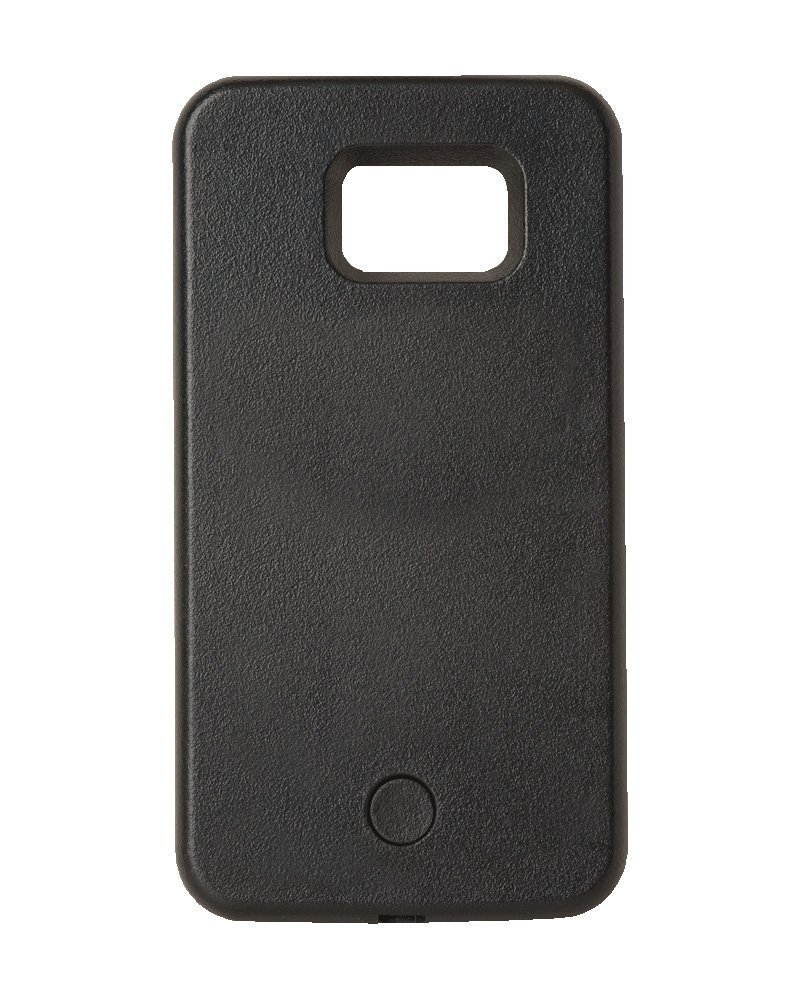
Image: The black Voocool LED Light Up Selfie Case. This image displays the back of the case, featuring a textured black surface, a cutout for the phone's camera and flash module at the top, and a circular button near the bottom, which is typically used for power or light mode control.
Operating Instructions
1. Turning the Lights On/Off
Locate the power button on the case (often a circular button at the bottom back or a side button). Press this button once to turn the LED lights on. Press it again to turn the lights off.
2. Adjusting Light Intensity (Dimmer)
The case features a dimmer switch to control the brightness of the LED lights. Once the lights are on, press and hold the power button (or a dedicated dimmer button if present) to cycle through different brightness levels. Release the button when you reach your desired intensity.
3. Optimizing Your Selfies
The LED illumination is positioned on both sides of the case to provide soft and even lighting, reducing shadows and enhancing facial features for clearer and more vibrant photos. Experiment with different light intensities to achieve the perfect lighting for various environments and desired effects.
Maintenance
1. Cleaning the Case
To clean your Voocool Selfie Case, gently wipe it with a soft, slightly damp cloth. Avoid using harsh chemicals, abrasive cleaners, or excessive moisture, as these can damage the case or its electronic components.
2. Storage
When not in use, store the case in a cool, dry place away from direct sunlight and extreme temperatures. This helps preserve the battery life and material integrity.
3. Battery Care
For optimal battery longevity, avoid completely draining the battery frequently. Recharge the case regularly, especially if it will be stored for an extended period.
Troubleshooting
| Problem | Possible Cause | Solution |
|---|---|---|
| Lights do not turn on. | Battery is depleted. | Charge the case using the included Micro USB cable. |
| Lights are too dim or too bright. | Dimmer setting is not optimal. | Adjust the light intensity using the dimmer function (press and hold the power button). |
| Case does not fit the phone. | Incorrect phone model. | Ensure you have the correct Voocool Selfie Case model for your Samsung Galaxy S7. This case is specifically designed for the Samsung Galaxy S7. |
| Charging indicator not working. | Faulty cable or power source. | Try a different Micro USB cable or USB power adapter. Ensure the connection is secure. |
Specifications
| Brand | Voocool |
| Model Number | ABC0005-S7-BL |
| Compatible Phone Models | Samsung Galaxy S7 |
| Colour | Black |
| Material | Plastic (Tough, impact resistant) |
| Power Source | Built-in Rechargeable Battery |
| Charging Interface | Micro USB (cable included) |
| Package Dimensions | 21.59 x 15.75 x 2.54 cm |
| Item Weight | 140 g |
Warranty and Support
For any questions, technical support, or warranty inquiries regarding your Voocool LED Light Up Selfie Case, please contact the manufacturer, Voocool, through their official support channels. Refer to the product packaging or the retailer's website for specific contact information.
Please retain your proof of purchase for warranty purposes.