Product Overview
The Youshiko YC9360 Digital Weather Station is designed to provide comprehensive weather information for your home. It features a radio-controlled clock (Official UK Version), indoor and outdoor temperature and humidity readings, barometric pressure display, and forecasts with animated weather trends. Additionally, it provides useful astronomical data such as sunrise, sunset, moonrise, moonset times, and graphical moon phase display. The unit includes a remote sensor for outdoor measurements and supports up to three sensors for monitoring different locations.
The main display unit features a clear LED blue backlight for visibility in low light conditions and includes a buzzer alarm clock with an ice pre-alert function. This system is designed for ease of use and synchronization, making it a practical addition to any home.

Figure 1: The main display unit of the Youshiko YC9360 Digital Weather Station, showcasing its various data points including temperature, humidity, barometric pressure, time, date, and moon phase.
Setup Guide
1. Battery Installation
The Youshiko YC9360 requires 2 AA batteries for operation. Ensure to use high-quality batteries, such as Duracell Ultra, for optimal performance.
- Open the battery compartment on the back of the main display unit.
- Insert 2 AA batteries, observing the correct polarity (+/-).
- Close the battery compartment.
- Repeat the process for the remote outdoor sensor.
2. Sensor Placement
For accurate readings, the indoor display unit should be placed indoors, away from direct light sources that could affect temperature readings. The remote outdoor sensor should be mounted outside in a sheltered location to protect it from direct heavy rain and direct sunshine. This placement ensures the most reliable temperature and humidity readings.

Figure 2: The Youshiko YC9360 main display unit alongside its remote outdoor sensor, illustrating the two primary components of the weather station.
3. Initial Synchronization and Radio Control Clock Setup
After battery installation, allow at least 6 hours for the temperature and humidity readings to settle and for the unit to synchronize with the remote sensor. The weather station features a Radio Controlled Clock (MSF - UK Version) which automatically adjusts for Spring & Autumn time changes and performs automatic time checks.
The system uses specific radio signals for time synchronization. For users in the UK and Ireland, the MSF signal from Cumbria (UK) is used. For other parts of Europe, the DCF-77 signal from Mainflingen, Germany, is utilized. Ensure your unit is set to the correct radio control system for your location.
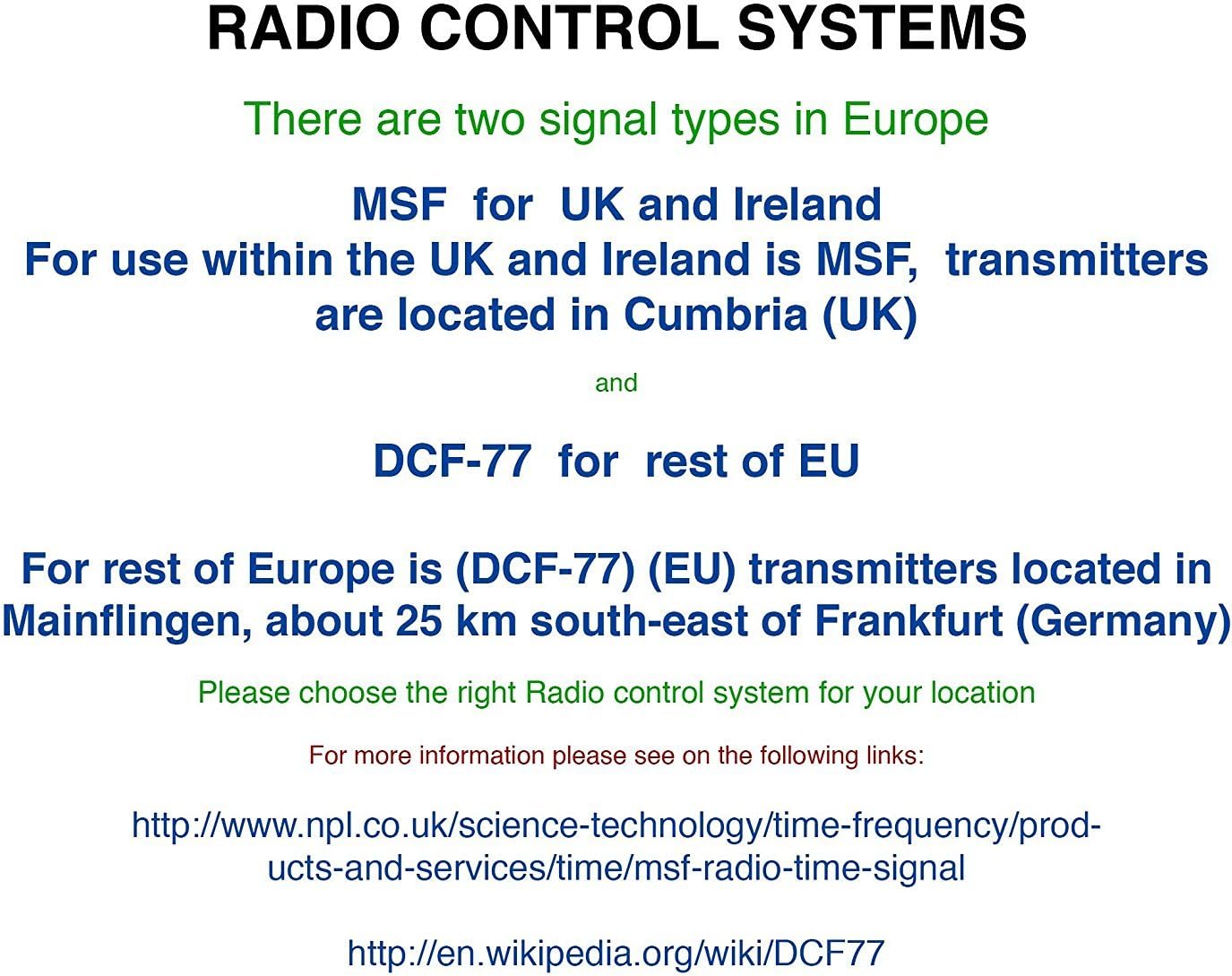
Figure 3: An informational diagram detailing the MSF and DCF-77 radio control systems used for automatic time synchronization across Europe.
Operating Instructions
Display Information
The main display unit provides a wealth of information at a glance:
- Indoor and Outdoor Temperature & Humidity: Current readings are displayed, along with minimum and maximum recorded values.
- Barometric Pressure: Shows current atmospheric pressure and historical data.
- Weather Forecast: Animated icons indicate upcoming weather trends.
- Frost (Ice) Alarm: An alert function for potential frost conditions.
- Radio Controlled Clock: Displays accurate time (12/24 hour format), date, day, and week.
- Astronomical Data: Sunrise, sunset, moonrise, moonset times, and a graphical moon phase display.

Figure 4: A close-up of the Youshiko YC9360 display, highlighting the detailed time, date, weather forecast, and astronomical information provided.
Backlight and Alarm Function
- LED Blue Backlight: Press the designated button to illuminate the display for easy viewing in dark conditions.
- Buzzer Alarm Clock: Set an alarm with the added ice pre-alert function, which will beep if unfavorable weather conditions are detected.
Multiple Sensors
The YC9360 supports up to 3 wireless sensors (one included, extra YC9315 sensors available separately) to monitor temperature and humidity in different indoor or outdoor locations. The main unit can cycle through or display data from these multiple sensors.

Figure 5: The Youshiko YC9315 remote outdoor sensor, which can be used to expand the monitoring capabilities of the weather station.
Maintenance
Battery Replacement
When the display becomes dim or readings become inconsistent, it is time to replace the batteries in both the main unit and the remote sensor. Always replace all batteries at the same time with new ones to ensure consistent performance.
Sensor Care
While the outdoor sensor has a weather-resistant casing, it is recommended to mount it in a sheltered place to avoid direct heavy rain and prolonged direct sunshine. Exposure to extreme moisture can affect its accuracy and lifespan. If the sensor appears to be malfunctioning after heavy rain, remove its batteries and allow it to dry completely in a warm, dry place before reinserting batteries and attempting to re-synchronize.
Cleaning
Clean the display unit and sensor with a soft, dry cloth. Do not use abrasive cleaners or solvents, as these may damage the surfaces.
Troubleshooting
If you encounter issues with your Youshiko YC9360 Digital Weather Station, please refer to the following common solutions:
- Inaccurate Temperature/Humidity Readings:
- Allow at least 6 hours for the unit and sensor to settle after initial setup or battery replacement.
- Ensure the indoor unit is not in direct sunlight or near heat sources.
- Verify the outdoor sensor is placed in a sheltered area, away from direct rain and sun.
- Check if the outdoor sensor has been exposed to heavy moisture. If so, remove batteries and allow it to dry thoroughly before re-testing.
- Loss of Outdoor Sensor Connectivity:
- Replace batteries in both the main unit and the outdoor sensor.
- Ensure the sensor is within the effective range of the main unit and there are no significant obstructions.
- Try changing the channel on the outdoor sensor (if applicable, refer to sensor-specific instructions) and re-synchronizing with the main unit.
- If using multiple sensors, ensure each is set to a unique channel. Some users have reported difficulties with multiple sensors; ensure proper channel assignment and re-synchronization.
- Display Not Clear or Dim:
- Ensure the indoor display unit is not placed in direct light, which can wash out the screen.
- Replace batteries in the main unit.
- Press the backlight button to illuminate the display in dark conditions.
- Radio Controlled Clock Not Synchronizing:
- Ensure the unit is placed in an area with good reception for the MSF (UK) signal.
- Verify the unit is set to the correct radio control system for your region.
- Allow sufficient time for the unit to receive the signal, especially during initial setup.
Specifications
- Model Number: YC9360
- Brand: Youshiko
- Power Source: Battery Powered (Main Unit: 2 AA batteries required; Sensor: 2 AA batteries required)
- Connectivity Technology: Wireless
- Material: Plastic
- Colour: Black - YC9360
- Special Feature: Clock, Weather Forecast, Temperature, Humidity, Barometric Pressure, Sunrise/Sunset, Moon Phase
- Package Dimensions: 15.7 x 12.3 x 6.9 cm
- Item Weight: 360 g
- Country of Origin: China
Warranty and Support
For any assistance with setting up or operating your Youshiko YC9360 Digital Weather Station, please contact Youshiko customer services.
All purchases come with a 30-day return policy. For information on other Youshiko models or products, please visit the official Youshiko store on Amazon: www.amazon.co.uk/youshiko.