
Introduction
The Kunova IR Wireless Remote Control is designed to provide a convenient and effective way to trigger your compatible Sony Alpha and NEX series cameras remotely. This device helps eliminate camera shake, making it ideal for long exposures, macro photography, and self-portraits or group shots where you need to be in the frame. It operates using infrared technology, offering a wireless range of up to approximately 32 feet (10 meters).
Product Overview
The remote control is a compact, lightweight device, measuring approximately 3.38 inches (86 mm) in height. It features two primary buttons for shutter control and an infrared emitter at one end for communication with your camera.

Image 1: Front view of the Kunova IR Wireless Remote Control, showing the 'S' (shutter) and '2S' (2-second delay) buttons, and the Alpha logo.

Image 2: Side view of the Kunova IR Wireless Remote Control, highlighting the infrared (IR) emitter at the top.
Compatibility
This remote control is compatible with a wide range of Sony Alpha DSLR and NEX series mirrorless cameras that support infrared remote control functionality. Please ensure your camera model supports IR remote control before use.
Compatible Sony Camera Models include:
- Alpha DSLR Series: A33, A55, A65, A77, A99, A900, A700, A580, A560, A550, A500, A450, A390, A380, A330, A230
- Alpha Mirrorless Series: A7, A7R, A7S, A7 II, A7R II, A6000, A6300
- NEX Compact Cameras: NEX-7, NEX-6, NEX-5T
Setup
1. Battery Installation
The remote control is powered by one CR-2025 3V lithium coin cell battery, which is typically included. To install or replace the battery:
- Locate the battery compartment on the back or side of the remote.
- Use a small coin or tool to open the compartment cover.
- Insert the CR-2025 battery with the positive (+) side facing up.
- Close the battery compartment cover securely.
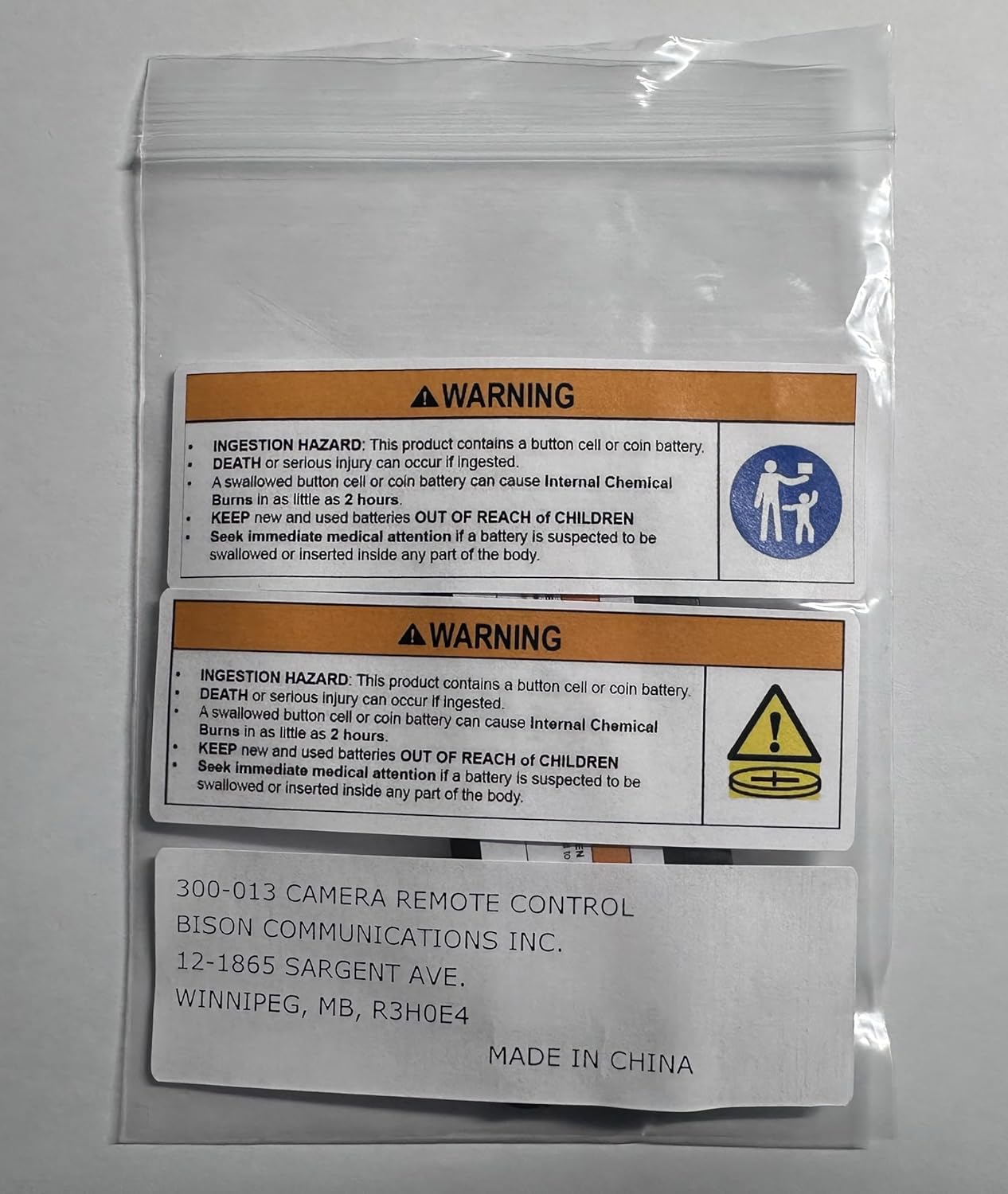
Image 3: Packaging with warning labels regarding button cell battery ingestion hazard. Always keep batteries out of reach of children.
2. Camera Preparation
Before using the remote control, you must enable the remote control function on your Sony camera. The exact steps may vary slightly by camera model, but generally involve:
- Turn on your camera.
- Navigate to the camera's Menu.
- Look for settings related to Drive Mode, Remote Control, or Wireless Remote.
- Select the Remote Commander or Wireless Remote option.
- Ensure the camera is set to a compatible drive mode (e.g., Single Shooting, Continuous Shooting, or Remote Control Mode).
Refer to your camera's specific instruction manual for detailed steps on enabling the IR remote control function.
Operating Instructions
Once the remote control is set up and your camera is prepared, you can begin taking photos wirelessly.
- Point the Remote: Aim the infrared emitter on the remote control directly at the IR receiver on your camera. The effective range is approximately 32 feet (10 meters) in front of the camera.
- Immediate Shutter Release: Press the button marked 'S' (Shutter) to instantly trigger the camera's shutter.
- 2-Second Delay Shutter Release: Press the button marked '2S' (2-Second Delay) to trigger the camera's shutter after a two-second delay. This is useful for getting into position for self-portraits or group photos.
- Bulb Exposure: If your camera is set to Bulb mode, pressing the 'S' button once will open the shutter, and pressing it a second time will close the shutter. This allows for extended exposure times.
For optimal performance, ensure there are no obstructions between the remote control and the camera's IR receiver.
Maintenance
Battery Replacement
If the remote control stops responding or its range decreases significantly, the CR-2025 battery may need replacement. Follow the battery installation steps in the Setup section to replace it.
Cleaning
Wipe the remote control with a soft, dry cloth. Do not use liquid cleaners or solvents, as they may damage the device.
Storage
Store the remote control in a cool, dry place away from direct sunlight and extreme temperatures. If storing for an extended period, it is advisable to remove the battery to prevent leakage.
Safety Warning: Button Cell Batteries
INGESTION HAZARD: This product contains a button cell or coin battery. DEATH or serious injury can occur if ingested. A swallowed button cell or coin battery can cause Internal Chemical Burns in as little as 2 hours. KEEP new and used batteries OUT OF REACH OF CHILDREN. Seek immediate medical attention if a battery is suspected to be swallowed or inserted inside any part of the body.
Troubleshooting
- Remote not working:
- Ensure the battery is correctly installed and not depleted. Replace if necessary.
- Verify that the camera's remote control function is enabled in its menu settings.
- Confirm the remote's IR emitter is pointed directly at the camera's IR receiver.
- Check for any obstructions between the remote and the camera.
- Ensure you are within the effective operating range (approx. 32 feet / 10 meters).
- Delayed response:
- While the '2S' button provides a deliberate 2-second delay, some slight delay may occur with the 'S' button depending on environmental factors or camera processing. Ensure a clear line of sight.
Specifications
| Model Number | 4332300243 |
| Brand | KUNOVA |
| Manufacturer | DIGIPARTS |
| Dimensions (L x W x H) | Approximately 3.35 x 1.57 x 0.28 inches (86 x 40 x 7 mm) |
| Item Weight | 0.352 ounces (10 grams) |
| Battery Type | 1 x CR-2025 3V Lithium Coin Cell (included) |
| Operating Range | Up to approximately 32 feet (10 meters) |
| Special Feature | Ergonomic design |
Warranty and Support
Specific warranty information for the Kunova IR Wireless Remote Control is not provided in this manual. For details regarding warranty coverage, returns, or technical support, please refer to the retailer or contact the manufacturer, DIGIPARTS, directly.
You may find contact information on the product packaging or the retailer's website where the product was purchased.