
1. Introduction
The Snark SN5X Clip-On Tuner is a versatile and accurate tuning device designed for a wide range of stringed instruments, including acoustic guitars, electric guitars, bass guitars, and violins. Its compact design and intuitive display make it an essential tool for musicians seeking precise and convenient tuning.
Key features include a "Stay Put" clip for secure attachment, a display that rotates 360 degrees for optimal viewing from any angle, and a highly sensitive vibration sensor for accurate pitch detection.

Figure 1: Front view of the Snark SN5X Clip-On Tuner, showing the display and power button.
2. Setup
2.1 Attaching the Tuner
- Gently press the clip arms to open the tuner's clamp.
- Attach the tuner securely to the headstock of your instrument. Ensure the rubber-lined grips make firm contact with the instrument's surface to prevent damage and ensure accurate vibration detection.
- Adjust the flexible arm and rotate the display head (360 degrees) to achieve the best viewing angle. The tuner can be positioned on the front or back of the headstock.
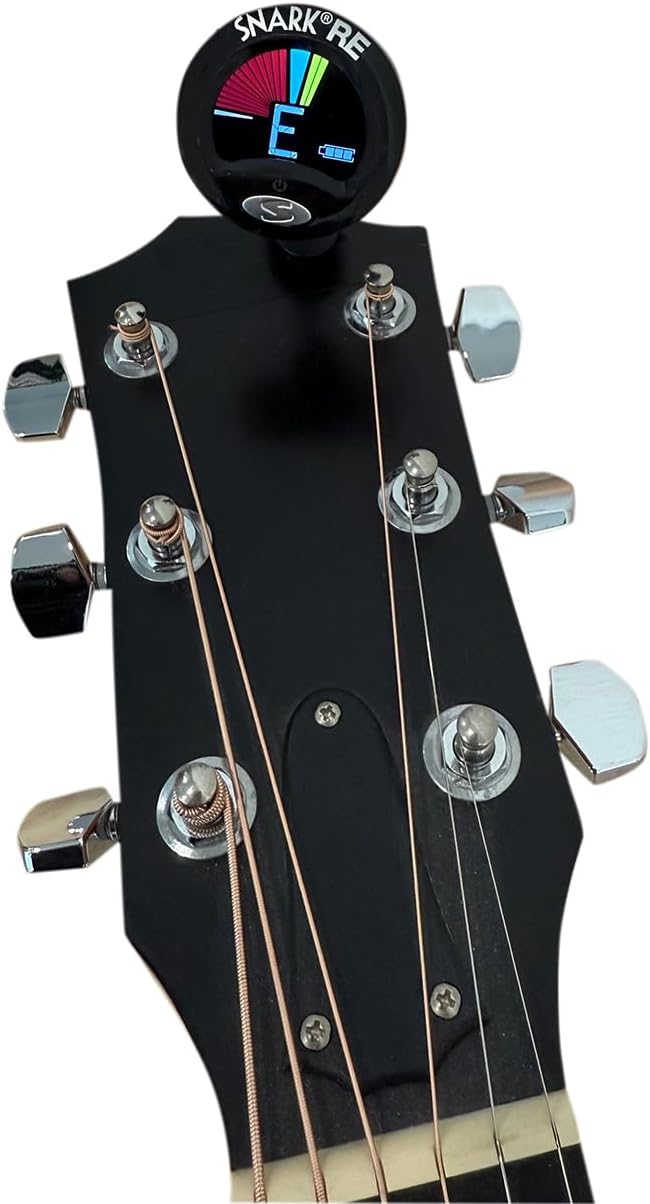
Figure 2: Snark SN5X Tuner securely clipped onto a guitar headstock.
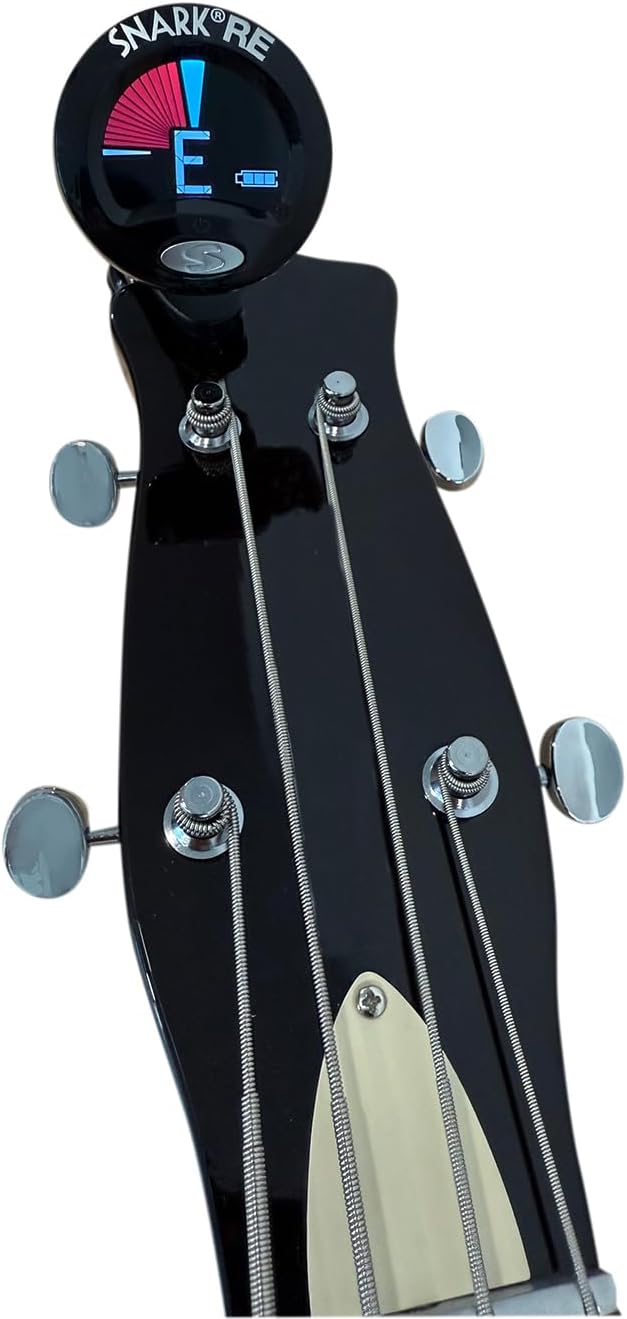
Figure 3: Snark SN5X Tuner securely clipped onto a bass headstock.
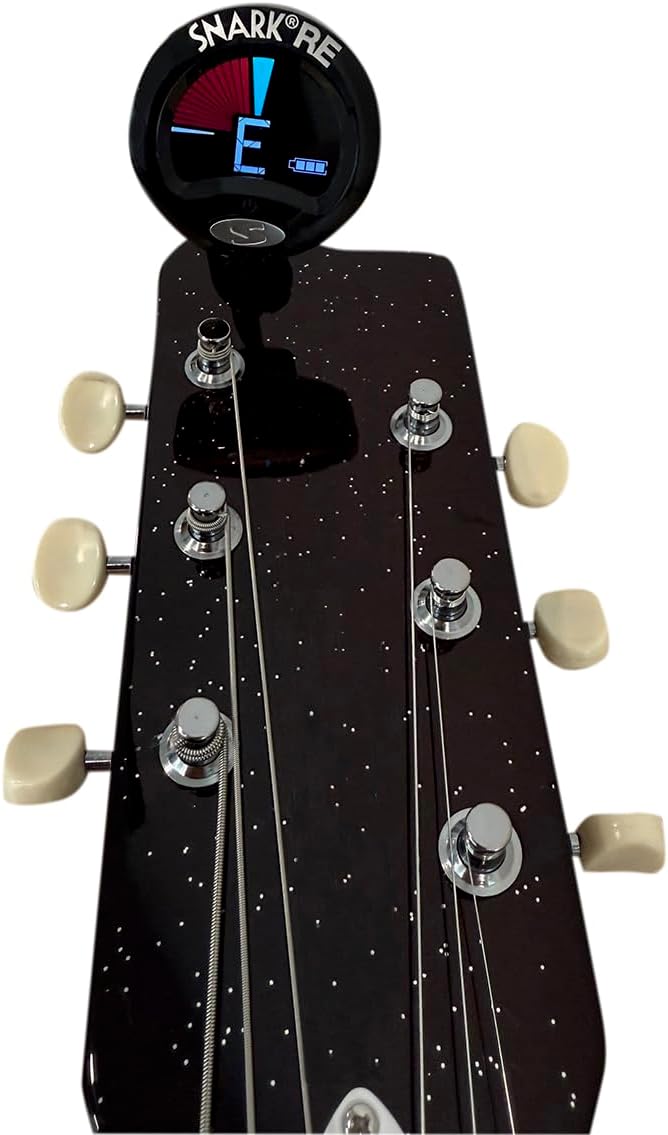
Figure 4: Snark SN5X Tuner securely clipped onto a violin headstock.
2.2 Powering the Tuner
The Snark SN5X uses a Lithium Polymer battery and is rechargeable via a Micro USB port. The tuner comes with a battery included.
- To charge the tuner, connect a standard Micro USB cable to the port located on the back of the tuner's display head.
- A battery indicator on the display will show the charging status.

Figure 5: Back view of the Snark SN5X Tuner, highlighting the Micro USB charging port.
3. Operating Instructions
3.1 Power On/Off
- To power on the tuner, press and hold the power button located on the front of the display.
- To power off the tuner, press and hold the power button again. The tuner may also feature an auto-off function to conserve battery life.
3.2 Tuning Your Instrument
- Ensure the tuner is securely attached to your instrument's headstock and powered on.
- Pluck a single string on your instrument. The tuner will detect the vibration and display the note name on its screen.
- Observe the display:
- Red/Left Indicator: The note is flat. Tighten the string.
- Green/Center Indicator: The note is in tune.
- Yellow/Right Indicator: The note is sharp. Loosen the string.
- Adjust the tuning peg of the string until the display shows the correct note name with a green, centered indicator.
- Repeat this process for all strings until your instrument is accurately tuned.
3.3 Calibration (if applicable)
The Snark SN5X is a chromatic tuner, meaning it can detect all 12 notes of the Western musical scale. Some tuners offer calibration options to adjust the reference pitch (e.g., from A=440Hz to A=432Hz). Refer to the tuner's on-screen menu or additional documentation for specific calibration instructions if needed.
4. Maintenance
- Cleaning: Use a soft, dry cloth to clean the tuner's display and body. Avoid using harsh chemicals or abrasive materials.
- Battery Care: Recharge the tuner when the battery indicator shows low power. Avoid fully depleting the battery frequently to prolong its lifespan. Store the tuner in a cool, dry place when not in use.
5. Troubleshooting
- Tuner not turning on: Ensure the battery is charged. Connect the tuner to a Micro USB power source and allow it to charge for a period before attempting to power it on again.
- Inaccurate readings:
- Verify the tuner is securely attached to the instrument's headstock. Loose attachment can lead to poor vibration detection.
- Ensure you are plucking a single string clearly. Muted strings or multiple strings vibrating can confuse the tuner.
- Check for excessive background noise, which can interfere with the tuner's microphone (if applicable, though this model primarily uses vibration).
- Display issues: If the display is dim or flickering, the battery may be low and require charging.
6. Specifications
| Item Weight | 1.58 ounces |
| Product Dimensions | 1.8 x 1.8 x 3.5 inches |
| Item Model Number | SN5X |
| Battery Type | Lithium Polymer (1 included) |
| Connector Type | USB (Micro USB) |
| Color | Black |
| Display Size | 1.5 inches (standing screen) |
| Compatibility | Guitar, Bass, Violin (Chromatic) |
7. Warranty and Support
For warranty information, technical support, or service inquiries, please refer to the manufacturer's official website or contact their customer service department. Keep your purchase receipt as proof of purchase.


