Introduction
This manual provides essential information for the safe and efficient use of your Samsung WA65K4200HA 6.5 kg Fully-Automatic Top Loading Washing Machine. Please read it thoroughly before operating the appliance and keep it for future reference.
Safety Information
To reduce the risk of fire, electric shock, or injury, follow these basic precautions:
- Ensure the washing machine is properly grounded.
- Do not install or store the appliance where it will be exposed to the weather or freezing temperatures.
- Do not repair or replace any part of the appliance or attempt any servicing unless specifically recommended in this manual.
- Keep flammable materials and vapors away from the washing machine.
- Supervise children when the appliance is in use.
- Always unplug the washing machine from the power supply before cleaning or performing any maintenance.
Setup and Installation
Proper installation is crucial for the performance and longevity of your washing machine.
1. Unpacking
Carefully remove all packaging materials. Ensure no parts are missing or damaged. Keep packaging materials away from children.
2. Placement
Place the washing machine on a firm, level surface. Avoid direct sunlight or areas with high humidity. Ensure there is adequate space around the machine for ventilation and access.

Image: Front view of the Samsung WA65K4200HA washing machine, showing its white body and black top panel.
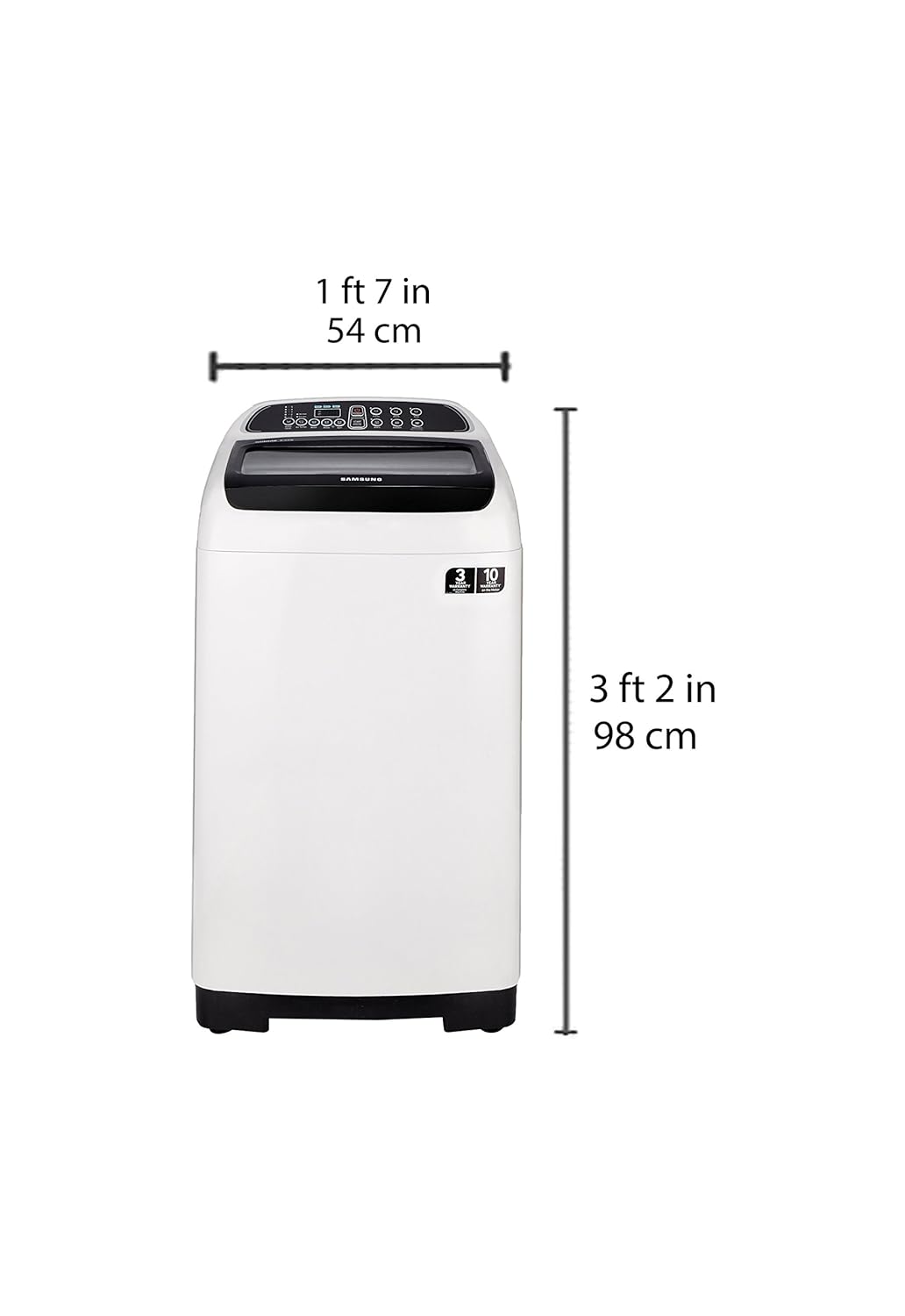
Image: Diagram illustrating the dimensions of the washing machine: approximately 54 cm (1 ft 7 in) wide and 98 cm (3 ft 2 in) high.
3. Water Supply and Drainage
Connect the water inlet hoses to the hot and cold water taps. Ensure connections are tight to prevent leaks. Position the drain hose securely into a standpipe or laundry tub, ensuring it is not kinked.

Image: Rear view of the washing machine, displaying the power cord and water inlet/drain hose connections.
4. Power Connection
Plug the power cord into a grounded electrical outlet. Do not use extension cords or adapters.
5. Professional Installation/Demo
For requesting an installation or demonstration for this product once delivered, please call Samsung support directly on 1800 40 7267864 and provide the product's model name (WA65K4200HA).
Operating Instructions
Follow these steps for effective and safe operation of your washing machine.
1. Control Panel Overview

Image: Detailed view of the control panel with buttons for Power, Start/Pause, Fuzzy, Quick, Soak, Jeans, Blanket, Delicates/Eco Tub Clean, Water Level, Air Turbo, Wash, Rinse, and Spin.
- POWER: Turns the washing machine on or off.
- START/PAUSE: Starts or pauses the selected wash cycle.
- CYCLE SELECTOR: Buttons for Fuzzy, Quick, Soak, Jeans, Blanket, Delicates/Eco Tub Clean.
- FUNCTION BUTTONS: Water Level, Air Turbo, Wash, Rinse, Spin.
2. Loading Laundry
Open the top lid and load clothes loosely into the drum. Do not overload the machine. Distribute items evenly to maintain balance during the wash cycle.

Image: Top view of the washing machine with the lid open, revealing the Diamond Drum and pulsator.
3. Adding Detergent and Softener
Add the appropriate amount of detergent to the detergent dispenser. If using fabric softener, add it to the softener compartment. Refer to detergent packaging for recommended amounts.
4. Selecting a Wash Cycle
Press the POWER button. Select the desired wash cycle based on your laundry type:
- Fuzzy: General wash for mixed loads.
- Quick: For lightly soiled clothes that need a fast wash.
- Soak: For heavily soiled items requiring pre-soaking.
- Jeans: Optimized for denim fabrics.
- Blanket: Suitable for bulky items like blankets.
- Delicates: Gentle wash for delicate fabrics.
- Eco Tub Clean: For cleaning the washing machine drum.
You can also adjust Water Level, Wash, Rinse, and Spin settings manually.
5. Starting the Wash
Close the lid and press the START/PAUSE button to begin the cycle.
Key Technologies
- Wobble Technology: Provides gentle care for fabrics without compromising washing performance, reducing tangles and knots.
- Diamond Drum: Features a unique "soft curl" design with smooth, diamond-shaped ridges that are gentle on your clothes. Its small water exit holes prevent fabrics from snagging.
- Air Turbo: Helps to dry clothes faster by rotating the drum at high speed, drawing in air to extract more water.
Maintenance
Regular maintenance ensures optimal performance and extends the lifespan of your washing machine.
1. Cleaning the Drum (Eco Tub Clean)
Use the Eco Tub Clean cycle regularly (e.g., once a month) to remove detergent residue and bacteria from the drum. Do not add laundry or detergent during this cycle.
2. Cleaning the Magic Filter
Locate the Magic Filter inside the drum. Remove it, open, and clean out any lint or debris under running water. Reinsert the filter securely.
3. Exterior Cleaning
Wipe the exterior of the machine with a soft, damp cloth. Do not use abrasive cleaners or solvents.
4. Water Inlet Filters
Periodically check and clean the mesh filters at the end of the water inlet hoses to prevent blockages.
Troubleshooting
Before contacting service, try these solutions for common issues:
| Problem | Possible Cause | Solution |
|---|---|---|
| Machine does not start | Power cord unplugged; Lid not closed properly; Power outage. | Check power connection; Ensure lid is fully closed; Check household circuit breaker. |
| Water does not fill | Water taps off; Water inlet hose kinked; Water pressure too low. | Open water taps; Straighten hose; Check household water supply. |
| Water does not drain | Drain hose kinked or clogged; Drain pump filter clogged. | Straighten or clear drain hose; Clean drain pump filter. |
| Excessive vibration/noise | Machine not level; Laundry load unbalanced; Shipping bolts not removed. | Adjust leveling feet; Redistribute laundry; Ensure all shipping bolts are removed (if applicable). |
Specifications
| Brand | Samsung |
| Model | WA65K4200HA |
| Capacity | 6.5 Kilograms |
| Maximum Rotational Speed | 680 RPM |
| Installation Type | Freestanding |
| Form Factor | Top-Loading |
| Colour | Black |
| Control Console | Fully Automatic |
| Access Location | Top Load |
| Item Weight | 72 kg 600 g |
| Approximate Dimensions (WxH) | 54 cm x 98 cm (Based on image data) |
| Cycle Options | Normal, Heavy Duty, Delicates, Quick Wash, Fuzzy, Quick, Soak, Jeans, Blanket, Eco Tub Clean |
Warranty Information
Your Samsung WA65K4200HA washing machine comes with the following warranty:
- Product Warranty: 3 years
- Motor Warranty: 10 years
Please retain your purchase receipt for warranty claims. The warranty covers manufacturing defects under normal use conditions.
Customer Support
For technical assistance, service requests, or any inquiries regarding your Samsung washing machine, please contact:
Samsung Support: 1800 40 7267864
When contacting support, please have your model number (WA65K4200HA) and serial number ready.
You can also visit the official Samsung store for more information: Samsung Store on Amazon.in


