
1. Introduction
The Omron HV-F128-J3 is a low-frequency therapy device designed to provide targeted relief for muscle stiffness and pain. This manual provides essential information for the safe and effective use of your device, including setup, operation, maintenance, and troubleshooting.
This device utilizes low-frequency electrical pulses to stimulate muscles, which can help alleviate discomfort in various body parts. Please read this manual thoroughly before using the product and retain it for future reference.
2. Safety Information
Important Safety Precautions
Do not use this device in conjunction with the following medical electronic devices:
- Pacemakers or other implantable medical electronic devices.
- Life-support medical electronic devices such as artificial heart-lung machines.
- Electrocardiographs or other body-worn medical electronic devices.
Using this device with any of the above may cause malfunction of the medical device or serious harm to the user.
Consult a Doctor Before Use If You Have Any of the Following Conditions:
- Acute illness
- Malignant tumors
- Infectious diseases
- Pregnancy
- Heart disease
- High fever
- Abnormal blood pressure
- Abnormal skin sensation or skin conditions
- If you are currently receiving other medical treatment, especially if you feel unwell.
Recommended for individuals experiencing: Shoulder stiffness, joint pain, lower back pain, or neuralgia.
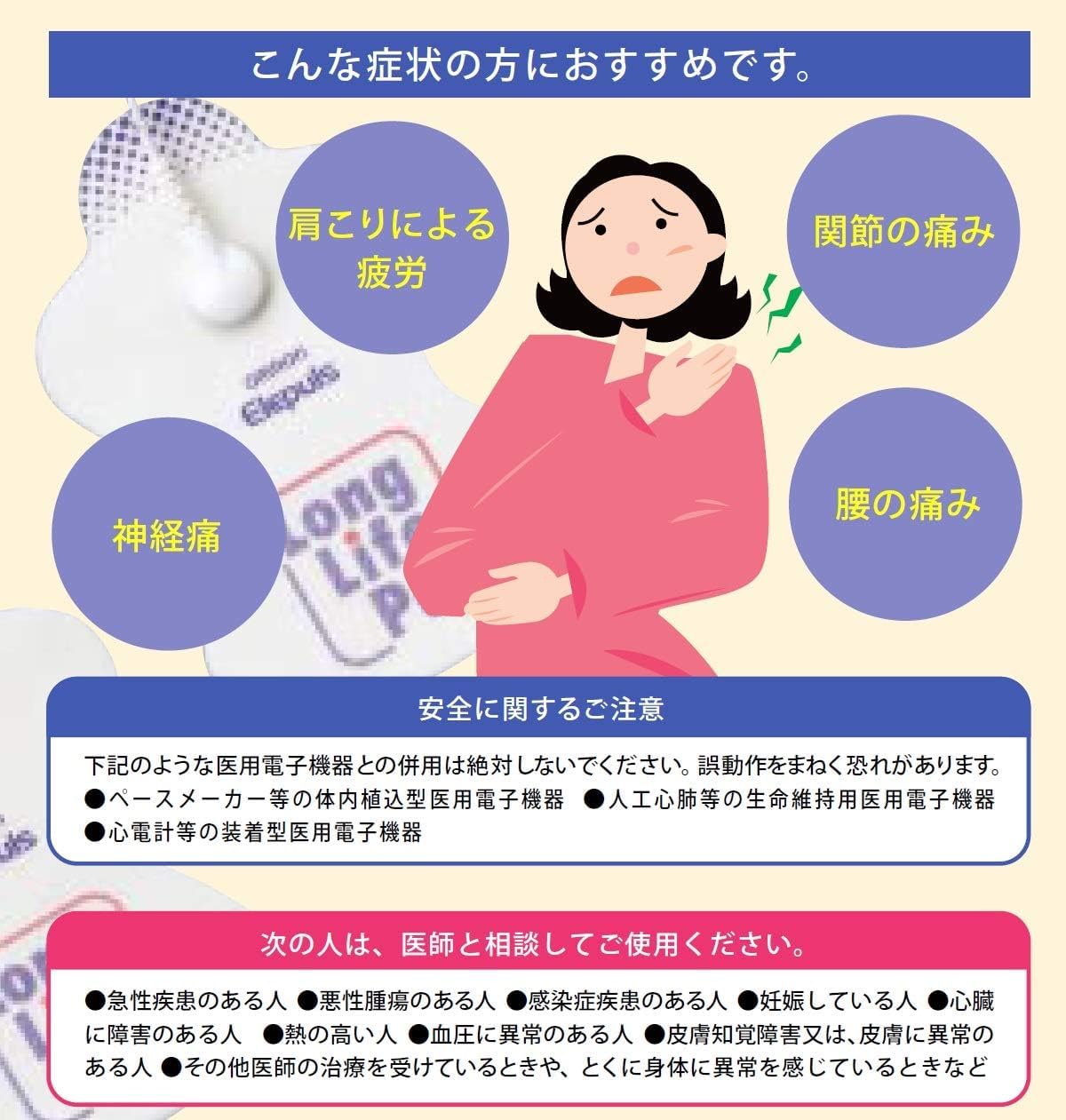
Image: This diagram illustrates conditions for which the device is recommended (shoulder stiffness, joint pain, lower back pain, neuralgia) and critical safety warnings regarding use with medical electronic devices and conditions requiring doctor consultation.
3. Product Overview
Components
The Omron HV-F128-J3 package typically includes:
- Main Unit (Controller)
- Conductor Cord (K-type)
- Long Life Pads (set)
- Soft Case
- Pad Storage Board
- Trial AAA Batteries (2)
- Instruction Manual (this document)

Image: This image displays all components included in the product package, such as the main controller, electrode pads, connection cables, storage case, and batteries.
Main Unit and Controls
The main unit features a clear display and intuitive buttons for selecting therapy modes, courses, and adjusting intensity. The device is compact and designed for easy handling.
- Display: Shows remaining time, intensity level, and selected mode/course.
- Power/Intensity Buttons (+/-): To turn the device on/off and adjust the intensity of the low-frequency stimulation.
- Course Selection Buttons: Includes options like 'Relax', 'Refresh', 'Part' (for specific body areas), and 'Massage' (for different massage styles).
- Mode Selection Buttons: Offers various stimulation modes such as 'Hyper', 'Soft', 'Repeat', 'Point', 'Wide', and 'Balance Adjustment' for customized therapy.

Image: This image highlights the control panel of the device, detailing the various buttons for selecting therapy modes, courses, and adjusting intensity, along with the digital display.
Long Life Pads
The device uses 'Long Life Pads' which are designed for extended use. These pads can be washed and reused approximately 300 times, offering an economical and convenient solution for therapy.
4. Setup
4.1. Battery Installation
- Open the battery compartment cover on the back of the main unit.
- Insert two AAA batteries, ensuring correct polarity (+/-).
- Close the battery compartment cover securely.
4.2. Connecting Pads
- Connect the conductor cord to the main unit's port.
- Attach the two Long Life Pads to the ends of the conductor cord. Ensure a firm connection.
4.3. Applying Pads to the Body
Ensure your skin is clean and dry before applying the pads. Place the pads directly onto the skin in the desired treatment area. Avoid placing pads over cuts, wounds, or irritated skin.

Image: This image demonstrates the versatility of the device by showing the electrode pads applied to different body areas such as the shoulders, arms, waist, legs, and feet for targeted therapy.
5. Operating Instructions
5.1. Power On/Off
Press the power button (often integrated with the '+' intensity button) to turn the device on. Press and hold the power button to turn it off.
5.2. Selecting a Course
The device offers 12 automatic courses to choose from:
- Relax Course: For gentle, soothing stimulation.
- Refresh Course: For invigorating stimulation.
- Part Courses (6 options): Target specific body areas like shoulder, arm, waist, leg, foot, and joint.
- Massage Courses (4 options): Different massage styles such as tapping, kneading, pushing, and rubbing.
Use the 'Course' buttons on the main unit to cycle through and select your desired therapy program.
5.3. Selecting a Mode
The device features 5 specialized modes for enhanced therapy:
- Hyper Mode: For stronger, more intense stimulation.
- Soft Mode: For milder, more comfortable stimulation.
- Repeat Mode: Cycles through different stimulation patterns.
- Point Mode: Focuses stimulation on a specific point.
- Wide Mode: Spreads stimulation over a broader area.
- Balance Adjustment: Allows fine-tuning of stimulation balance between the two pads.
Use the 'Mode' buttons to select the mode that best suits your needs.
5.4. Adjusting Intensity
Once a course and mode are selected, use the '+' and '-' buttons to adjust the intensity level. Start with a low intensity and gradually increase it until you feel a comfortable, yet effective, stimulation. The intensity level is displayed on the screen.
5.5. Treatment Duration
Each therapy session is typically set for 15 minutes. The remaining time will be displayed on the main unit's screen. The device will automatically turn off after the session is complete.

Image: A user is shown operating the Omron low-frequency therapy equipment, with pads applied to her neck, demonstrating typical usage in a relaxed setting.
6. Maintenance and Care
6.1. Cleaning the Long Life Pads
The Long Life Pads are washable. Gently rinse the adhesive surface of the pads under running water. Do not use soap or detergents. Allow the pads to air dry completely before reattaching them to the pad storage board or using them again. Proper cleaning helps maintain their adhesive quality and extends their lifespan (up to approximately 300 uses).
6.2. Storing Pads
After each use, attach the pads to the provided pad storage board to protect the adhesive surface from dust and debris. Store them in the soft case.
6.3. Cleaning the Main Unit
Wipe the main unit with a soft, dry cloth. Do not use abrasive cleaners, solvents, or immerse the unit in water.
6.4. Battery Replacement
Replace the AAA batteries when the low battery indicator appears on the display or when the device no longer powers on. Always use new batteries and dispose of old batteries according to local regulations.
7. Troubleshooting
- Device does not power on: Check if the batteries are inserted correctly and have sufficient charge. Replace batteries if necessary.
- No sensation or weak sensation: Ensure the pads are firmly attached to the skin and the conductor cord is securely plugged into the main unit. Increase the intensity level gradually. Check if the pads are clean and still adhesive; clean or replace if needed.
- Pads not sticking: Clean the adhesive surface of the pads as described in the maintenance section. Ensure skin is clean and dry. If pads have exceeded their lifespan (approx. 300 uses), replace them with new ones.
- Loose connection at the main unit's plug port: If the conductor cord plug feels loose or intermittent connection occurs, this may indicate wear in the main unit's port. Contact customer support for assistance. Avoid attempting to repair this yourself.
8. Specifications
- Model Number: HV-F128-J3
- Manufacturer: Omron
- Power Source: 2 x AAA batteries (included)
- Item Weight: 5.5 ounces (approximately 156 grams)
- Package Dimensions: 10.24 x 7.09 x 1.57 inches (approximately 26 x 18 x 4 cm)
- Pad Lifespan: Approximately 300 uses (with proper care)

Image: This image provides a visual representation of the main unit's dimensions, indicating its length (199mm) and width (60mm).
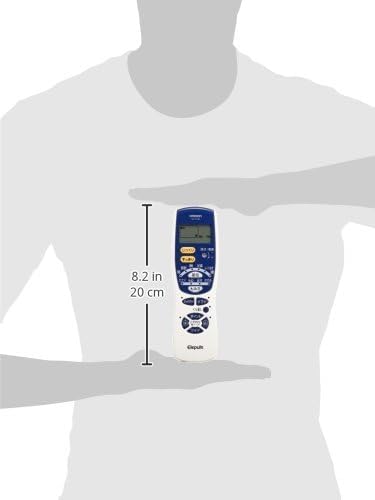
Image: A hand holds the Omron HV-F128-J3 device, illustrating its compact and ergonomic design, with a measurement of 8.2 inches (20 cm) in length.
9. Warranty and Support
For detailed warranty information, please refer to the warranty card included with your product or visit the official Omron website. If you require technical support, replacement parts, or have questions not covered in this manual, please contact Omron customer service through their official channels.

