
PacSatSales PSS-SC/APC-1
Fiber Optic Internet Cable Instruction Manual
Model: PSS-SC/APC-1 | Brand: PacSatSales
1. Introduction
This manual provides essential information for the proper installation, operation, and maintenance of your PacSatSales Fiber Optic Internet Cable. This 3ft (1M) SC/APC to SC/APC Single Mode Fiber Optic Cable is designed for replacement or extension of home fiber internet connections, compatible with various service providers.

Figure 1.1: PacSatSales Fiber Optic Internet Cable with SC/APC connectors and included coupler.
2. Safety Information
Fiber optic cables transmit light signals. Adhere to the following safety guidelines:
- Never look directly into the end of a fiber optic cable when it is connected to an active light source. Invisible laser light can cause severe eye damage.
- Handle fiber optic connectors with care. Avoid bending the cable sharply, as this can damage the internal fiber.
- Keep dust caps on connectors when not in use to prevent contamination.
- Dispose of fiber optic scraps properly, as they can be sharp and cause injury.
3. Product Overview
The PacSatSales Fiber Optic Internet Cable is a single-mode fiber patch cord featuring SC/APC connectors on both ends. It is designed for high-speed data transfer and is compatible with common home fiber internet systems such as Verizon Fios, AT&T Fiber, Google Fiber, and CenturyLink.
- Connector Type: SC/APC to SC/APC
- Fiber Type: Single Mode
- Cable Jacket: 3mm diameter, 50% thicker than standard 2mm cables for enhanced durability.
- Included Accessory: One SC/APC adapter (coupler) for easy extension or connection.
- Compliance: Meets UL, cUL, IEC & RoHS standards.

Figure 3.1: Key features including the free coupler, thicker jacket, and premium performance.
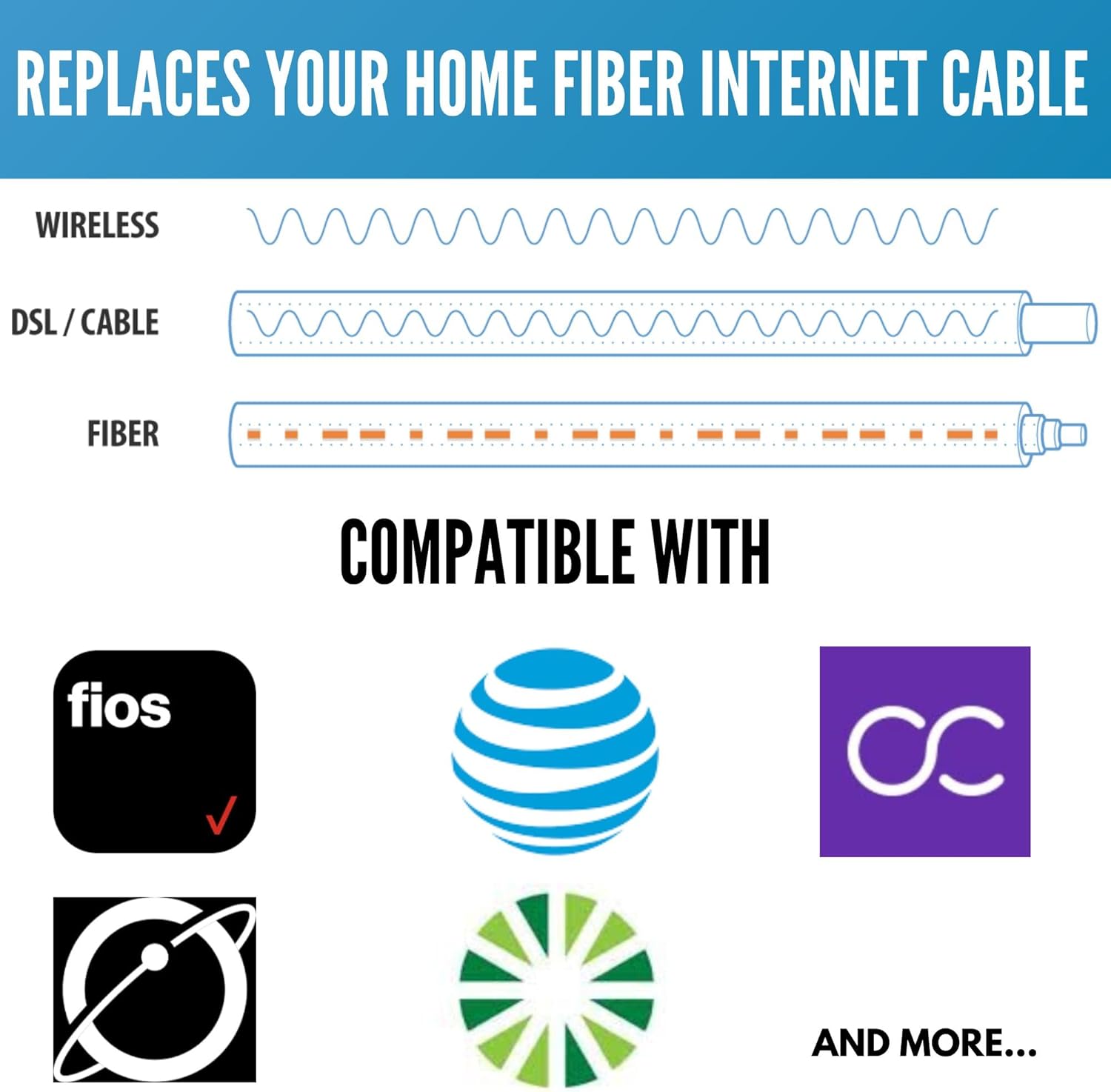
Figure 3.2: Compatibility with various home fiber internet providers.
4. Setup and Installation
This cable is designed for simple plug-and-play installation. Ensure all equipment is powered off before connecting or disconnecting fiber optic cables.
4.1. Replacing or Extending a Home Fiber Cable
- Disconnect Current Cable: Carefully disconnect the existing fiber optic cable from your Optical Network Terminal (ONT) or modem/router.
- Prepare New Cable: Remove the dust cap from the new PacSatSales fiber optic cable. Important: Do not touch the end-face of the connector.
- Connect New Cable: Insert the new cable into the appropriate port on your ONT or modem/router. Press firmly until you hear a distinct "CLICK" sound, indicating a secure connection.

Figure 4.1: Always remove the dust cap and avoid touching the fiber end-face.

Figure 4.2: Steps for extending your home fiber cable.
4.2. Relocating Your Home Fiber
- Disconnect and Protect: Disconnect the existing cable and carefully remove the wall plate. Use a dust cap to protect the incoming fiber line from contamination.
- Connect New Cable with Coupler: Connect one end of the new PacSatSales cable to the included SC/APC coupler. Then, connect the coupler to the wall input (the incoming fiber line). Run the new cable to your desired location.
- Reinstall and Connect: Reinstall the wall plate at the new location. Connect the other end of the new cable to your PON/Modem Router.

Figure 4.3: Steps for relocating your home fiber connection.
5. Operating the Cable
Once properly connected, the fiber optic cable operates passively, transmitting light signals between your fiber optic network equipment (e.g., ONT, modem, router). No user interaction is required for its operation beyond initial connection.
6. Maintenance
Proper maintenance ensures optimal performance and longevity of your fiber optic cable.
- Keep Connectors Clean: The cable connectors are pre-cleaned and covered with dust caps prior to shipment. Always remove the dust cap immediately before insertion and avoid touching the end-face. Contamination on the end-face can lead to signal loss.
- Avoid Bending: Do not bend the fiber optic cable beyond its minimum bend radius. Sharp bends can damage the optical fiber inside, leading to signal degradation or breakage.
- Protect from Physical Damage: Route cables in areas where they are unlikely to be stepped on, pinched, or chewed by pets.
7. Troubleshooting
If you experience issues with your fiber optic connection after installing the cable, consider the following:
| Problem | Possible Cause | Solution |
|---|---|---|
| No internet connection or intermittent signal. | Dirty or damaged connector end-face. | Ensure dust caps were removed and end-faces were not touched during installation. If suspected, use a fiber optic cleaning kit (not included) to clean the end-face. |
| Cable does not fit into port. | Incorrect connector type or orientation. | Verify that your equipment requires an SC/APC connector. Ensure the connector is oriented correctly before insertion. Do not force the connection. |
| Slow speeds or poor performance. | Cable is sharply bent or kinked. | Inspect the cable for any sharp bends or physical damage. Reroute the cable to avoid tight corners. |
| Connection drops frequently. | Loose connection. | Ensure the cable is fully inserted and you heard a "CLICK" during installation. Gently push the connector in to re-seat it. |
8. Specifications
| Feature | Detail |
|---|---|
| Model Number | PSS-SC/APC-1 |
| Cable Type | Single Mode Fiber Optic |
| Connector Type | SC/APC to SC/APC |
| Length | 3ft / 1 Meter |
| Jacket Diameter | 3mm |
| Outer Material | Yellow (PVC, LSZH, or OFNP) |
| Data Transfer Rate | Up to 10 Gigabits Per Second |
| Indoor/Outdoor Usage | Indoor |
| UPC | 682269360912 |
| Manufacturer | FiberShack |
| Product Dimensions | 8 x 0.5 x 8 inches |
| Item Weight | 0.634 ounces |
9. Warranty and Support
PacSatSales is committed to delivering premium quality products. While specific warranty details are not provided in this manual, the manufacturer stands behind every fiber optic product sold and is committed to resolving any issues immediately. For support or inquiries, please refer to the contact information provided with your purchase or visit the official PacSatSales website.

Figure 9.1: PacSatSales offers a range of premium fiber optic products.
Ask a question about this manual
Ask about setup, troubleshooting, compatibility, parts, safety, or missing instructions. Manuals+ will review the question and use this page’s manual context to help answer it.