
Introduction
The Famili 271B Digital Body Weight Scale is designed for accurate and consistent body weight measurement. It features a durable 5mm thick ABS material, a large anti-skid platform, and a clear backlit LCD display for easy reading. Equipped with four high-precision sensors, this scale provides reliable readings for home use, gyms, and more.

The Famili 271B Digital Body Weight Scale, featuring a blue non-slip surface and a digital display.
Important Safety Information
Please read the following safety guidelines carefully before using your Famili Digital Body Weight Scale:
- Weight can fluctuate throughout the day. For consistent tracking, it is recommended to weigh yourself at the same time each day, ideally in the morning before breakfast.
- For accurate measurements, always place the digital bathroom scale on a hard, flat surface. Avoid carpets or uneven flooring.
- The scale is not designed for measuring objects below 11lb (5kg).

This image highlights the safety features of the Famili scale, including its skid-proof surface and rounded corners, contrasting them with common issues in other scales.
Package Contents
- 1 x Famili Digital Body Weight Scale
- 2 x AAA Batteries
Setup
Installing Batteries
Locate the battery compartment on the underside of the scale. Insert the two included AAA batteries, ensuring correct polarity (+/-). Close the battery compartment securely.
Initial Placement
Place the scale on a hard, flat, and stable surface. Avoid placing it on soft surfaces like carpets or rugs, as this can affect accuracy.

The scale is designed for immediate readings upon stepping on it. Ensure it is placed on a hard, flat surface for accurate measurements.
Operating Instructions
Taking a Measurement
- Gently step onto the center of the scale. The scale will automatically turn on.
- Stand still on the platform. The display will show your weight reading.
- The scale will hold the reading for approximately 10 seconds before automatically turning off to conserve battery life.
Unit Conversion
To switch between measurement units (pounds (lb), kilograms (kg), or stone (st)), locate the unit conversion button on the underside of the scale. Press the button to cycle through the available units until your desired unit is displayed.
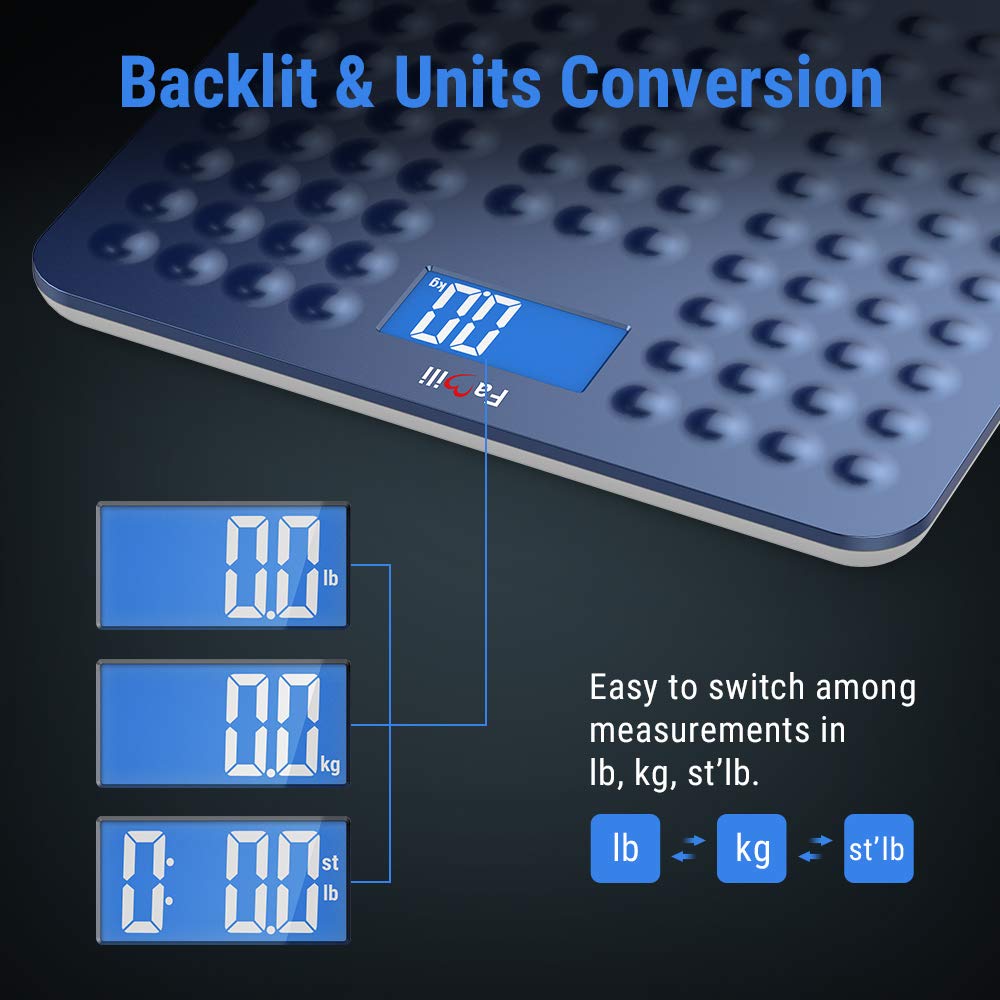
The scale features a large backlit LCD display and allows easy switching between measurement units: pounds, kilograms, and stone.
Maintenance and Care
- Clean the scale with a damp cloth and mild detergent. Do not use abrasive cleaners or immerse the scale in water.
- Store the scale in a cool, dry place. Avoid extreme temperatures or direct sunlight.
- If the scale will not be used for an extended period, remove the batteries to prevent leakage.
Troubleshooting
| Problem | Possible Cause | Solution |
|---|---|---|
| Inaccurate readings | Scale not on a hard, flat surface; initial calibration needed; weight below minimum. | Ensure scale is on a hard, flat surface. Step on and off the scale quickly to calibrate, then weigh yourself. Ensure weight is above 11lb (5kg). |
| Display shows "Lo" | Low battery. | Replace the AAA batteries. |
| No display/Scale won't turn on | Batteries incorrectly installed or dead. | Check battery polarity or replace batteries. |
Official product video demonstrating the features and proper use of the Famili 271B Digital Body Weight Bathroom Scale.
Specifications
| Feature | Detail |
|---|---|
| Capacity | 11lb to 400lb (5kg to 180kg) |
| Graduation | 0.2 lb / 0.1 kg |
| Display | 3.6 inches LCD with blue backlight |
| Power Source | 2 x AAA batteries (included) |
| Product Dimensions | 13.7 x 12.4 x 1.6 inches (32x30cm platform) |
| Product Weight | 3.6 Pounds |
| Special Features | Non-slip design, rounded corners, 4 high-precision sensors, 10-second auto-off |
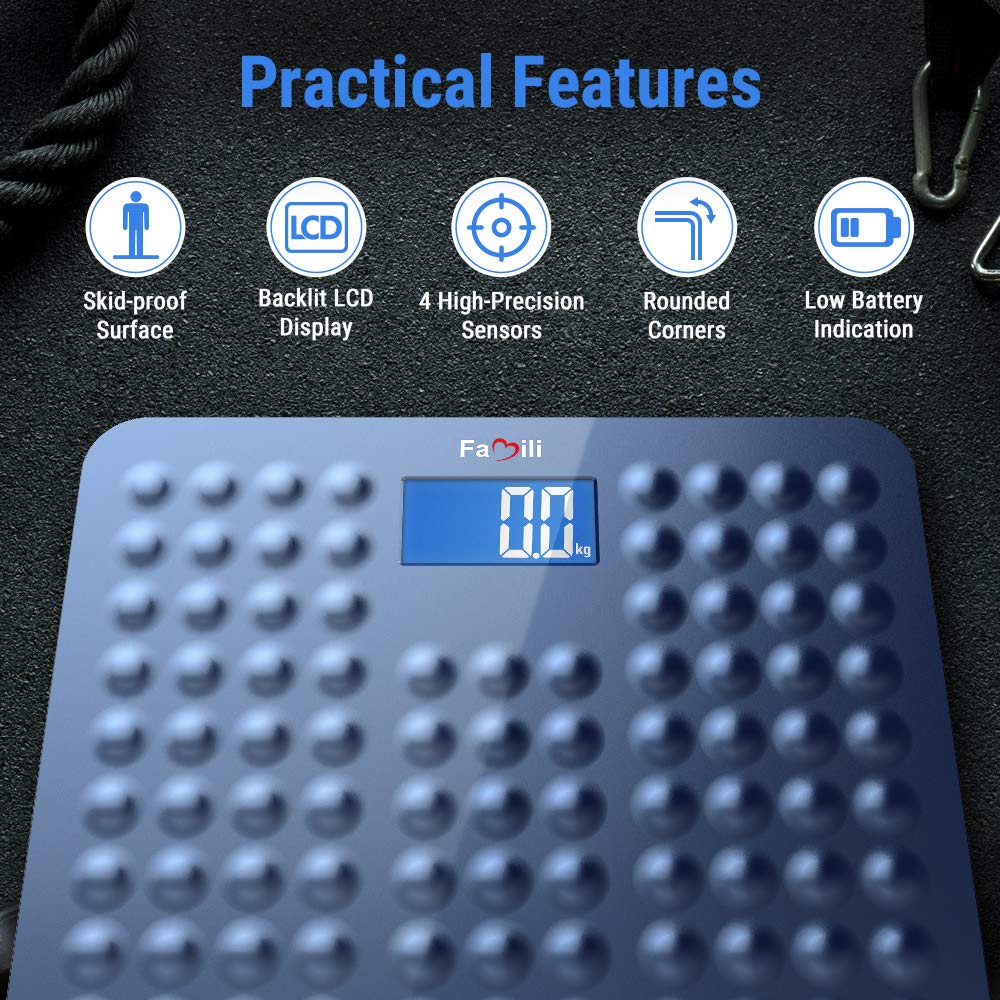
This image illustrates the practical features of the scale, including its skid-proof surface, backlit LCD, high-precision sensors, rounded corners, and low battery indicator.

An internal view of the scale highlighting the four advanced precision sensors that ensure accurate and consistent measurements.

A visual representation of the scale's physical dimensions, providing a clear understanding of its size.
Warranty and Support
For warranty information or technical support, please refer to the contact details provided with your product packaging or visit the official FAMILI website. Keep your purchase receipt as proof of purchase.