
Arctic King AKTW10CR71E
Arctic King AKTW10CR71E Air Conditioner User Manual
Model: AKTW10CR71E
Introduction
Thank you for choosing the Arctic King AKTW10CR71E Air Conditioner. This manual provides essential information for the safe and efficient operation, installation, and maintenance of your new air conditioning unit. Please read these instructions thoroughly before installation and use, and retain them for future reference.
Important Safety Information
Always follow basic safety precautions when using electrical appliances to reduce the risk of fire, electric shock, and injury to persons. This appliance is not intended for use by persons (including children) with reduced physical, sensory or mental capabilities, or lack of experience and knowledge, unless they have been given supervision or instruction concerning use of the appliance by a person responsible for their safety.
- Ensure the power supply matches the voltage requirements (120 Volts).
- Do not operate the unit with a damaged power cord or plug.
- Do not insert fingers or objects into the air inlet/outlet.
- Always disconnect power before cleaning or servicing.
- This unit uses R 410A refrigerant. Servicing should only be performed by qualified personnel.
Setup and Installation
The Arctic King AKTW10CR71E is designed for easy installation due to its lightweight and compact design. It is a split system type, meaning it typically involves an indoor and outdoor unit connected by refrigerant lines.
1. Unpacking
Carefully remove the air conditioner from its packaging. Inspect the unit for any shipping damage. Retain the packaging materials for future transport or storage.
2. Choosing a Location
Select a location that can support the unit's weight (approximately 68.2 pounds) and allows for proper airflow. Ensure the area is within the recommended floor area coverage of 450 square feet for optimal cooling.
3. Installation Steps
Due to the nature of a split system, professional installation is recommended to ensure proper connection of refrigerant lines and electrical wiring. Refer to the detailed installation guide provided with your unit for specific instructions on mounting the indoor and outdoor units, connecting the refrigerant lines, and electrical connections.
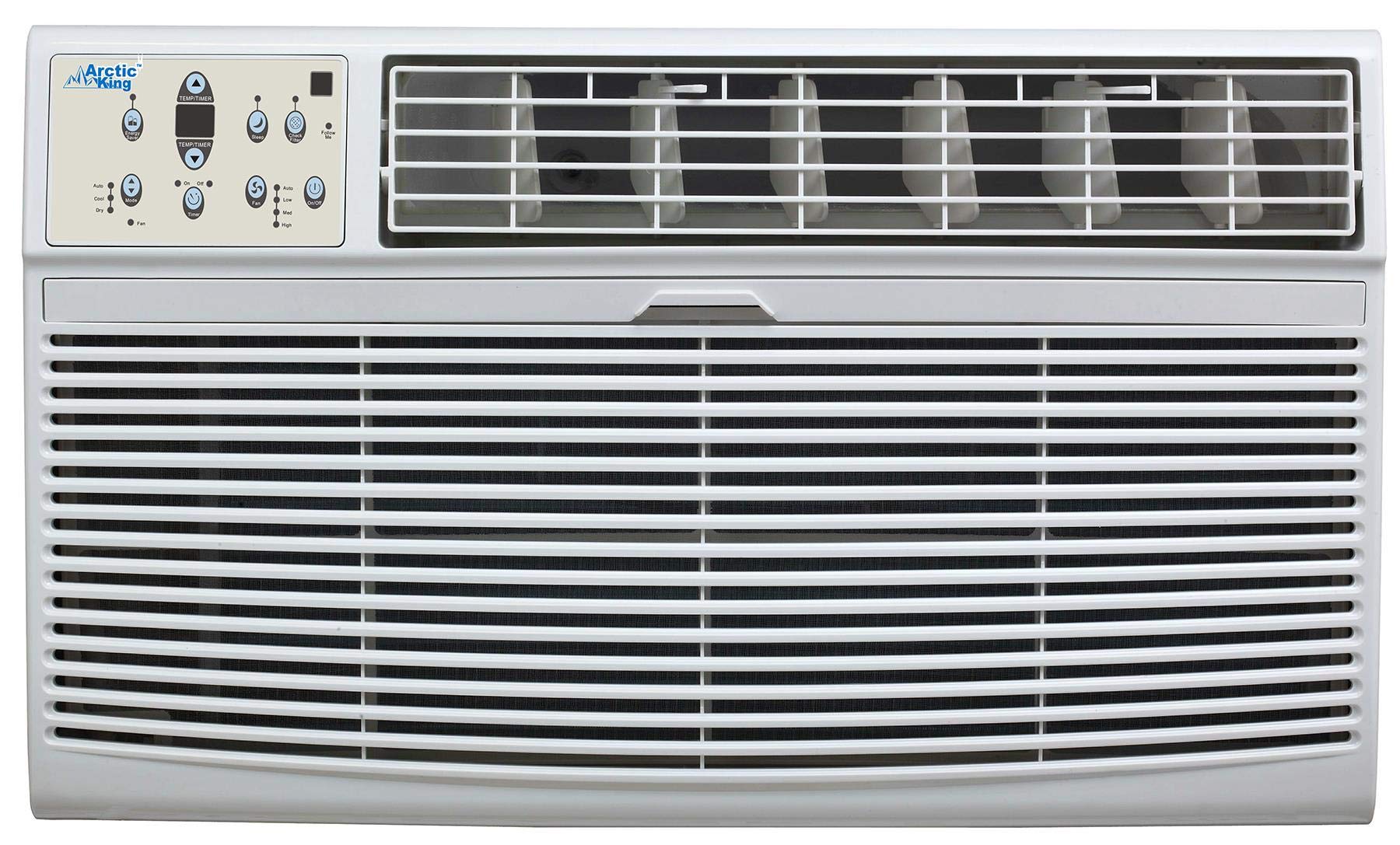
Image: The Arctic King AKTW10CR71E Air Conditioner unit, illustrating its compact design.
4. Power Connection
Connect the unit to a dedicated 120 Volt, 60 Hz grounded electrical outlet. Do not use extension cords or adapter plugs. Ensure the electrical circuit can handle the 10000 BTU cooling power of the unit.
Operating Instructions
Your Arctic King AKTW10CR71E Air Conditioner is equipped with a remote control for convenient operation.
1. Remote Control Functions
The remote control allows you to adjust settings from a distance. Common functions include:
- Power On/Off: Turns the unit on or off.
- Mode Selection: Cycles through operating modes such as Cool, Fan, Dry, and Auto.
- Temperature Adjustment: Increases or decreases the desired room temperature.
- Fan Speed: Adjusts the fan speed (Low, Medium, High, Auto).
- Timer: Sets a time for the unit to turn on or off automatically.
- Sleep Mode: Adjusts temperature and fan speed for comfortable sleep.
2. Setting the Temperature
Press the 'Temp Up' or 'Temp Down' buttons on the remote control to set your desired temperature. The unit will operate to maintain this temperature within the room.
3. Operating Modes
- Cool Mode: The unit cools the room to the set temperature.
- Fan Mode: The fan circulates air without cooling.
- Dry Mode: Reduces humidity in the room.
- Auto Mode: The unit automatically selects the operating mode (Cool, Fan, Dry) based on the room temperature and the set temperature.
Maintenance
Regular maintenance ensures optimal performance and extends the lifespan of your air conditioner. Always disconnect power before performing any maintenance.
1. Air Filter Cleaning
The air filters should be cleaned every two weeks or more frequently depending on usage and air quality. Dirty filters reduce cooling efficiency and airflow.
- Open the front panel of the indoor unit.
- Remove the air filters.
- Wash the filters with lukewarm water and a mild detergent. Rinse thoroughly.
- Allow the filters to air dry completely before reinstalling. Do not expose to direct sunlight.
2. Unit Cleaning
The galvanized steel chassis is designed for easy maintenance and cleaning.
- Wipe the exterior of the indoor and outdoor units with a soft, damp cloth.
- Do not use harsh chemicals, abrasives, or solvents.
- Ensure the drainage hose is clear and free of obstructions.
3. Seasonal Maintenance
Before the cooling season, check the outdoor unit for any debris (leaves, dirt) and clear them. Ensure the outdoor coil is clean for efficient heat exchange. Consider professional inspection annually.
Troubleshooting
Before contacting customer support, review the following common issues and solutions.
| Problem | Possible Cause | Solution |
|---|---|---|
| Unit does not turn on | No power supply Remote control batteries dead | Check power connection and circuit breaker Replace remote control batteries |
| Insufficient cooling | Dirty air filter Windows/doors open Temperature setting too high Outdoor unit obstructed | Clean air filter Close windows and doors Lower the set temperature Clear obstructions from outdoor unit |
| Unusual noise | Loose parts Unit not level | Check for loose components Ensure unit is installed on a level surface |
| Water leakage | Clogged drain hose Improper installation | Clear drain hose Contact a qualified technician for inspection |
Specifications
- Model Name: AKTW10CR71E
- Brand: Arctic King
- Cooling Power: 10000 British Thermal Units (BTUs)
- Capacity: 0.8 tons
- Voltage: 120 Volts
- Refrigerant: R 410A
- Seasonal Energy Efficiency Ratio (SEER): 2.6
- Item Weight: 68.2 Pounds
- Floor Area Coverage: 450 Square Feet
- Installation Type: Split System
- Control Method: Remote Control
- Special Feature: Lightweight design
- UPC: 813084024462
- GTIN: 00813084024462
Warranty and Support
For warranty information and customer support, please refer to the warranty card included with your product or visit the official Arctic King website. Keep your purchase receipt as proof of purchase for warranty claims.
Related documentsAKTW10CR71E


Ask a question about this manual
Ask about setup, troubleshooting, compatibility, parts, safety, or missing instructions. Manuals+ will review the question and use this page’s manual context to help answer it.