
1. Introduction
This instruction manual provides essential information for the proper setup, operation, and maintenance of your Top Deals and Tech Beeper Sound Alarm Buzzer. This electronic component is designed for integration into various DIY projects requiring audible alerts for warning, confirmation, or location purposes. Please read this manual thoroughly before use.
2. Product Overview
The Beeper Sound Alarm Buzzer is a compact electronic component designed to produce an audible tone when powered. It features two leads for electrical connection and a protective seal.
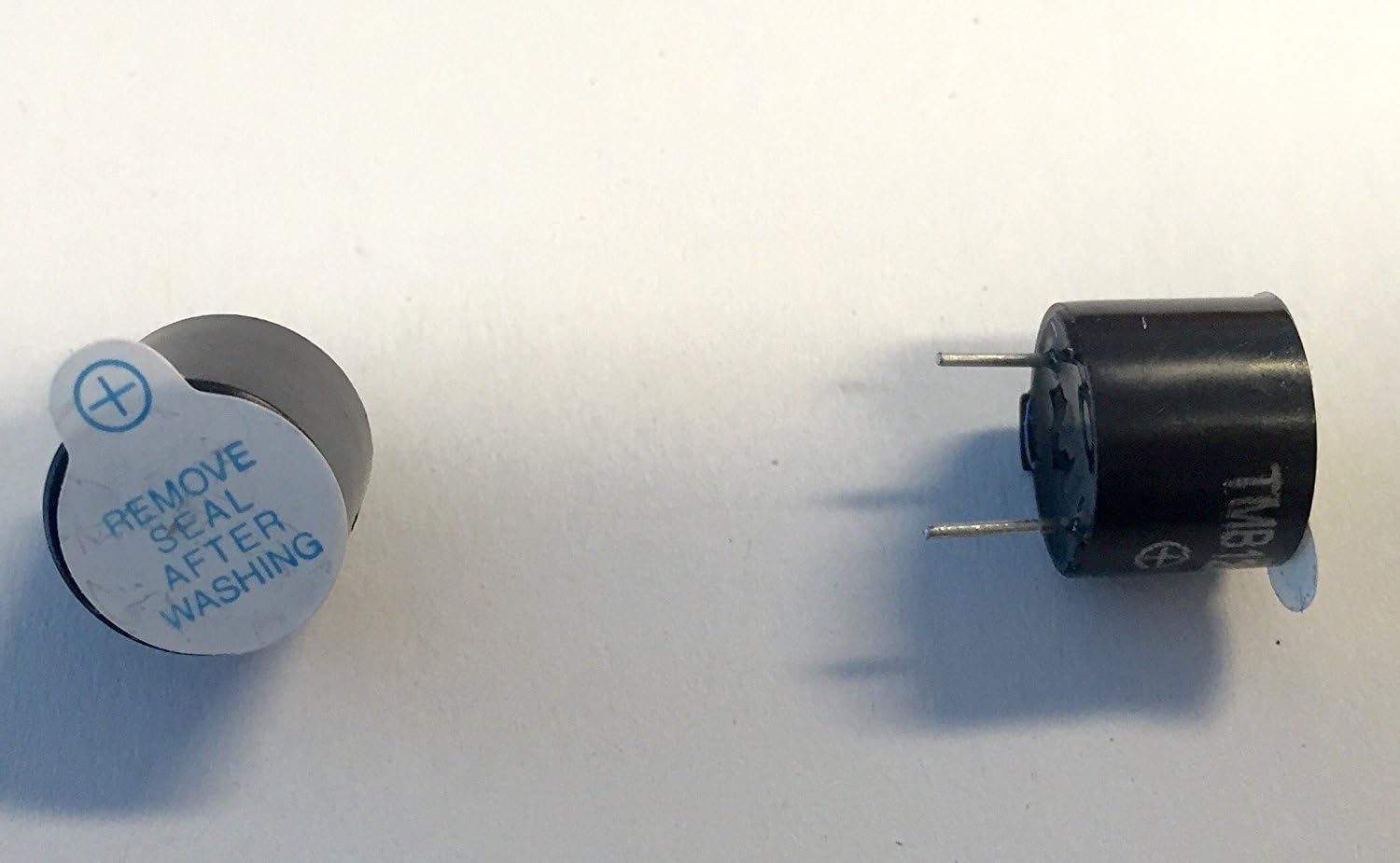
Figure 1: Top Deals and Tech Beeper Sound Alarm Buzzer. One unit is shown with a protective seal on its top surface, indicating a positive (+) terminal. The seal should be removed after soldering for optimal performance.

Figure 2: Two Top Deals and Tech Beeper Sound Alarm Buzzers. One is viewed from the top, showing its cylindrical shape and two metal leads. The other is viewed from the side, illustrating its compact dimensions and lead placement.
Each buzzer measures approximately 11.8mm in diameter and 9.5mm in height, making it suitable for integration into small electronic assemblies.
3. Setup and Installation
The Beeper Sound Alarm Buzzer is designed for easy integration into electronic circuits via soldering.
- Power Requirements: The buzzer operates within a voltage range of 5V to 12V DC. For optimal sound output, a 12V input is recommended. The sound will be softer at lower voltages, such as 3V.
- Polarity: Identify the positive (+) and negative (-) terminals on the buzzer. These are typically marked on the unit or indicated by lead length (longer lead usually positive). Ensure correct polarity when connecting to your power source.
- Soldering: Carefully solder the buzzer's leads to your circuit board or wires. Use appropriate soldering techniques to ensure a secure and reliable connection.
- Protective Seal: If present, remove the protective sticker or seal from the top of the buzzer after soldering. This seal is typically for protection during manufacturing or shipping and should be removed for proper sound emission.
4. Operating Principles
When a direct current (DC) voltage within the specified range (5V-12V) is applied across its terminals with correct polarity, the buzzer will emit an audible tone. The loudness of the tone is directly related to the input voltage, with higher voltages producing a louder sound.
Common applications include:
- Warning Systems: Providing an audible alert for critical conditions.
- Confirmation: Indicating successful completion of an action or input.
- Security Systems: As a component in alarm circuits.
- Location Devices: Assisting in locating lost items such as drones or remote-controlled vehicles.
- DIY Projects: General purpose audible feedback in custom electronic builds.
5. Maintenance
The Beeper Sound Alarm Buzzer is a sealed electronic component and requires minimal maintenance. It contains no user-serviceable parts.
- Cleaning: Keep the buzzer free from dust and debris. If cleaning is necessary, use a soft, dry cloth. Avoid using liquids or abrasive cleaners.
- Environmental Conditions: Store and operate the buzzer in a dry environment, away from extreme temperatures and direct moisture, unless specifically designed for such conditions within a sealed enclosure.
- Inspection: Periodically inspect soldered connections for any signs of corrosion or damage, especially in high-vibration environments.
6. Troubleshooting
If the buzzer does not function as expected, consider the following troubleshooting steps:
- No Sound:
- Verify that power is being supplied to the buzzer within the 5V-12V range.
- Check for correct polarity (+ and - connections). Reversing polarity can prevent operation or damage the unit.
- Inspect soldered connections for cold joints or breaks.
- Ensure the protective seal (if any) has been removed from the top of the buzzer.
- Sound is Too Soft:
- Confirm that the input voltage is closer to 12V. Lower voltages (e.g., 3V) will result in a softer sound.
- Check for any obstructions covering the sound emission opening.
- Intermittent Sound:
- Examine all connections for looseness or poor contact.
- Ensure the power supply is stable and not fluctuating.
If issues persist after these steps, the unit may be faulty. Contact the manufacturer or supplier for further assistance.
7. Specifications
| Brand | Top Deals and Tech |
| Model Number | Beeper Sound Alarm Buzzer |
| Dimensions (Diameter x Height) | 11.8mm x 9.5mm (approx.) |
| Input Voltage | 5V - 12V DC |
| Item Weight | 0.479 ounces (approx.) |
| UPC | 616043500140 |
| First Available Date | May 18, 2016 |
8. Warranty and Support
Warranty information for the Top Deals and Tech Beeper Sound Alarm Buzzer is not provided within this manual. For details regarding warranty coverage, technical support, or replacement parts, please refer to the product packaging or contact Top Deals and Tech directly through their official support channels.