
Introduction
This manual provides detailed instructions for the operation and maintenance of your OEM Sony Remote Control. This remote is specifically designed to work with Sony audio systems including models FSTGTK1i, FST-GTK1i, HCDGTK1i, HCD-GTK1i, RDHGTK1i, and RDH-GTK1i. It is an original Sony part, ensuring full functionality with your compatible device. This remote is not a universal remote control.
Setup
1. Battery Installation
Locate the battery compartment on the back of the remote control. Open the cover and insert two AAA batteries (not included), ensuring the positive (+) and negative (-) terminals align correctly with the indicators inside the compartment. Close the battery cover securely.
2. Initial Use
Once batteries are installed, the remote control is ready for use. Point the remote directly at your compatible Sony audio system. No pairing or programming is typically required for this OEM infrared remote control.
Operating Instructions
This section details the functions of each button on your Sony OEM Remote Control.
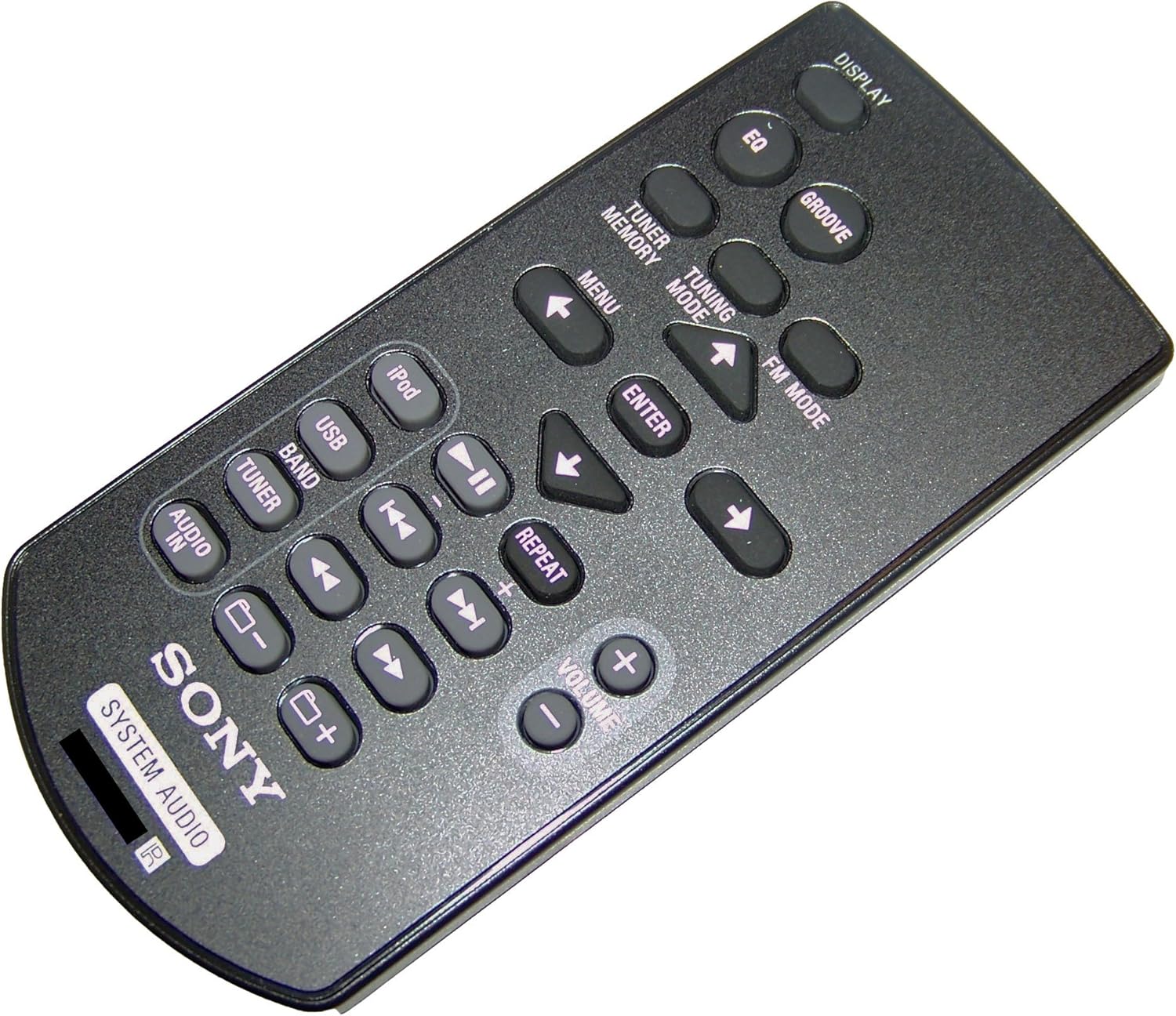
Figure 1: Overview of the Sony OEM Remote Control layout, showing buttons for display, EQ, groove, tuner, USB, iPod, volume, and navigation.
Button Functions
- DISPLAY: Toggles display information on the connected audio system, such as track time, station frequency, or input source.
- EQ: Cycles through preset equalizer settings (e.g., Rock, Pop, Jazz) to adjust audio output.
- GROOVE: Activates or deactivates the GROOVE sound enhancement feature for boosted bass and clear vocals.
- TUNER MEMORY: Stores the current radio station frequency into memory or recalls a stored station.
- TUNING MODE: Switches between manual and automatic tuning modes for the radio tuner.
- FM MODE: Changes the FM reception mode (e.g., Stereo/Mono).
- MENU: Accesses the system's main menu for various settings and options.
- Navigation Arrows (Up, Down, Left, Right): Used to navigate through menus, lists, or adjust settings.
- ENTER: Confirms a selection or enters a sub-menu.
- iPod: Selects the iPod input source, allowing control of a connected iPod device.
- USB: Selects the USB input source for playback from a connected USB device.
- BAND: Switches between different radio bands (e.g., FM, AM).
- TUNER: Selects the radio tuner as the audio source.
- Play/Pause (►▮▮): Starts or pauses playback of media (e.g., from USB, iPod).
- Skip Forward (►►): Skips to the next track or station.
- Skip Backward (◄◄): Skips to the previous track or station.
- REPEAT: Toggles repeat playback mode for tracks or albums.
- VOLUME (+): Increases the audio volume.
- VOLUME (-): Decreases the audio volume.
- AUDIO IN: Selects the auxiliary audio input source.
- Folder/Track Navigation (▮- / ▮+): Navigates between folders or groups of tracks on compatible media.
Maintenance
Cleaning
To clean the remote control, wipe it with a soft, dry cloth. Do not use abrasive cleaners, waxes, or solvents as these may damage the finish or internal components.
Battery Replacement
If the remote control's range decreases or it becomes unresponsive, replace the batteries. Always replace both batteries at the same time with new ones of the same type (AAA). Dispose of used batteries according to local regulations.
Troubleshooting
| Problem | Solution |
|---|---|
| Remote control does not respond. |
|
| Some buttons do not work. |
|
Specifications
- Brand: Sony
- Model Compatibility: FSTGTK1i, FST-GTK1i, HCDGTK1i, HCD-GTK1i, RDHGTK1i, RDH-GTK1i
- Connectivity Technology: Infrared (IR)
- Color: Black
- Dimensions (Package): 20.32 x 10.16 x 5.08 cm (8 x 4 x 2 inches)
- Weight (Package): 140.61 g (4.96 oz)
- Power Source: Batteries (AAA, not included)
Warranty and Support
For information regarding warranty coverage or technical support for your Sony OEM Remote Control, please refer to the documentation provided with your original Sony audio system or visit the official Sony support website. As an OEM part, support is typically handled through the primary product it was shipped with.
If you have questions about compatibility, please contact the seller with your specific Sony audio system model number.