
Introduction
This manual provides comprehensive instructions for the assembly, safe operation, and maintenance of your HOMEFORT 5-Tier Wire Shelving Unit. Please read this manual thoroughly before assembly and use to ensure proper function and safety.
Important Safety Information
WARNING: Failure to follow these safety instructions may result in injury or product damage.
- Always assemble the shelf according to the provided instructions.
- Do not exceed the maximum weight capacity of 66 pounds per shelf to prevent accidents.
- Keep the shelf away from heat sources.
- Do not place heavy or sharp objects on the top shelf to avoid potential hazards.
- Ensure the unit is stable and anchored if necessary, especially in areas with children or pets.
Package Contents
Verify that all components are present before beginning assembly:
- Wire Shelves (5 units)
- Support Poles (4 sections per corner, total 16 sections)
- Plastic Clips/Sleeves (sufficient quantity for 5 shelves)
- Leveling Feet (4 units)
- Assembly Instruction Manual (this document)
Note: Some models may include wall anchors for added stability.
Assembly Instructions
Assembly is quick and easy, requiring no tools. Follow these steps carefully:
- Step 1: Attach Leveling Feet
Screw the four leveling feet into the bottom of the lower pole sections. Ensure they are securely tightened.
- Step 2: Install Plastic Clips
Snap the plastic clips onto the grooves of the support poles at the desired height for your first shelf. Ensure the upward arrow mark on the clips points up. The clips should be placed at the same height on all four poles for a level shelf.
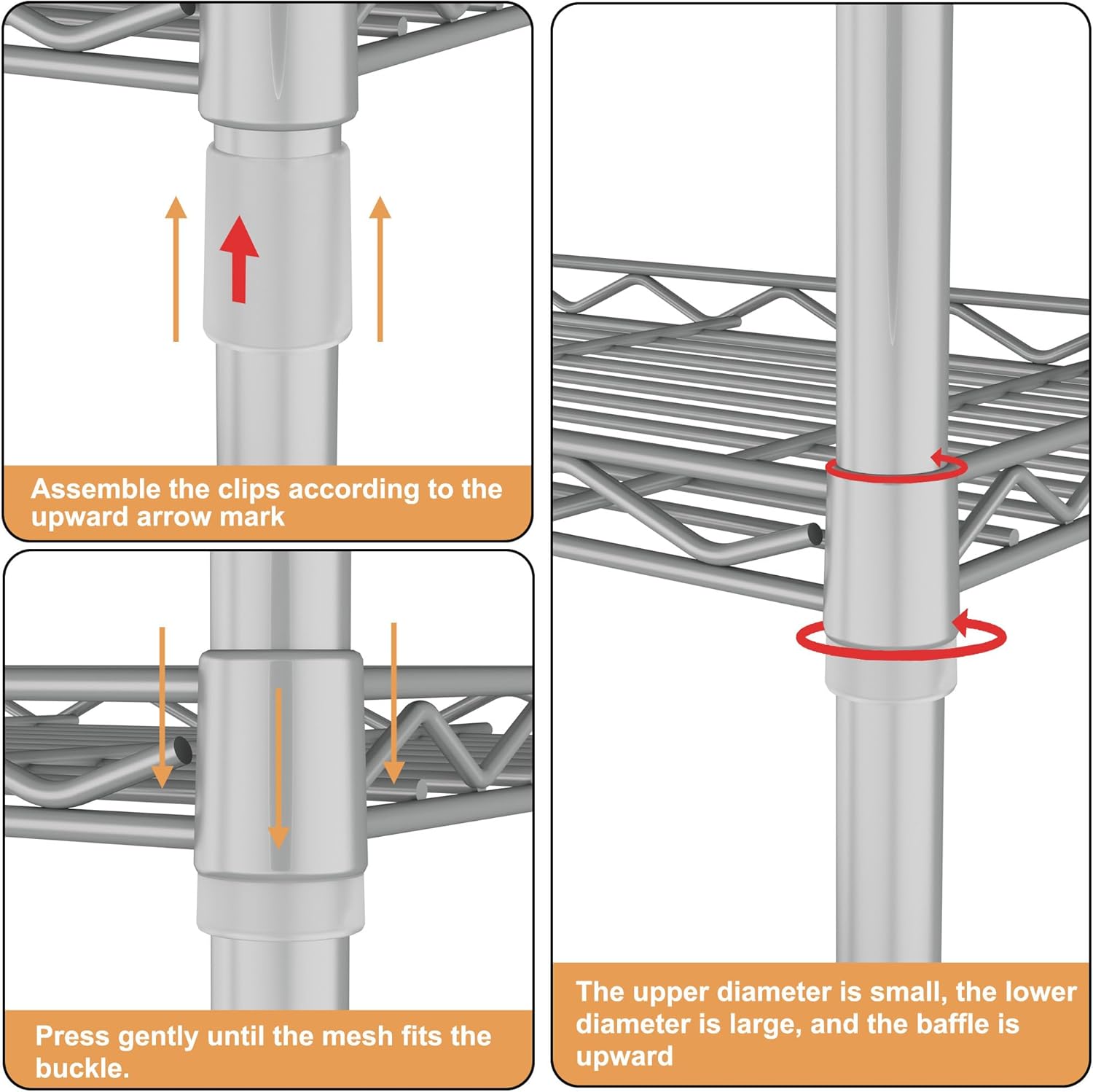
Image: Detailed view of attaching plastic clips to the pole, indicating the upward arrow for correct orientation.
- Step 3: Place the First Shelf
Slide the first wire shelf down over the poles until it rests securely on the installed plastic clips. Gently press down on the shelf corners to ensure it locks into place over the clips.
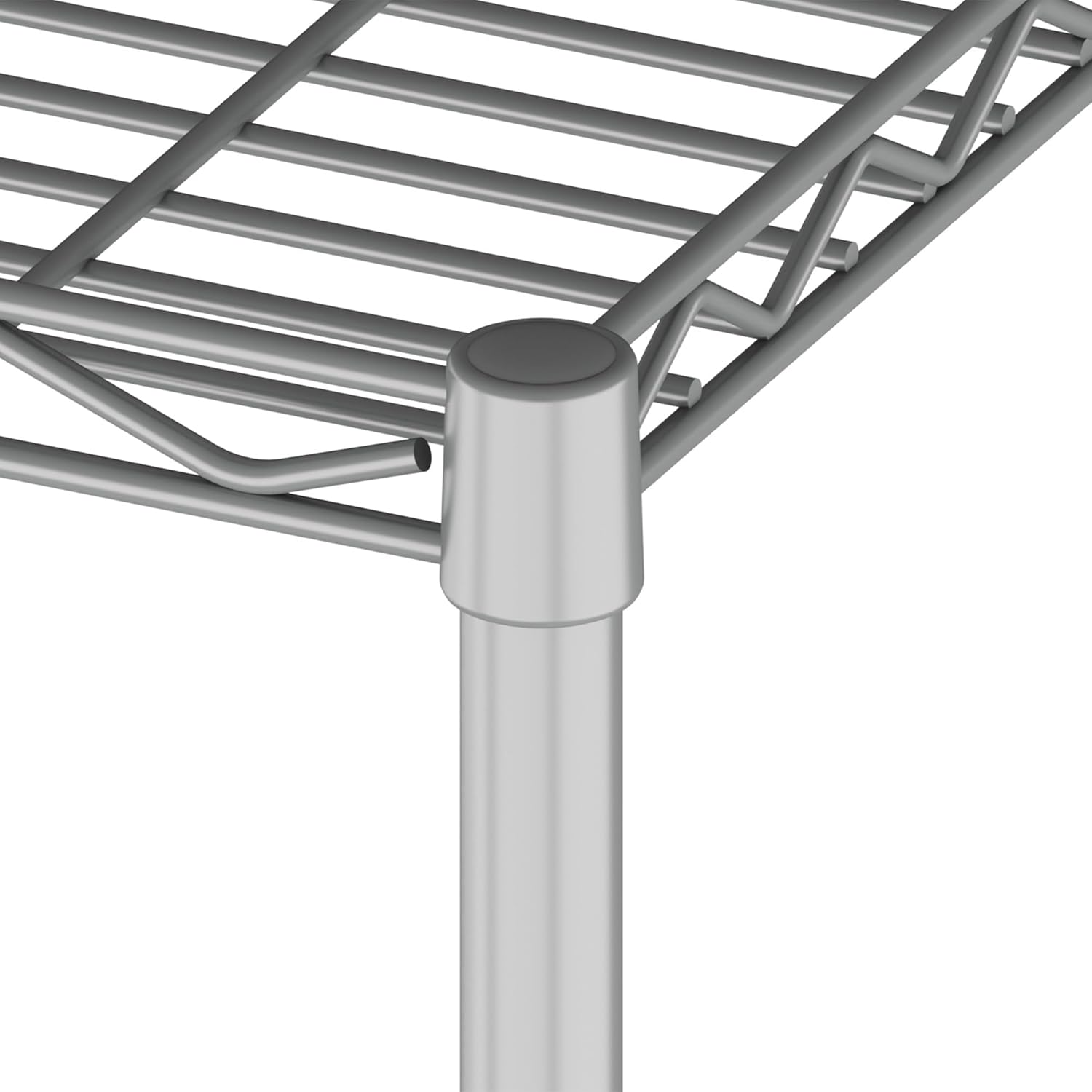
Image: A wire shelf being positioned onto the plastic clips on the vertical poles.
- Step 4: Add Remaining Shelves
Repeat Step 2 and Step 3 for the remaining shelves, placing plastic clips at your desired heights and then sliding the shelves into position. Note that the shelf height is not adjustable after assembly without disassembling and re-positioning the clips.

Image: Close-up of a shelf corner showing how it fits over the plastic clips on the pole.
- Step 5: Final Stability Check
Once all shelves are in place, gently push down on each shelf to ensure it is fully seated and stable. If your unit includes wall anchors, install them now for additional stability.
Assembly Video Guide
Video: A detailed assembly guide for the HOMEFORT 5-tier wire shelving unit. This video demonstrates each step of the assembly process, from attaching the clips to securing the shelves, ensuring a stable and correct setup.
Operating Instructions
The HOMEFORT 5-Tier Wire Shelving Unit is designed for versatile storage in various environments.
- Placement: Ideal for use in closets, kitchens, pantries, doorways, entryways, garages, laundry rooms, offices, or bathrooms.
- Loading: Distribute weight evenly across the shelves. Do not exceed the maximum weight capacity of 66 pounds per shelf.
- Stability: For optimal stability, especially when fully loaded or in high-traffic areas, consider securing the unit to a wall using appropriate anchors (if included or purchased separately).

Image: The shelving unit organized in a kitchen, demonstrating its use for storing appliances and pantry items.
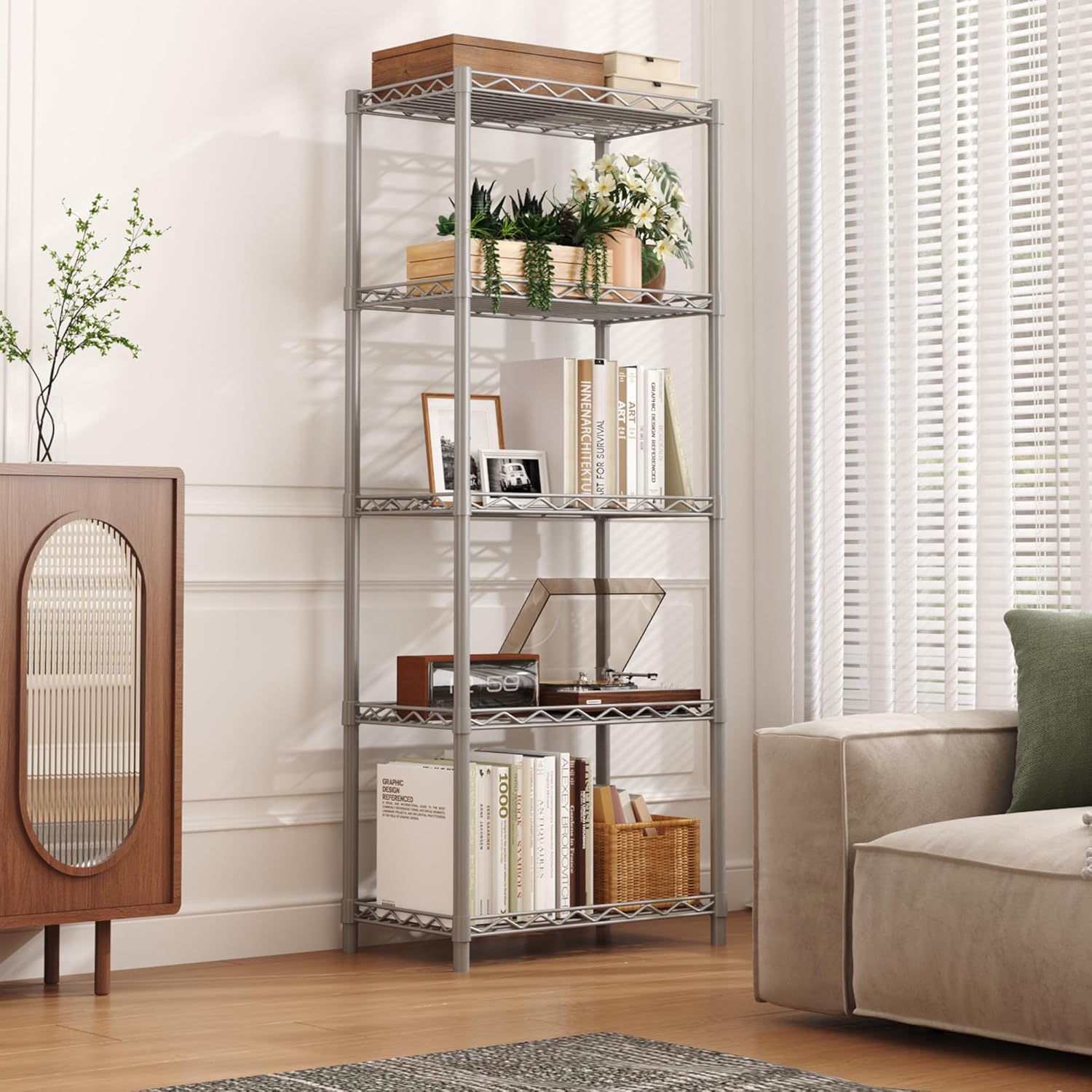
Image: The shelving unit in a living room setting, showcasing its versatility for books, plants, and decor.
Maintenance
To keep your HOMEFORT Wire Shelving Unit in excellent condition:
- Cleaning: Wipe with a damp cloth. Avoid abrasive cleaners that may damage the powder-coated finish.
- Inspection: Periodically check all connections and ensure shelves are securely seated on the clips.
- Weight Distribution: Always ensure weight is distributed evenly to prevent stress on the frame.
Troubleshooting
If you encounter any issues with your shelving unit, consider the following:
- Wobbling: Ensure all plastic clips are correctly installed at the same height on each pole and that the shelves are fully seated. Check that the leveling feet are adjusted properly on an even surface.
- Missing Parts or Assembly Questions: If you have questions about the item or assembly parts quantity, please email us via AMAZON BUYER MESSAGE or email our CUSTOMER-SERVICE TEAM. We guarantee that all issues can be solved within 24 hours.
Specifications
| Feature | Detail |
|---|---|
| Model Number | H-HB-C05HGR |
| Dimensions (D x W x H) | 11.4"D x 21"W x 54"H |
| Material | Metal (Powder Coated) |
| Number of Shelves | 5 |
| Weight Capacity (per shelf) | 66 Pounds |
| Color | Silver |
| Assembly Required | Yes (No tools required) |
| Special Features | Scratch Resistant, Space Saving |

Image: Dimensional diagram of the 5-tier shelving unit, highlighting its width, depth, and height.
Warranty and Support
HOMEFORT is committed to providing quality products and customer satisfaction. For any questions, concerns, or assistance with your product, please contact our customer service team. We aim to resolve all issues within 24 hours.
- Contact: Reach us via Amazon Buyer Message or directly email our Customer Service Team.