1. Introduction and Overview
The Godox V860II-S is a high-performance TTL Li-ion battery camera flash designed for Sony DSLR cameras. It integrates advanced features such as a built-in Godox 2.4G X wireless system, high guide number, and versatile flash modes to provide a superior lighting experience for photographers.
This manual provides detailed instructions on the proper use, setup, and maintenance of your V860II-S flash unit. Please read this manual carefully before use to ensure safe operation and optimal performance.

Image 1.1: The Godox V860II-S flash unit with its primary accessories, including the battery, charger, and protective bag.
Key Features:
- Compatibility: Fully compatible with Sony DSLR cameras and TTL autoflash systems.
- 2.4G Wireless Transmission: Built-in Godox 2.4G X wireless system for all-in-one functions and extended transmission distance (up to 100 meters).
- Versatile Functions: Supports TTL auto flash, manual flash, multi flash, 1/8000s High-Speed Sync (HSS), front and rear curtain sync, and modeling flash.
- Rechargeable Li-ion Battery: Powerful 2000mAh Li-ion battery provides up to 650 full power flashes with a fast 1.5s recycle time.
- High Guide Number: GN60 (m ISO 100, @200mm) for powerful light output.
- Zoom Coverage: Auto and manual zoom from 20mm to 200mm.
- Flexible Head Design: Flash head tilts from -7° to 90° and rotates 180° horizontally for bounce flash capabilities.
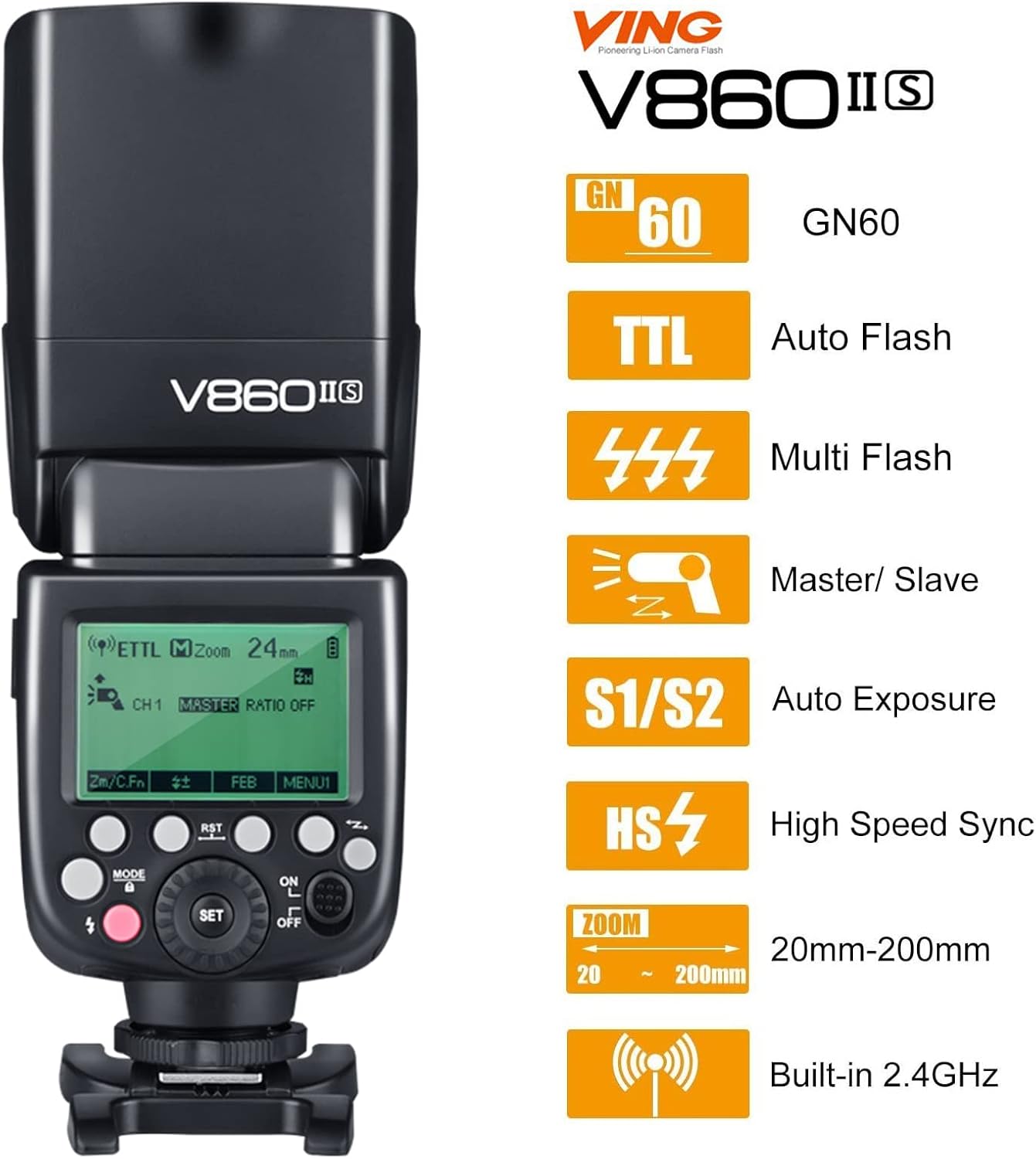
Image 1.2: Visual representation of the key features of the Godox V860II-S, including GN60, TTL, Multi-flash, Master/Slave, S1/S2, HSS, Zoom, and Built-in 2.4G wireless.
2. Safety Information
To prevent damage to your product or injury to yourself or others, read the following safety precautions completely before using this equipment. Keep these safety instructions where all who use the product will read them.
- Do not disassemble or modify the flash unit. If the product breaks down, send it back to the authorized maintenance center.
- Keep this product dry. Do not handle with wet hands or immerse in water.
- Do not use the flash unit in the presence of flammable gases, chemicals, or other materials.
- Do not touch the flash tube when it is firing or immediately after. High voltage is present.
- Keep out of reach of children.
- Do not leave the flash unit in high-temperature environments, such as in a car on a hot day.
- Use only the specified battery and charger.
- Protect the flash unit from strong impacts or vibrations.
3. Product Components
The Godox V860II-S package typically includes the following items:
- 1x Godox V860II-S Flash Unit
- 1x Li-ion Battery (VB18)
- 1x Battery Charger
- 1x Charging Cable
- 1x Protective Bag
- 1x Mini Stand (H-Bracket)
- 1x Instruction Manual (this document)
4. Parts Identification
Familiarize yourself with the different parts of the Godox V860II-S flash unit:

Image 4.1: Detailed view of the Godox V860II-S showing the sync port, USB port, wireless control port, battery compartment, and fast transmission contacts.
- Flash Head: Contains the flash tube and zoom mechanism.
- LCD Panel: Displays current settings and status.
- Control Buttons: Mode, Sync, Set, Directional buttons, On/Off switch.
- Hot Shoe: Connects the flash to the camera.
- Battery Compartment: Houses the Li-ion battery.
- Sync Port: For connecting to external sync cables.
- USB Port: For firmware updates.
- Wireless Control Port: For connecting wireless control accessories.
- Diffuser/Reflector: Built-in for light modification.
5. Setup
5.1 Battery Installation
The V860II-S uses a dedicated Li-ion battery. Ensure the battery is fully charged before first use.
- Open the battery compartment cover on the side of the flash unit.
- Insert the VB18 Li-ion battery into the compartment, aligning the contacts correctly.
- Close the battery compartment cover securely.
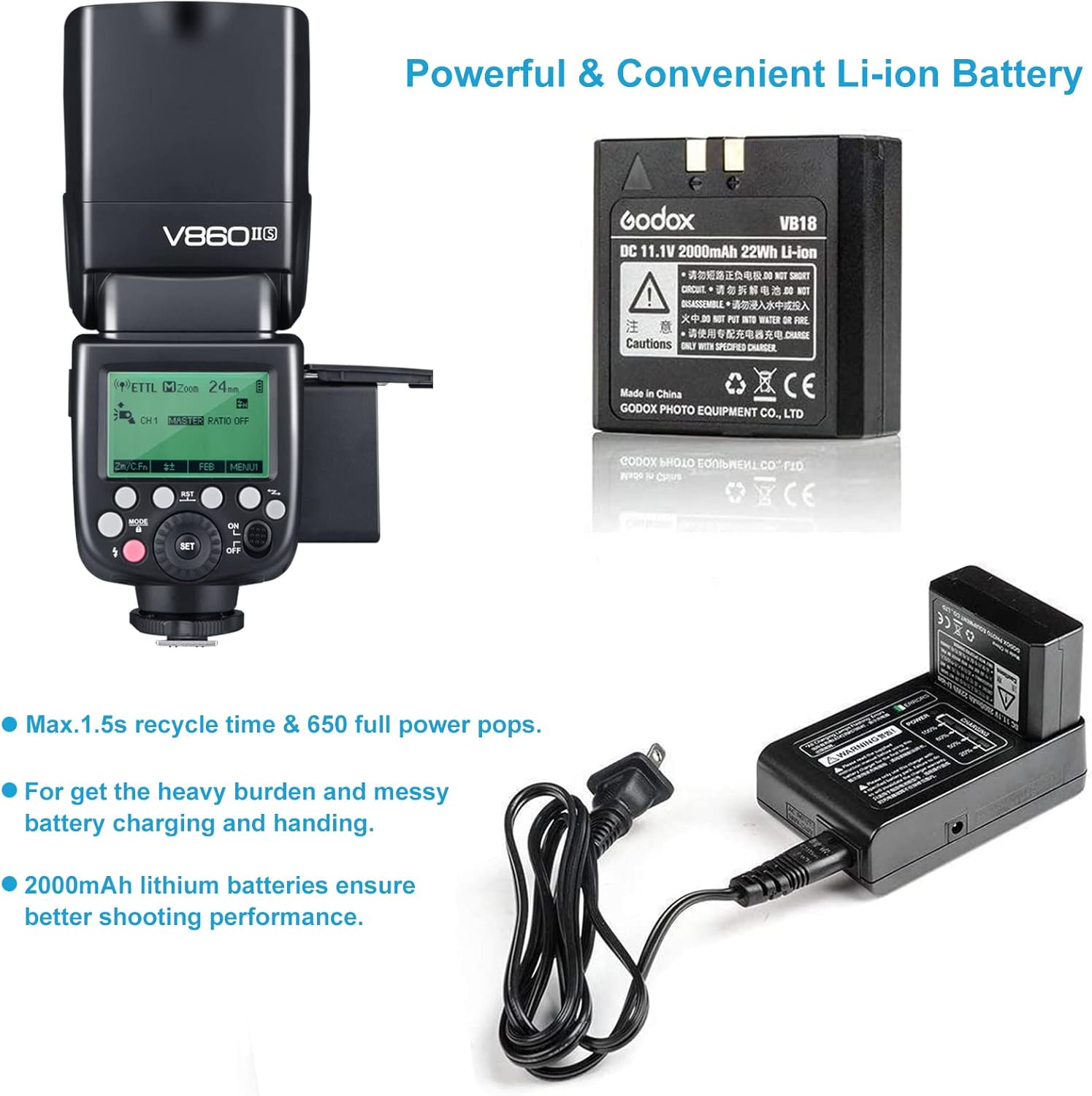
Image 5.1: The rechargeable Li-ion battery and its dedicated charger, highlighting the convenience and power efficiency compared to traditional AA batteries.
5.2 Mounting on Camera
To attach the flash unit to your camera:
- Slide the hot shoe of the flash unit completely into the camera's hot shoe.
- Rotate the locking ring on the flash unit clockwise until it is securely tightened.
5.3 Power On/Off
To power on the flash, slide the ON/OFF switch to the 'ON' position. The LCD panel will illuminate. To power off, slide the switch to the 'OFF' position.
6. Operating Instructions
6.1 Flash Modes
Press the MODE button to cycle through the available flash modes: TTL, Manual (M), and Multi (Stroboscopic).
6.1.1 TTL Autoflash Mode
In TTL mode, the flash output is automatically adjusted by the camera to achieve correct exposure. This is the most convenient mode for general shooting.
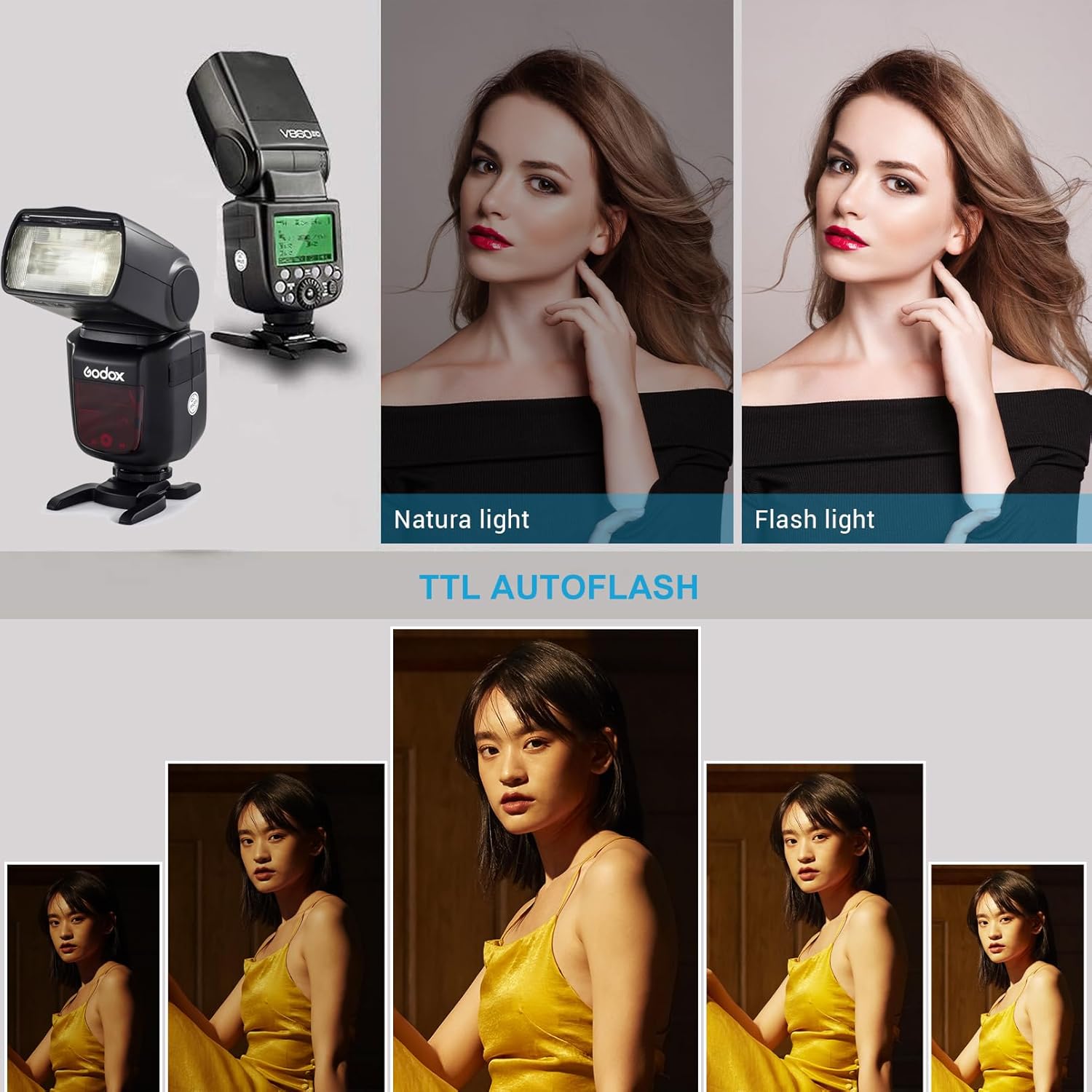
Image 6.1: Comparison of natural light versus flash light using TTL autoflash, demonstrating automatic exposure adjustment.
6.1.2 Manual Flash Mode (M)
In M mode, you manually set the flash output power from 1/1 (full power) to 1/128 in 1/3 stop increments. This mode offers precise control over lighting.

Image 6.2: Illustrates the adjustable flash output from 1/1 full power to 1/128 power in 1/3rd stop increments, along with examples of first and second curtain sync and multi stroboscopic flash.
6.1.3 Multi Flash Mode (Stroboscopic)
Multi flash fires a series of rapid flashes to capture multiple images of a moving subject in a single photograph. You can set the number of flashes, frequency (Hz), and flash power.
6.2 Wireless Transmission (Master/Slave)
The V860II-S can function as both a master unit to control other Sony flashes or Godox X-system flashes, and as a slave unit triggered by other flashes.
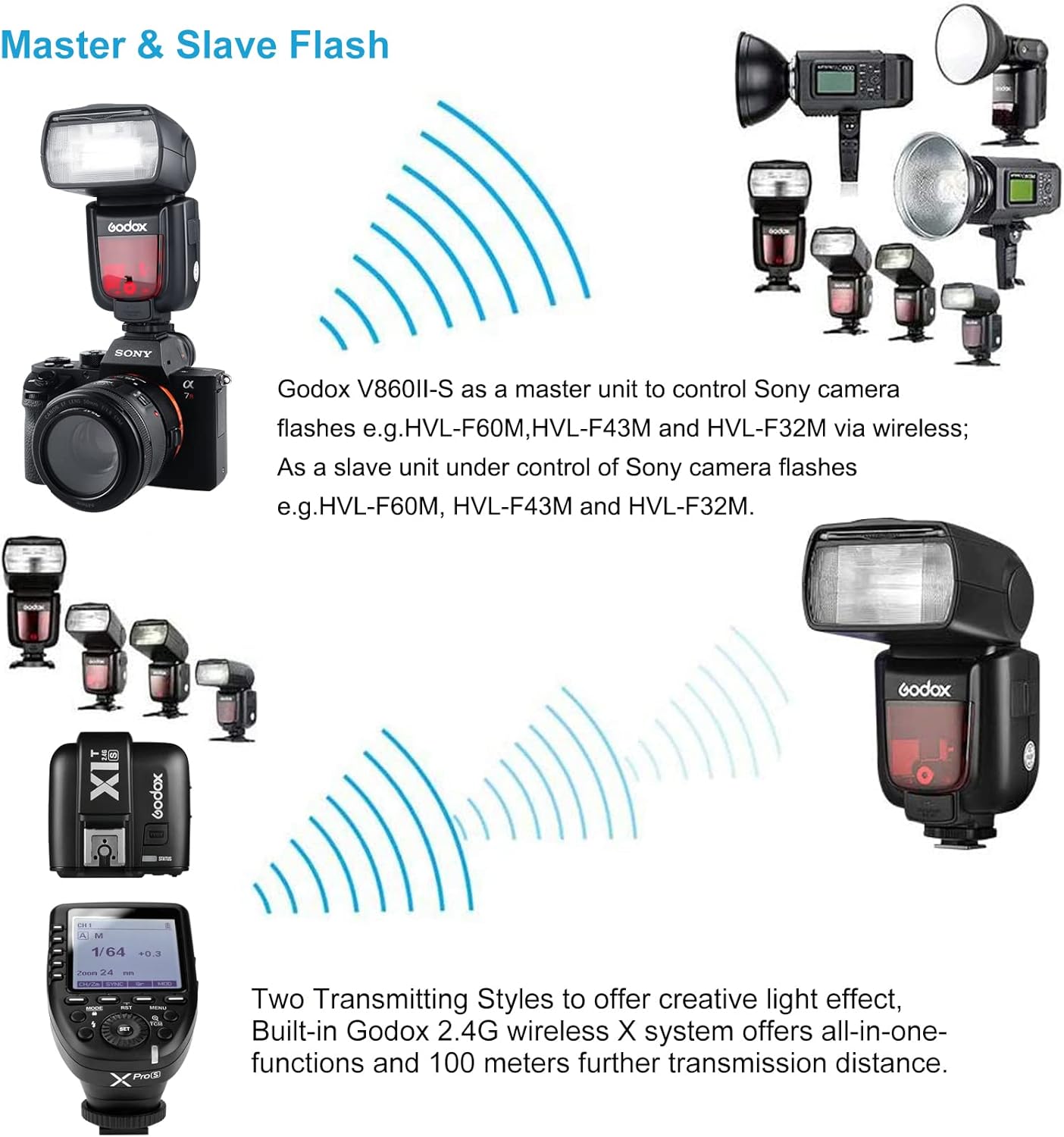
Image 6.3: Diagram showing the Godox V860II-S acting as a master unit to control Sony camera flashes wirelessly, and as a slave unit under the control of other flashes or triggers.
6.3 High-Speed Sync (HSS)
HSS allows the flash to synchronize with all shutter speeds up to 1/8000s, enabling you to use flash with wide apertures in bright conditions.
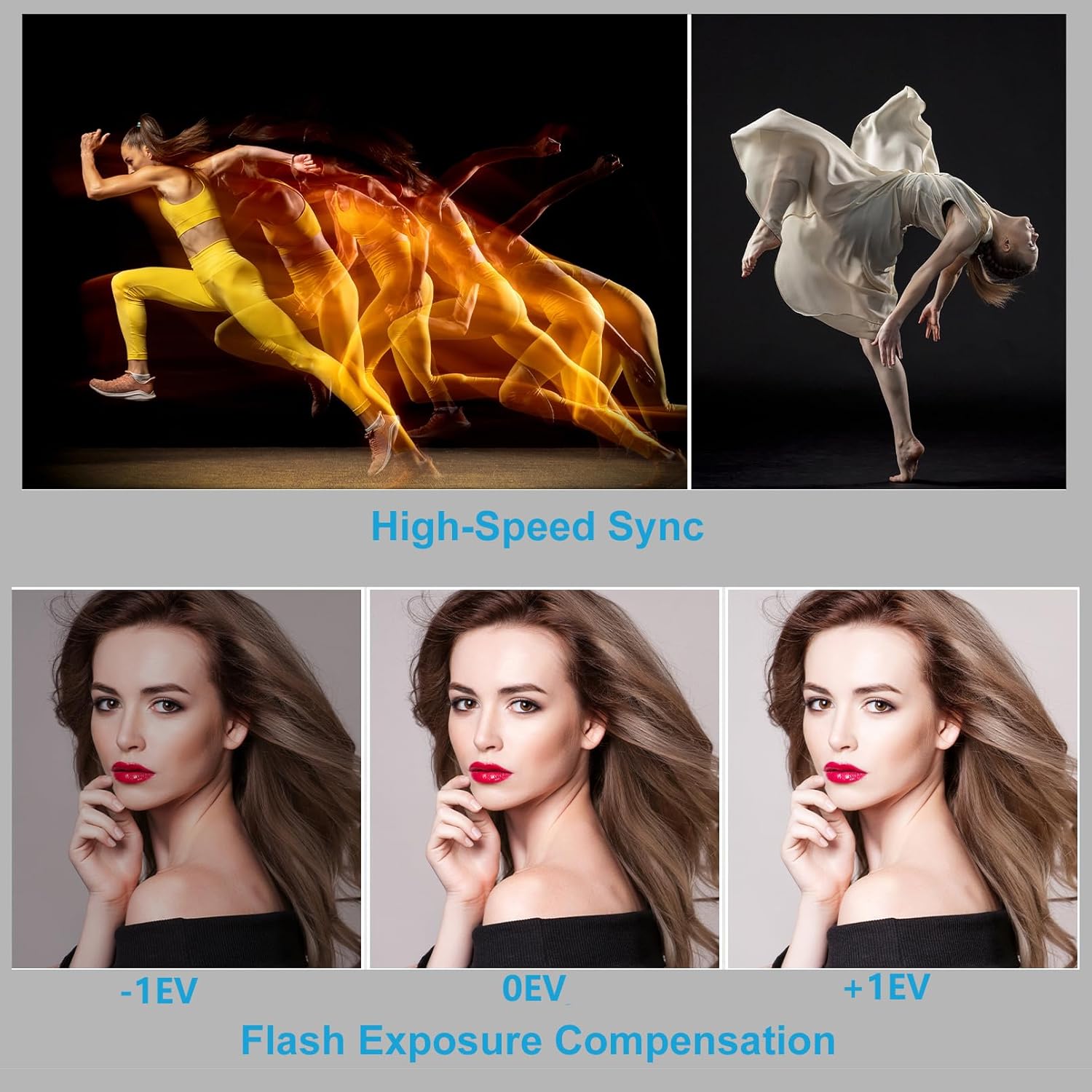
Image 6.4: Examples demonstrating the effect of High-Speed Sync for freezing motion and Flash Exposure Compensation for adjusting brightness.
6.4 Flash Exposure Compensation (FEC)
FEC allows you to fine-tune the flash output in TTL mode. Adjust the value from -3 to +3 stops in 1/3 stop increments using the dial.
6.5 Zoom Coverage Adjustment
The flash head's zoom coverage can be set automatically or manually from 20mm to 200mm to match the lens focal length. Press the ZOOM button to adjust.

Image 6.5: Illustration of the flash's focal length range from 20mm to 200mm, showing how the light spread changes with zoom settings.
6.6 Flash Head Rotation and Tilt
The flash head can be tilted vertically from -7° to 90° and rotated horizontally 180° to the left and right. This allows for bounce flash photography, creating softer and more natural lighting.

Image 6.6: Diagram illustrating the full range of motion for the flash head, including vertical tilt from -7° to 90° and 360° horizontal rotation.
7. Maintenance
7.1 Cleaning
Regularly clean the flash unit with a soft, dry cloth. For stubborn dirt, use a cloth lightly dampened with water or a neutral detergent. Avoid using strong solvents or abrasive cleaners.
7.2 Battery Care
To prolong battery life:
- Charge the battery fully before long periods of storage.
- Store the battery in a cool, dry place.
- Avoid extreme temperatures.
- If not used for a long time, charge and discharge the battery every three months.
7.3 Firmware Update
The V860II-S supports USB firmware updates. Visit the official Godox website for the latest firmware and instructions to ensure optimal compatibility and performance.
8. Troubleshooting
If you encounter issues with your Godox V860II-S, refer to the following common problems and solutions:
| Problem | Possible Cause | Solution |
|---|---|---|
| Flash does not fire. | Battery low or depleted; Flash not securely mounted; Flash in sleep mode; Incorrect flash mode. | Charge or replace battery; Re-mount flash securely; Press any button to wake flash; Check flash mode settings. |
| Flash output is too dark/bright. | Incorrect flash exposure compensation (FEC); Manual power setting too low/high; Subject too far/close. | Adjust FEC; Adjust manual power setting; Move closer/further from subject. |
| Flash overheats. | Excessive continuous firing. | Allow flash to cool down. The flash has overheating protection and will temporarily stop firing. |
| Wireless trigger not working. | Incorrect channel/group settings; Distance too far; Interference. | Ensure master and slave units are on the same channel and group; Reduce distance; Change channel. |
9. Specifications
| Feature | Specification |
|---|---|
| Model | V860II-S |
| Guide Number (GN) | 60 (m ISO 100, @200mm) |
| Flash Coverage | 20 to 200mm (Auto/Manual Zoom) |
| Flash Duration | 1/300s to 1/20000s |
| Exposure Control System | TTL Autoflash, Manual Flash, Multi Flash |
| Flash Exposure Compensation (FEC) | ±3 stops in 1/3 stop increments |
| Sync Mode | High-Speed Sync (up to 1/8000s), First-Curtain Sync, Second-Curtain Sync |
| Multi Flash | Provided (up to 90 times, 100Hz) |
| Wireless Flash Function | Master, Slave, Off |
| Controllable Slave Groups | 3 (A, B, C) |
| Transmission Range | Approx. 100m (2.4G Wireless) |
| Power Source | 11.1V/2000mAh Li-ion Polymer Battery |
| Recycle Time | Approx. 1.5s (Full Power) |
| Full Power Flashes | Approx. 650 |
| Dimensions (W x H x D) | 9.06 x 3.15 x 8.27 inches (230 x 80 x 210 mm) |
| Weight (with battery) | 1.19 pounds (540g) |
10. Warranty and Support
Godox products are designed and manufactured to the highest quality standards. For warranty information and technical support, please refer to the warranty card included with your product or visit the official Godox website. Keep your purchase receipt as proof of purchase for warranty claims.
For further assistance, you may contact Godox customer service or your local distributor.


