
Introduction
The Singtrix SGTXPB1 Personal Bundle is a home karaoke system designed to enhance vocal performances with advanced effects. This system allows users to practice quietly using headphones or connect to an existing multimedia sound system. It supports up to two users simultaneously and can integrate with a high-quality PA speaker system for musicians or karaoke DJs. The unique 'Live/Instrument Mode' enables voice tuning and harmonization with a connected guitar or keyboard, offering versatile on-stage possibilities.
What's in the Box
Verify that all components are present before proceeding with setup.
- (1) Singtrix Studio Effects Console (Model: 136-5503)
- (1) Singtrix Mic with "HIT" control button (Model: SGTXMIC1)
- (1) Studio AC Power Supply (5V 250mA)
- (1) Music Input Cable (balanced 1/8” mini stereo jack)
- (1) Mic Cable (attached to microphone, ¼” phone connector plug)
Product Overview
Singtrix Studio Effects Console
The console is the central unit for applying vocal effects and managing audio inputs/outputs. It features a display for effect selection and various control knobs and buttons.
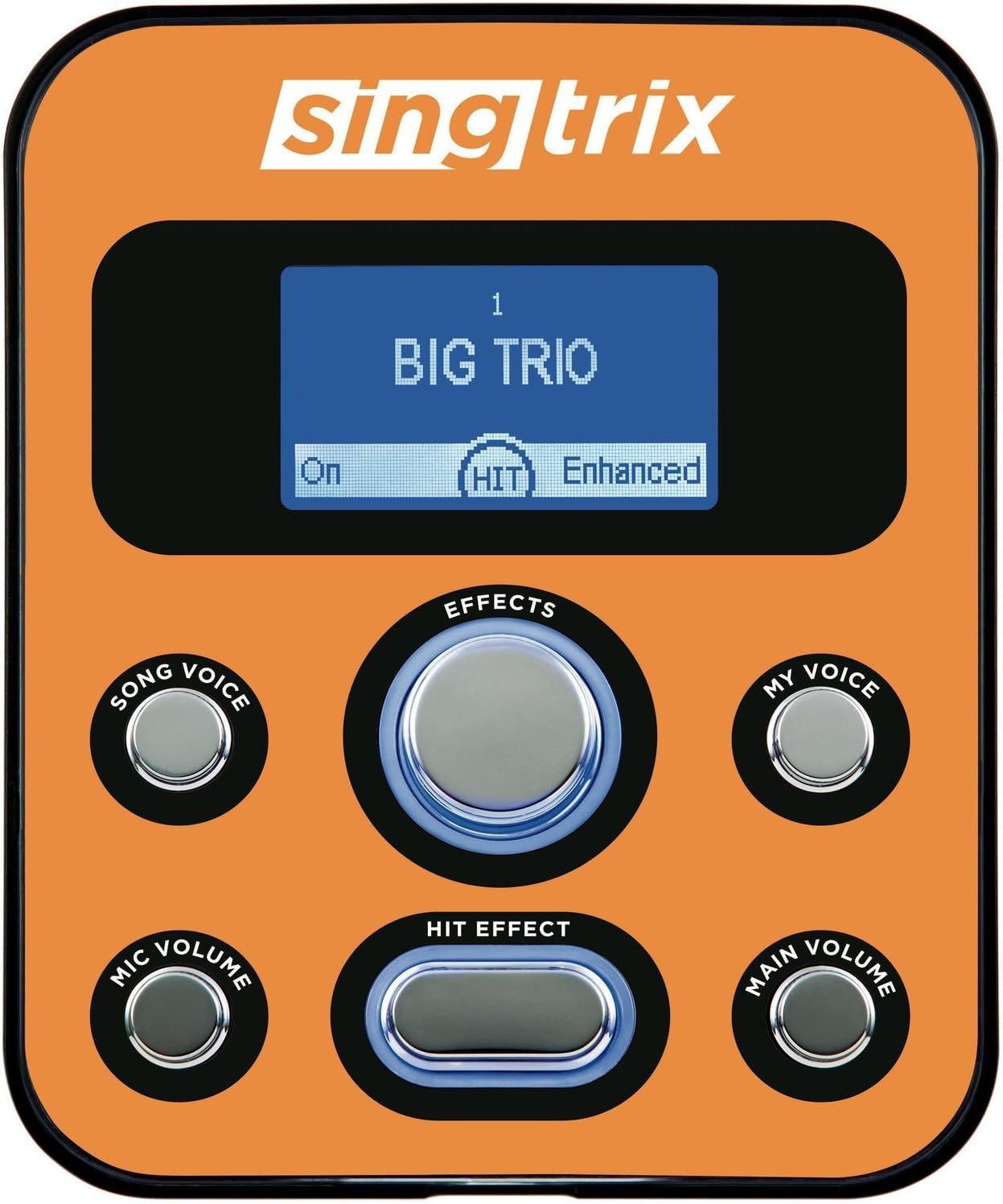
Figure 1: Front view of the Singtrix Studio Effects Console.
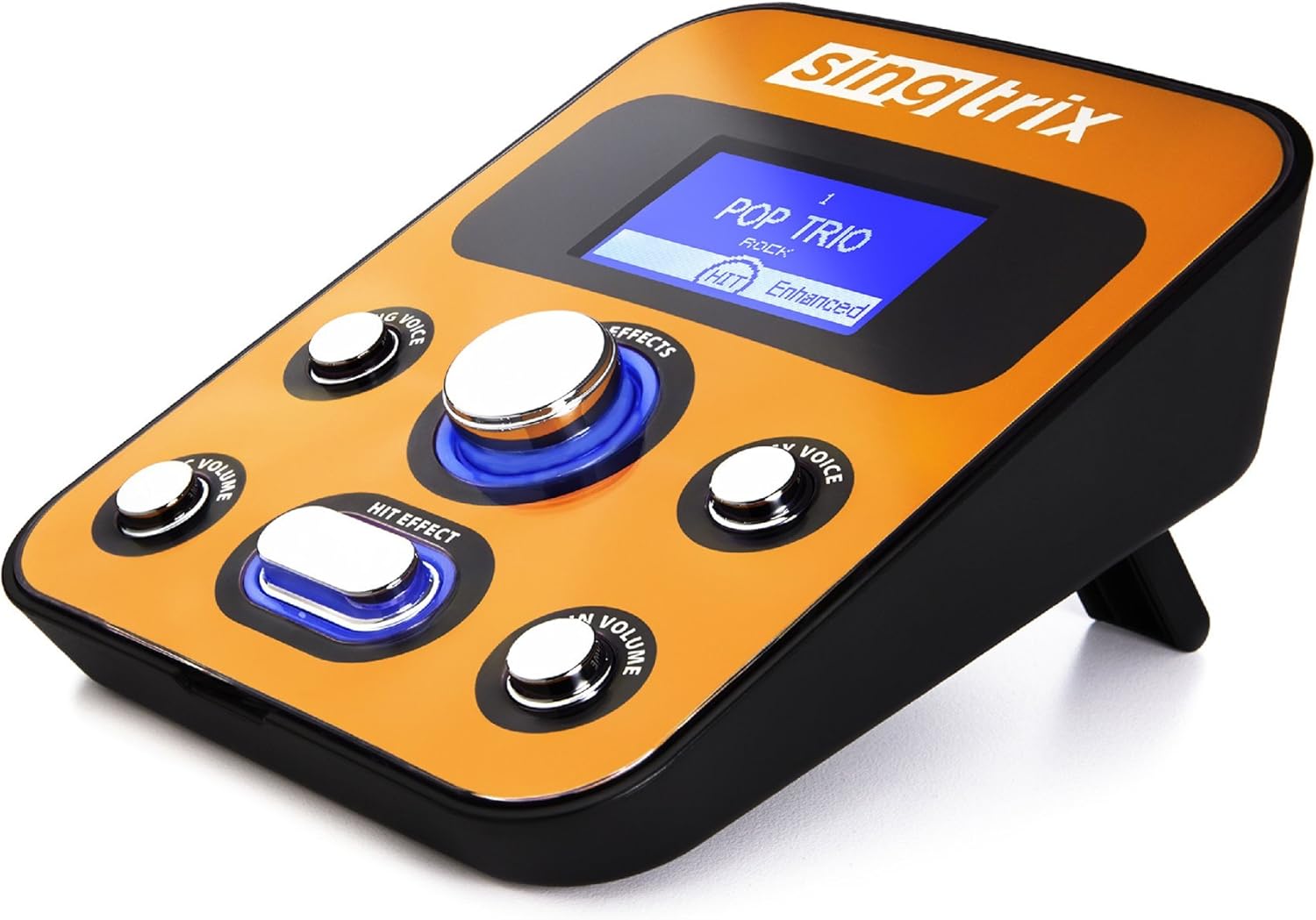
Figure 2: Angled view of the Singtrix Studio Effects Console.
Console Controls and Ports:
- Effects Knob: Rotates to select from over 300 vocal effects.
- Song Voice Button: Adjusts the level of the original song's vocals.
- Mic Volume Knob: Controls the microphone input volume.
- HIT Effect Button: Activates special "HIT" effects for dramatic vocal changes.
- My Voice Button: Adjusts the level of your own voice.
- Main Volume Knob: Controls the overall output volume.
- Music Input: 1/8” mini stereo jack for connecting external music sources.
- Speaker Output 1 & 2: 1/8” mini stereo jacks for connecting headphones or external speakers.
- Mic Input 1 & 2: ¼” phono jacks for connecting microphones (Mic 1 is the lead mic).
Singtrix Mic with "HIT" Control Button
This dynamic hypercardioid microphone is specifically designed for optimal performance with the Singtrix system. It features an integrated "HIT" control button for on-demand effect activation.

Figure 3: Singtrix Microphone.
Setup
- Power Connection: Connect the provided Studio AC Power Supply to the console's power input and then to a wall outlet.
- Microphone Connection: Plug the ¼” phono connector of the Singtrix microphone into Mic Input 1 on the console. If using a second microphone, plug it into Mic Input 2.
- Music Source Connection: Use the supplied 1/8” mini stereo cable to connect your music device (e.g., smartphone, tablet, computer) to the Music Input jack on the console.
- Audio Output Connection:
- Headphones: For quiet practice, plug headphones into either Speaker Output 1 or 2.
- External Speakers/PA System: Connect the console's Speaker Output 1 or 2 to your external speakers or PA system using an appropriate audio cable (not included).
- Optional Live/Instrument Mode: If using a guitar or keyboard, connect it to the Music Input jack. The Singtrix system will then analyze the instrument's chords to tune and harmonize your voice.

Figure 4: Example setup for personal use with headphones and a tablet.

Figure 5: Example setup for general use with the console and microphone.
Operating Instructions
- Power On: Once all connections are secure, the console will power on automatically when connected to the AC power supply.
- Select an Effect: Rotate the Effects Knob to browse through the 300+ available vocal effects. The selected effect will be displayed on the console screen.
- Adjust Microphone Volume: Use the Mic Volume Knob to set your desired microphone input level.
- Adjust Main Volume: Use the Main Volume Knob to control the overall output volume of the system.
- Control Song and Voice Levels:
- Press the Song Voice button to adjust the volume of the original vocals in your music track.
- Press the My Voice button to adjust the volume of your own voice relative to the effects and music.
- Activate "HIT" Effects: Press the HIT Effect Button on the console or the microphone to instantly apply dramatic vocal effects, often used for choruses or special moments in a song.
- Live/Instrument Mode: When an instrument is connected to the Music Input, the system automatically detects the chords played and applies appropriate vocal harmonies and tuning.
Video 1: Official demonstration of Singtrix features and vocal effects. This video illustrates how to use the effects knob, the 'HIT' button, and shows examples of live harmonies and voice morphing.
Maintenance
- Cleaning: Use a soft, dry cloth to clean the console and microphone. Avoid abrasive cleaners or solvents.
- Storage: Store the system in a cool, dry place away from direct sunlight and extreme temperatures when not in use.
- Cable Care: Avoid sharp bends or kinks in cables to prevent damage.
Troubleshooting
| Problem | Possible Cause | Solution |
|---|---|---|
| No sound output | Power not connected, volume too low, incorrect audio output connection. | Ensure power supply is connected and outlet is active. Increase Main Volume. Verify headphones or speakers are correctly plugged into Speaker Output 1 or 2. |
| Microphone not working | Microphone not plugged in, Mic Volume too low, faulty microphone/cable. | Ensure microphone is securely plugged into Mic Input 1. Increase Mic Volume. Test with another microphone if available. |
| Distorted sound | Volume levels too high (clipping), faulty cable, incorrect effect setting. | Reduce Mic Volume and Main Volume. Check all cables for damage. Try a different vocal effect. |
| Music not playing through system | Music source not connected, music device volume too low, incorrect cable. | Ensure music device is connected to Music Input. Increase volume on your music device. Verify the 1/8” stereo cable is functioning correctly. |
Specifications
| Feature | Detail |
|---|---|
| Model Name | SGTXPB1 |
| Brand | Singtrix |
| Console Model Number | 136-5503 |
| Microphone Model Number | SGTXMIC1 |
| Vocal Effects | 300+ (Preset Megapack) |
| Console Dimensions (L x W x H) | 7.25” x 5.75” x 2.25” |
| Console Weight | 440g (approx. 15.5 oz) |
| Microphone Dimensions (L x W x H) | 10” x 2” x 2” |
| Microphone Weight | 470g (approx. 16.6 oz) |
| Power Input | 5V 250mA (Studio AC Power Supply included) |
| Power Supply Input | 100-240V, 50/60Hz 0.2A |
| Power Supply Output | 5V, 1000mA |
| Connectivity Technology | RCA (via 1/8" mini stereo jack for music input) |
| Connector Type | 6.35 mm Jack (for microphone) |
| Microphone Type | Dynamic Hypercardioid |
| Microphone Impedance | 600+/-3% ohms at 1KHz |
| Microphone Frequency Response | 60 Hz - 15 kHz |
| Number of Channels | 2 (mic inputs) |
| Enclosure Material | Metal, Plastic |
Warranty & Support
The product information indicates that there is no warranty provided with this item. For any operational questions or technical assistance, please refer to the official Singtrix support channels or website.

