
Technical Precision 1009303
Instruction Manual
Replacement Bulb for Burton 1009303
Model: 1009303
Introduction
This manual provides essential information for the safe and effective use of the Technical Precision Replacement Bulb, designed as a direct replacement for the Burton 1009303 bulb. Please read this manual thoroughly before installation and operation to ensure proper function and longevity of the product.
Product Overview

Figure 1: Front view of the Technical Precision Replacement Bulb.
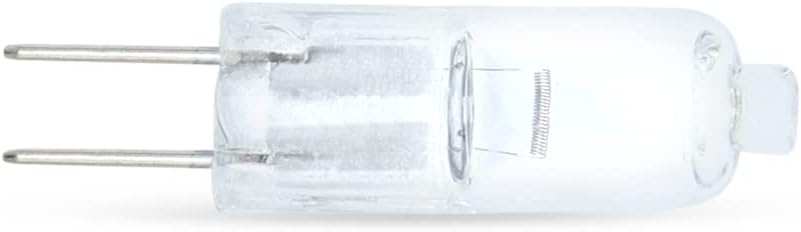
Figure 2: Side view of the Technical Precision Replacement Bulb, showing the bi-pin base.
The Technical Precision Replacement Bulb is a 20-watt, 12-volt halogen bulb with a G8 bi-pin base, designed for specific lighting applications. It emits a warm white light with a color temperature of 2800 Kelvin and has an average life of 2000 hours. Its compact size, approximately 1.22 inches in length, makes it suitable for various fixtures requiring this specific bulb type.
Setup and Installation
Before beginning installation, ensure the power to the fixture is turned off at the circuit breaker to prevent electrical shock. Allow the old bulb, if any, to cool completely before handling.
- Safety First: Always wear protective gloves or use a clean cloth when handling the new halogen bulb. Oils from your skin can create hot spots on the bulb's surface, leading to premature failure.
- Remove Old Bulb: Carefully grasp the old bulb and pull it straight out from its socket. Avoid twisting or bending the pins.
- Insert New Bulb: Align the two pins of the new Technical Precision Replacement Bulb with the corresponding holes in the fixture's socket. Gently push the bulb straight into the socket until it is firmly seated. Do not force the bulb.
- Secure Fixture: Reassemble any covers or protective elements of the lighting fixture.
- Restore Power: Turn the power back on at the circuit breaker.
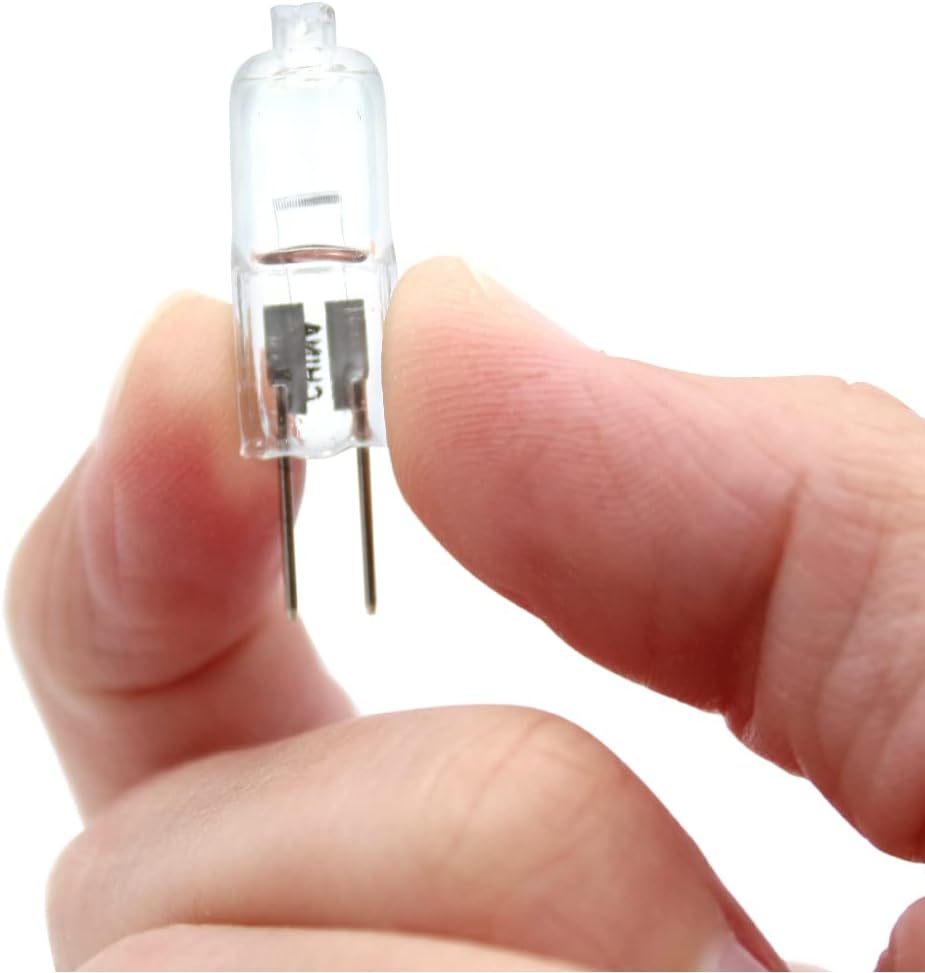
Figure 3: Handling the bulb with fingers, demonstrating its small size. Always use gloves or a cloth during installation.

Figure 4: The bulb's compact dimensions, shown resting in a hand.
Operating Instructions
Once installed, the Technical Precision Replacement Bulb operates immediately upon receiving power from the fixture. This bulb is designed for standard on/off operation.
- Power On/Off: Use the fixture's integrated switch or the wall switch connected to the fixture to turn the bulb on or off.
- Warm-up Time: Halogen bulbs typically reach full brightness almost instantly.
- Heat Emission: Halogen bulbs generate significant heat during operation. Ensure the fixture has adequate ventilation and is not in contact with flammable materials.
Maintenance
The Technical Precision Replacement Bulb requires minimal maintenance. Its primary maintenance consideration is replacement at the end of its operational life.
- Cleaning: If the bulb surface becomes dusty, ensure the power is off and the bulb is cool. Gently wipe the bulb with a clean, dry, lint-free cloth. Do not use liquid cleaners.
- Replacement: When the bulb reaches the end of its average life (approximately 2000 hours) or fails, follow the "Setup and Installation" steps to replace it. Always ensure the power is off and the bulb is cool before attempting replacement.
- Disposal: Dispose of old bulbs according to local regulations for electronic waste or general waste, as applicable.
Troubleshooting
| Problem | Possible Cause | Solution |
|---|---|---|
| Bulb does not light up. |
|
|
| Bulb flickers. |
|
|
| Bulb burns out quickly. |
|
|
Specifications
- Brand: Technical Precision
- Model Number: 1009303 (Replacement for Burton 1009303)
- Wattage: 20 Watts
- Voltage: 12 Volts
- Color Temperature: 2800 Kelvin (Warm White)
- Average Life: 2000 Hours
- Bulb Type: Halogen, Bi-Pin (G8 base)
- Material: Copper (for pins/base)
- Bulb Length: Approximately 1.22 Inches
- Unit Count: 1
Warranty and Support
Technical Precision stands behind the quality of its products. For specific warranty information regarding this replacement bulb, please refer to the packaging or contact Technical Precision directly through their official website or customer service channels.
For technical support, troubleshooting assistance beyond this manual, or inquiries about product compatibility, please visit the Technical Precision Store on Amazon or their official website.