
1. Introduction
This manual provides instructions for the proper use and maintenance of your Bestway Coleman 90358 Type IV and Type B Pool Filter Cartridges. These cartridges are designed to ensure clean and clear water in your swimming pool by effectively sifting out dirt and debris as water passes through your filter pump. They are compatible with 2,100 and 2,500 gallon per hour filter pumps.
2. Product Overview

Image 2.1: Coleman Type IV/B filter cartridge in its packaging. This image shows the Coleman Type IV and Type B filter cartridge, still sealed in its clear plastic packaging, highlighting the product branding and type.
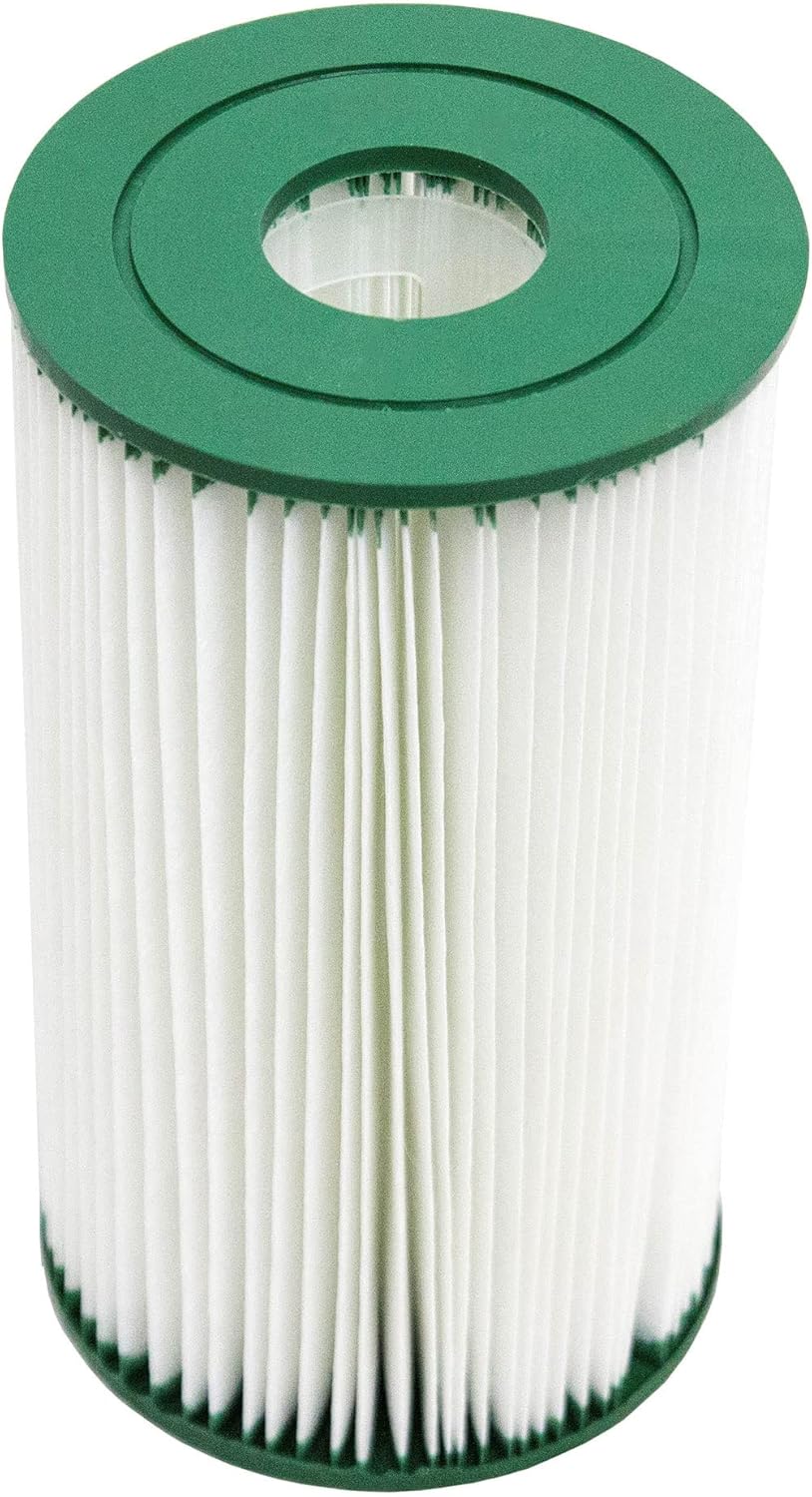
Image 2.2: Top view of the Coleman Type IV/B filter cartridge. A top-down view of the Coleman Type IV and Type B filter cartridge, featuring the green plastic end cap and the pleated filter material.
The filter cartridge features a pleated design to maximize surface area for efficient filtration. The durable material is designed to capture fine particles, ensuring your pool water remains clean.
3. Installation
To install the filter cartridge, follow these general steps. Always refer to your specific filter pump's instruction manual for detailed installation procedures and safety warnings.
- Power Off: Ensure your filter pump is turned off and unplugged from the power source before beginning installation.
- Release Pressure: If applicable, release any pressure from the filter system.
- Open Filter Housing: Carefully open the filter pump housing according to your pump's manual.
- Remove Old Cartridge: Remove the old, dirty filter cartridge. Dispose of it responsibly.
- Insert New Cartridge: Place the new Bestway Coleman Type IV/B filter cartridge into the filter housing, ensuring it is seated correctly.
- Secure Housing: Close and secure the filter housing tightly.
- Restore Power: Plug in and turn on your filter pump. Check for any leaks.

Image 3.1: Filter maintenance steps. This diagram illustrates three steps for filter maintenance: 1. Cleaning the filter with a hose, 2. Inserting the clean filter into the pump housing, and 3. The pump operating with the new filter.
4. Operation
Once installed, the filter cartridge operates continuously as your pool pump runs, circulating water through the pleated material to remove impurities. For optimal water clarity, ensure your pump operates for an adequate duration each day, typically 8-12 hours, depending on pool size and usage.
5. Maintenance
Regular maintenance of your filter cartridge is crucial for maintaining clean pool water and extending the life of your filter pump.
5.1 Cleaning the Cartridge
The filter cartridge can be cleaned to remove accumulated debris. For optimal performance, clean the filter cartridge every few weeks, or more frequently if the pool is heavily used or appears dirty.
- Power Off: Turn off and unplug the filter pump.
- Remove Cartridge: Open the filter housing and remove the dirty cartridge.
- Rinse: Use a garden hose to thoroughly rinse the pleated material of the cartridge. Spray from top to bottom, ensuring water penetrates between the pleats to dislodge trapped debris.
- Inspect: Inspect the cartridge for any damage or excessive wear.
- Reinstall: Reinstall the cleaned cartridge into the filter housing and secure it.
5.2 Replacement
Even with regular cleaning, filter cartridges will eventually wear out and lose their effectiveness. For optimal filtration and pump efficiency, replace the filter cartridge every few weeks, or as soon as you notice a decrease in water clarity or pump performance.
6. Troubleshooting
If your pool water remains cloudy or dirty despite regular filter maintenance, consider the following:
- Check Cartridge: Ensure the filter cartridge is clean and not damaged. A severely clogged or damaged cartridge will not filter effectively.
- Pump Operation: Verify that your filter pump is running for sufficient periods each day.
- Water Chemistry: Test your pool's water chemistry (pH, chlorine levels, alkalinity). Imbalanced chemistry can contribute to cloudy water.
- Pump Malfunction: If the pump is not circulating water properly, consult your pump's manual or a qualified technician.
7. Specifications

Image 7.1: Coleman Type IV/B filter cartridge specifications. An image detailing the specifications of the Type IV, B filter cartridge, including its dimensions of 5.6 inches by 10 inches, and its compatibility with 2,500 gallon filter pumps.
| Model Number | 90358E |
| Filter Type | Type IV / Type B |
| Dimensions | 5.6 inches (Diameter) x 10 inches (Height) |
| Material | Plastic (Filter Media) |
| Compatibility | 2,100 and 2,500 Gallon per Hour Filter Pumps |
8. Product Video
Video 8.1: Coleman 90358 Pool Filter Pump Replacement Cartridge. This video demonstrates the features and proper use of the Coleman 90358 Pool Filter Pump Replacement Cartridge, Type IV and Type B.
9. Warranty and Support
For information regarding product warranty, returns, or customer support, please refer to the documentation provided with your purchase or contact the retailer directly. You may also visit the official Bestway store for additional product information and support resources.
Bestway Store: https://www.amazon.com/stores/Bestway/page/26E889BF-ABB4-4C74-AB22-7BAD82F0BF6A