
Introduction
Thank you for choosing the Clean Obsessed CO711 Lightweight Portable Commercial Canister Vacuum Cleaner. This manual provides essential information for the safe and efficient operation, maintenance, and troubleshooting of your new vacuum cleaner. Please read it thoroughly before first use and keep it for future reference.
Important Safety Instructions
When using an electrical appliance, basic precautions should always be followed, including the following:
- Read all instructions before using the vacuum cleaner.
- Do not leave the appliance unattended when plugged in. Unplug from outlet when not in use and before servicing.
- Do not use outdoors or on wet surfaces. This vacuum is designed for dry pickup only.
- Do not allow to be used as a toy. Close attention is necessary when used by or near children.
- Use only as described in this manual. Use only manufacturer's recommended attachments.
- Do not use with damaged cord or plug. If appliance is not working as it should, has been dropped, damaged, left outdoors, or dropped into water, return it to a service center.
- Do not pull or carry by cord, use cord as a handle, close a door on cord, or pull cord around sharp edges or corners. Do not run appliance over cord. Keep cord away from heated surfaces.
- Do not unplug by pulling on cord. To unplug, grasp the plug, not the cord.
- Do not handle plug or appliance with wet hands.
- Do not put any object into openings. Do not use with any opening blocked; keep free of dust, lint, hair, and anything that may reduce air flow.
- Keep hair, loose clothing, fingers, and all parts of body away from openings and moving parts.
- Do not pick up anything that is burning or smoking, such as cigarettes, matches, or hot ashes.
- Do not use to pick up flammable or combustible liquids, such as gasoline, or use in areas where they may be present.
- Do not use without dust bag and/or filters in place.
- Turn off all controls before unplugging.
- Use extra care when cleaning on stairs.
Package Contents
Your Clean Obsessed CO711 vacuum cleaner comes with the following components:
- CO711 Canister Vacuum Unit
- Flexible Hose
- Stainless Steel Telescopic Wand
- Combo Rug & Floor Tool with Swivel Neck and Rear Wheels
- Upholstery Tool with Slide-on Brush
- Round Dusting Brush
- Crevice Tool
- H10 5-layer Micro Filtration Dust Bag (pre-installed or included)
- Adjustable Padded Shoulder Strap

Image: The 8-piece tool kit, including dusting brush, upholstery tool, floor brush, and crevice tool, designed for versatile cleaning.
Setup
- Unpacking: Carefully remove all components from the packaging. Retain packaging for storage or in case of return.
- Attaching the Hose: Insert the flexible hose into the suction inlet on the main canister unit. Ensure it clicks securely into place.
- Assembling the Wand and Tools:
- Connect the telescopic wand to the end of the flexible hose.
- Attach your desired cleaning tool (e.g., combo rug & floor tool, upholstery tool, crevice tool, dusting brush) to the end of the telescopic wand. Ensure a snug fit.
- Installing/Checking the Dust Bag:
- Open the dust bag compartment on the canister unit.
- Ensure an H10 5-layer micro filtration dust bag is correctly installed. If replacing, align the bag collar with the bag holder and push firmly. Close the compartment securely.
- Attaching the Shoulder Strap (Optional): Connect the adjustable padded shoulder strap to the designated attachment points on the canister unit for comfortable portability.
Video: This video demonstrates the basic setup, controls, and dust bag replacement for the Clean Obsessed CO711 Portable Commercial Canister Vacuum.
Operating Instructions
- Power Connection: Extend the 27-foot commercial power cord and plug it into a suitable electrical outlet.
- Power On/Off: Press the power button (often a foot pedal or large button on the canister) to turn the vacuum cleaner on. Press again to turn it off.
- Suction Control: The CO711 features powerful commercial suction. Some models may include a variable speed control dial to adjust suction power for different cleaning tasks. Refer to your unit for specific controls.
- Using Floor Tools:
- For carpets, use the combo rug & floor tool. Its swivel neck and rear wheels allow for easy maneuverability.
- For hard floors, use the dedicated floor tool or adjust the combo tool as needed.
- Using Specialty Tools:
- The Upholstery Tool is ideal for cleaning furniture, curtains, and car interiors. Use with or without the slide-on brush.
- The Round Dusting Brush is perfect for delicate surfaces, shelves, and blinds.
- The Crevice Tool allows you to reach tight spaces, corners, and along edges.
- Cord Retraction: After use, unplug the vacuum. Press the cord rewind button (if available) or manually wrap the 27-foot cord for storage.

Image: A person using the Clean Obsessed CO711 canister vacuum to clean a hard floor surface.
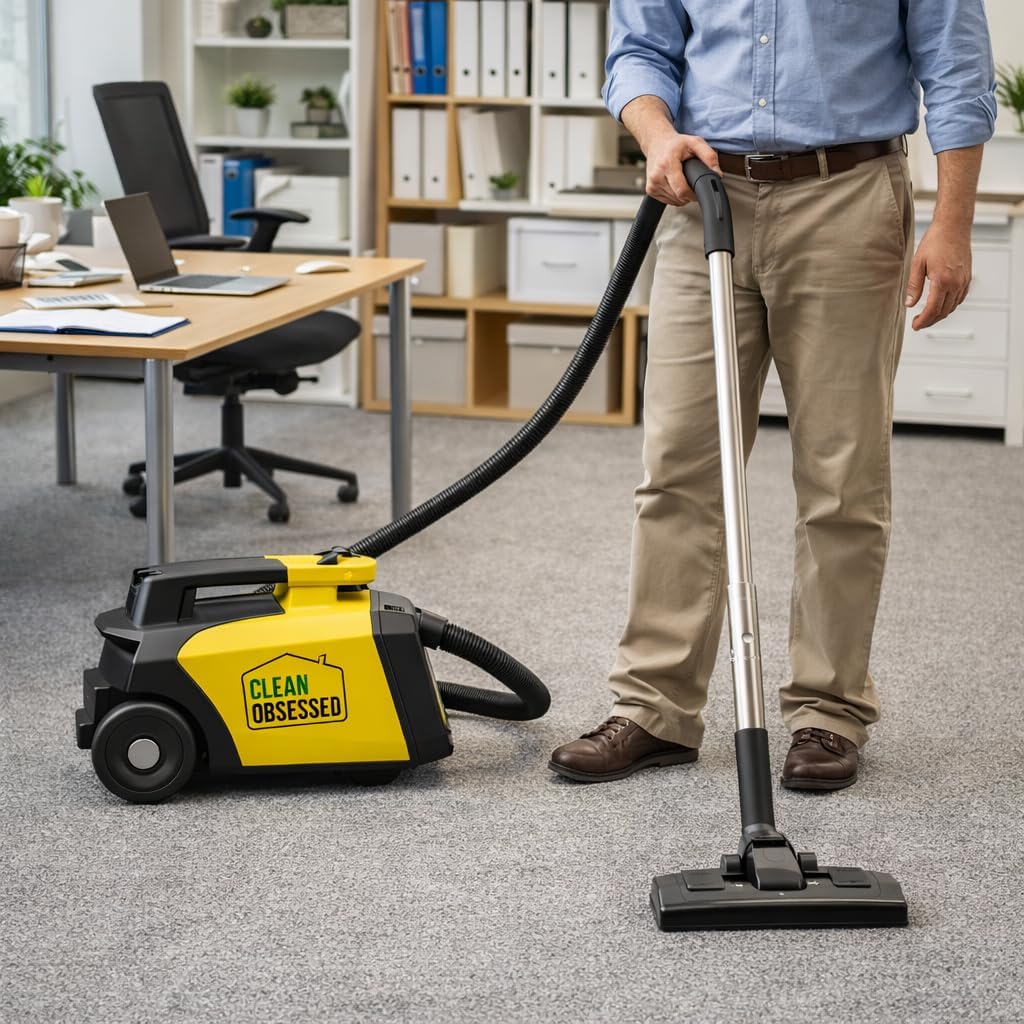
Image: A person using the Clean Obsessed CO711 canister vacuum to clean a carpeted office floor.
Maintenance
Regular maintenance ensures optimal performance and extends the life of your vacuum cleaner.
- Emptying/Changing the Dust Bag:
- When the dust bag indicator shows full, or suction power decreases, it's time to change the bag.
- Unplug the vacuum cleaner. Open the dust bag compartment.
- Carefully remove the full dust bag, ensuring the bag opening is sealed to prevent dust leakage.
- Insert a new H10 5-layer micro filtration dust bag, ensuring it is properly seated. Close the compartment securely.
- Cleaning Filters:
- Your CO711 uses H10 5-layer micro filtration. Check filters regularly for excessive dirt buildup.
- Depending on the filter type (pre-motor, post-motor), they may be washable or require replacement. Follow manufacturer guidelines for cleaning or replacing filters.
- Hose and Attachment Inspection: Periodically check the hose and attachments for blockages, cracks, or damage. Clear any obstructions to maintain airflow.

Image: Packaging for Clean Obsessed CO711 HEPA Vacuum Bags, indicating 5-layer H-10 HEPA material for optimal performance.
Troubleshooting
If your vacuum cleaner is not performing as expected, consult the following common issues:
- No Power: Check if the power cord is securely plugged into the outlet. Ensure the outlet is functional. Check the circuit breaker.
- Loss of Suction:
- Check if the dust bag is full and needs replacement.
- Inspect the hose, wand, and attachments for blockages.
- Check if filters are clogged and require cleaning or replacement.
- Unusual Noise: Turn off and unplug the vacuum. Check for any foreign objects caught in the brush roll (if applicable) or hose.
- Overheating: If the vacuum shuts off automatically, it may be due to overheating. Unplug the unit and allow it to cool down for at least 30 minutes. Check for blockages or a full dust bag.
If problems persist, contact customer support.
Specifications
| Feature | Specification |
|---|---|
| Brand | Clean Obsessed |
| Model Name | CO711 |
| Special Feature | Corded, Portable |
| Filter Type | Cartridge, H10 5-layer Micro Filtration |
| Included Components | Canister, Crevice Tool, HEPA Filter, Combo Rug & Floor Tool, Upholstery Tool, Round Dusting Brush, Stainless Steel Telescopic Wand, Adjustable Shoulder Strap |
| Wattage | 600 watts |
| Maximum Suction | 115 Inches (water lift) |
| Hose Length | 27 Feet (power cord) |
| Form Factor | Canister |
| Color | Yellow |
| Noise Level | 70 Decibels |
| Item Weight | 10 pounds |
| Product Dimensions | 20 x 17.2 x 11.9 inches |
| Surface Recommendation | Floor, Upholstery, Rugs |
Warranty and Support
For warranty information, please refer to the documentation included with your purchase or contact Clean Obsessed customer service directly. Keep your proof of purchase for warranty claims.
For technical support, replacement parts, or general inquiries, please visit the official Clean Obsessed website or contact their customer service department. Contact details can typically be found on the product packaging or the manufacturer's website.


