
1. Introduction
This manual provides comprehensive instructions for the safe and efficient operation and maintenance of your PrimeMatik Industrial Scale. Please read this manual thoroughly before using the device to ensure proper functionality and to prevent damage or injury.
The PrimeMatik Industrial Scale is designed for weighing loads in industrial environments, offering high reliability and precision.
2. Safety Instructions
Always adhere to the following safety guidelines to ensure safe operation:
- Place the scale on a stable, flat surface, preferably on the ground, to ensure accurate readings and prevent tipping.
- Do not exceed the maximum weight capacity of 60 kg. Overloading can damage the weighing sensor.
- Ensure the power supply (6 VDC) is correctly connected. Use only the provided power source.
- Keep the scale away from water or excessive moisture to prevent electrical hazards and damage to components.
- Before initial use, adjust and separate the protection screws for the weighing sensor from the base, especially when weighing heavy loads. Refer to the setup section for details.
- Do not attempt to disassemble or repair the scale yourself. Contact qualified service personnel for any repairs.
- Keep children and unauthorized personnel away from the scale during operation.
3. Package Contents
Verify that all items are present in the package:
- PrimeMatik Industrial Scale (Platform and Display Unit)
- 6 VDC Power Adapter
- Internal Rechargeable 4V / 5Ah Battery (pre-installed)
- Protection Screws for Weighing Sensor (to be adjusted during setup)
4. Setup
Follow these steps to set up your industrial scale:
- Unpacking: Carefully remove all components from the packaging.

Figure 4.1: The PrimeMatik Industrial Scale, showing the main components.
- Placement: Place the scale on a firm, level surface. Ensure the surface is stable enough to support the scale and the maximum intended load.
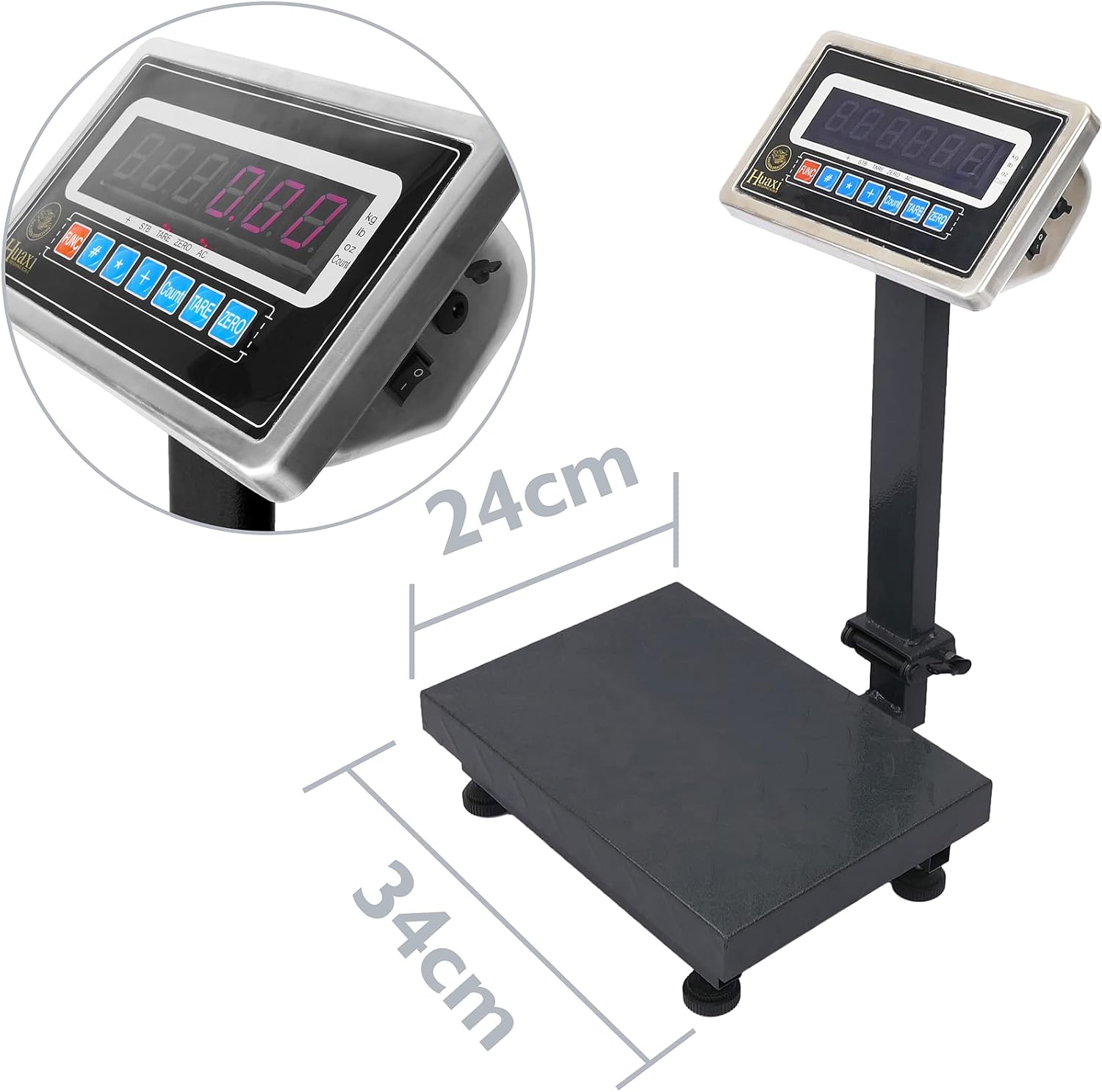
Figure 4.2: The scale platform measures 24 cm by 34 cm, suitable for various items.
- Adjusting Protection Screws: The scale comes with protection screws for the weighing sensor. These screws must be adjusted and separated from the base before use, especially for heavy loads. Locate the screws near the weighing sensor mechanism.
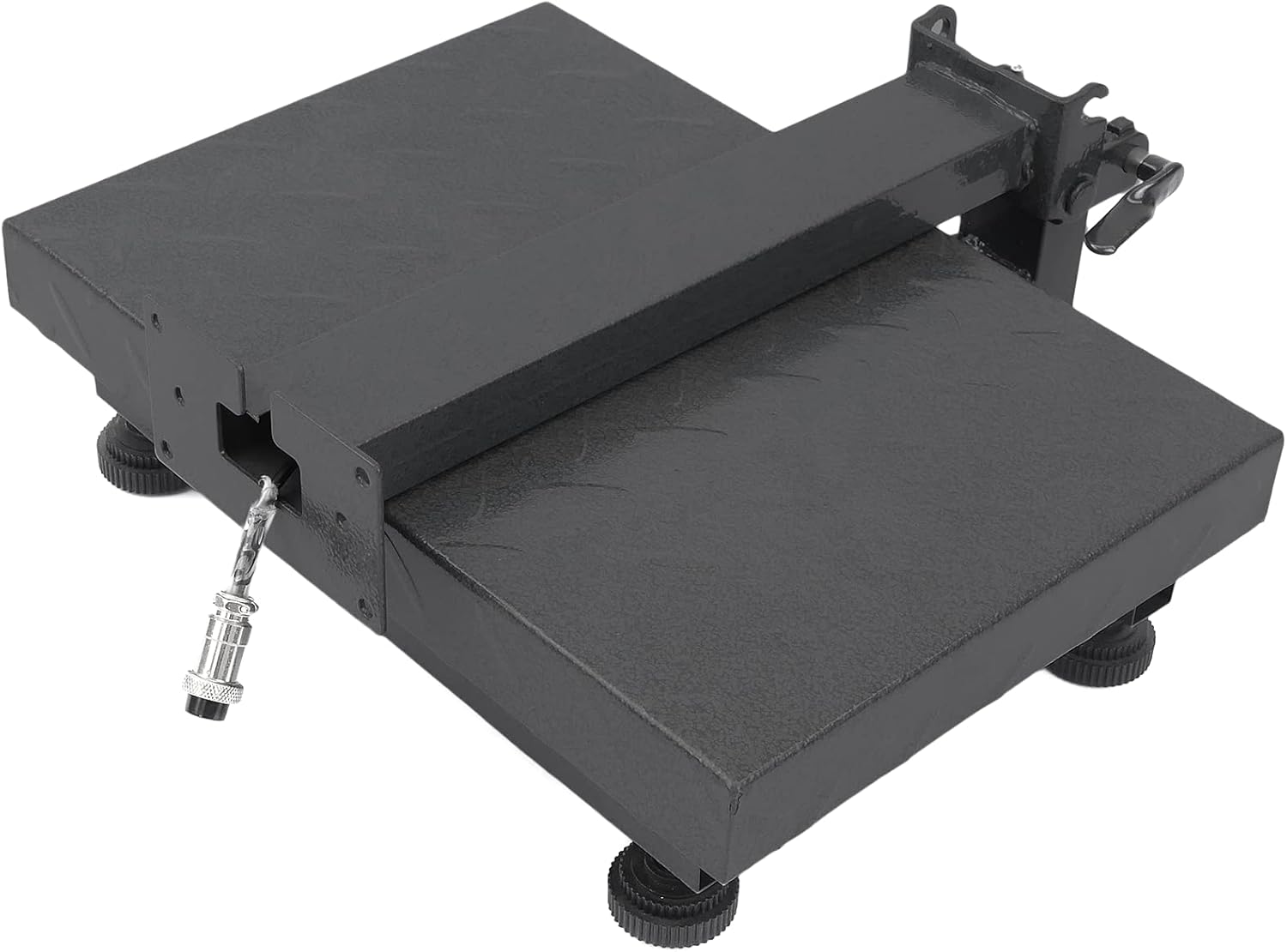
Figure 4.3: Underside view showing the protection screws and adjustable feet.
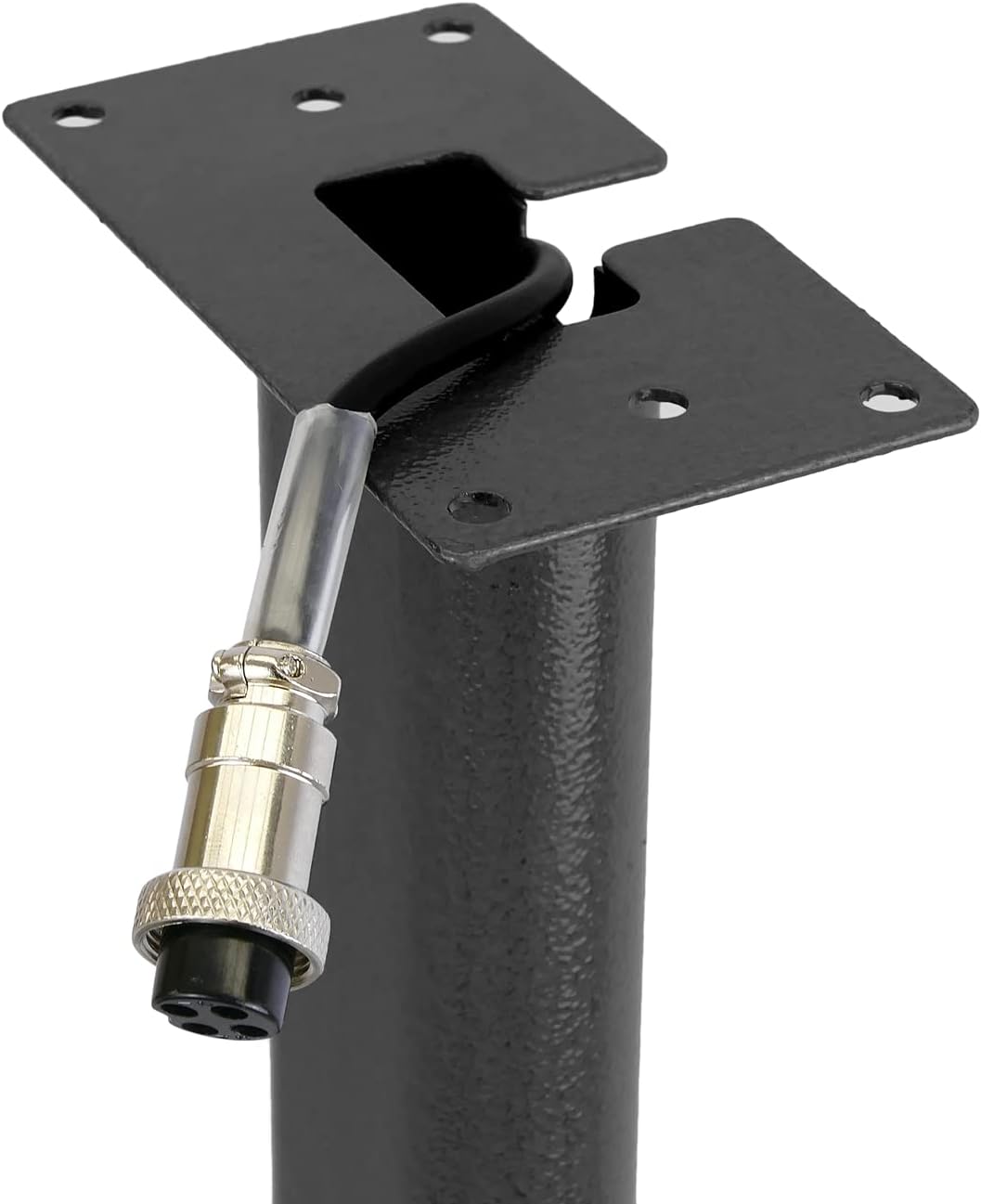
Figure 4.4: The protection screws must be loosened or removed before operation.
Ensure the screws are not pressing against the base, allowing the platform to move freely for accurate weighing. There is also a spirit level to assist with proper leveling.

Figure 4.5: Integrated spirit level for precise leveling of the scale.
- Connect Display Unit: Connect the display unit to the platform using the provided cable. Ensure the connection is secure.

Figure 4.6: Secure cable connection for the display unit.

Figure 4.7: Cable connection point on the scale platform.
- Power Connection: Connect the 6 VDC power adapter to the scale and plug it into a suitable power outlet. The scale also has an internal rechargeable 4V / 5Ah battery for portable use.

Figure 4.8: Power switch and charging port on the display unit.
5. Operating Instructions
The PrimeMatik Industrial Scale features a 6-digit LCD display (25x15mm) and various functions for precise weighing.
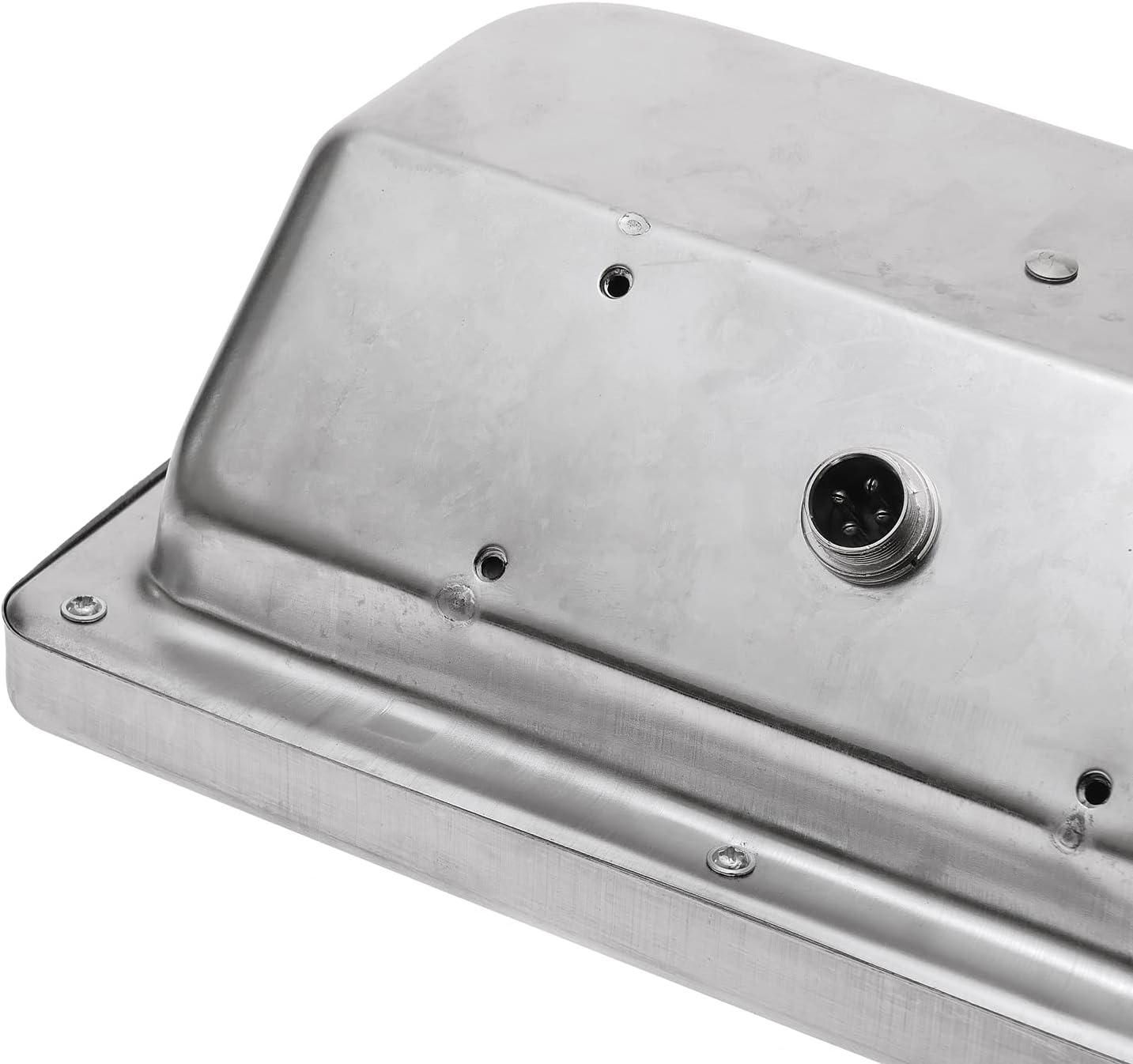
Figure 5.1: The digital display and control panel.
5.1 Basic Weighing
- Turn on the scale using the power switch.
- Wait for the display to show "0.00" or "0.000". If it does not, press the ZERO button.
- Place the item to be weighed gently on the center of the platform.
- Read the weight displayed on the LCD screen.
5.2 Tare Function
The tare function allows you to subtract the weight of a container, so only the net weight of the contents is measured.
- Place the empty container on the platform.
- Press the TARE button. The display will reset to "0.00" or "0.000".
- Place the items to be weighed into the container. The display will show the net weight of the items.
5.3 Unit Conversion (kg/lb)
The scale supports both kilograms (kg) and pounds (lb) units.
- Press the UNIT button (or similar button labeled for unit conversion, typically "MODE" or "UNIT") to switch between kg and lb.
5.4 Other Functions (Sum, Multiplication, etc.)
The scale may include advanced functions such as counting, summing multiple weights, and multiplication. Refer to the specific buttons on your display unit for these operations. Detailed instructions for these functions are typically found on the display unit's interface or quick start guide.
6. Maintenance
Proper maintenance ensures the longevity and accuracy of your scale:
- Cleaning: Clean the scale regularly with a soft, damp cloth. Do not use abrasive cleaners or solvents, as they may damage the finish or electronic components.
- Storage: When not in use for extended periods, store the scale in a dry, cool place. The foldable structure allows it to remain flat for easy storage.
- Battery Charging: If using the internal rechargeable battery, ensure it is charged regularly to maintain its capacity. Connect the power adapter when the battery indicator is low.
- Calibration: While the scale is factory calibrated, professional recalibration may be required periodically for certified accuracy, especially after heavy use or significant environmental changes.
7. Troubleshooting
If you encounter issues with your scale, refer to the following common problems and solutions:
| Problem | Possible Cause | Solution |
|---|---|---|
| Scale does not turn on. | No power, battery drained, or power switch off. | Ensure power adapter is connected and plugged in. Check if the internal battery needs charging. Turn on the power switch. |
| Inaccurate readings or fluctuating display. | Scale not level, protection screws not adjusted, unstable surface, or overloaded. | Ensure the scale is on a flat, stable surface and level using the spirit level. Verify that the protection screws are loosened/separated from the base. Do not exceed 60 kg capacity. |
| Display shows "OL" or "Err". | Overload. | Remove the item from the platform. Ensure the weight does not exceed 60 kg. |
| Display does not zero out. | Weight on platform, or calibration issue. | Remove all items from the platform and press the ZERO button. If the issue persists, professional recalibration might be needed. |
If the problem persists after trying these solutions, please contact PrimeMatik customer support.
8. Specifications
| Feature | Detail |
|---|---|
| Brand | PrimeMatik |
| Model Number | BV01 |
| Material | High-strength dark grey steel |
| Platform Surface Dimensions | 24 x 34 cm |
| Display Type | 6-digit LCD display |
| Display Size | 25 x 15 mm |
| Power Supply | 6 VDC (adapter included) |
| Internal Battery | Rechargeable 4V / 5Ah |
| Compatible Weight Units | kg, lb |
| Maximum Weight Capacity | 60 kg |
| Precision | 10 g |
| Product Dimensions (assembled) | 35.71 x 34.7 x 56.69 cm |
| Product Weight | 6.22 kg |
9. Warranty and Support
For warranty information and technical support, please refer to the documentation provided with your purchase or visit the official PrimeMatik website. Keep your proof of purchase for warranty claims.
For further assistance, you may contact PrimeMatik customer service through their official channels.

