
BLACK+DECKER BPACT14WT
BLACK+DECKER Smart Portable Air Conditioner User Manual
Model: BPACT14WT
Brand: BLACK+DECKER
1. Product Overview
The BLACK+DECKER Smart Portable Air Conditioner, model BPACT14WT, is a versatile 3-in-1 unit designed to provide cooling, dehumidification, and fan functions for rooms up to 700 sq. ft. This 14,000 BTU ASHRAE (10,200 BTU SACC) unit features smart connectivity for Wi-Fi control via a mobile app, and voice control compatibility with Amazon Alexa or Google Assistant. It includes a full-function remote control with a "Follow Me" feature for precise temperature management.
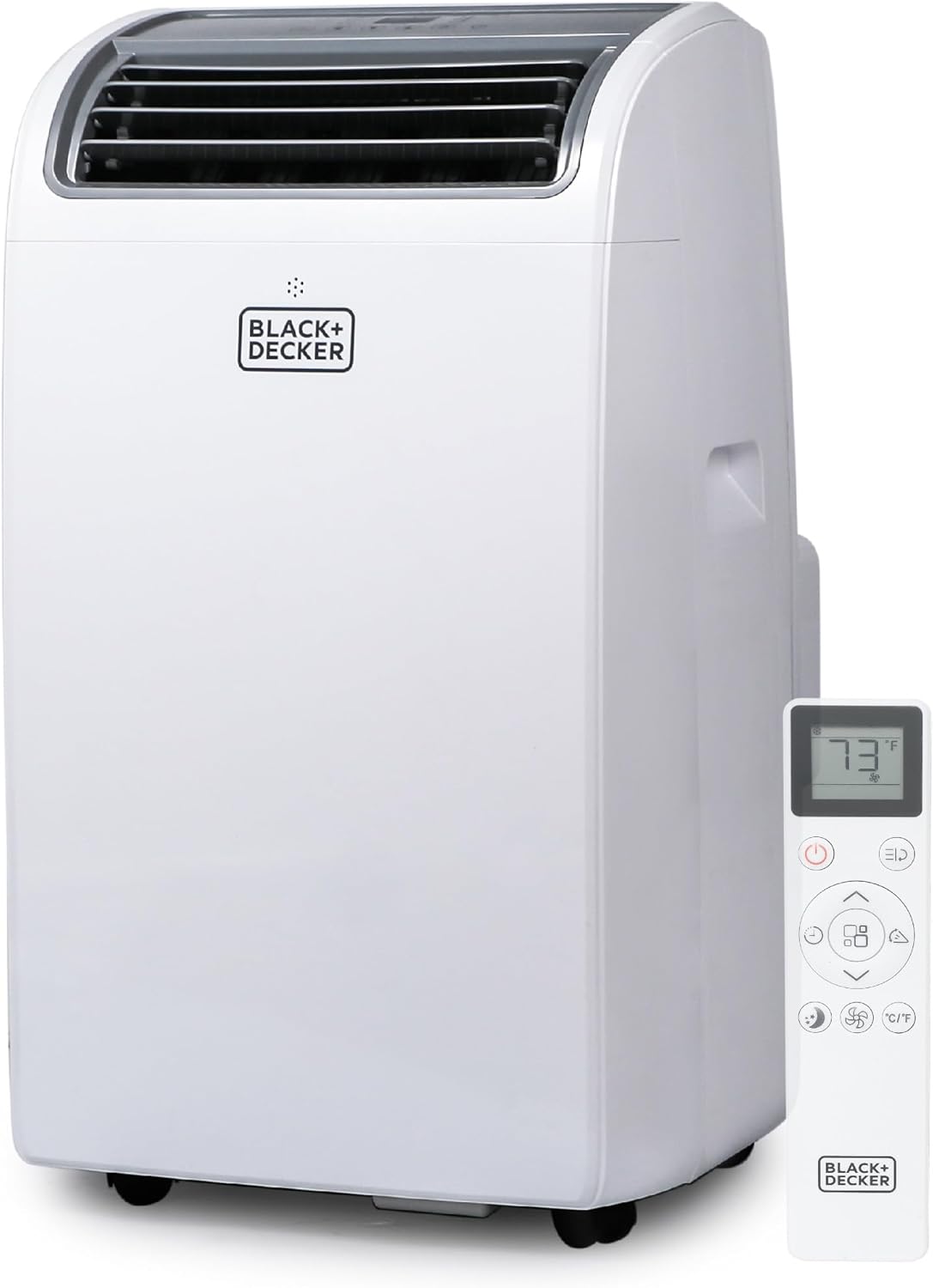
Image: Front view of the BLACK+DECKER Smart Portable Air Conditioner with its remote control.
2. Safety Information
Please read all safety warnings and instructions carefully before operating this appliance to reduce the risk of fire, electric shock, or injury. Keep this manual for future reference.
- Ensure the unit is placed on a flat, stable surface.
- Do not operate the unit with a damaged cord or plug.
- Do not block air inlets or outlets.
- Unplug the unit before cleaning or servicing.
- This appliance is for indoor use only.
- Keep children and pets away from the unit during operation.
- The product contains materials known to the State of California to cause cancer and birth defects or other reproductive harm (Proposition 65 warning).
3. Package Contents
Verify that all components are present and in good condition upon unpacking.
- Portable Air Conditioner Unit
- Full Function Remote Control
- Installation Kit:
- Air exhaust hose
- Hose inlet/outlet adapters
- Window casement (slider bracket)
- Foam seal
- 2 locking screws
- Water drain hose
- Owner's Manual (this document)

Image: Components of the window installation kit, including the exhaust hose, adapters, and window slider bracket.
4. Setup and Installation
Follow these steps for proper setup and installation of your portable air conditioner.
- Positioning the Unit: Place the unit on a flat, stable surface near a window and a grounded electrical outlet. Ensure there is at least 20 inches of space around the unit for proper airflow. The unit is equipped with handles and castors for easy movement.
- Window Kit Assembly:
- Connect the exhaust hose to the hose inlet adapter and then to the unit's exhaust port.
- Assemble the window slider bracket to fit your window opening (fits windows 27.5" Min - 47.2" Max).
- Insert the hose outlet adapter into the opening of the window slider bracket.
- Secure the window kit in the window opening using the locking screws and foam seal to prevent air leakage.
- Power Connection: Plug the unit into a standard 115-volt, 60Hz grounded electrical outlet.

Image: Close-up views showing the handles on the side and the castors (wheels) at the bottom of the portable AC unit, highlighting its portability.

Image: Floor plan diagram illustrating recommended BTU capacities for different room sizes, showing the 14,000 BTU unit is suitable for up to 700 sq. ft.
5. Operating Instructions
Your portable air conditioner offers multiple operating modes and control options.
Control Panel and Display
The unit features a top-mounted control panel with an LED display for easy access to settings.

Image: Top view of the portable AC unit showing the digital display and control buttons, highlighting its 3-in-1 functionality.
Remote Control
The included full-function remote control allows you to operate the unit from a distance. It features a "Follow Me" function, which turns the remote into a thermostat for precise temperature control at your location.

Image: Close-up of the remote control with its display showing 73°F, and an illustration of the "Follow Me" function in use.
Operating Modes
- Cool Mode: Provides powerful cooling for rooms up to 700 sq. ft. Set your desired temperature using the control panel or remote. The unit will cycle on and off to maintain the set temperature.
- Fan Mode: Circulates air without cooling. Choose from multiple fan speeds.
- Dehumidifier Mode: Removes excess moisture from the air.

Image: Graphic illustrating the cooling reach of the portable AC unit, indicating it cools up to 700 sq. ft. with 14,000 BTU (ASHRAE) / 10,200 BTU (SACC/CEC).
Smart Features
- Wi-Fi Connectivity: Connect the unit to your home Wi-Fi network. Download the BLACK+DECKER mobile app (available on iOS and Google Play stores) to control the unit remotely.
- Voice Control: Integrate with Amazon Alexa or Google Assistant for convenient voice commands.
6. Maintenance
Regular maintenance ensures optimal performance and longevity of your air conditioner.
- Filter Cleaning: The air filter should be cleaned regularly (e.g., every two weeks or as needed) to maintain efficiency. Refer to the full user manual for detailed instructions on filter removal and cleaning.
- Drainage: In dehumidifier mode or high humidity conditions, the unit may accumulate water. The unit includes a water drain hose for continuous drainage or manual draining.
- Exterior Cleaning: Wipe the exterior of the unit with a soft, damp cloth. Do not use harsh chemicals or abrasive cleaners.
- Storage: Before long-term storage, ensure the unit is completely drained of water and the filter is clean. Store in a dry, upright position.
7. Troubleshooting
If you experience issues with your unit, refer to the following common troubleshooting tips. For more detailed solutions, consult the full user manual.
| Problem | Possible Cause | Solution |
|---|---|---|
| Unit does not turn on | No power; power cord not plugged in; circuit breaker tripped. | Check power connection; reset circuit breaker. |
| Unit does not cool effectively | Room too large; air filter dirty; exhaust hose not properly installed; windows/doors open. | Ensure room size is within capacity; clean air filter; check hose installation; close windows/doors. |
| Unit is noisy | Unit not on a level surface; fan speed too high. | Place unit on a level surface; reduce fan speed. |
| Water leakage | Drain plug not properly sealed; unit is full of condensed water. | Check drain plug; drain water from the unit. |
8. Specifications
| Feature | Detail |
|---|---|
| Model Number | BPACT14WT |
| Cooling Capacity (ASHRAE) | 14,000 BTU |
| Cooling Capacity (SACC) | 10,200 BTU |
| Coverage Area | Up to 700 sq. ft. |
| Functions | Air Conditioner, Fan, Dehumidifier |
| Power Source | Corded Electric |
| Voltage | 115 Volts |
| Wattage | 1365 watts |
| Sound Level | 52 dB |
| Product Dimensions (D x W x H) | 14.06" x 16.5" x 27.09" |
| Item Weight | 62.7 pounds |
| Material | Aluminium, Plastic, Copper, Steel |
| Special Features | Remote Controlled, Wi-Fi Connectivity, Voice Control (Alexa/Google Assistant) |

Image: Diagram showing the dimensions of the portable air conditioner: 16.5 inches wide, 14.06 inches deep, and 27.09 inches high.
9. Warranty and Support
Warranty Description: This product comes with a 1-year limited warranty.
For customer support, troubleshooting assistance, or warranty claims, please refer to the official BLACK+DECKER support channels or the full user manual provided with your product. Digital versions of the manuals are also available online:
Related documentsBPACT14WT


Ask a question about this manual
Ask about setup, troubleshooting, compatibility, parts, safety, or missing instructions. Manuals+ will review the question and use this page’s manual context to help answer it.